Roles: Who Can Do What
Goal: Add a colleague with the right role and the right sites.
Time: 3 minutes
You need: Super admin access
Steps
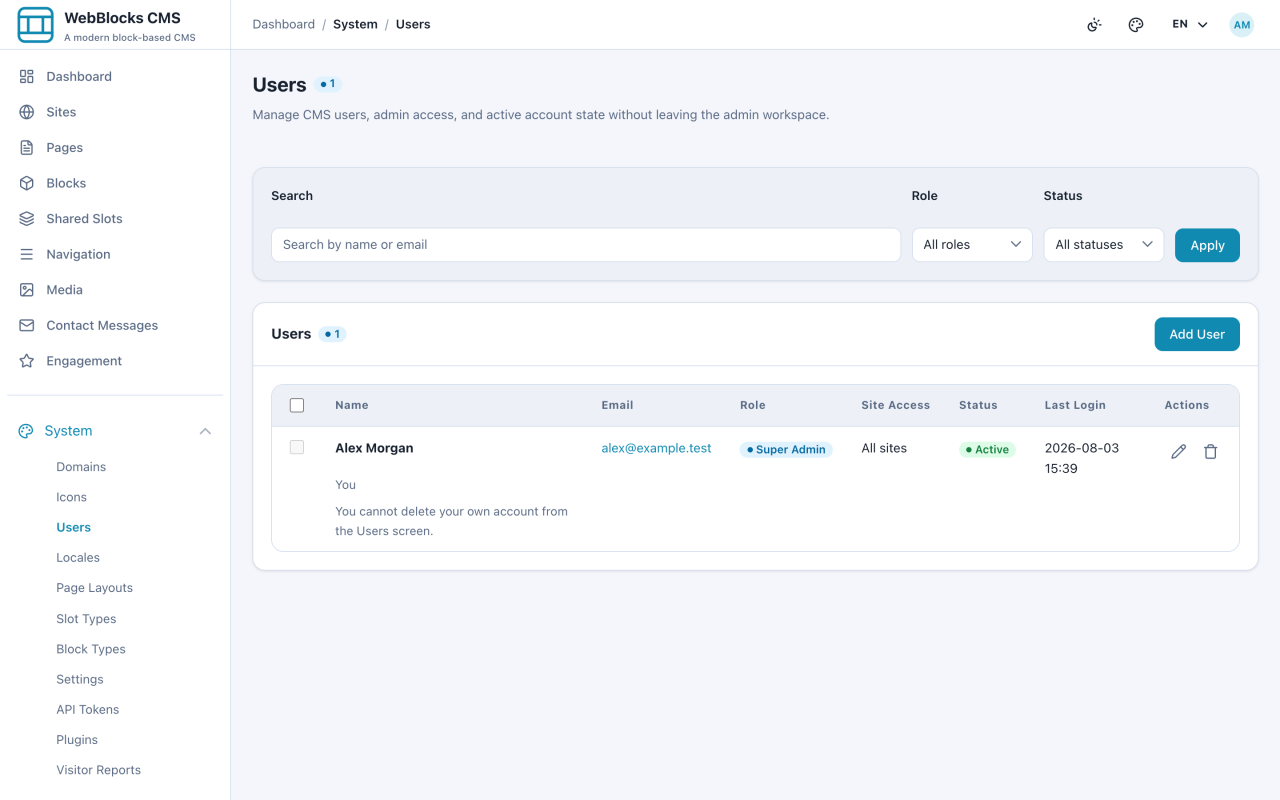
- Select System → Users. Filter by Role or Status to find someone.
- Select Add User.
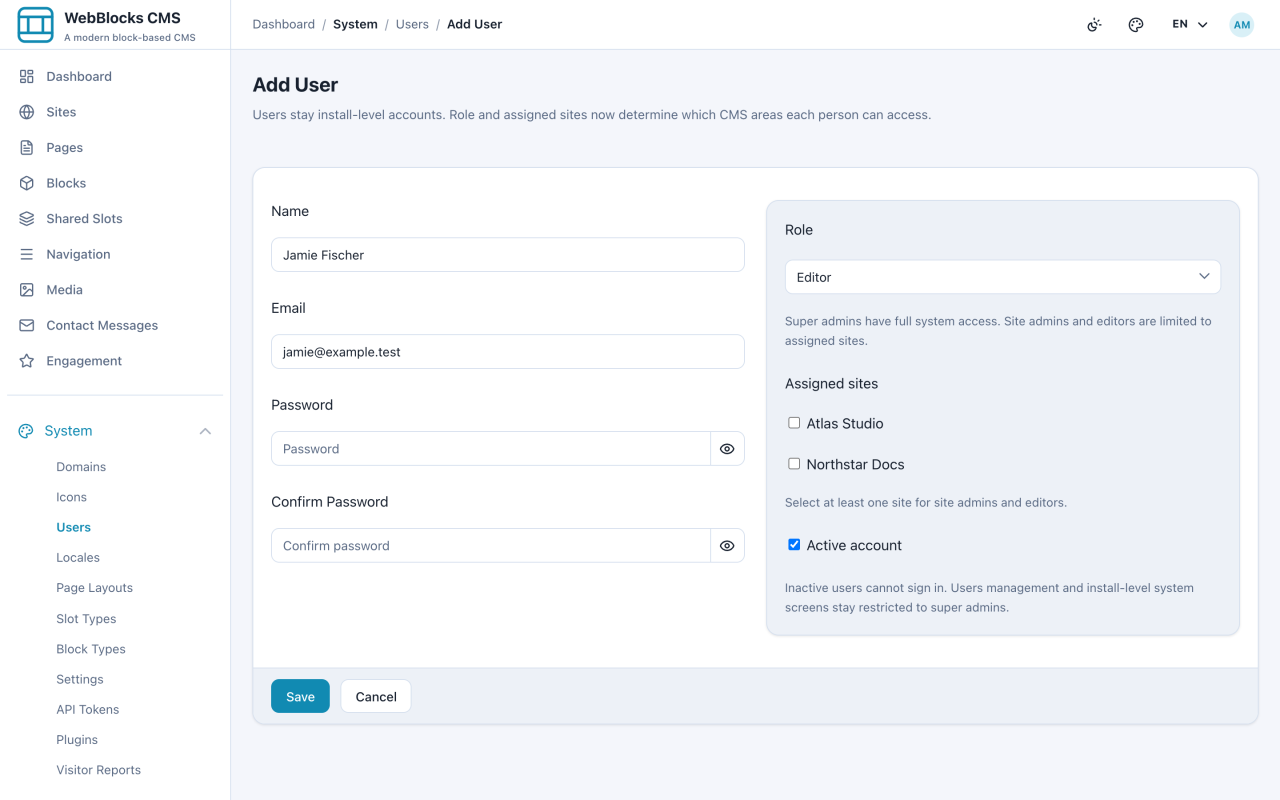
- Fill in Name, Email, Password, and Confirm Password.
- Choose the Role: Super admin, Site admin, or Editor.
- Tick the sites this person works on, choose the role for each site, and leave Active account on. An empty site-role selection uses the selected built-in role.
- Select Create.
Built-In Compatibility Roles
- Editor — content on their assigned sites: pages, blocks, media, navigation.
- Site admin — everything an editor reaches, plus site-level settings for their sites.
- Super admin — the whole installation: sites, users, system settings, updates, backups.
Site access is separate from the role. An editor assigned to one site cannot see another site's pages at all, which is what makes a multisite installation safe to share.
Custom Site Roles
Open Roles and permissions, create an empty role or copy a built-in role, and select the required operations. Include panel access and the read permissions needed for the task. Assign the role to the relevant sites on the user screen. One person can have different roles on different sites. Built-in roles are protected; copies are editable.
Use Inspect effective permissions with a user and site to review granted and denied operations. Search by permission or area, then filter the results. Access history can be filtered by user, site, role and action. Inspecting access changes no grants. Publishing, unpublishing, archiving and deleting are separate permissions; personal API tokens remain limited by current user grants and selected sites. See Custom SQL Roles for the complete boundaries.
Site access is separate from the role. An editor assigned to one site cannot see another site's pages at all, which is what makes a multisite installation safe to share.
Notes
- Give the smallest role that does the job. Most people who "need admin" need Site admin, and most who need Site admin are editors who hit one blocked screen.
- A sidebar with fewer items is the role working. Before raising someone's role, check which single screen they actually needed.
- Publishing, unpublishing and deletion are separate custom-role permissions. The built-in Editor cannot publish but retains historical page deletion and published-to-draft rights. For draft-only authors, create a narrower custom role and use a review step — see Draft, Review, And Publish.
- Deactivating beats deleting when someone leaves. Their name stays readable in revision history instead of becoming a mystery.
- Passwords are set here at creation. Nobody else should ever need to know one — that is what the reset flow is for.