Comments And Ratings
Goal: Collect feedback on a page and moderate it.
Time: 4 minutes
You need: A published page
Steps
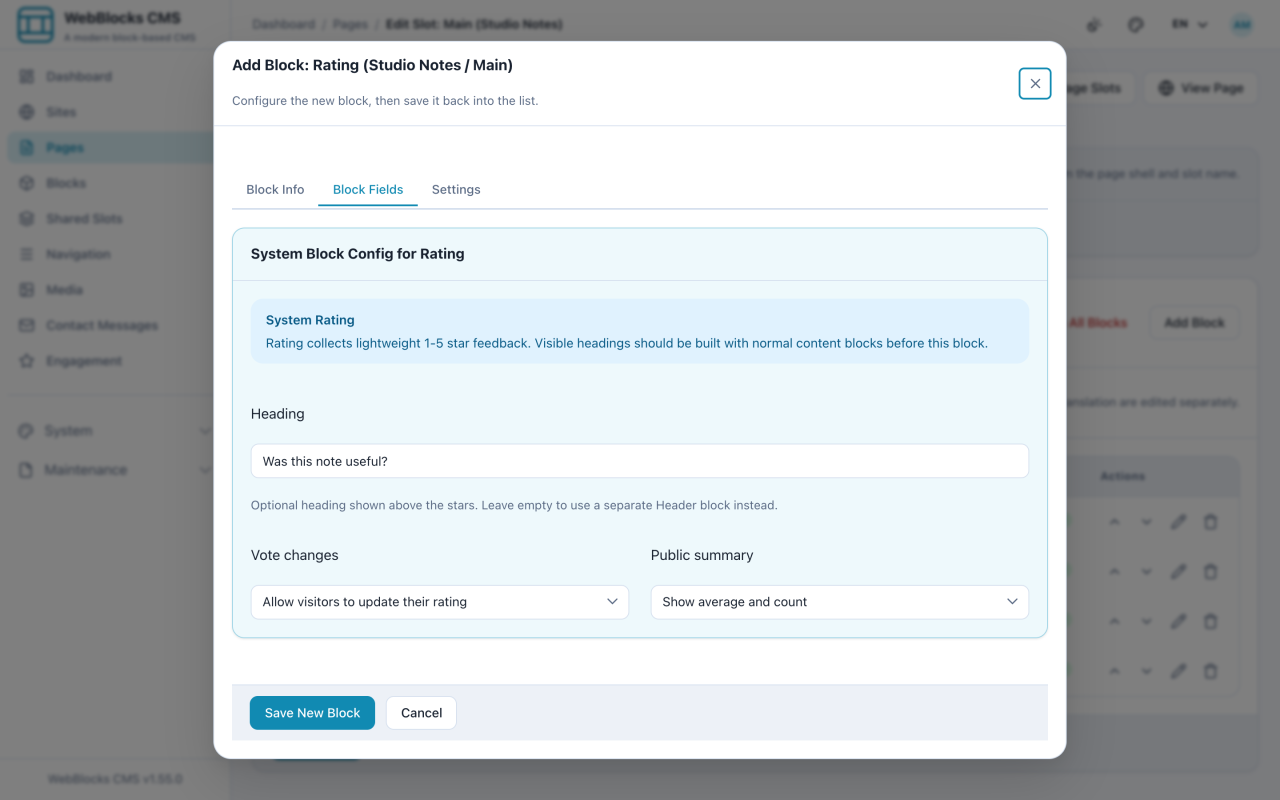
- In the Main slot, select Add Block, then choose Rating. Set the Heading, and decide whether visitors may change a vote and whether the Public summary is shown.
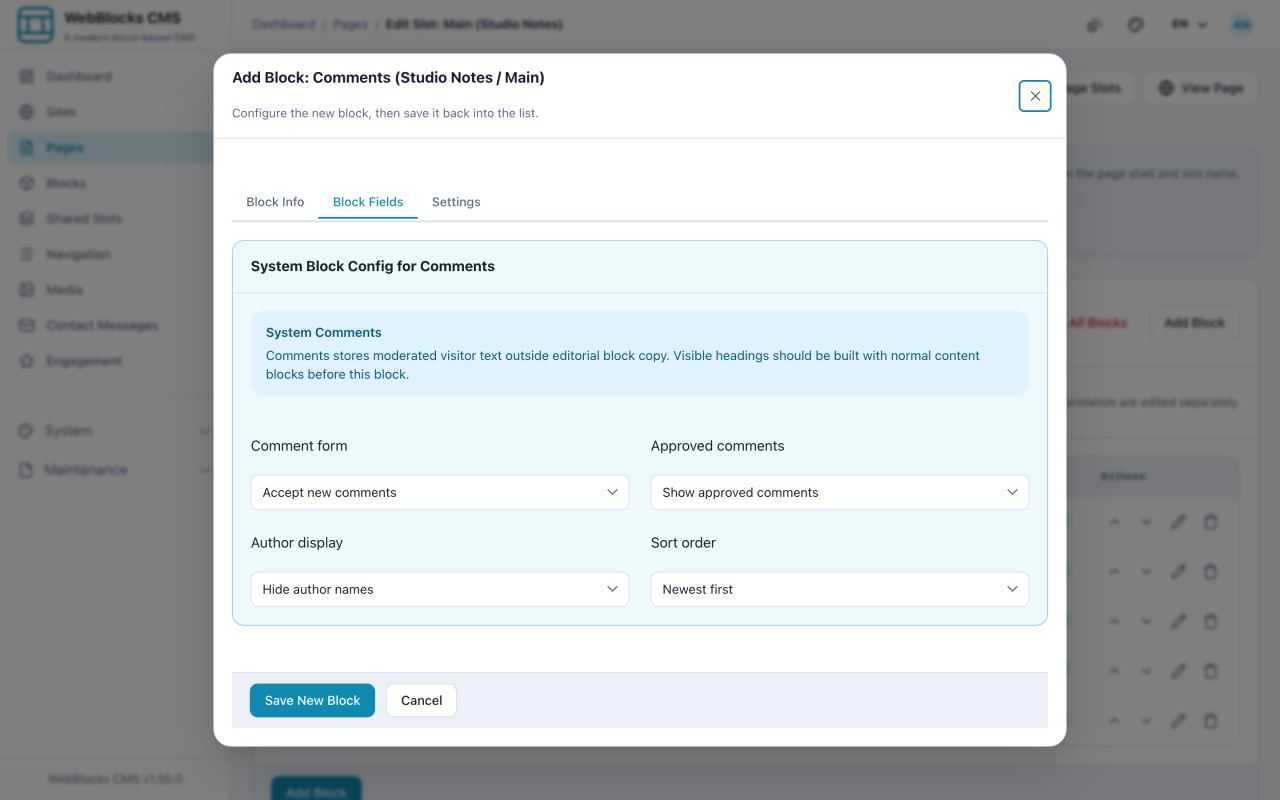
- Select Add Block again and choose Comments. Set whether the Comment form is enabled, whether Approved comments are shown, the Author display, and the Sort order.
- Publish the page. Both blocks only collect anything once visitors can reach them.
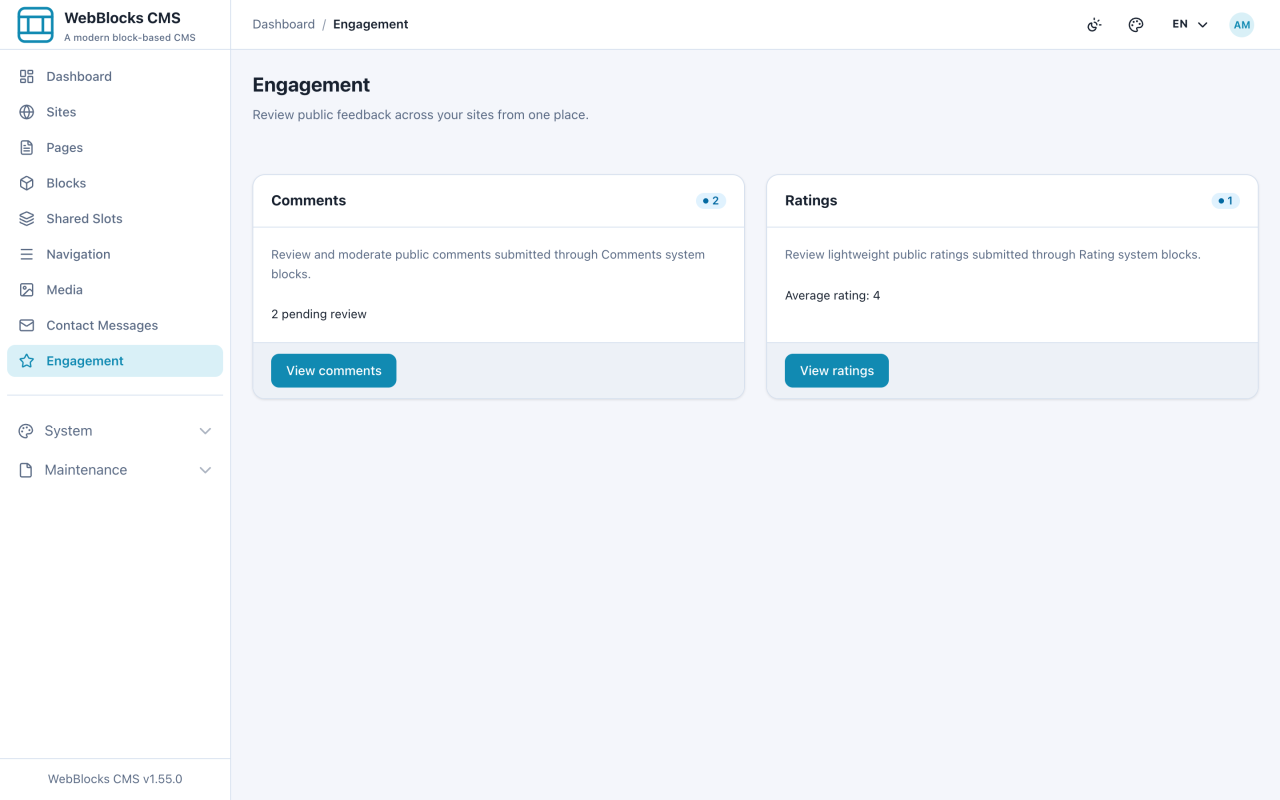
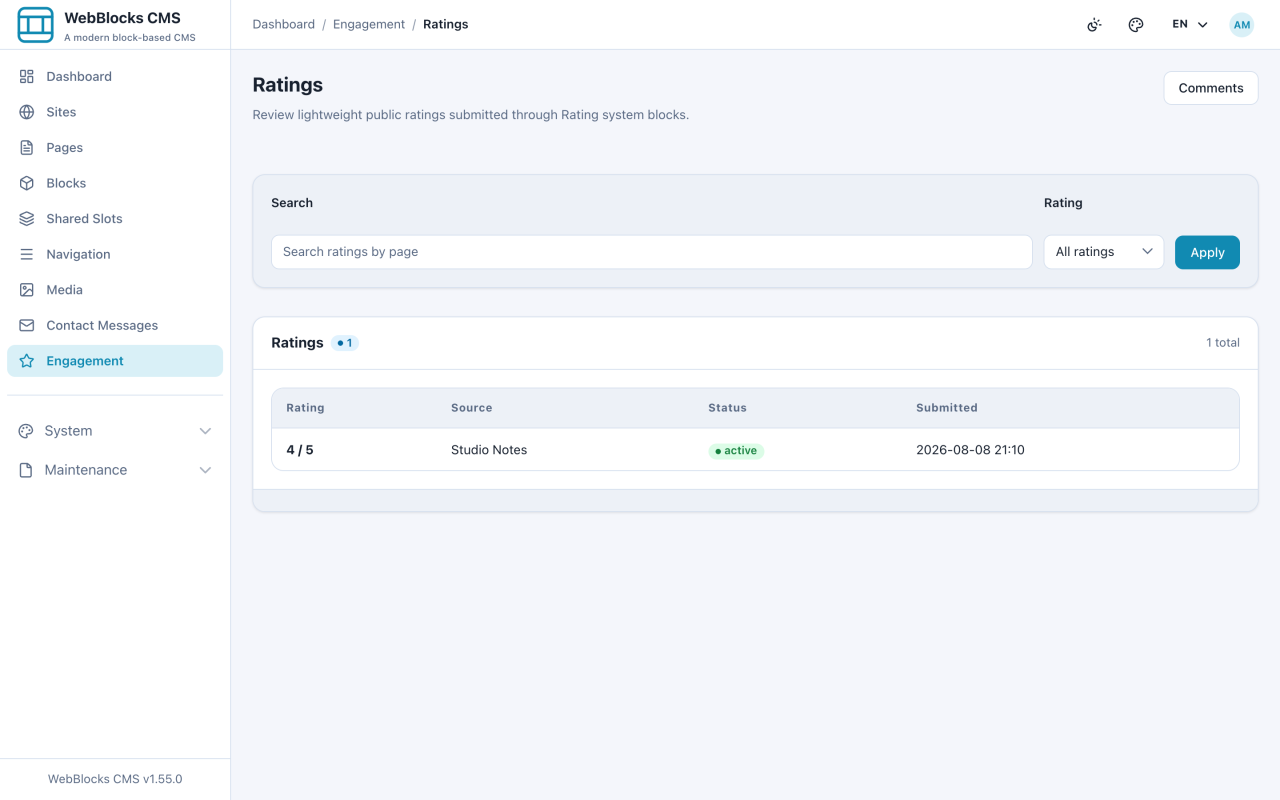
- Open Engagement to see what came in.
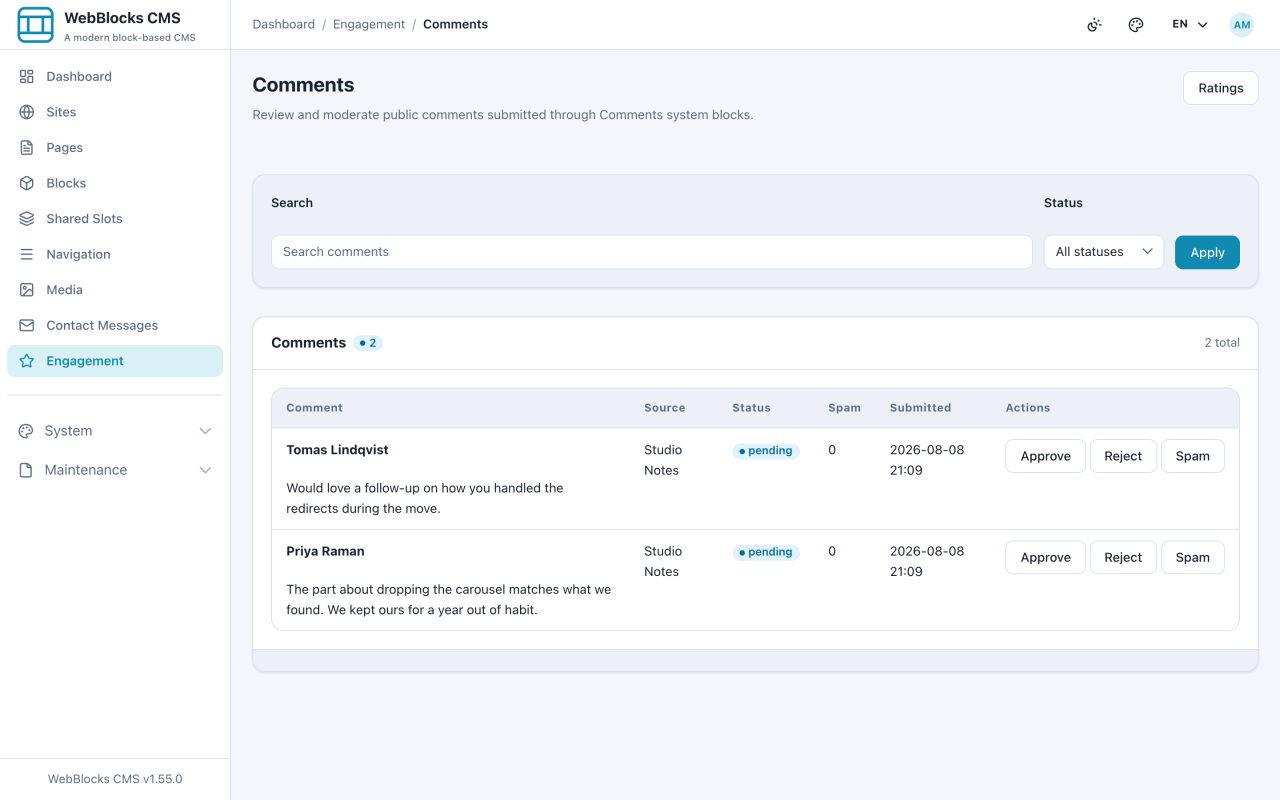
- In Comments, each row shows the text, which page it came from, a spam score, and the actions: Approve, Reject, Spam.
- Ratings is a read-only tally — there is nothing to approve, only to look at.
Comments Arrive Pending
Nothing a visitor writes appears on the site until someone approves it. A new comment lands as pending, and the page shows only approved ones.
That is the right default, and it means comments need an owner. A form nobody moderates is a form that quietly collects spam and shows nothing.
Notes
- One vote per visitor. The CMS recognises a repeat visitor and does not count them twice; Vote changes decides whether they may revise the vote they already cast.
- The Spam score is a signal, not a verdict. Read the comment before acting on the number.
- Reject and Spam are different editorial classifications. Use the one you mean; comment moderation status does not currently feed the learned fingerprint store. Comments still use the same local content, repetition, exact-IP, network-prefix, and learned reputation pipeline as Contact Form and compatible plugin forms, without a CAPTCHA or external moderation service.
- Turning the Comment form off leaves existing approved comments visible while stopping new ones — the graceful way to close a discussion.