SEO Fields, Social Image, And Favicon
Goal: Control how a page looks in search results and when someone shares it.
Time: 4 minutes
You need: A page, and an image for sharing
Steps
- Open the page, scroll to Translations, and select Edit translation.
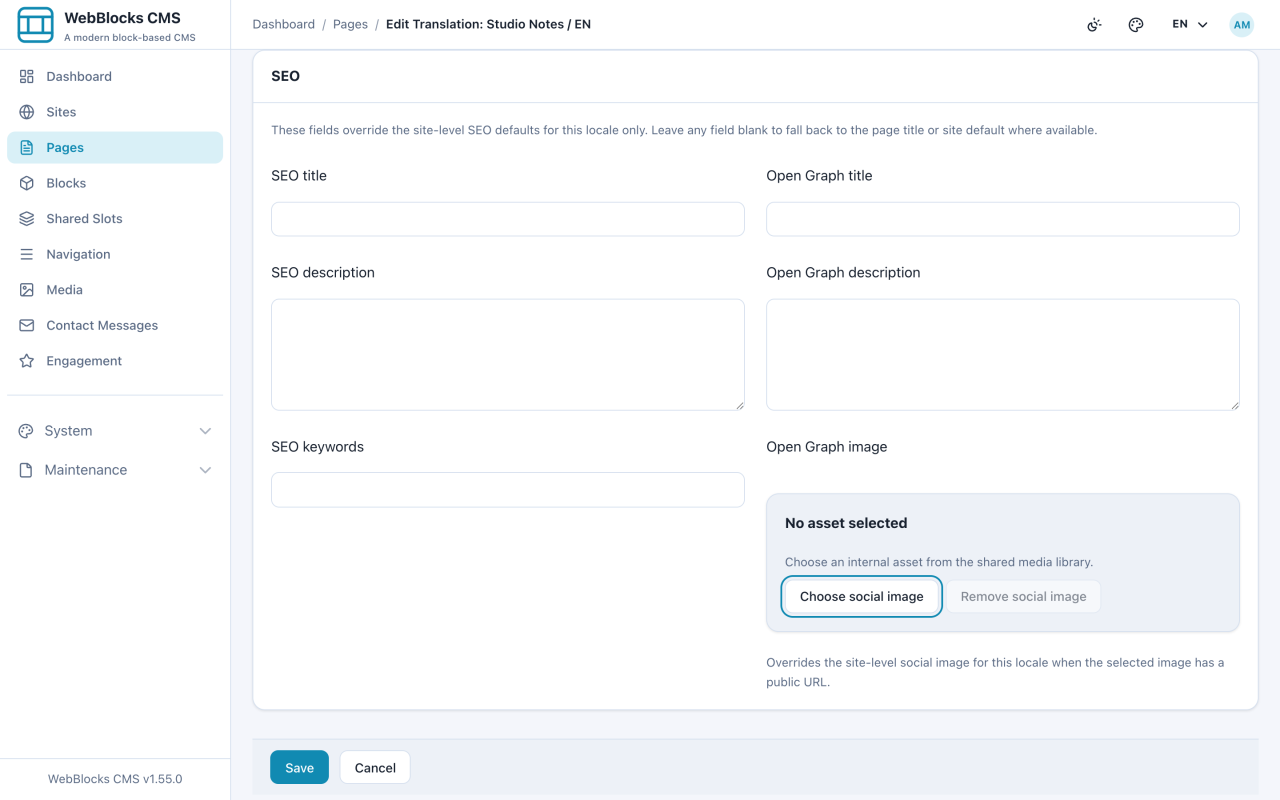
- Under SEO, fill in SEO title and SEO description.
- Set OG title and OG description if the shared version should read differently from the search result, and pick a social image. Save.
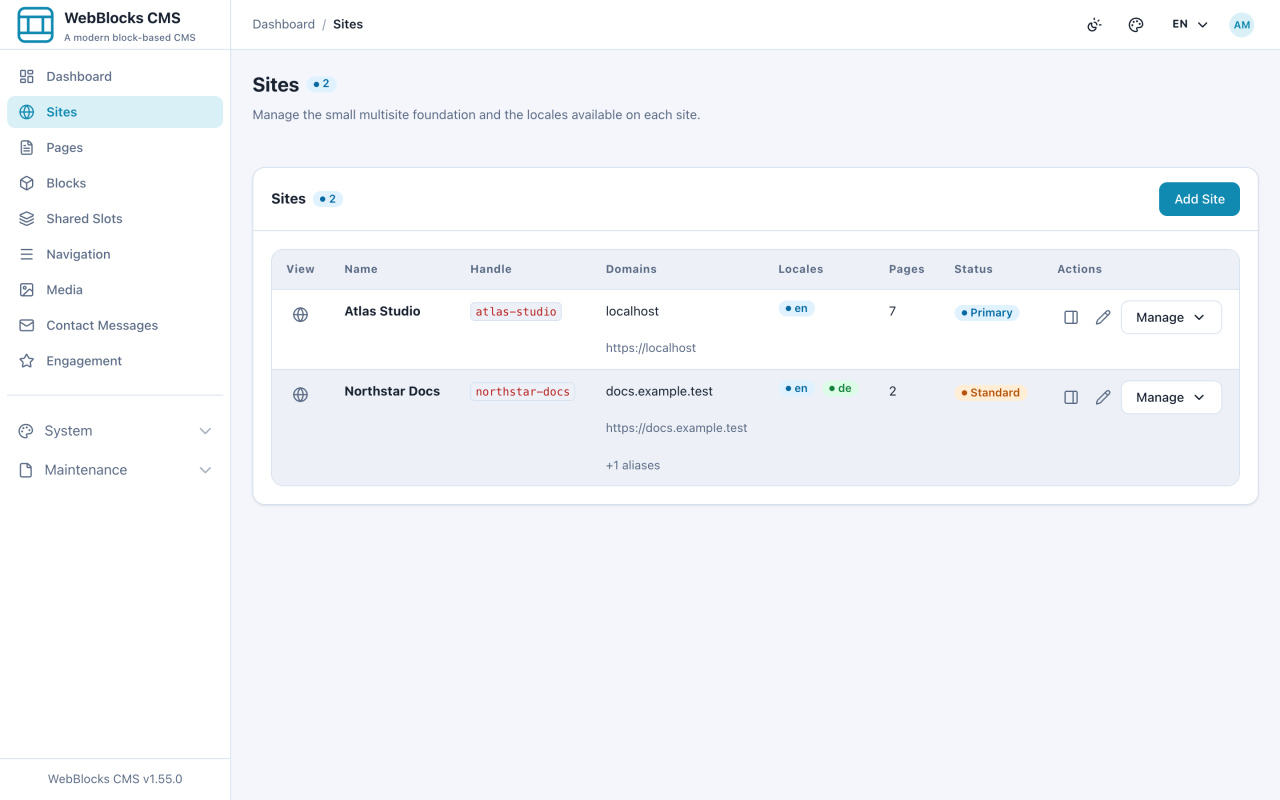
- For the fallbacks every page inherits, open Sites and edit the site: site-level SEO title and description, the favicon, and the default social image.
Which Field Shows Where
- SEO title — the clickable line in a search result. Front-load the words that matter; the tail gets cut off.
- SEO description — the grey text under it. Not a ranking factor, entirely a "should I click" factor.
- OG title / OG description — what a chat app or social network shows. Only fill these in when the framing should differ.
- Social image — the picture in that preview. Wide, and readable at postage-stamp size.
- Favicon — the tab icon, set per site.
Notes
- Empty is safe. A blank SEO title falls back to the page title, and a blank page-level social image falls back to the site's.
- These fields are per translation. A page in two languages needs its description written twice.
- Write the description for a person. Keyword lists read as spam to both readers and search engines.
- Check a shared link before a launch. The social image is the one field nobody notices until it is wrong in public.