Table Of Contents And Breadcrumbs
Goal: Give a long page an "On this page" list, and show visitors where they are.
Time: 4 minutes
You need: A page with several headings
Steps
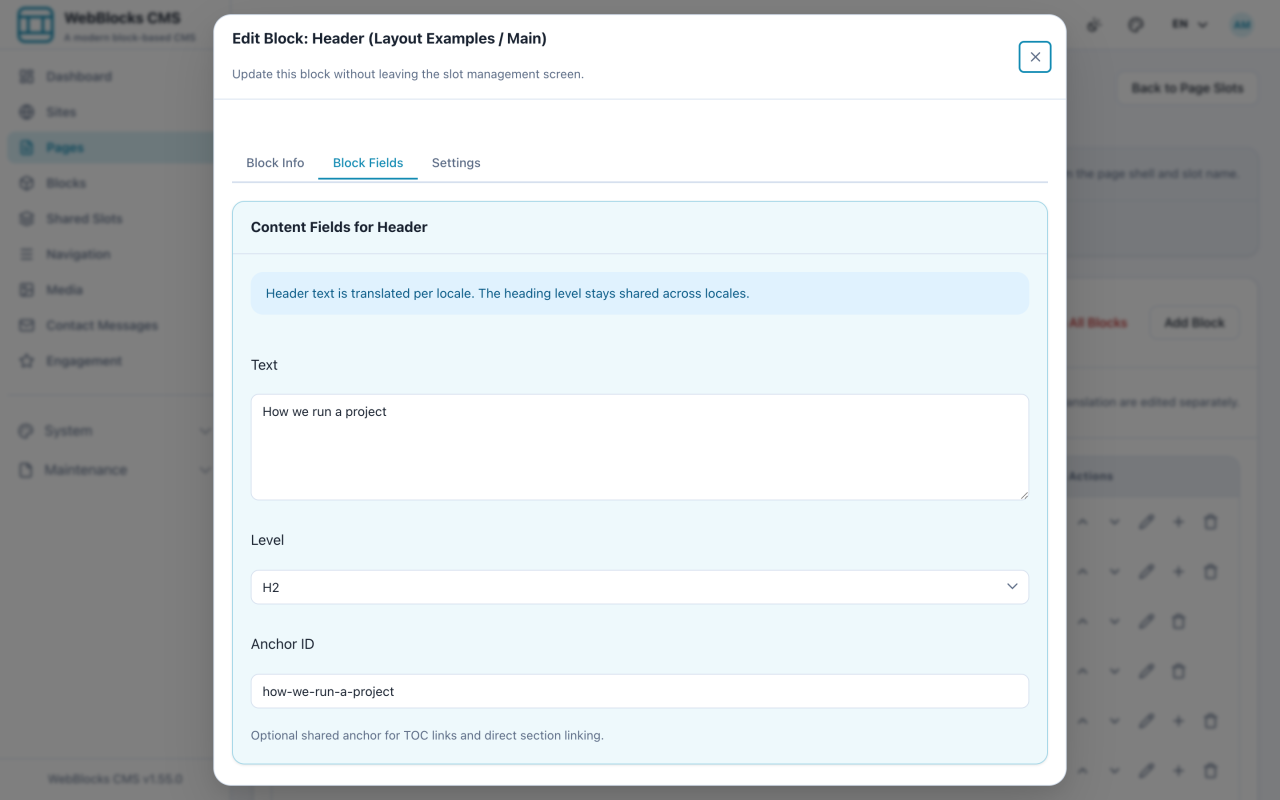
- Anchor your headings first. A table of contents lists Header blocks that have an Anchor ID — headings without one are invisible to it.
- Edit each Header block you want listed and fill in Anchor ID. Use lowercase words joined by hyphens:
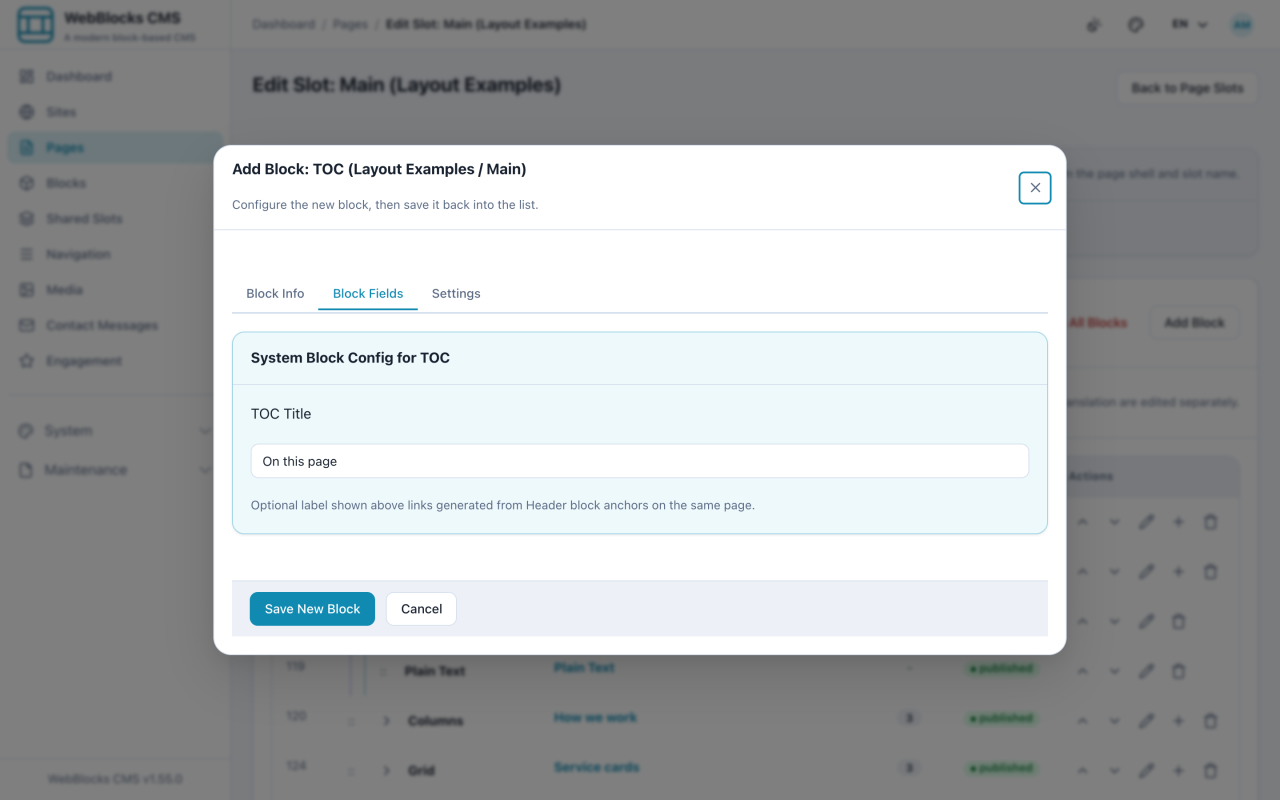
how-we-run-a-project. - Select Add Block, then choose TOC. Set the TOC Title —
On this pageis the convention. - Place it near the top of the page, above the content it describes.
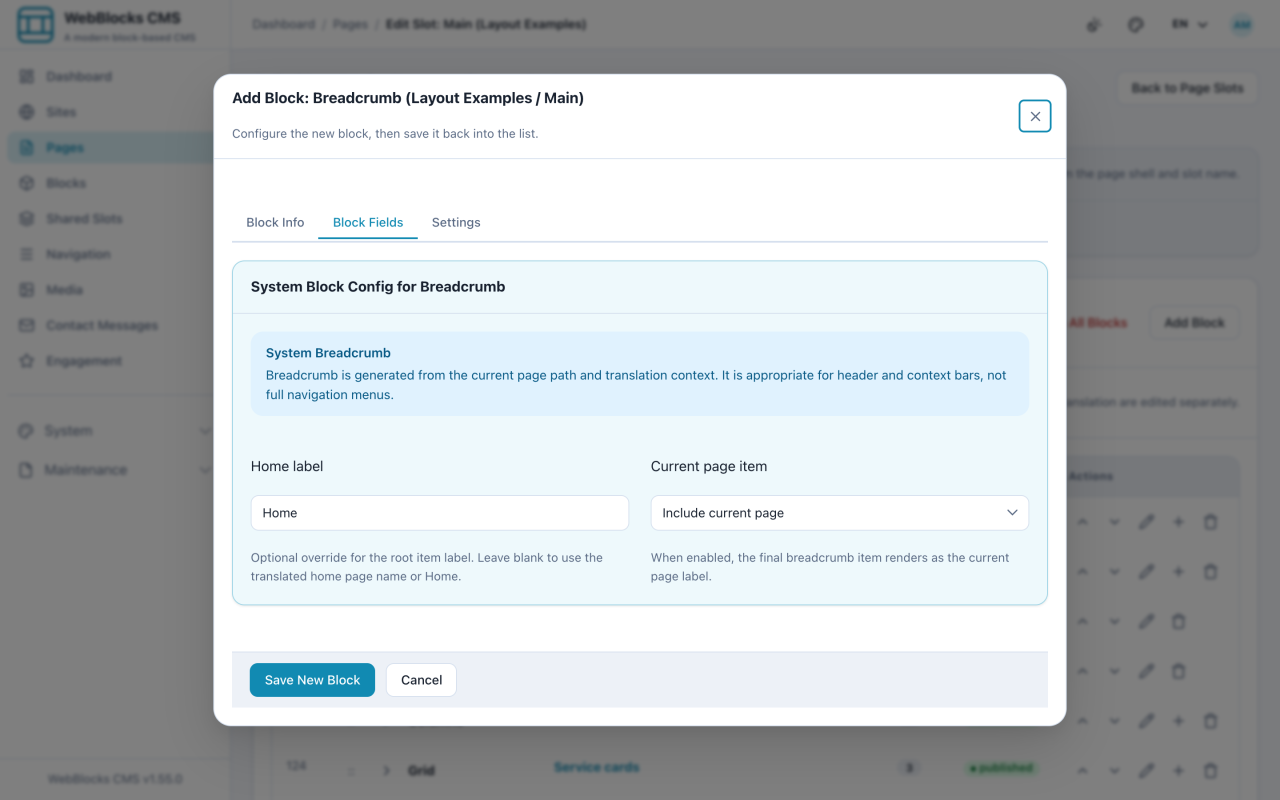
- Select Add Block, then choose Breadcrumb. Set the Home label, and decide whether the Current page item is included.
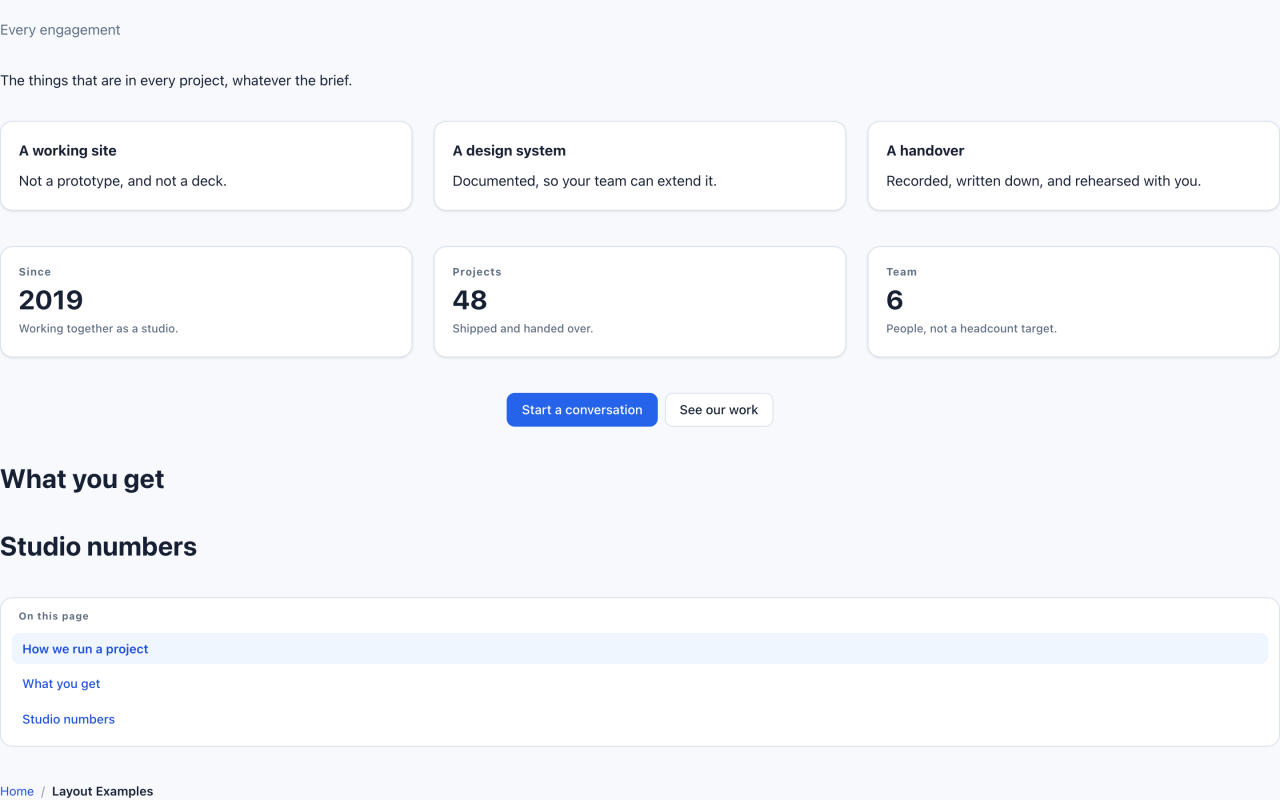
- Save, then check the result.
The TOC Is Built, Not Written
You never type the list. The TOC block reads the anchored Header blocks on the same page and builds the list from them, in page order.
That means it never goes stale: rename a heading and the entry follows; add a section and it appears; remove the anchor and it drops out. It also means an empty TOC is not a broken block — it is a page with no anchored headings.
Notes
- An anchor is also a link target. Once a heading has one, you can link straight to that section from anywhere.
- Keep anchors stable. Changing one breaks every link anyone has saved to that section — the same rule as a page slug.
- A TOC on a short page is noise. If a reader can see every heading without scrolling, the list is repeating what is already visible.
- Breadcrumbs are derived from the page's path, so they reflect where the page actually lives. If the trail looks wrong, the page address is what needs fixing.
- Headings nested inside cards and other blocks are not listed. The TOC is a map of the page's sections, not of every heading on it.