Build A Header As A Shared Slot
Goal: Have one header that every page uses, instead of a copy per page.
Time: 5 minutes
You need: Shared Slots access, and a navigation menu with some links in it
Steps
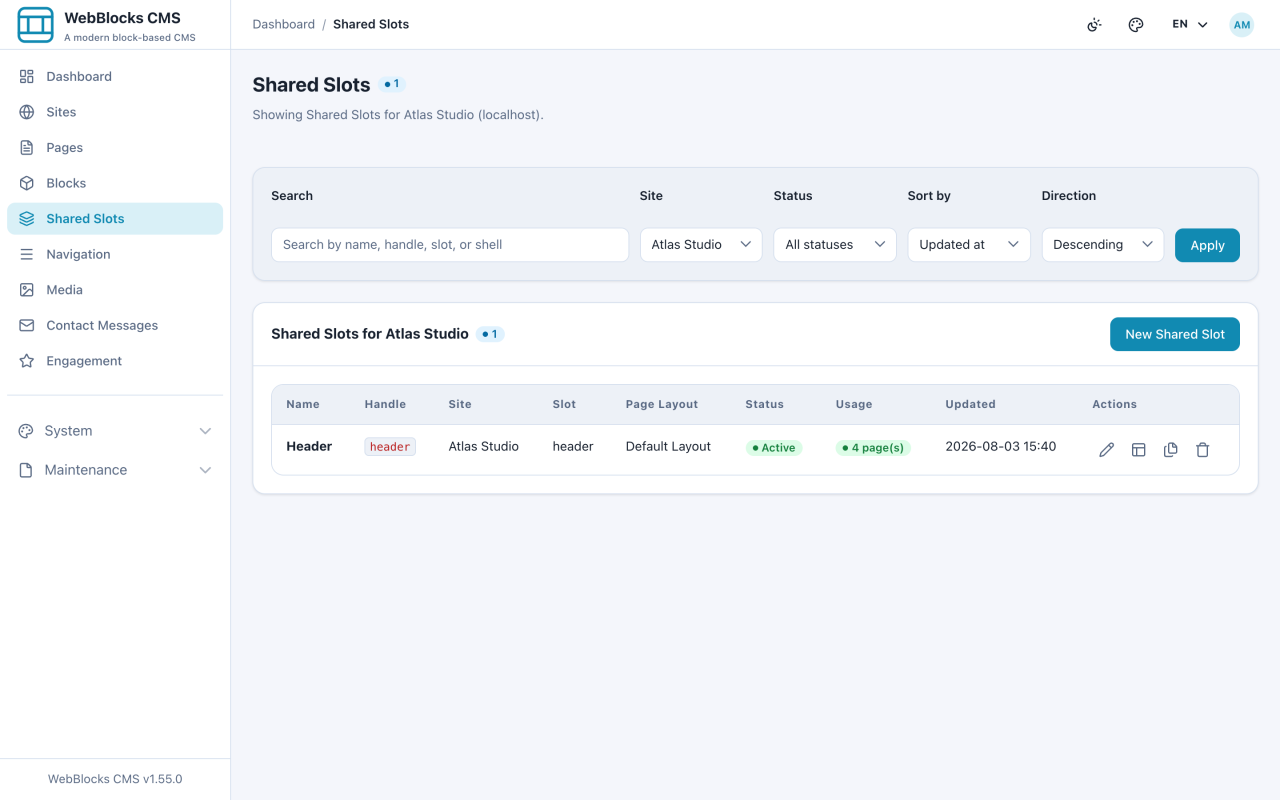
- Select Shared Slots in the sidebar. This lists the reusable areas for the current site, with the pages each one serves.
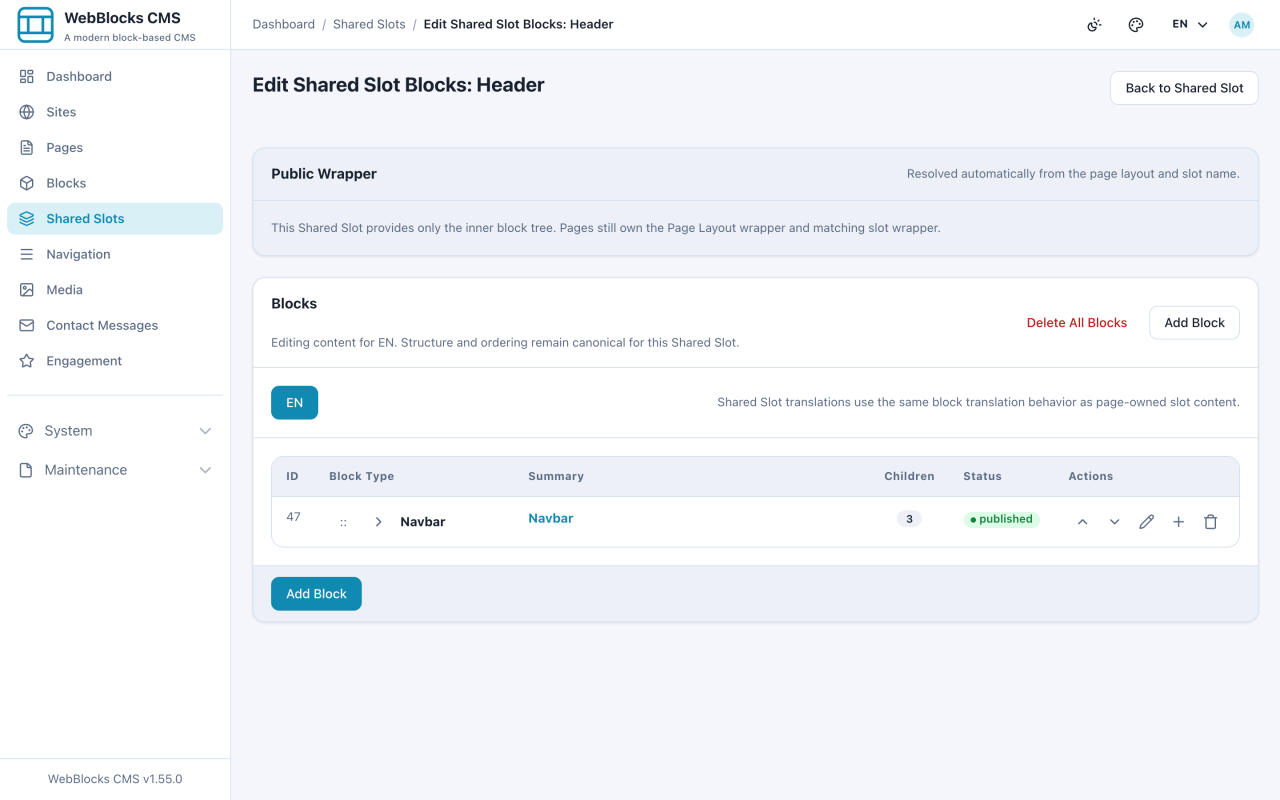
- Open the header Shared Slot and select Edit Blocks. A Shared Slot holds blocks exactly like a page slot does.
- A workable header is a Navbar holding a Container, holding a Cluster, holding a Navbar Brand, a Navbar Navigation bound to a menu key, and Header Actions.
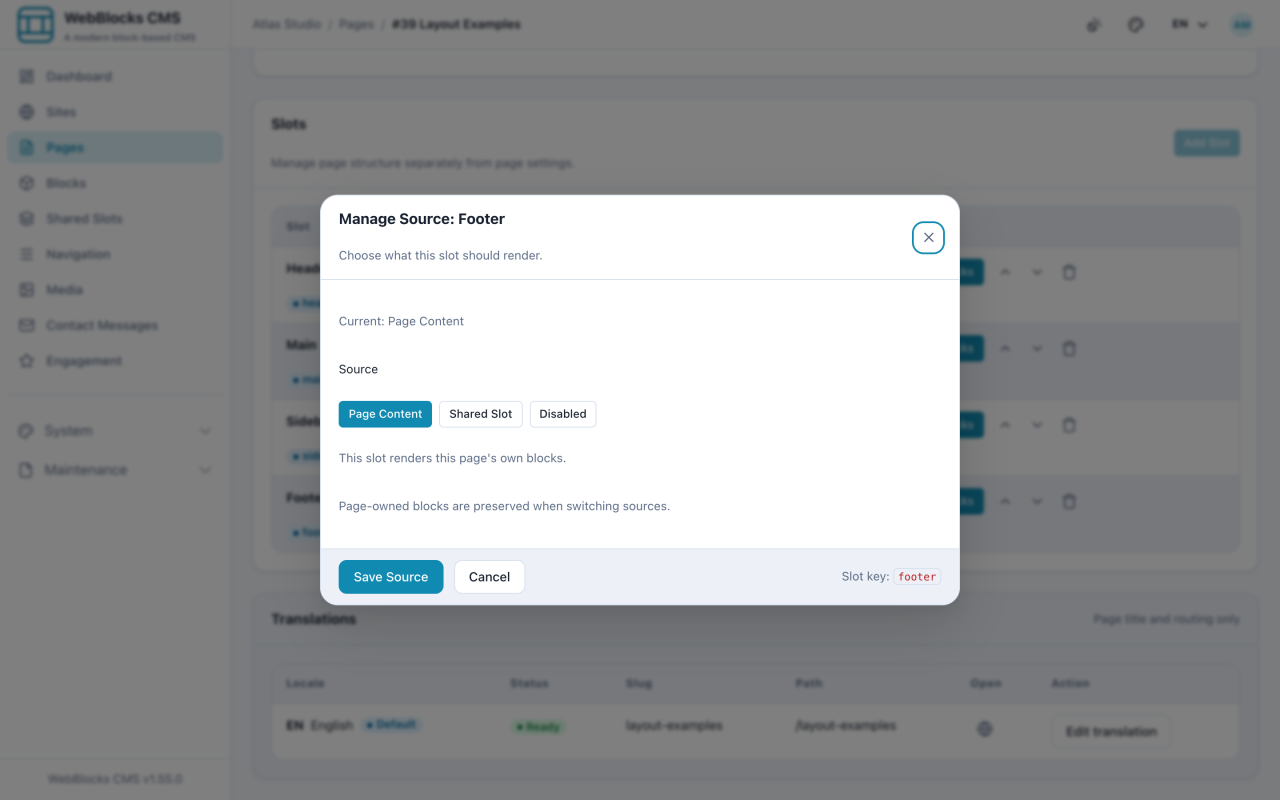
- To put it on a page, open the page, find the slot in the Slots card, and select Manage Source.
- Choose Shared Slot, pick the one you built, and select Save Source.
The Three Sources
Every page slot renders one of three things, and Manage Source is where you choose:
- Page Content — this page's own blocks. The default.
- Shared Slot — blocks that live somewhere else and are shared with other pages.
- Disabled — nothing renders here on this page.
Switching source preserves the page's own blocks. Point a slot at a Shared Slot, change your mind, switch back, and your blocks are still there.
Notes
- Navbar Brand and Navbar Navigation only work inside a navbar. They are not offered outside one, which is the CMS stopping you from building a header that cannot render.
- Navbar Navigation does not hold links — it points at a menu key and renders whatever that menu contains.
- One Shared Slot serves one slot type. A slot built for
headercannot be assigned to a footer. - Header Actions carries the search, theme, and language controls. Its toggles are settings on the block, not separate blocks.