Connect Your AI Safely
Goal: Give an AI access to CMS work without sharing your password or exceeding your permissions.
Time: 4 minutes
You need: An active Editor, Site admin, or Super admin CMS account
Steps
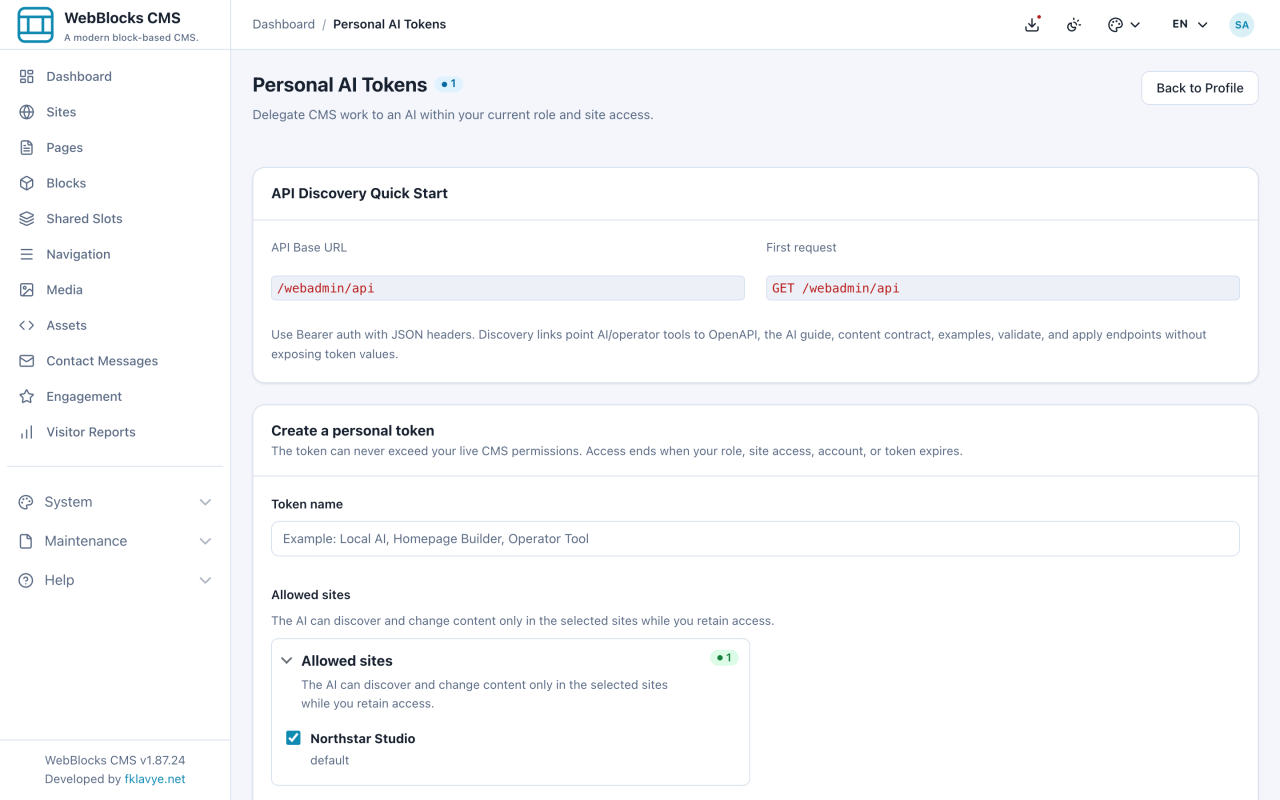
- Open your profile and select Manage AI Tokens.
- Under Create a personal token, enter a name that identifies the AI or job.
- Select only the sites the AI needs.
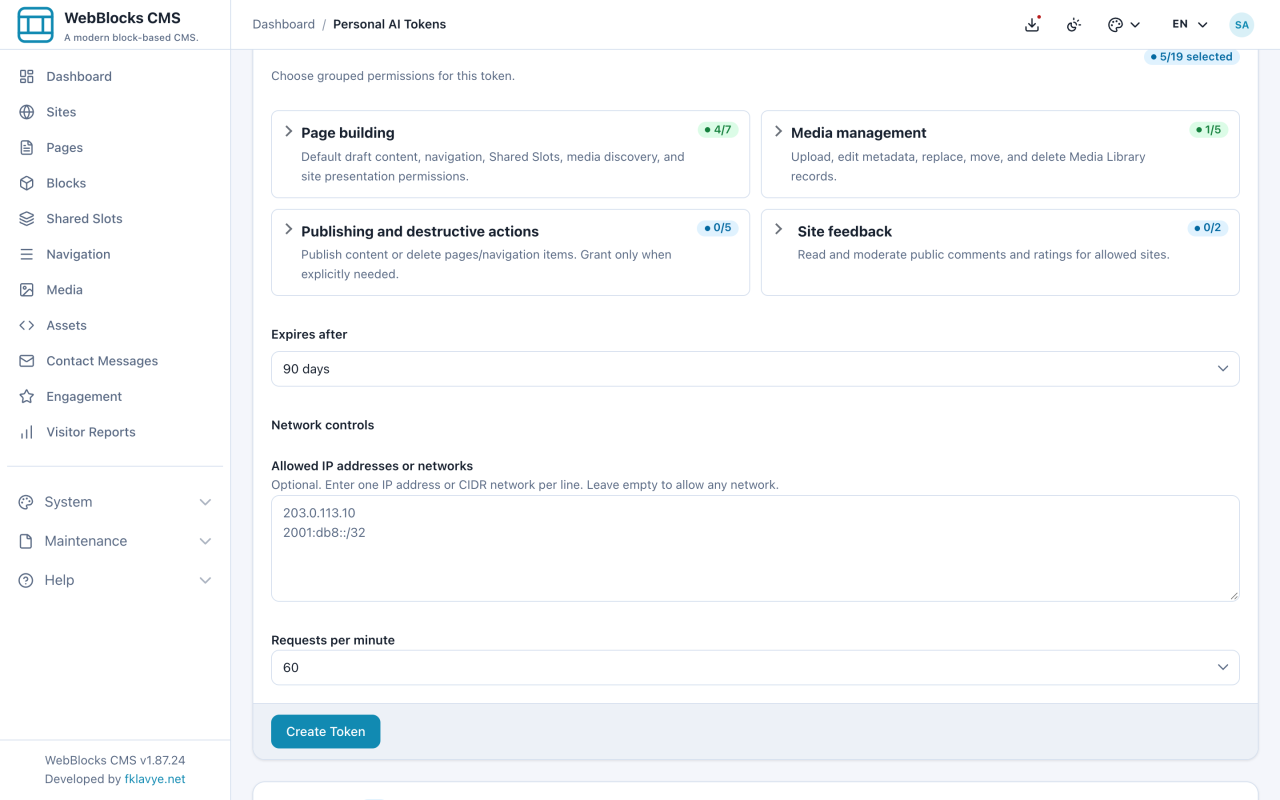
- Review the capability groups. Leave publish and destructive actions off unless the job explicitly requires them and your role permits them.
- Choose when the token expires. Under Network controls, optionally enter an exact client IP or CIDR network and choose the request limit.
- Select Create Token.
- Copy the full token or generated environment example immediately, then give the copy-ready setup prompt to the intended AI. The token is not shown again; its first request should be
GET /webadmin/api.
After Connecting
- Use Edit to change sites, capabilities, expiry, or network controls without rotating the secret.
- Use Activity to review the latest ten API requests and denied attempts.
- Use Revoke immediately when the job ends or the secret may be exposed.
- Use Delete only when you no longer need the token or its activity history.
Your AI is continuously checked against your current account, role, assigned sites, page workflow, token capabilities, and network policy. Losing a CMS permission also removes it from the AI on its next request.