Open source · PHP 8.3+ · Laravel 12.55+ / 13
WebBlocks CMS
Structured publishing for Laravel, without giving up control of your application.
Add structured pages, reusable blocks, media, localization, revisions and controlled publishing to the Laravel application you already own. Bind native blocks to declared content sources and reuse a design for automatic detail pages.
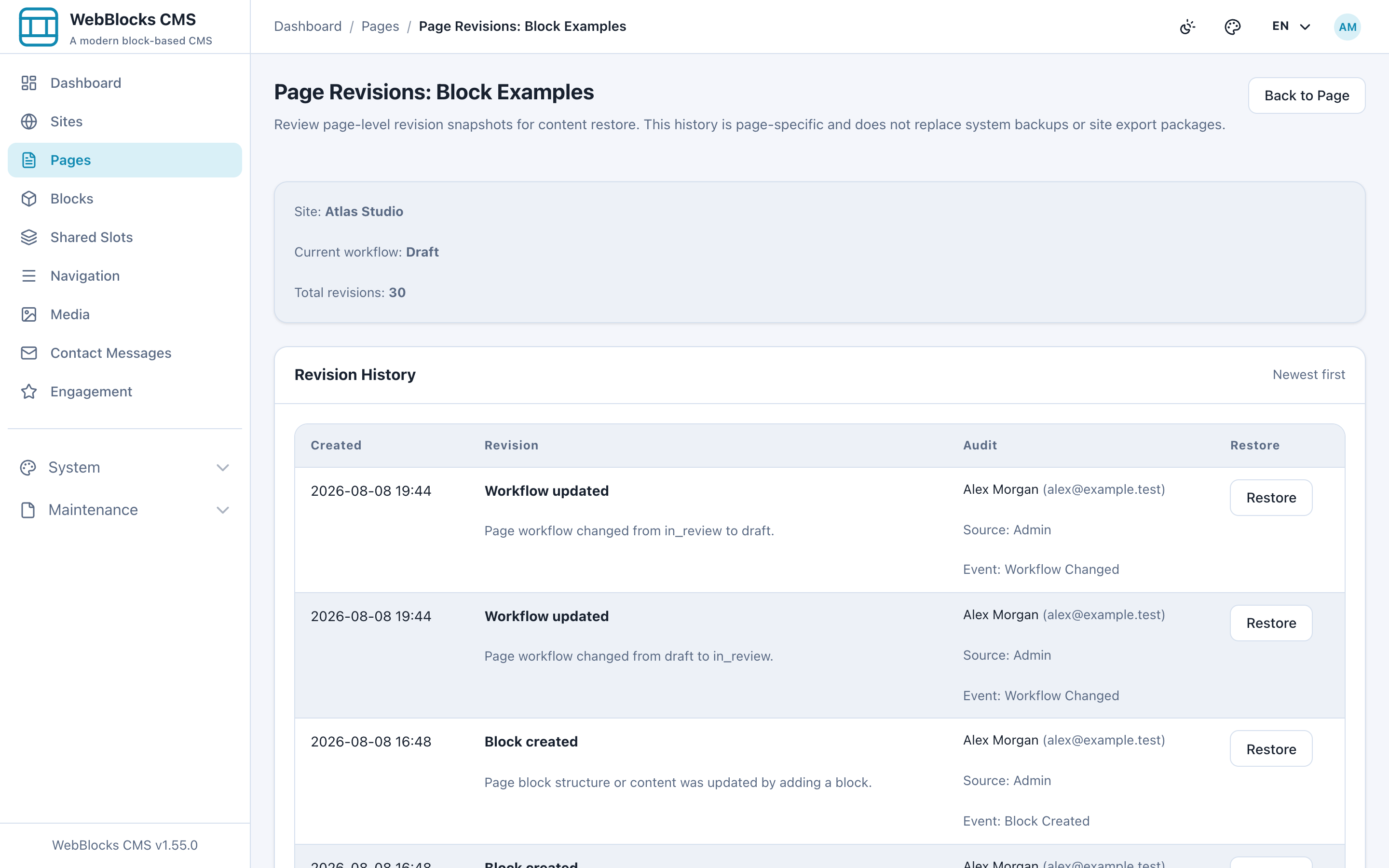
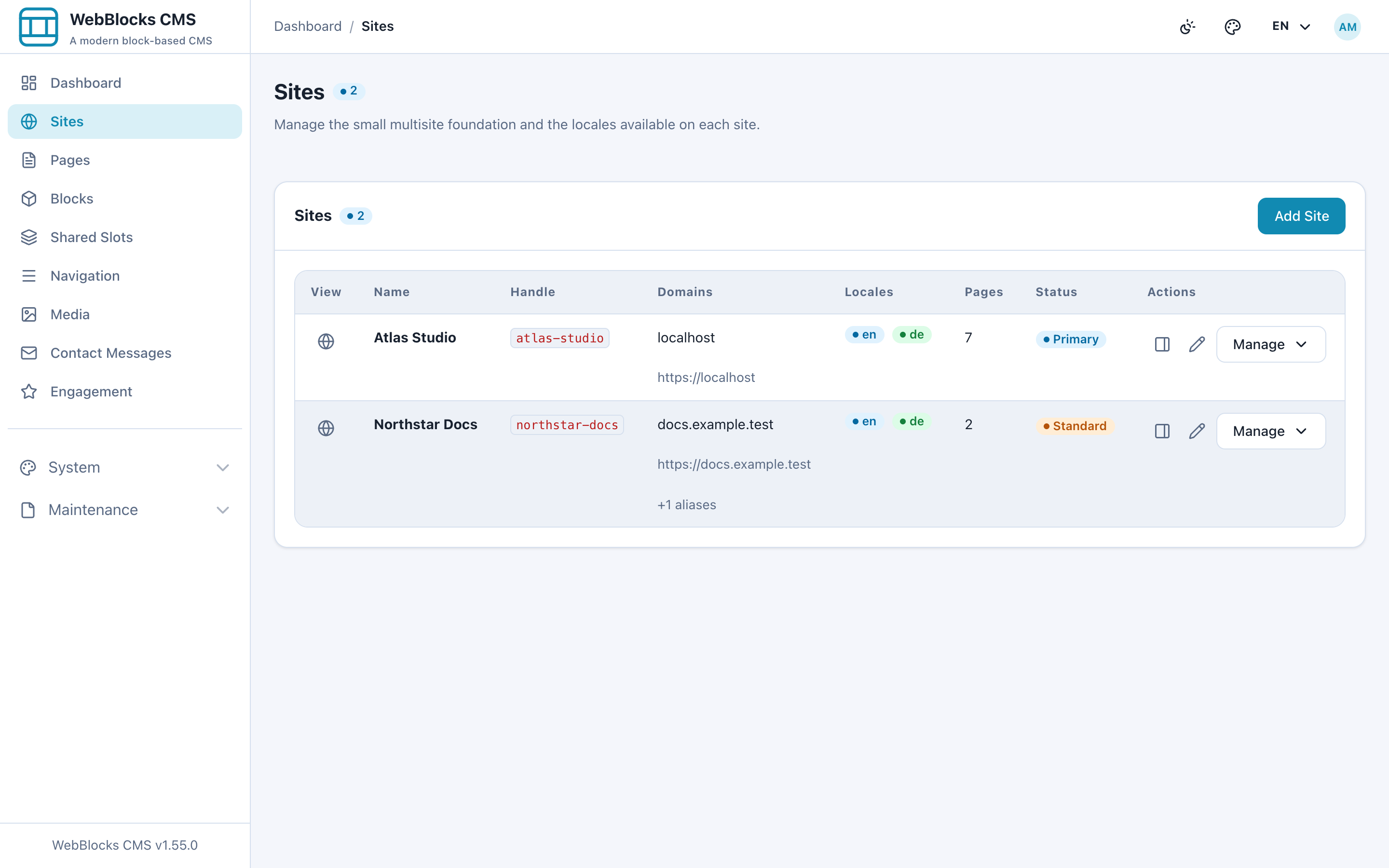
Move through the actual Pages, Revisions and Sites workspaces. Select any frame to inspect it at full size.
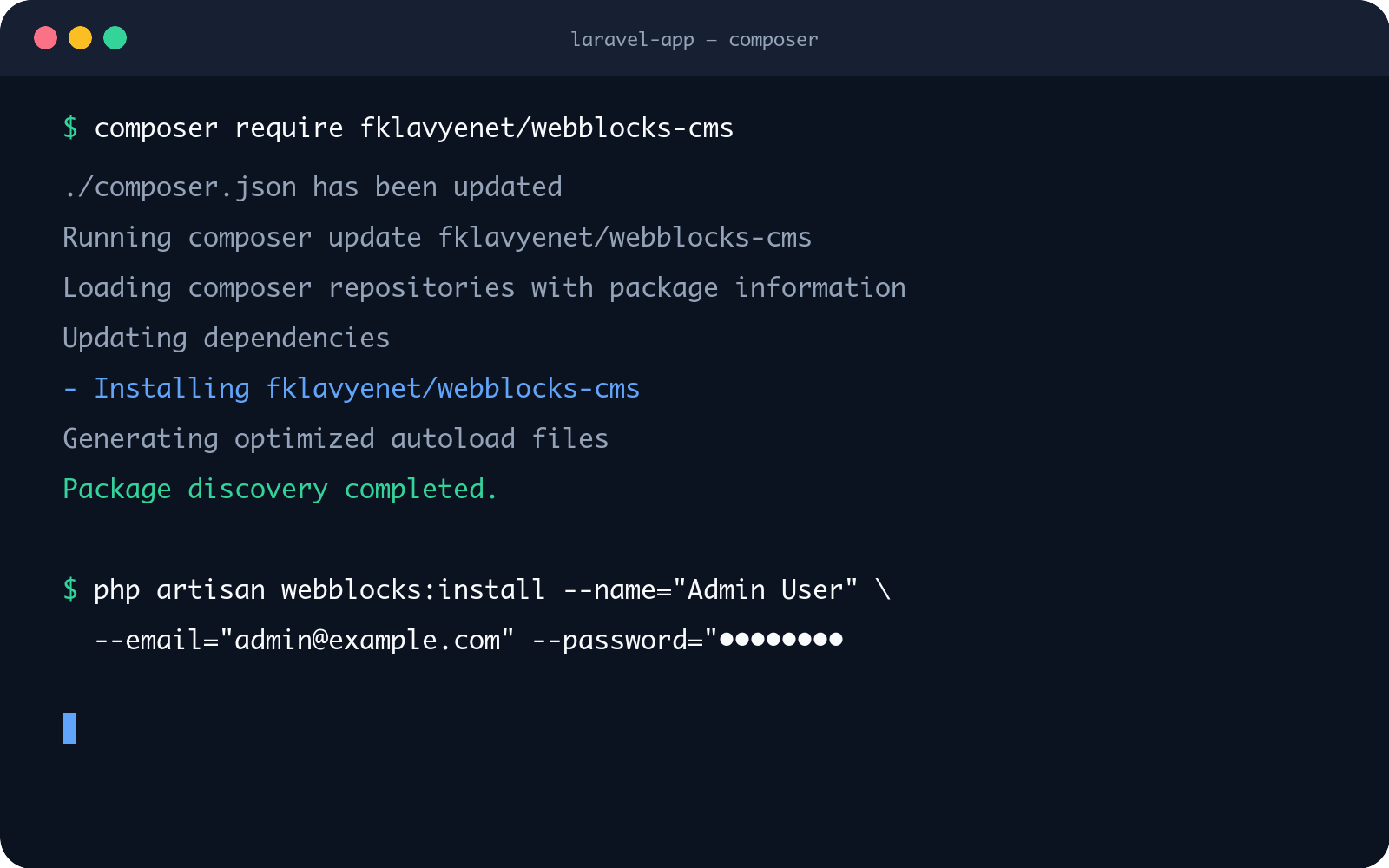
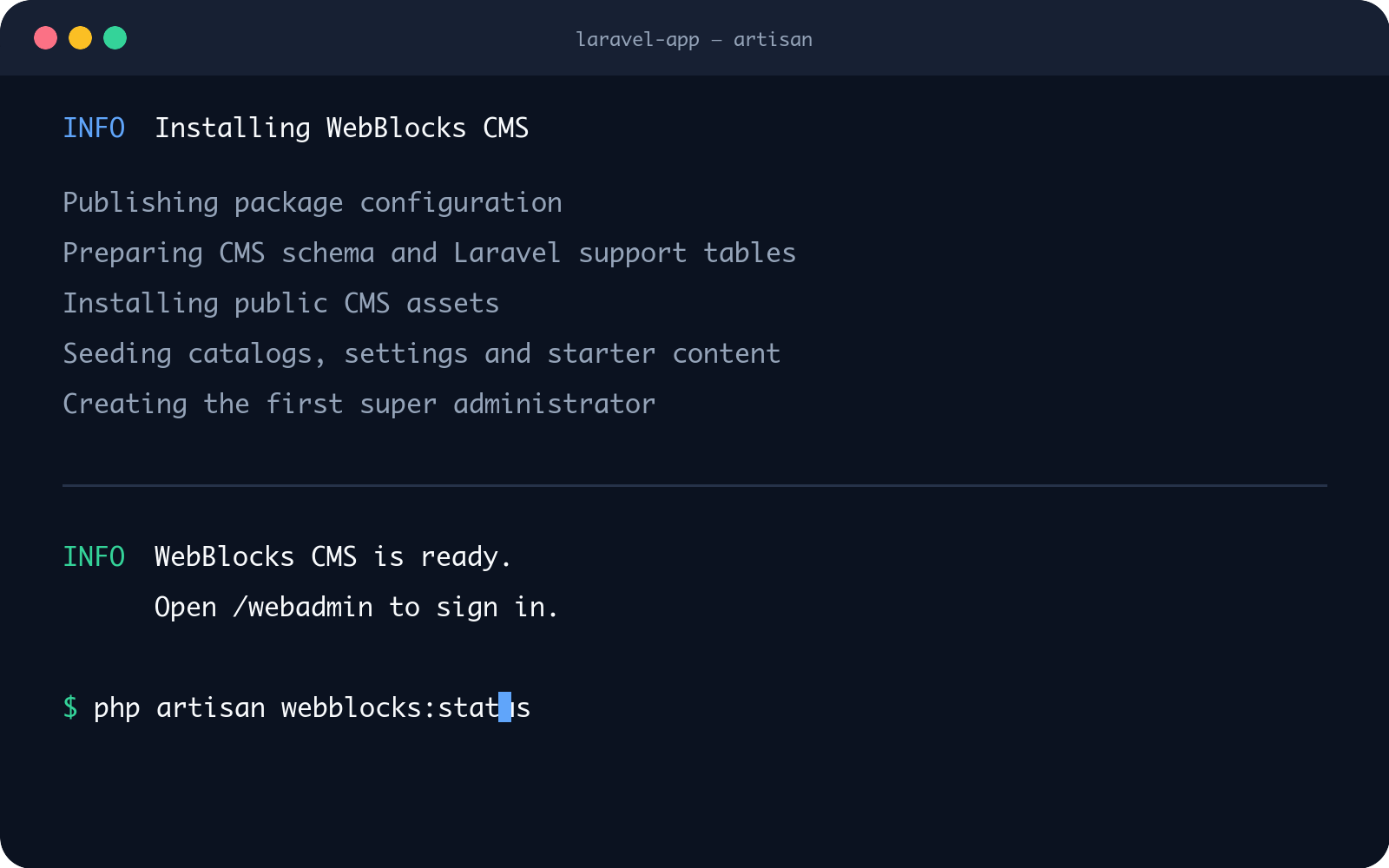
Package → installer → /webadmin
From Composer to a working CMS.
Install the package into a Laravel application, then run one focused installer that prepares the CMS without taking over your host application.
composer require fklavyenet/webblocks-cms
php artisan webblocks:install
The terminal frames show the real commands and the installer’s completion contract. Select a frame to enlarge it.
01 · CONTENT MODEL / 02 · WORKFLOW / 03 · OWNERSHIP
A CMS people, applications and AI can understand.
01
Structured
Pages, blocks, media and navigation have explicit models.
02
Controlled
Draft, preview, review, publishing and revisions stay visible.
03
Ownable
Laravel remains the application and infrastructure boundary.
APPLICATION BOUNDARY
Laravel stays in control.
WebBlocks CMS installs as a Composer package. Your host application keeps authentication, routes, queues, storage, mail, deployment and backups.
Laravel application
├── Auth · Routes · Queues · Storage · Mail
└── WebBlocks CMS
    └── Pages · Blocks · Media · Publishing
HOST
Your Laravel application
Auth · Routes · Queues · Storage · Mail · Deployment
PACKAGE
WebBlocks CMS
Pages · Blocks · Media · Locales · Publishing
VISIBLE PUBLISHING
See exactly what changes before it goes live.
Prepare a staged update while the published page stays live. Preview supported unsaved form values beside the editor, recover confirmed unfinished work and review changes before saving and publishing. Explore the editorial workflow.
Draft → Preview → Review → Publish → Restore
A visible workflow for content teams and accountable operators.
A CONTROLLED OPERATION, NOT A BLACK BOX
Built for human and AI operations.
Editors use the administration workspace. Applications and AI agents use explicit, permission-scoped interfaces. Both operate on the same structured content model.
01
Discover
Read capabilities and schemas before proposing work.
02
Validate
Check structure, permissions and renderability.
03
Approve
Preview first; publish only with explicit authority.
ONE CONTENT MODEL · TWO WORKSPACES
Designed for both sides of delivery.
Simple enough for everyday editing, explicit enough for long-term technical ownership.
ADMIN WORKSPACE
For editors
Create pages, arrange approved blocks and manage media and languages. Keep private Pages and Media views, preview changes and restore revisions without touching application code.
LARAVEL APPLICATION
For Laravel developers
Keep architecture in Laravel, declare content sources and bind native blocks through documented contracts. Use the queues, mail, storage and deployment practices you already trust.
MULTISITE BY DESIGN
One installation. Distinct sites, domains and languages.
Manage each site's identity and content independently. Assign custom roles per site and inspect effective permissions; personal API tokens remain bounded by the user's current access. Read about roles and permissions.
Sites and domains
Keep routing, branding and content ownership explicit per site.
Localization
Translate content and SEO while preserving a reviewed page structure.
VERIFY BEFORE YOU COMMIT
Inspect the product before you adopt it.
No invented adoption numbers and no black-box promise—just working software and public evidence.
01
Open source
Review the repository and release history.
02
Composer package
Install it into an existing Laravel application.
03
Live demo
Explore a real public site and its CMS workspace.
START WITH THE PART YOU CAN VERIFY
Add structured publishing to your Laravel application.
Start with the installation contract, inspect the live demo, or read the public source.