Hero: Build An Opening Section
Goal: Give a page a proper opening instead of starting cold with a heading.
Time: 4 minutes
You need: A page, and ideally one wide image in the Media Library
Steps
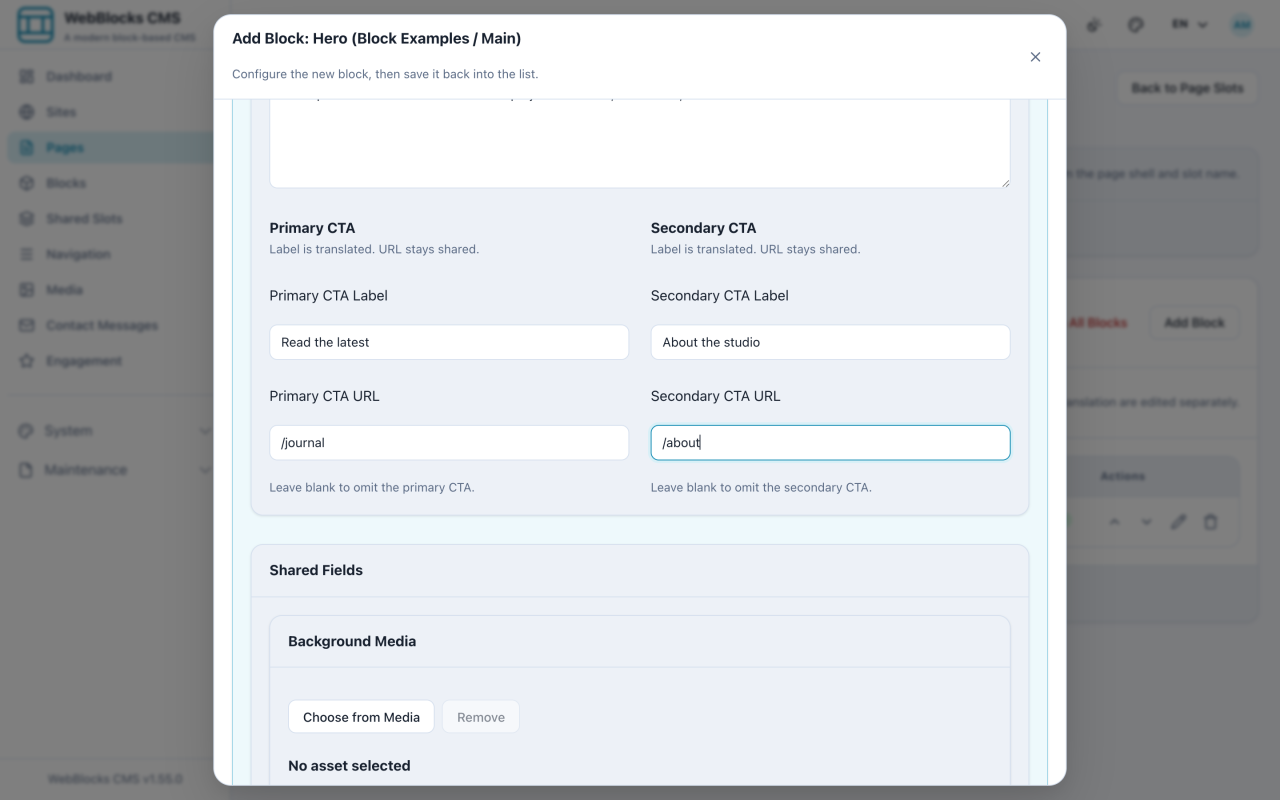
- In the Main slot, select Add Block, then choose Hero.
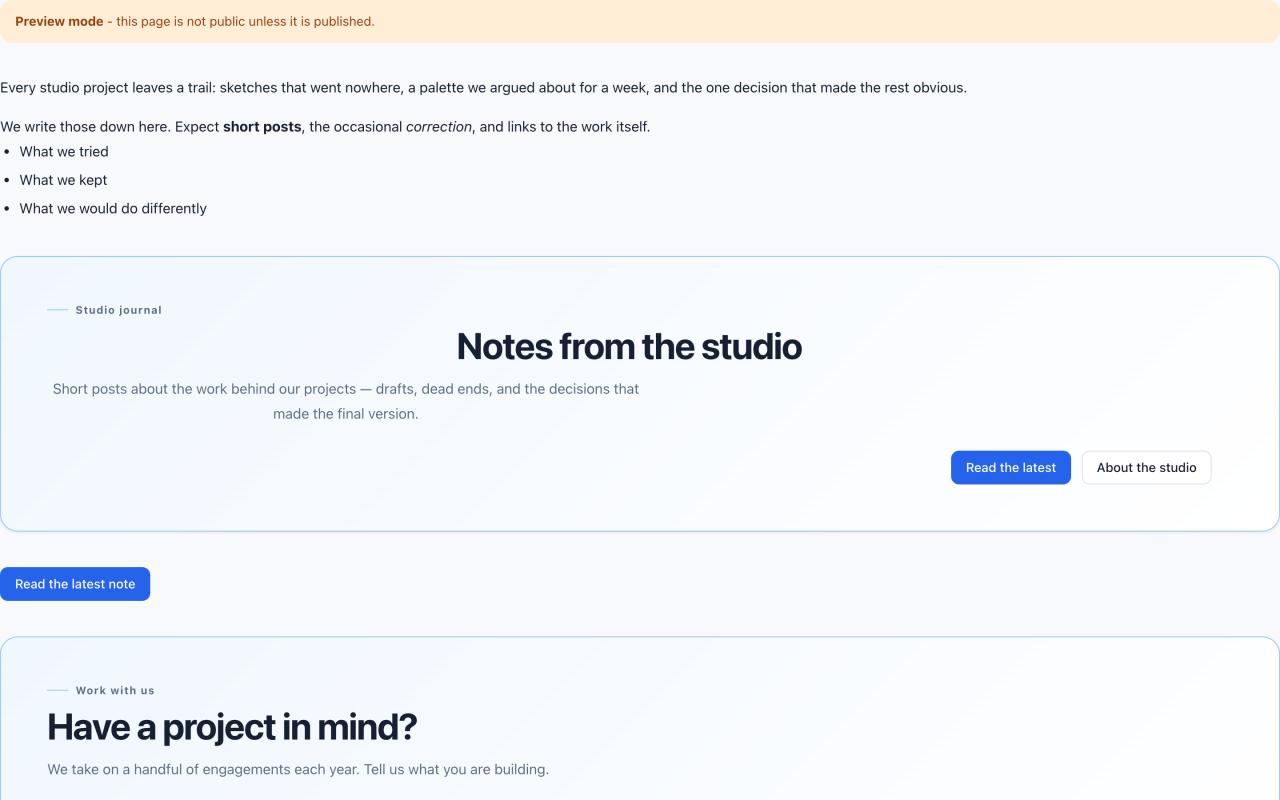
- Fill in the copy: Eyebrow / Label is the small line above the title, Title is the headline, and Subtitle / Intro is the sentence under it.
- Add up to two actions: Primary CTA Label and Primary CTA URL, then the secondary pair if you need it.
- Choose a background image if you have one, and set Background Position and Overlay so the text stays readable.
- Pick a Variant (default, muted, accent, soft) and a Layout (left, centered, split).
- Set Title Tag to
h1when the Hero carries the page's main heading — which is usually the point of a Hero. - Select Save New Block.
Notes
- One Hero per page, at the top. A second Hero halfway down is a CTA block wearing the wrong costume.
- The CTA buttons are part of the Hero, not separate blocks you add. Filling in a label and URL creates them; clearing both removes them.
- Overlay exists so text survives a busy photograph. If the title is hard to read, raise the overlay before you go looking for a different image.
- Set Title Tag to
h2if the page already has an h1 elsewhere. Two h1 elements on one page is a structure error, not a style choice.