Manage More Than One Site
Goal: Work confidently in an installation that runs more than one site.
Time: 4 minutes
You need: Access to at least one site; super admin to create them
Steps
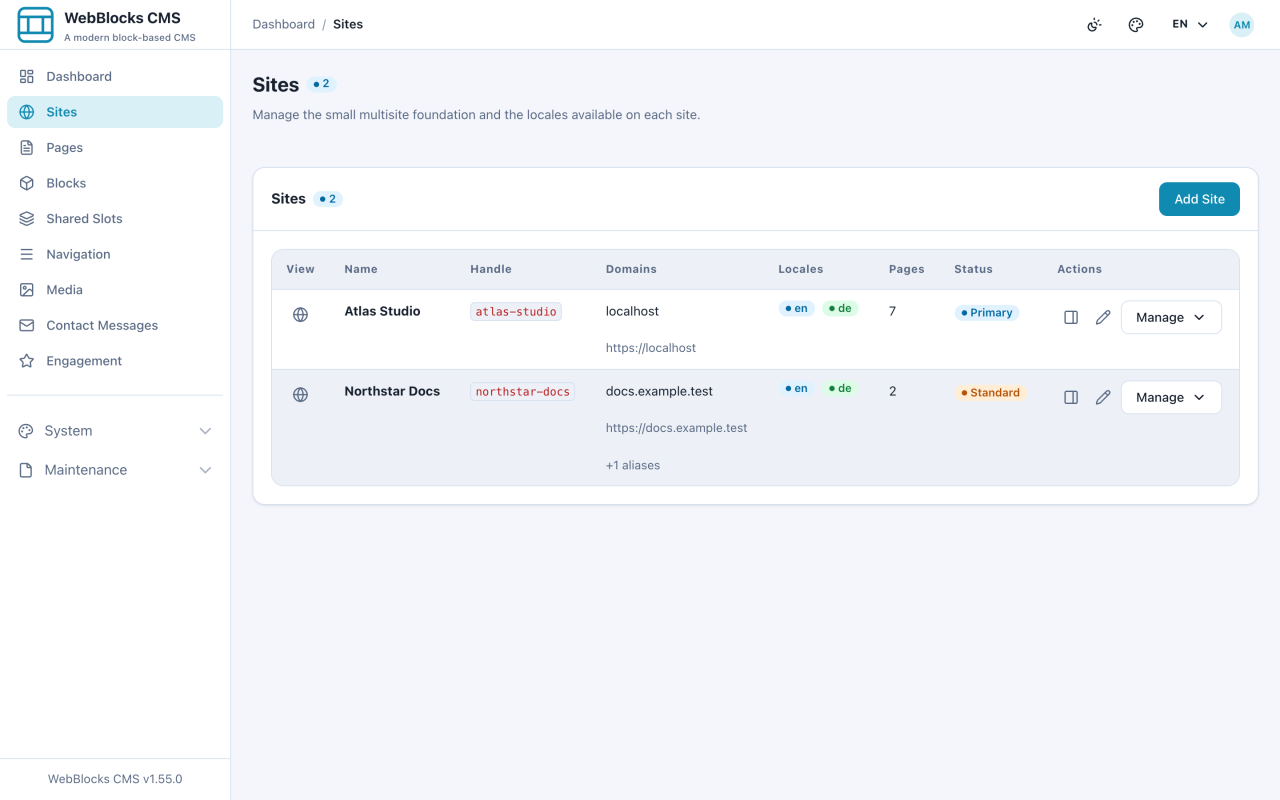
- Select Sites. Each row is a separate public site with its own domain, pages, and settings.
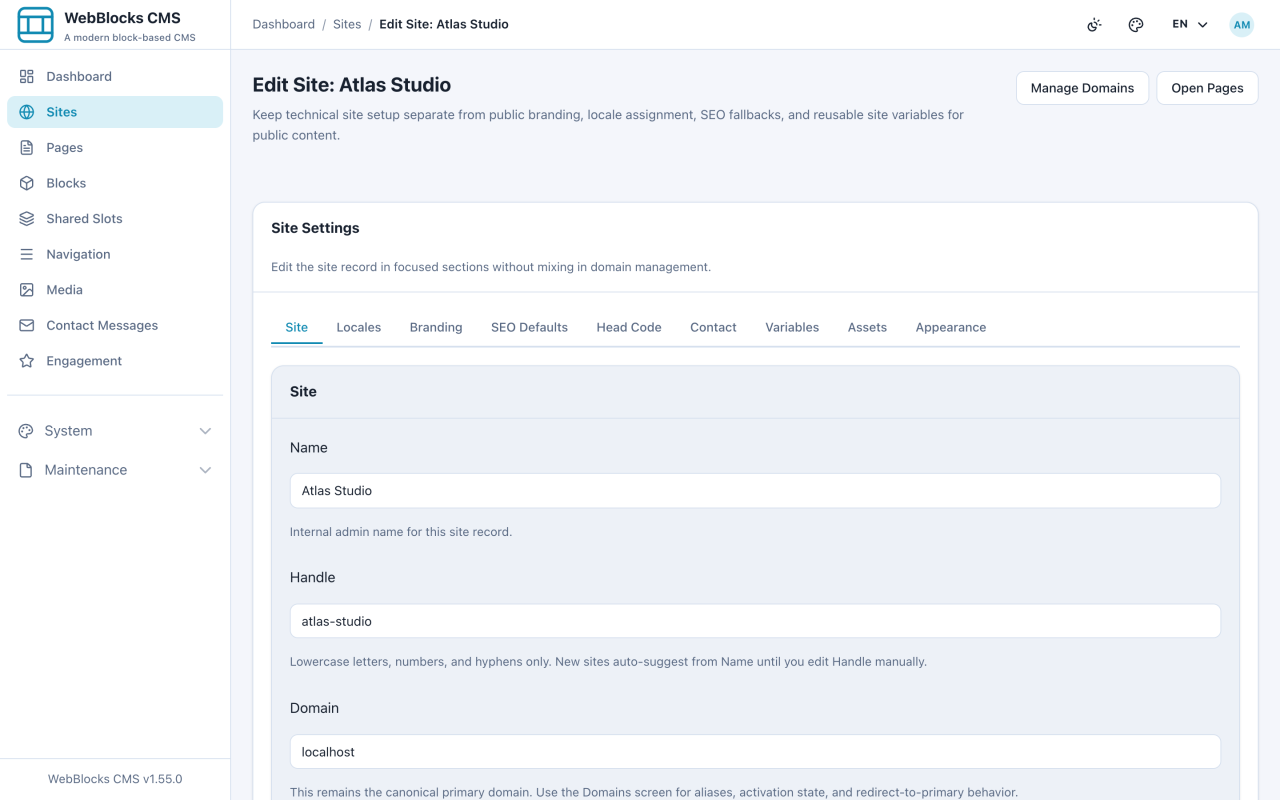
- Edit a site to reach its settings, grouped into tabs: Site, Locales, Branding, SEO Defaults, Head Code, Contact, Variables, Assets, Appearance.
- Use Manage Domains for the addresses this site answers on, and Open Pages to jump straight to its content.
What Is Per Site And What Is Shared
Per site: pages, blocks, navigation menus, Shared Slots, domains, locales, branding, SEO defaults, site variables, and the contact recipient.
Shared across the installation: the Media Library, user accounts, the list of registered locales, block types, and page layouts.
The Media Library being shared is the one that surprises people. An image uploaded while working on one site is available to all of them — convenient, and worth remembering before you upload something confidential.
Notes
- Check which site you are in before you create anything. Most screens work on one selected site at a time, and a page created on the wrong site has to be moved.
- Access is per site. An editor assigned to one site cannot see another's pages at all.
- Shared Slots do not cross sites. Each site needs its own header, even if they look identical.
- Duplicating a page into another site is the fast way to start a second site from a first — and the copy always arrives as a draft.