Organise Media In Folders
Goal: Group media so you can still find things when the library grows.
Time: 2 minutes
You need: Media access
Steps
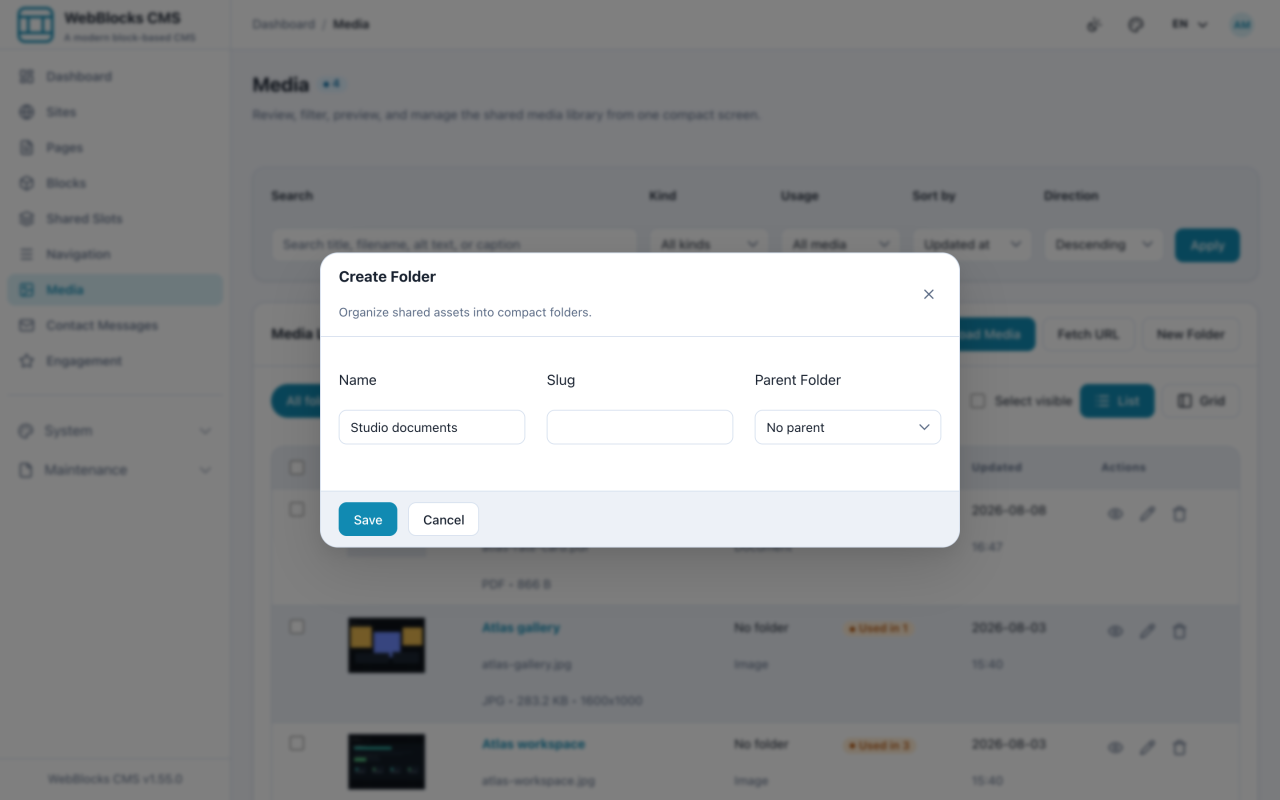
- Open Media and select New Folder.
- Give it a Name. The Slug fills itself in, and Parent Folder nests it under an existing one if you need a level down.
- Select Save.
- To move a file, open it from the library and set Folder on its edit screen, then Save changes.
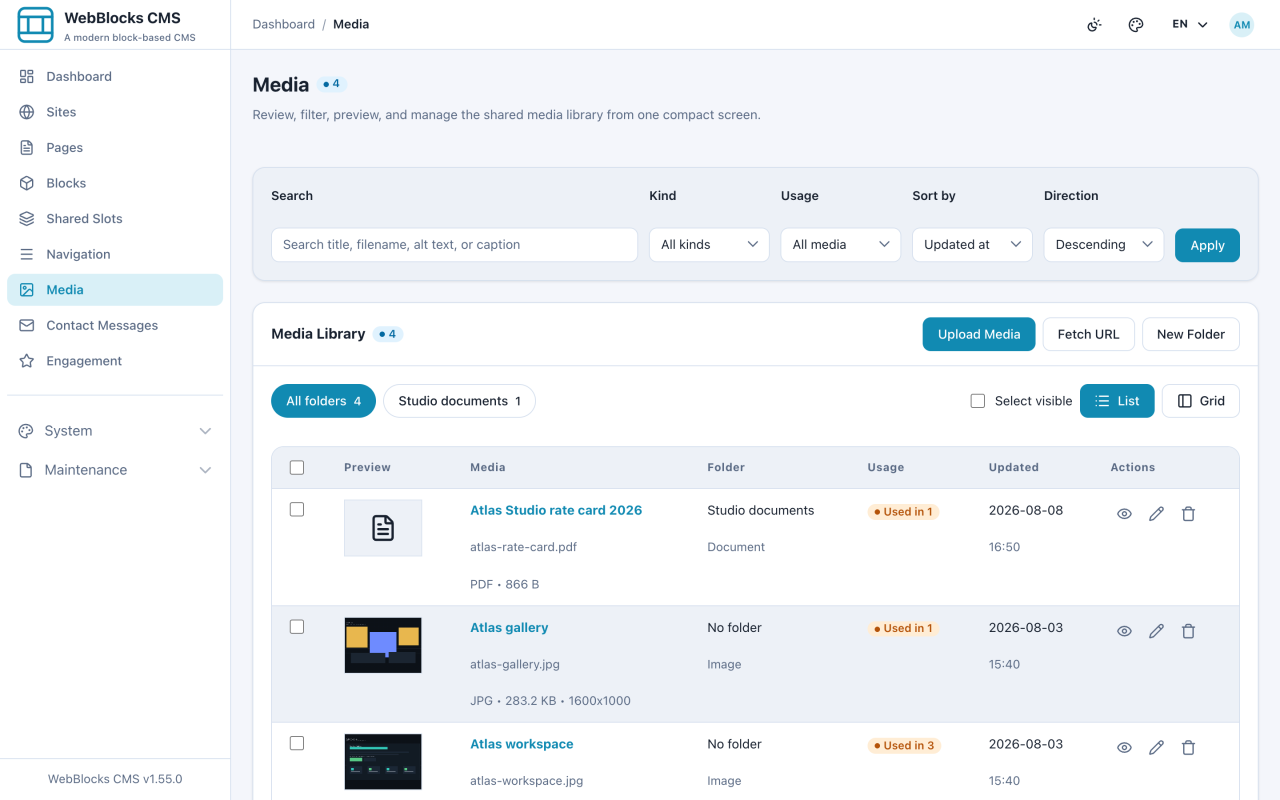
- Back in the library, the folder chips above the list filter it. All folders shows everything again.
Notes
- Folders are for finding, not for permissions. Filing something away does not restrict who can see or use it.
- Moving a file between folders does not break any block that uses it. The block points at the file, not at its location.
- Do not mirror your page structure in folders. Media gets reused across pages, and a folder tree that copies the site becomes wrong the first time you reuse an image.
- Three to eight folders at the top level is usually enough. Beyond that, search and the Kind filter find things faster than clicking through a tree.
- The Usage column tells you where a file is used, which is what you actually need before deleting anything.