Draft, Review, And Publish
Goal: Move a page through the workflow without guessing what each button does.
Time: 3 minutes
You need: A page, and the permission for the step you are taking
Steps
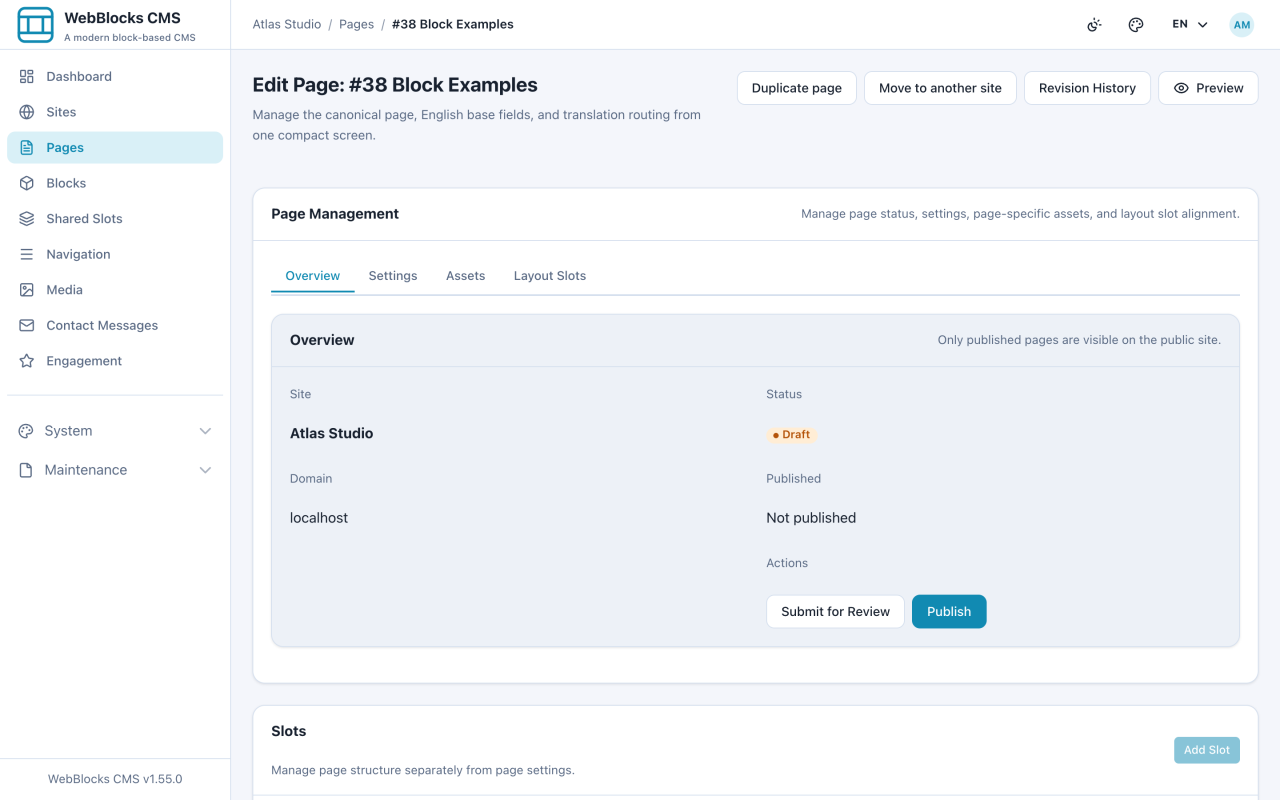
- Open the page and go to the Overview tab. Actions shows only the moves available from the current state.
- A Draft page offers Submit for Review and Publish.
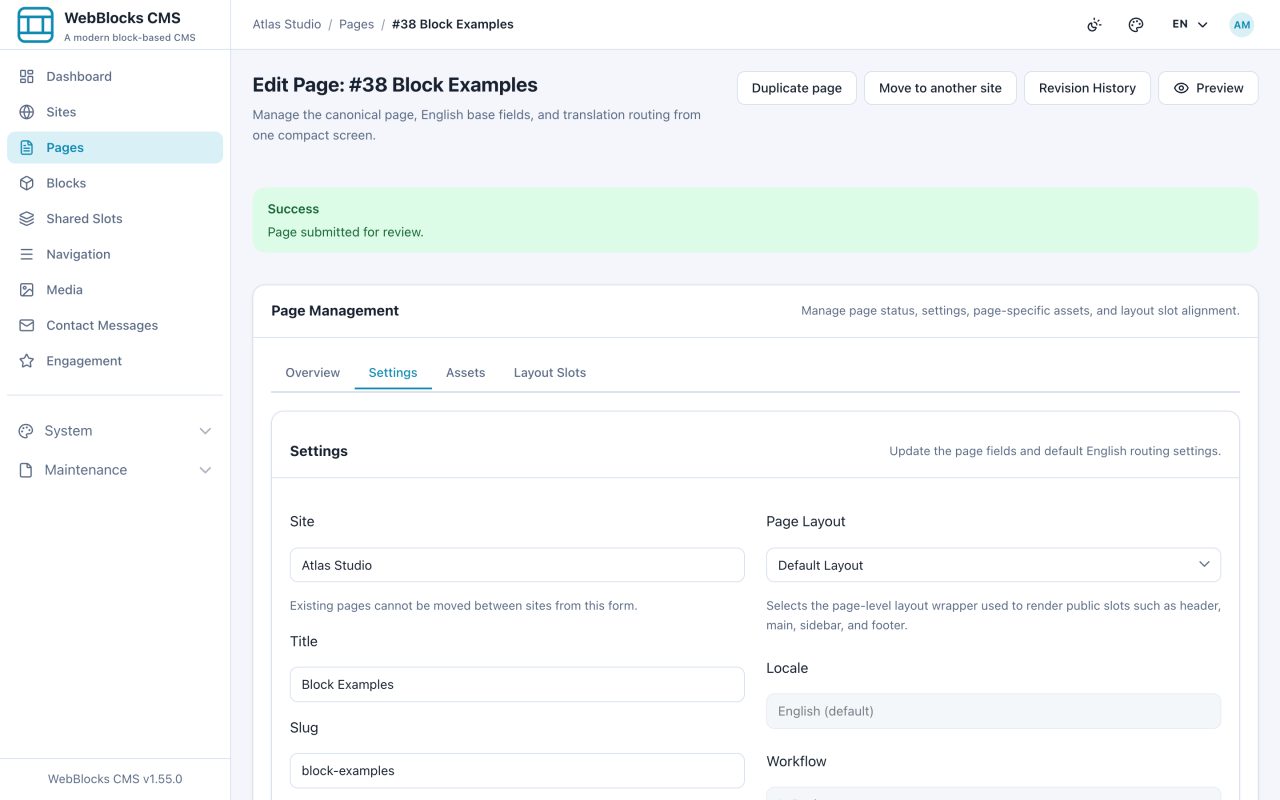
- Select Submit for Review when someone else signs the work off. The page becomes In Review, and content editing is locked while it sits there.
- The reviewer publishes it, or sends it back with Move Back to Draft.
- A Published page offers Move Back to Draft and Archive.
The Four States
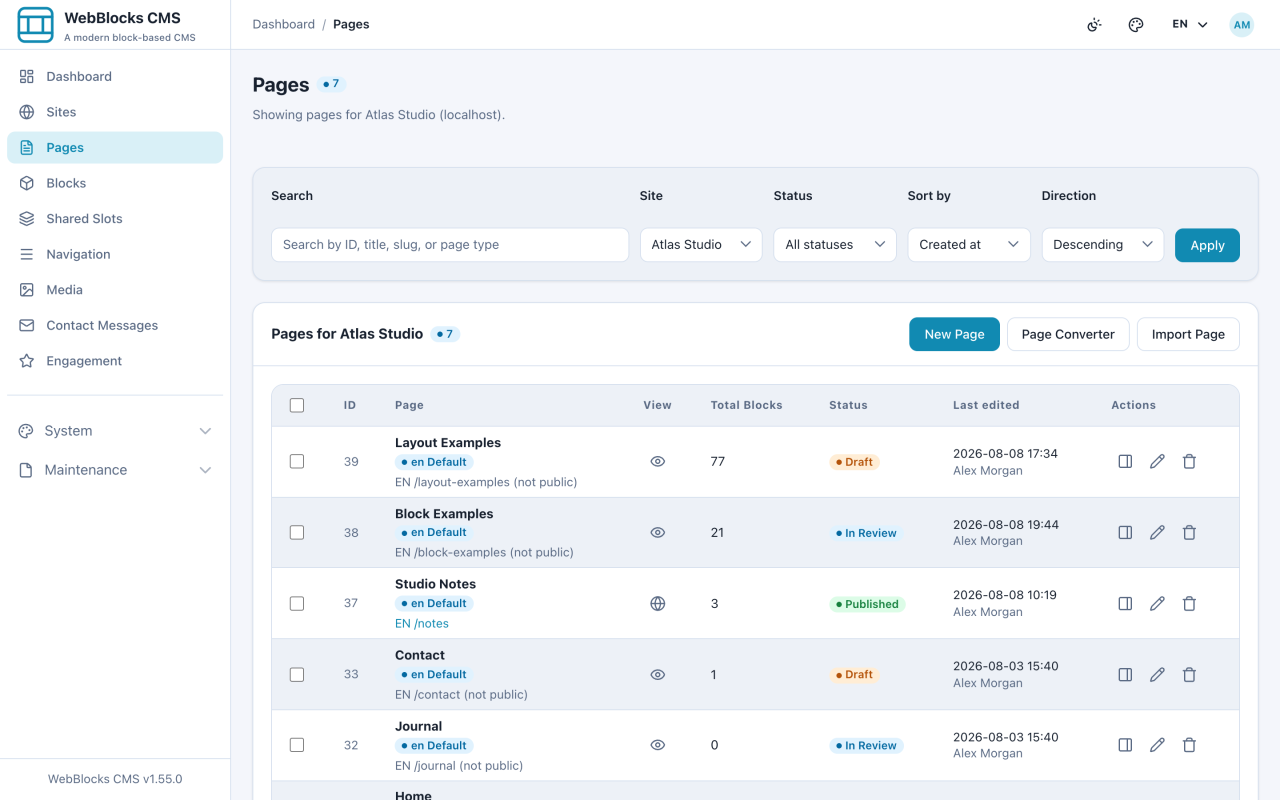
- Draft — not visible. Work in progress, and the default for anything new.
- In Review — not visible. Finished, waiting for someone else; content editing is locked.
- Published — visible. Live at its public address.
- Archived — not visible. Taken down deliberately, kept rather than deleted.
Notes
- In Review locks content editing on purpose. If you need to change something, move it back to draft first — otherwise a reviewer is reading a moving target.
- If you cannot see Publish, your role prepares content but does not publish it. That is the system working, not a fault.
- Publishing the page does not publish its Shared Slots.
- Archive is not delete. The page, its blocks, and its history stay; it simply stops being reachable.
- Every one of these moves is recorded in the page revision history.