Build A Footer As A Shared Slot
Goal: Create a new Shared Slot and build a footer inside it.
Time: 6 minutes
You need: Shared Slots access
Steps
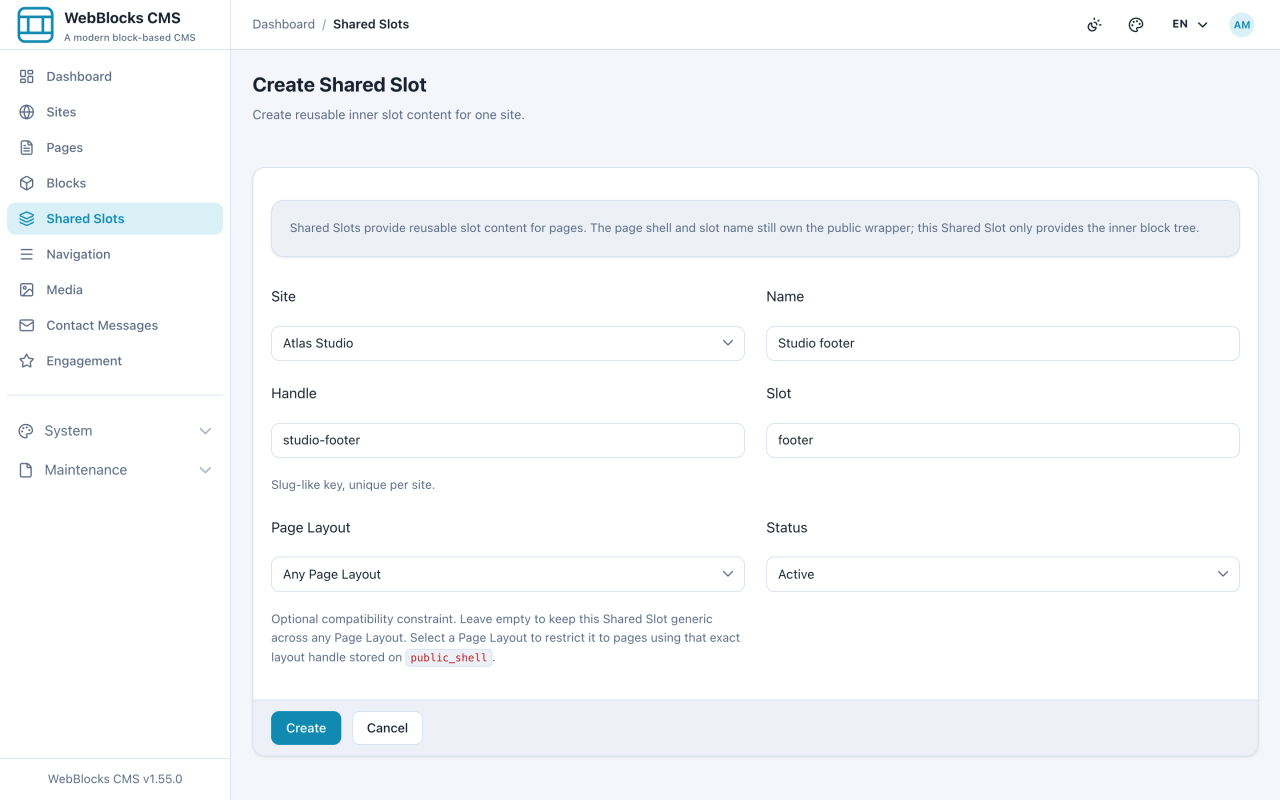
- Select Shared Slots, then New Shared Slot.
- Fill in Site, Name, and Handle. Slot is a free-text field and takes the slot slug:
header,main,sidebar,footer. Leave Page Layout empty unless the slot is only for one layout. - Select Create, then Edit Blocks.
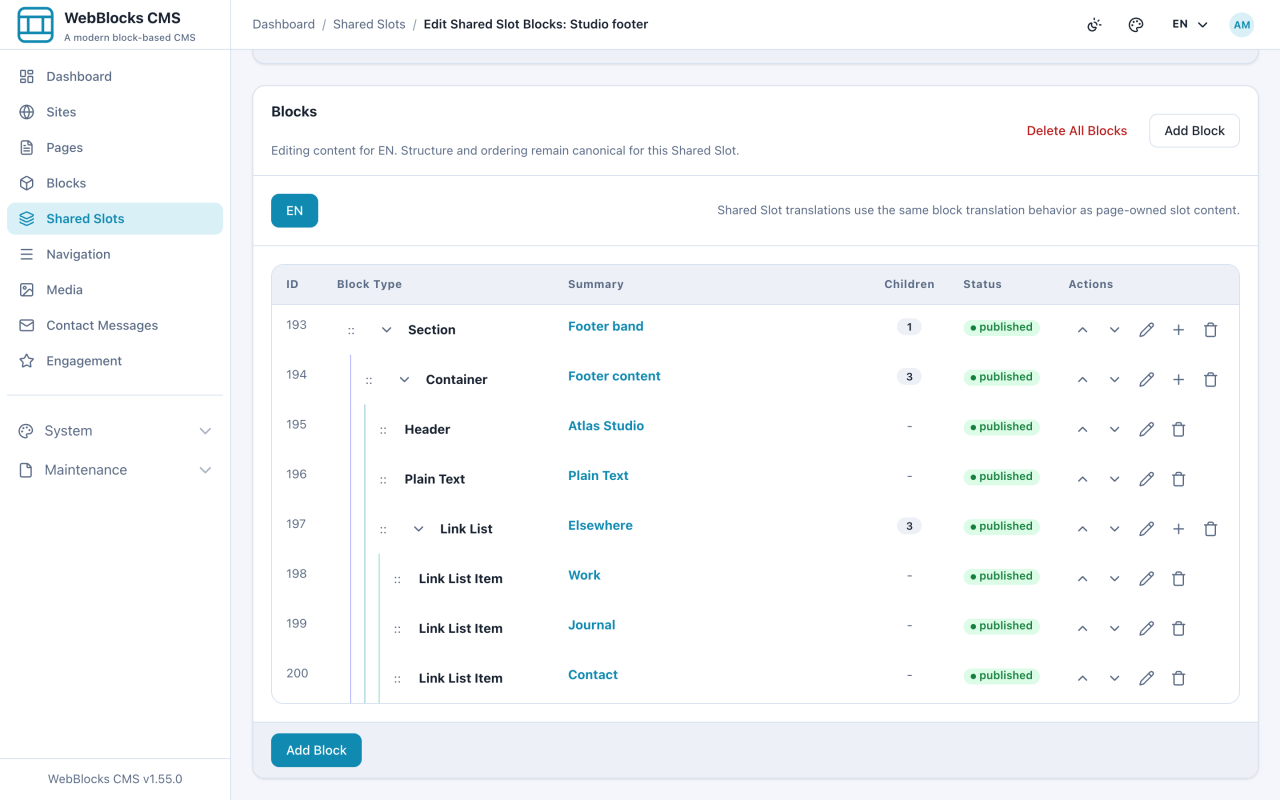
- Build the footer the same way you build a page: a Section for the band, a Container inside it for width, then your content — a Header, some Plain Text, a Link List with the links.
- Assign it to a page: open the page, select Manage Source on the Footer slot, choose Shared Slot, pick yours, and Save Source.
Notes
- The Slot field is typed, not picked. A typo means the Shared Slot will not be offered for any page slot, and nothing explains why. Use exactly
header,main,sidebar, orfooter. - The same approach builds a reusable CTA band: make a Shared Slot for
main, put a CTA block in it, and assign it to the pages that need the same offer. - Not every layout renders every slot. A footer Shared Slot on a layout with no footer is invisible.
- Keep the number of Shared Slots small. Two headers and two footers are a design system; nine of each is a mess nobody dares touch.