Page, Layout, Slot, Block
Goal: Understand the four words that every other guide uses.
Time: 3 minutes
You need: Nothing — this one is reading, not clicking
Steps
- Open any page from Pages and select Edit page.
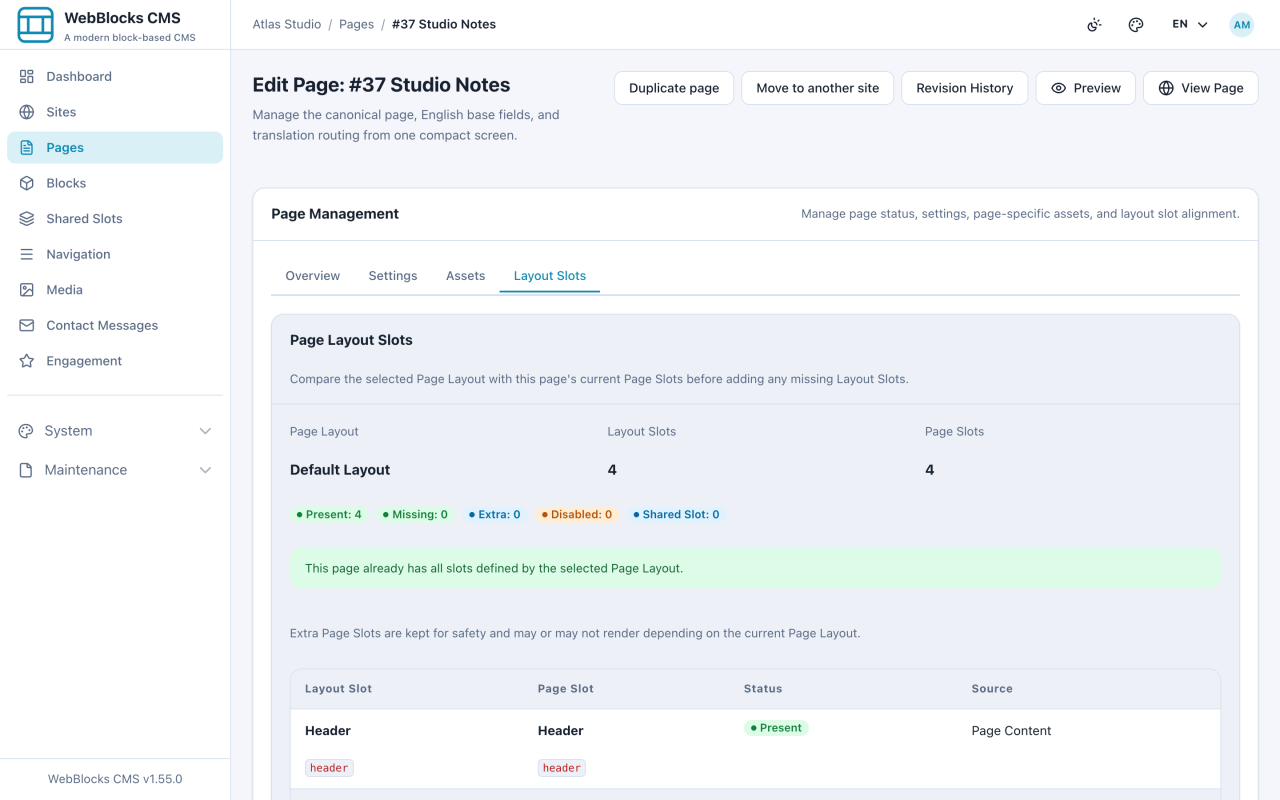
- Open the Layout Slots tab. It compares the slots your layout defines with the slots this page actually has.
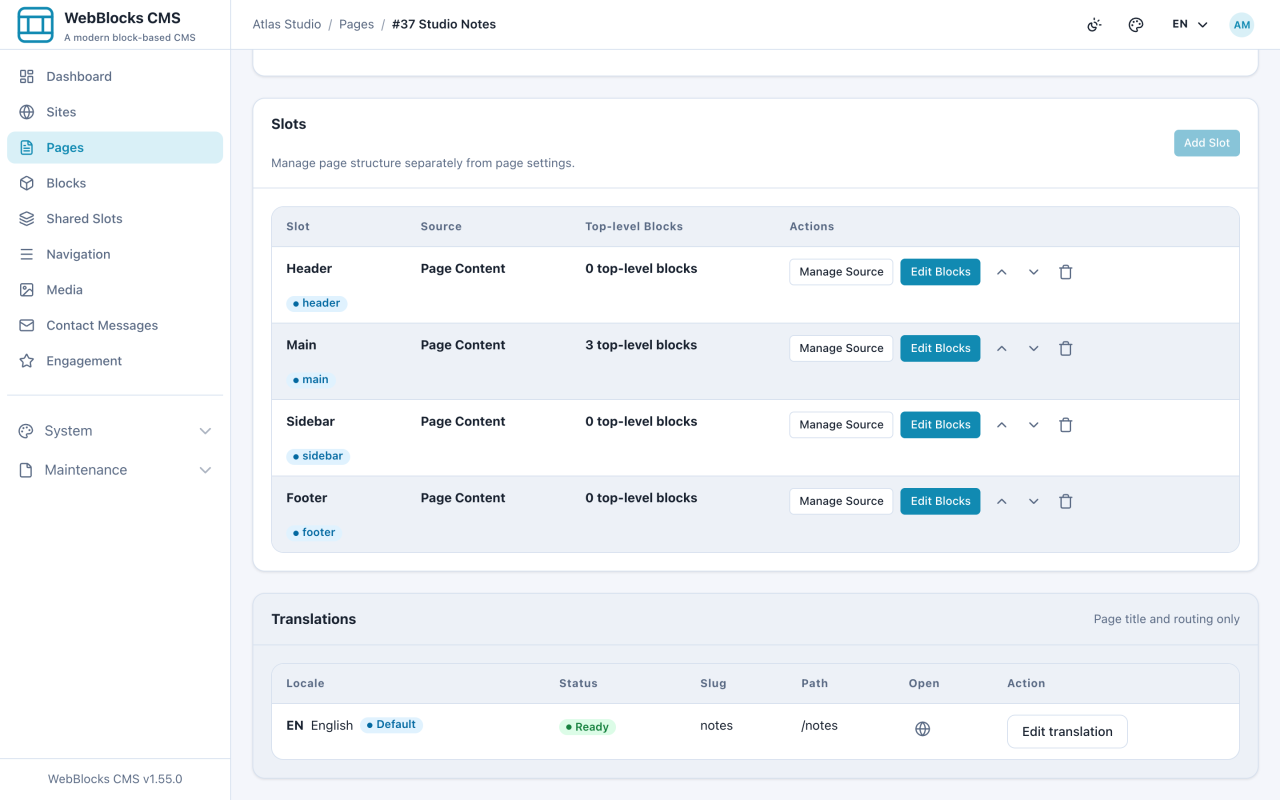
- Scroll to the Slots card. This is the same list in working form: each slot, how many blocks it holds, and the button to edit them.
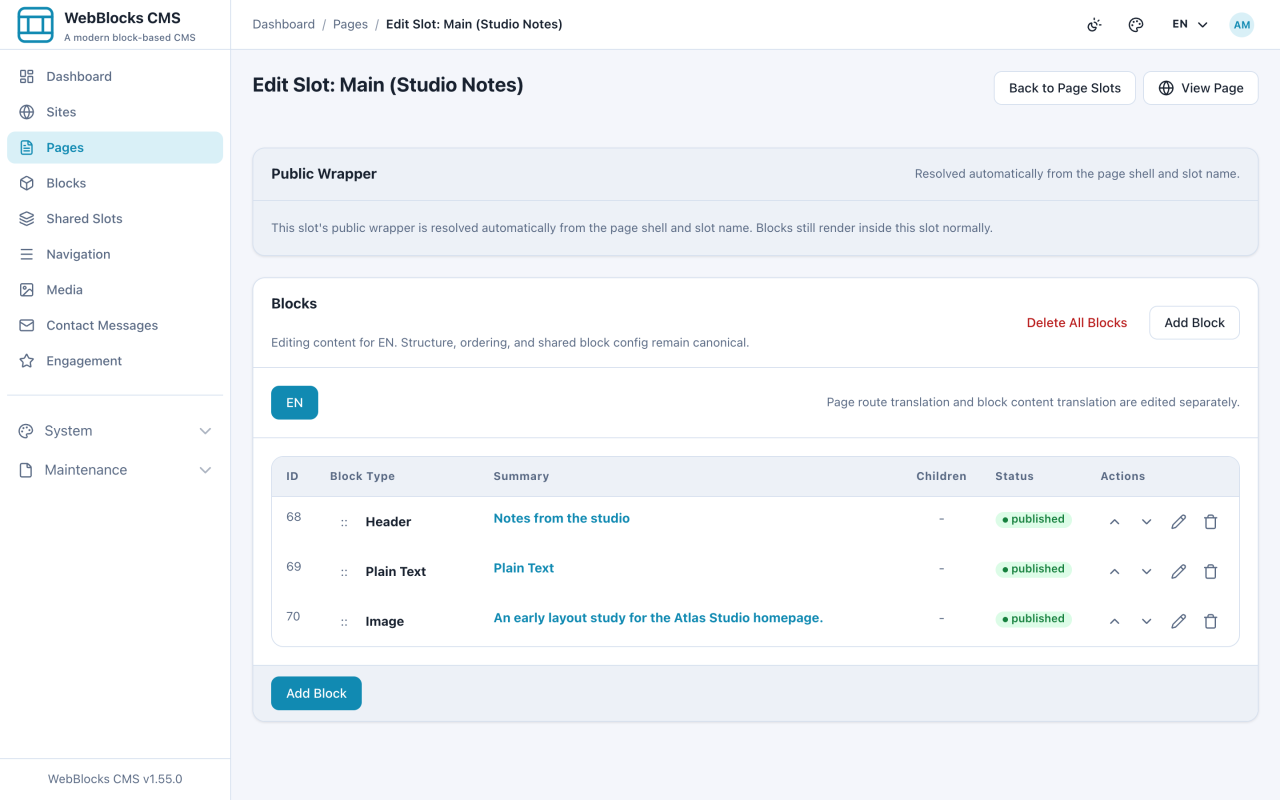
- Select Edit Blocks on Main. Now you are looking at blocks: the actual content, in order.
The Four Words
Page is the thing with an address. /notes is a page. It holds your content and decides whether visitors can see it yet.
Layout is the frame the page renders in. It decides whether the page has a header strip, a sidebar, a footer — the furniture, not the content. You pick one when you create the page and can change it later.
Slot is a named area the layout provides: Header, Main, Sidebar, Footer. Think of them as labelled boxes. The layout says which boxes exist; you decide what goes in them.
Block is one piece of content inside a slot: a heading, a paragraph, an image, a gallery, a contact form. Blocks stack in order, and some blocks hold other blocks.
Put together: a page uses a layout, the layout provides slots, and you fill slots with blocks.
Why It Is Split This Way
Because the same content should not have to be rebuilt for every page, and the frame should not have to be rebuilt for every piece of content.
A Shared Slot takes this one step further: instead of filling a slot on one page, you fill it once and assign it to many pages. That is how a site header stays identical everywhere without anyone copying it around.
Finding A Parent Block (1.93.2–1.93.3)
When editing a block, Parent Block follows the block tree. Options show the block id, its admin name or localized content preview, and its ancestor path. Give Stack, Split, and Card sections an admin name when several similar containers exist, then use the path to select the intended destination. Placement restrictions still apply.
For an Image without its own caption or alt text, the slot summary uses the selected media's title, alt text, caption, or filename. That fallback is an editor summary, not new image metadata.
Notes
- Changing the layout does not delete your blocks. Slots that the new layout does not define are kept, they just may not render.
- A block can hold other blocks. A Card holds a header, a body, and a footer region; a Grid holds cards. That nesting is how a page gets a real layout without writing HTML.