Search a Section of Your Site
Goal: Give visitors a search box for one part of your site, such as a guide library, a resource center, or a help center.
Time: About 3 minutes.
You need: An editable page and published pages under the section path you want to search.
Set a path prefix, run a section search, and compare it with the same search from the site header. The narration is in English. Turn on captions in the player.
Set the search scope
- On the section landing page, add a Search Form block to the Main slot.
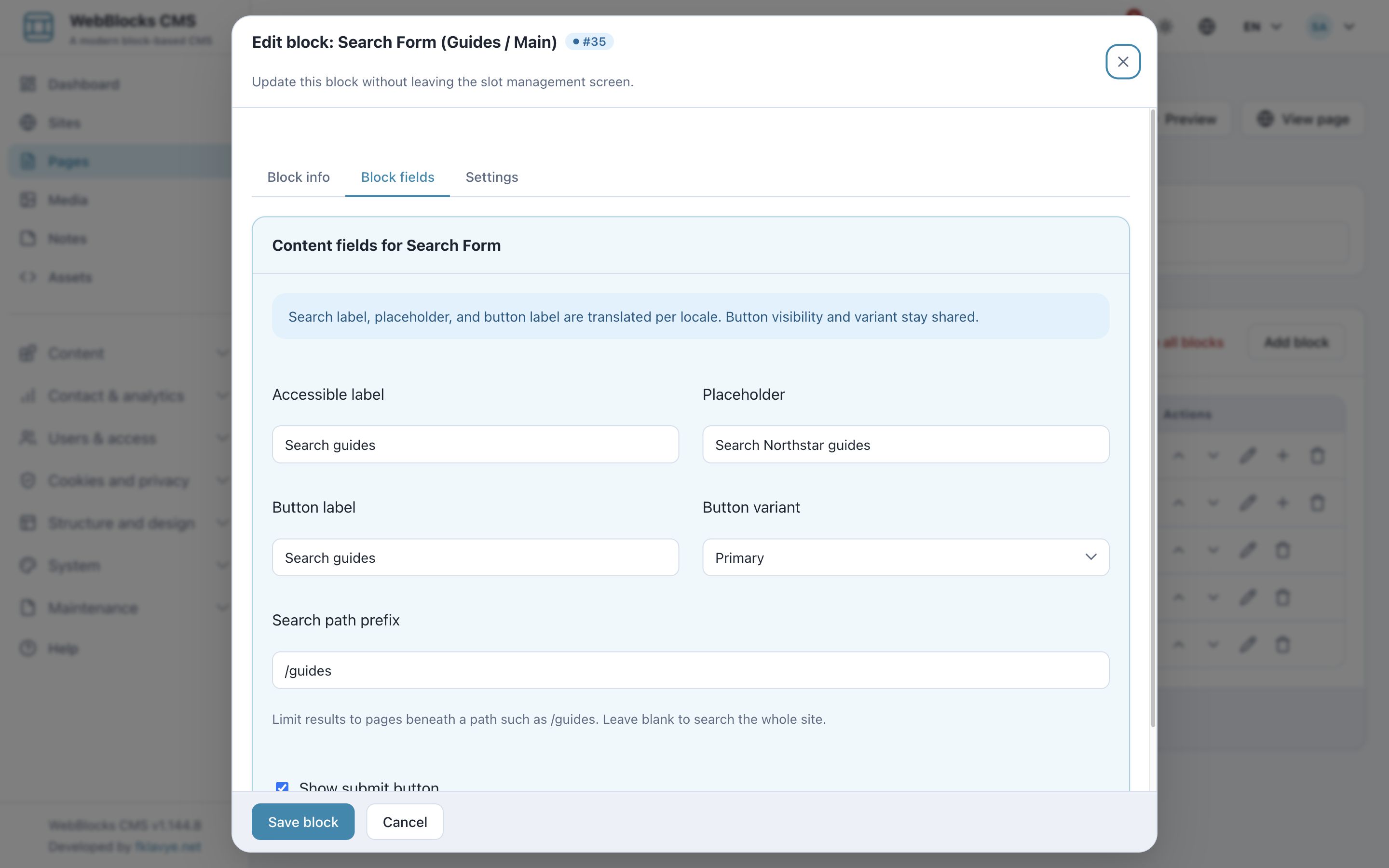
- In the block fields, set the accessible label, placeholder and button label so visitors know where they are searching. The example uses Search guides as its label and button text.
- Enter the section’s page path in Search path prefix, such as
/guidesfor a guide library,/resourcesfor a resource center or/supportfor a help center. Use the page path without the domain or a language prefix. Save the block.
Compare the results
Open the page preview and search for a term used both inside and outside the section. In the Northstar Studio example, lighting returns two matching guides. The search dialog shows the active scope, Search within /guides, and every result is under that path.
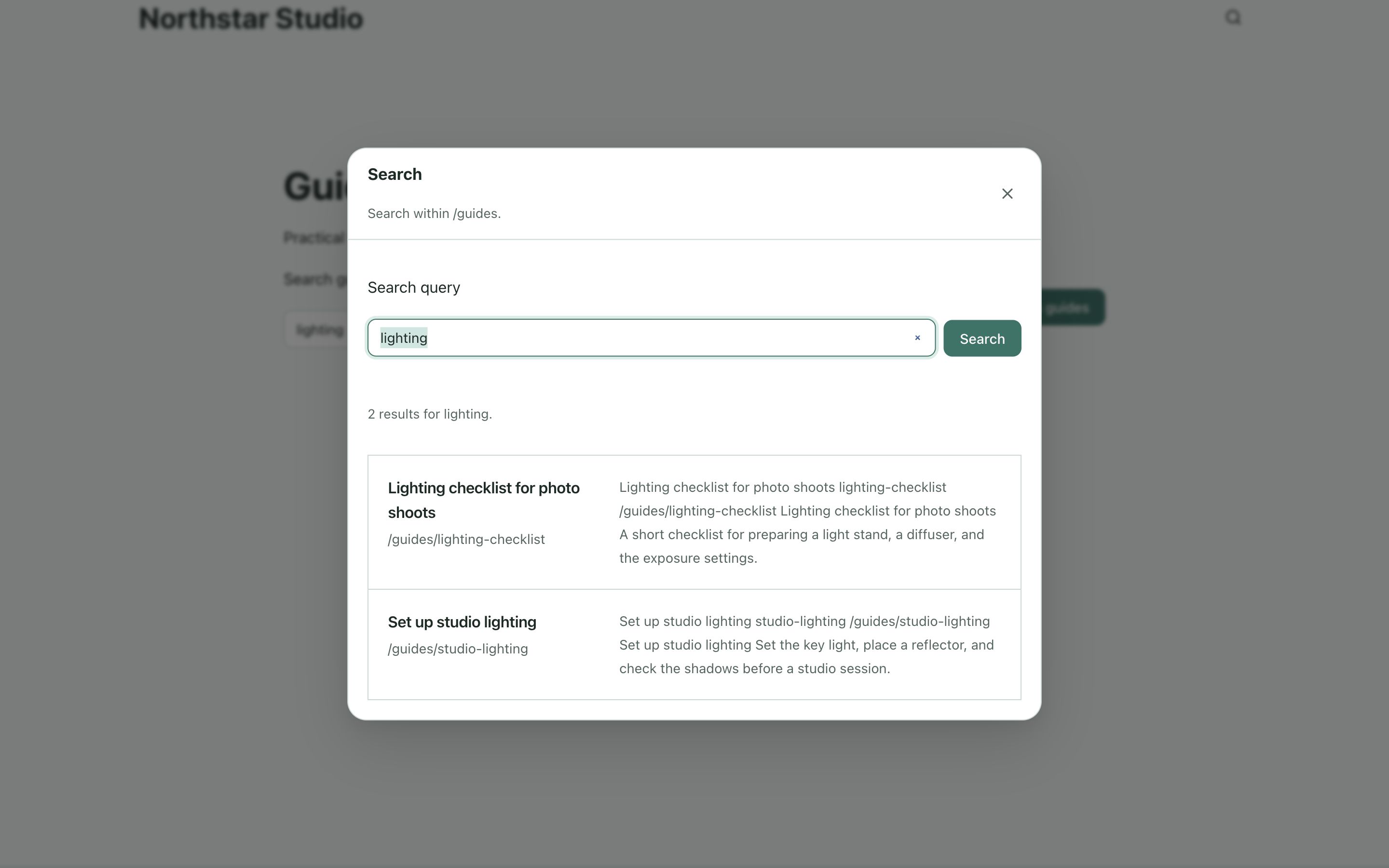
If the site header has a search button from Header Actions, open it and run the same query. This site-wide search also finds the matching journal entry. A Search Form with an empty Search path prefix searches the whole site as well.
Related: Site Search · Search reference
Was this guide helpful?
Rate how clearly it showed you how to limit a Search Form to a section.
Questions and comments
Which part of your site would benefit from its own search? Share an example or ask about setting the scope.
Comments
0No approved comments yet.
Leave a comment