Localize Table of Contents Titles
Goal: Give each language of a page its own table of contents title.
Time: About 3 minutes.
You need: A page with translations, a TOC block, and visible Header blocks at H2 or H3.
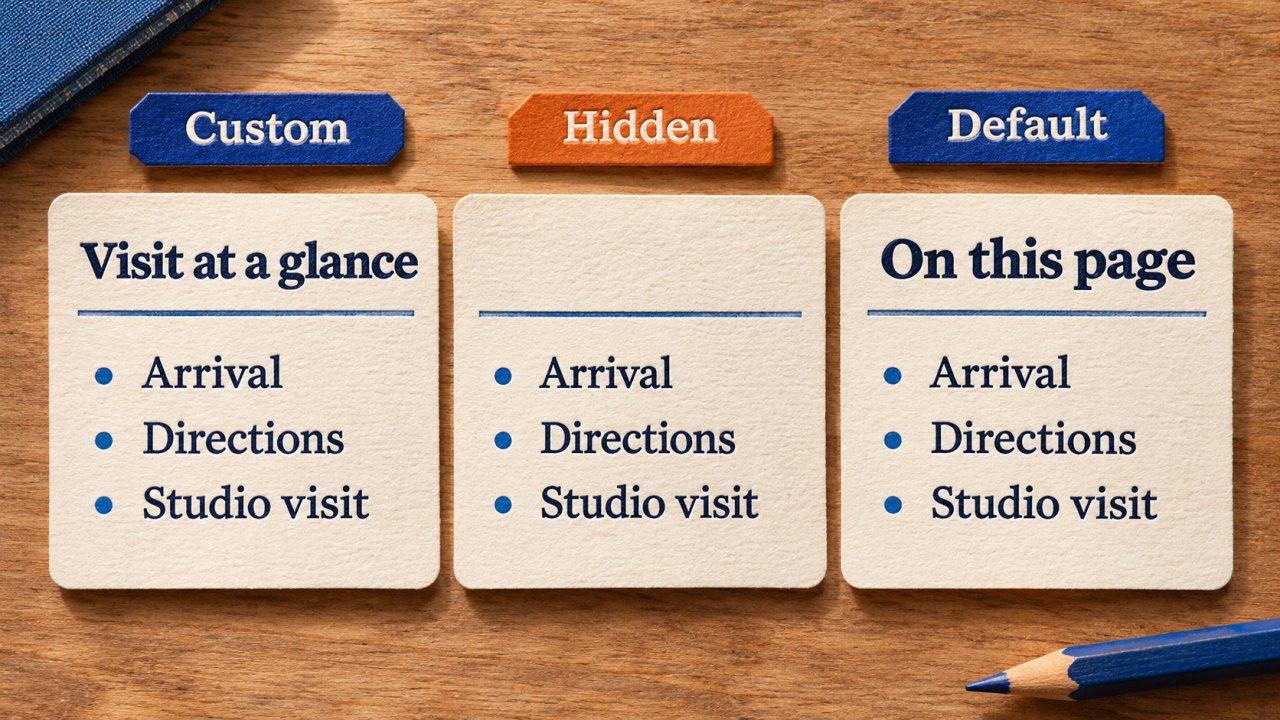
Customize the German title, hide the Turkish title, and bring back the standard German title. The narration is in English. Turn on captions in the player.
Choose a title for each language
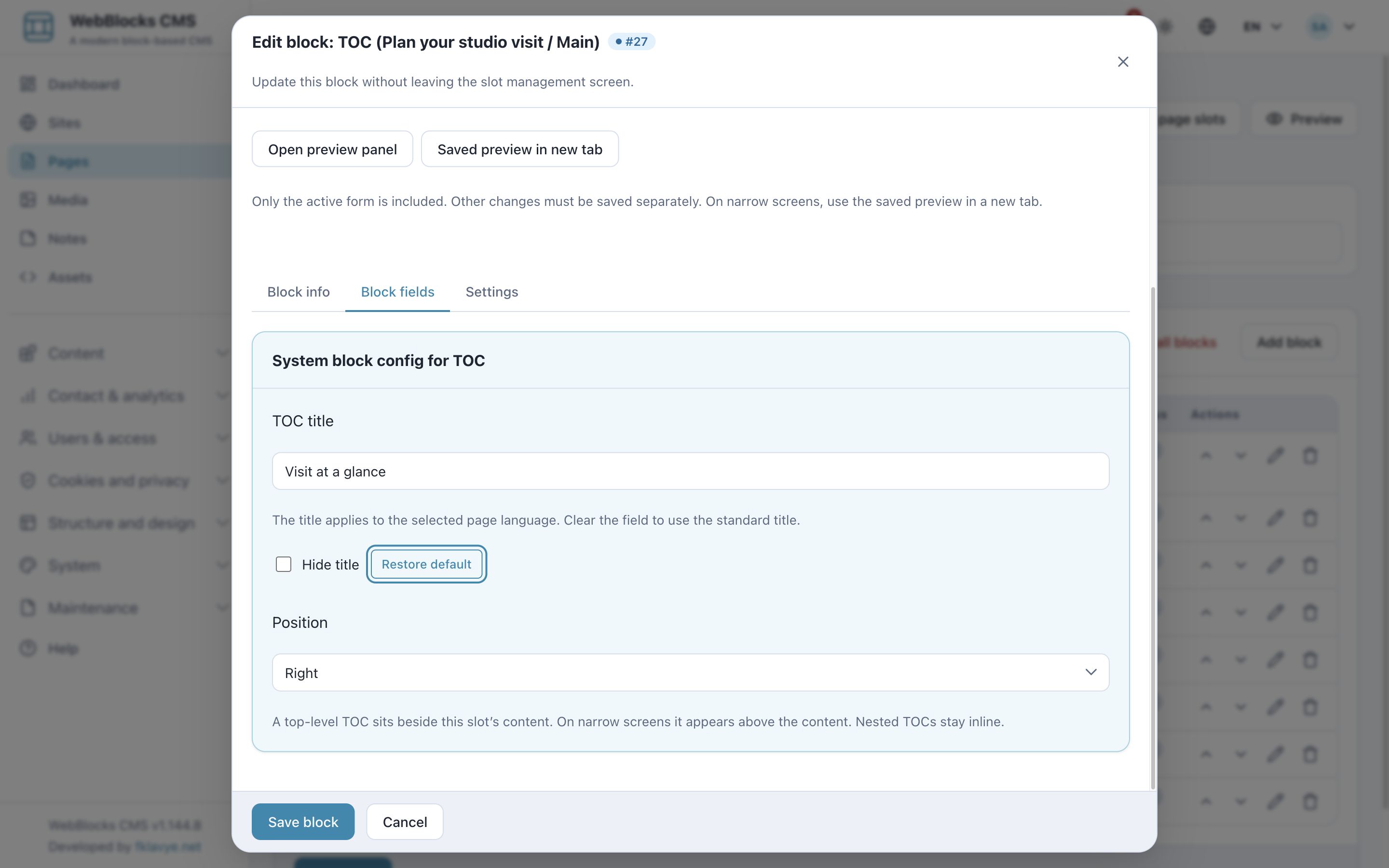
- Open Edit blocks for the slot that contains the TOC. Select the page language and edit the TOC block. Under Block fields, enter a custom TOC title and select Save block. In the Northstar Studio example, the German page uses Besuchsübersicht.
- To show the list without a title, switch to the desired page language, select Hide title in the TOC block and save. The example hides the title in Turkish.
- To return to the standard title, open the block in that language, select Restore default, and save. In German, the standard title is Auf dieser Seite.
Check the result in Preview
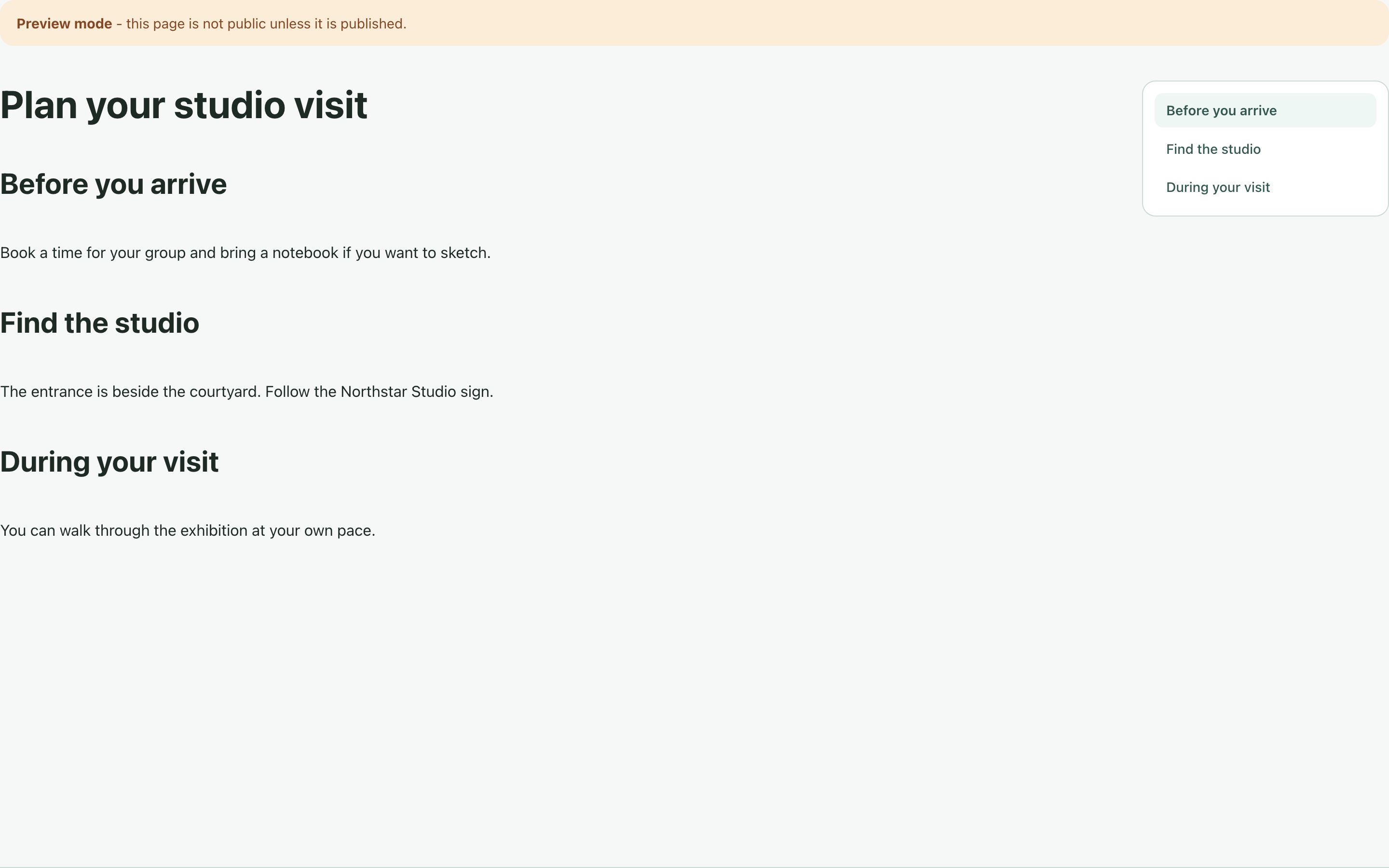
Preview each language you changed. Check that the TOC title follows that language’s setting and that the section links still work. In the video, Turkish still lists all three sections with the title hidden. The screenshot shows the same result in English.
The title setting also controls the navigation’s accessible name. When visible, the title labels the navigation. Hiding the title removes that label and keeps the links. Section labels follow the translated headings, and their existing anchors stay the same.
Was this guide helpful?
Rate how clearly it showed you how to set a table of contents title for each language.
Questions and comments
Which title works best for your readers? Share an example or ask about one of the title options.
Comments
0No approved comments yet.
Leave a comment