Find Dynamic Blocks
Goal: Identify what supplies content to a nested block without opening every editor.
Time: About 2 minutes.
You need: A page with a loop or a data-bound block and access to edit its blocks.
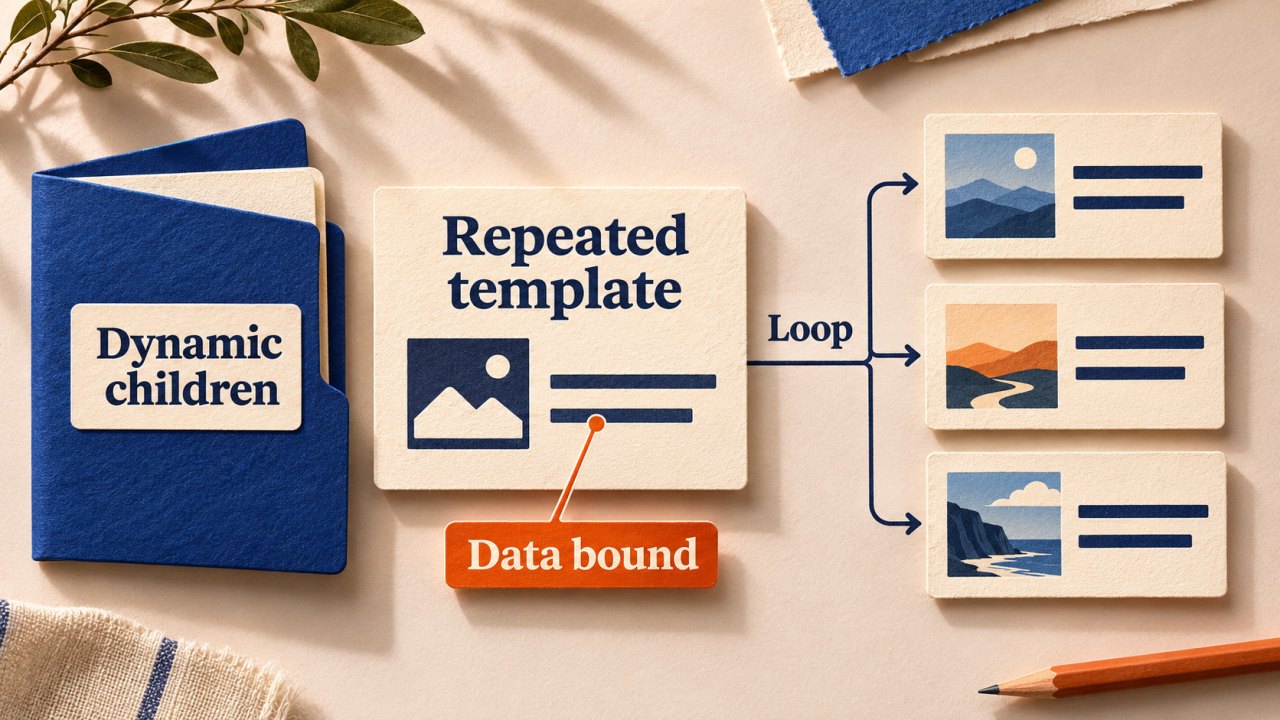
Follow a closed container into a journal loop, read its badges, and filter the list by Data bound. The narration is in English. Turn on captions in the player.
Follow the badges through a nested list
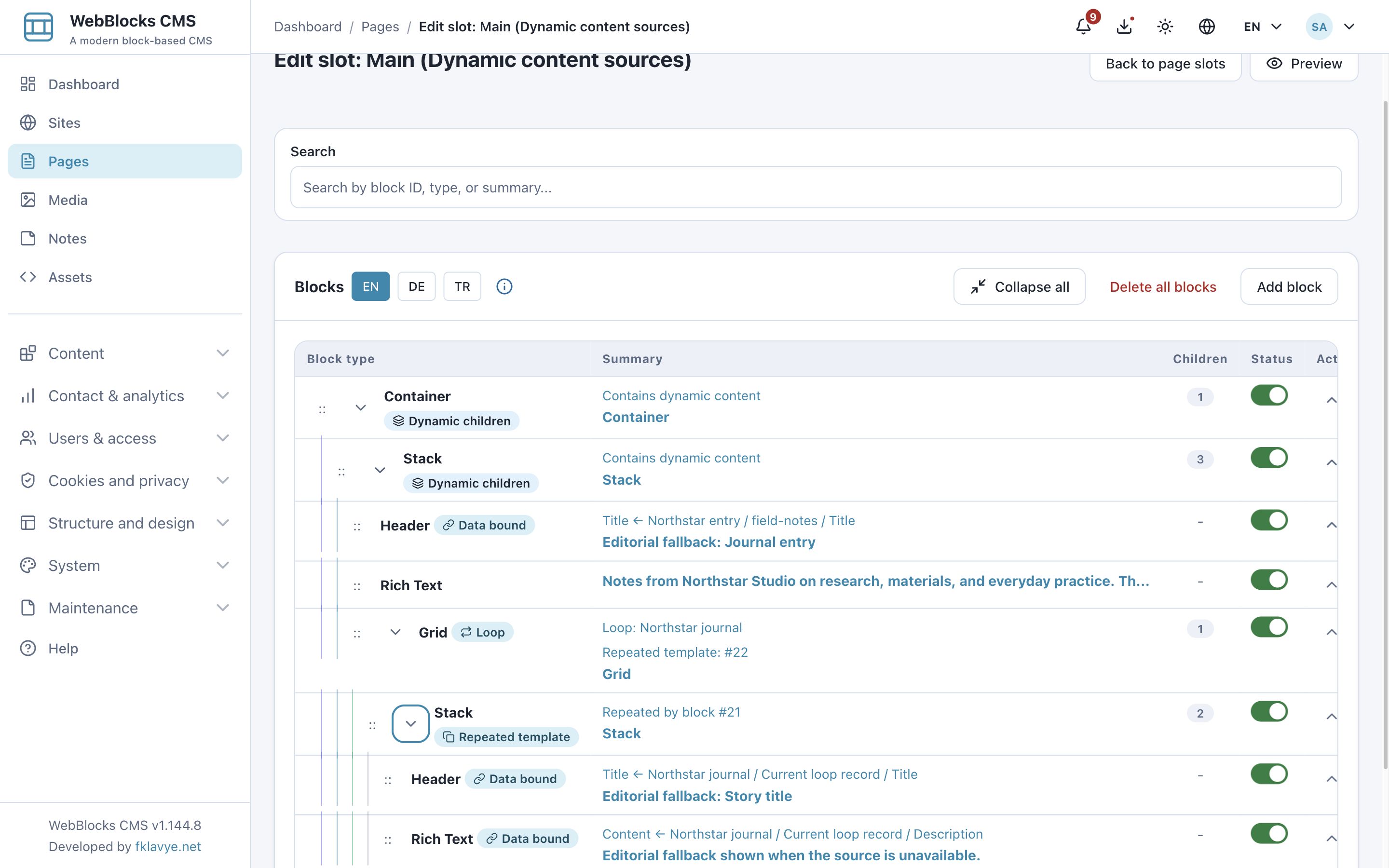
- In Pages, open the page’s slots and choose Edit blocks for the relevant slot. A Dynamic children badge on a closed group tells you there are dynamic blocks inside.
- Expand the group and follow the badges. In the Northstar Studio example, Loop marks the Grid that reads the journal collection. Repeated template marks the Stack used once per matching entry. Data bound marks blocks with a field connected to a source.
- Read the Summary column beside a data-bound row to check its connection. In the repeated Stack, the Header gets its title from the current loop record and the Rich Text gets its content from that record.
Filter the list by a badge name
Enter Data bound in Search. The list shows matching blocks and keeps their parent rows visible so you can see where each block sits. In the example, the editorial introduction drops out of the results, while the Grid and Stack remain as context for the matching rows.
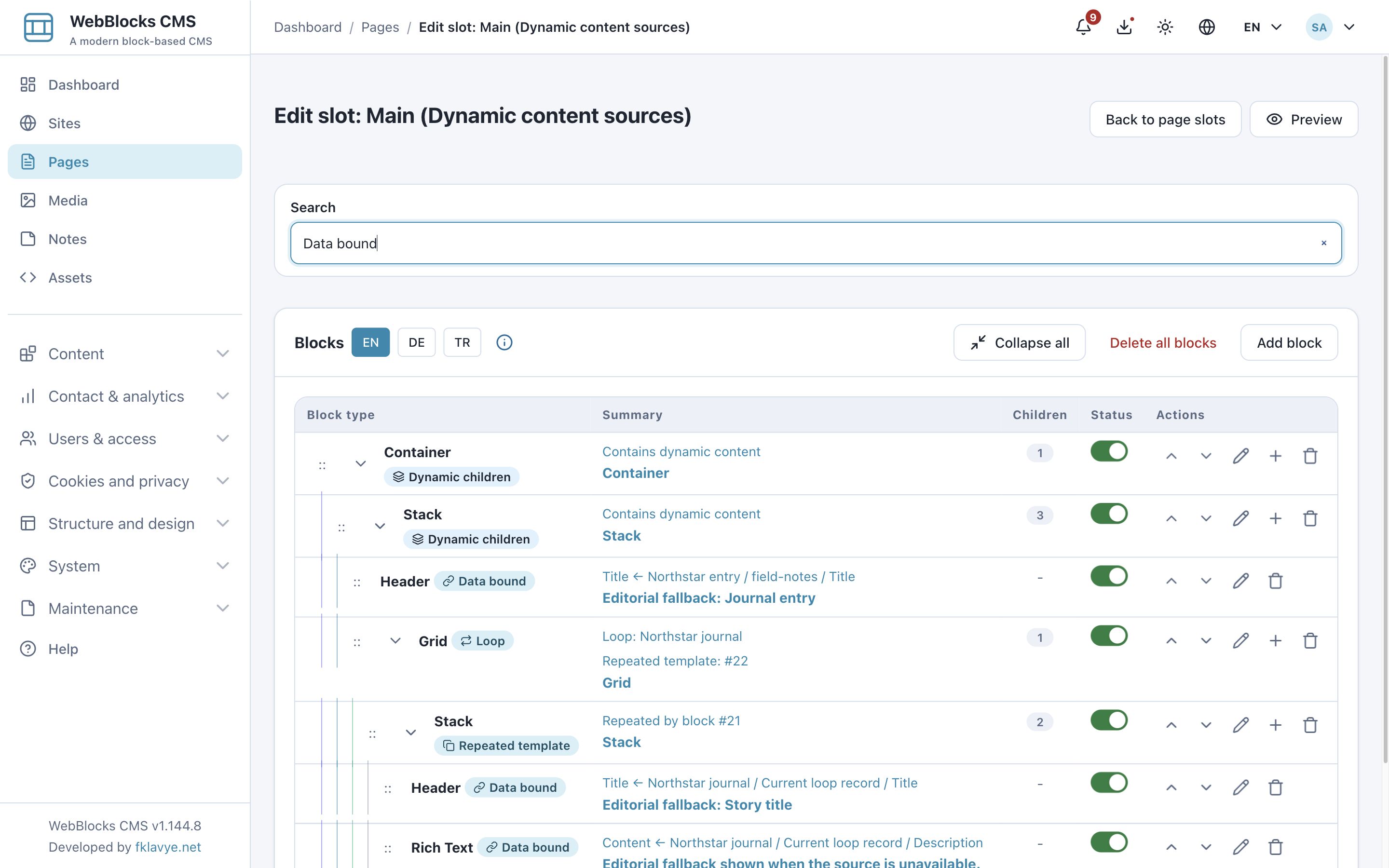
Clear the search field to restore the list and its previous expansion state. The same badges are available in a Shared Slot’s block list.
Was this guide helpful?
Rate how clearly this guide showed you how to find and identify dynamic blocks.
Questions and comments
Which badge helped you trace a block back to its source? Share a tip or ask about a badge.
Comments
0No approved comments yet.
Leave a comment