Run a small business website with WebBlocks CMS
Start with a homepage that says what you do, a Services page that explains what customers can ask for, and a Contact page that gives them a way to reach you. In this walkthrough, Northstar Studio updates a consultation, checks a workshop enquiry and adds a booking form when customers need to choose a time.
The screenshots show a fictional studio. You can explore the editor from the WebBlocks CMS demo and open the public form and booking examples in the steps below. Use fictional details in the public examples.
1. Update a service page
Northstar Studio is changing its consultation from 60 minutes to 45. On your own site, have the person who manages publication prepare a staged update for the published service page. Open that copy in Pages and select Main → Edit Blocks. Edit the Rich Text block with the service description and save it.
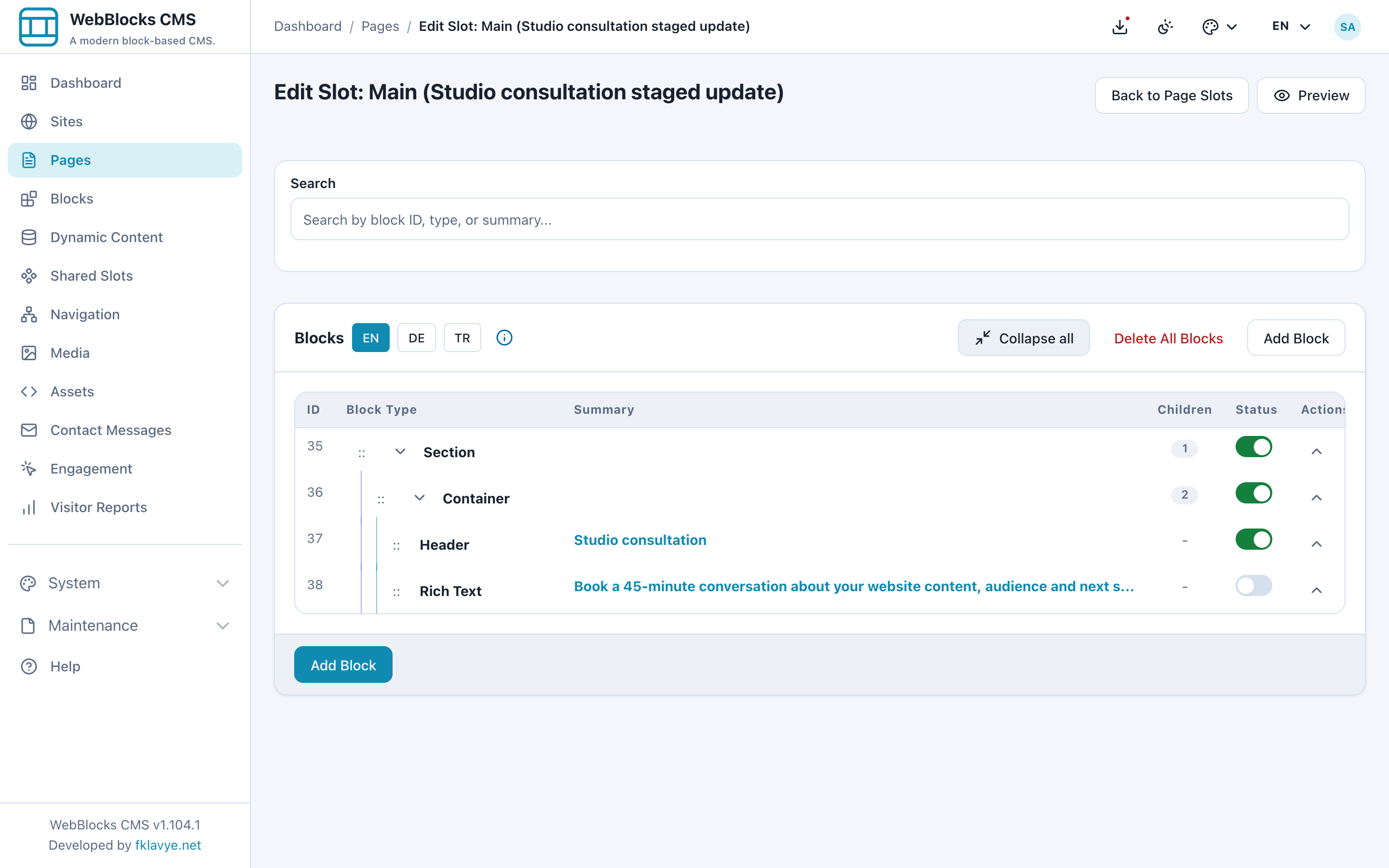
Open the saved Preview in a new tab and check the page on a narrow screen. Make sure the duration is easy to find and the contact button leads to the right page. When the copy is ready, have the person who manages publication promote the staged update. The public page keeps its current copy while you work. Staged updates and preview
2. Follow a customer enquiry into the inbox
On your Contact page, add a Contact Form block to the Main slot. Give it a short introduction and a receipt message, such as “Thanks. We’ve received your message.” Once the form is available on your test site, send a sample message from the visitor page.
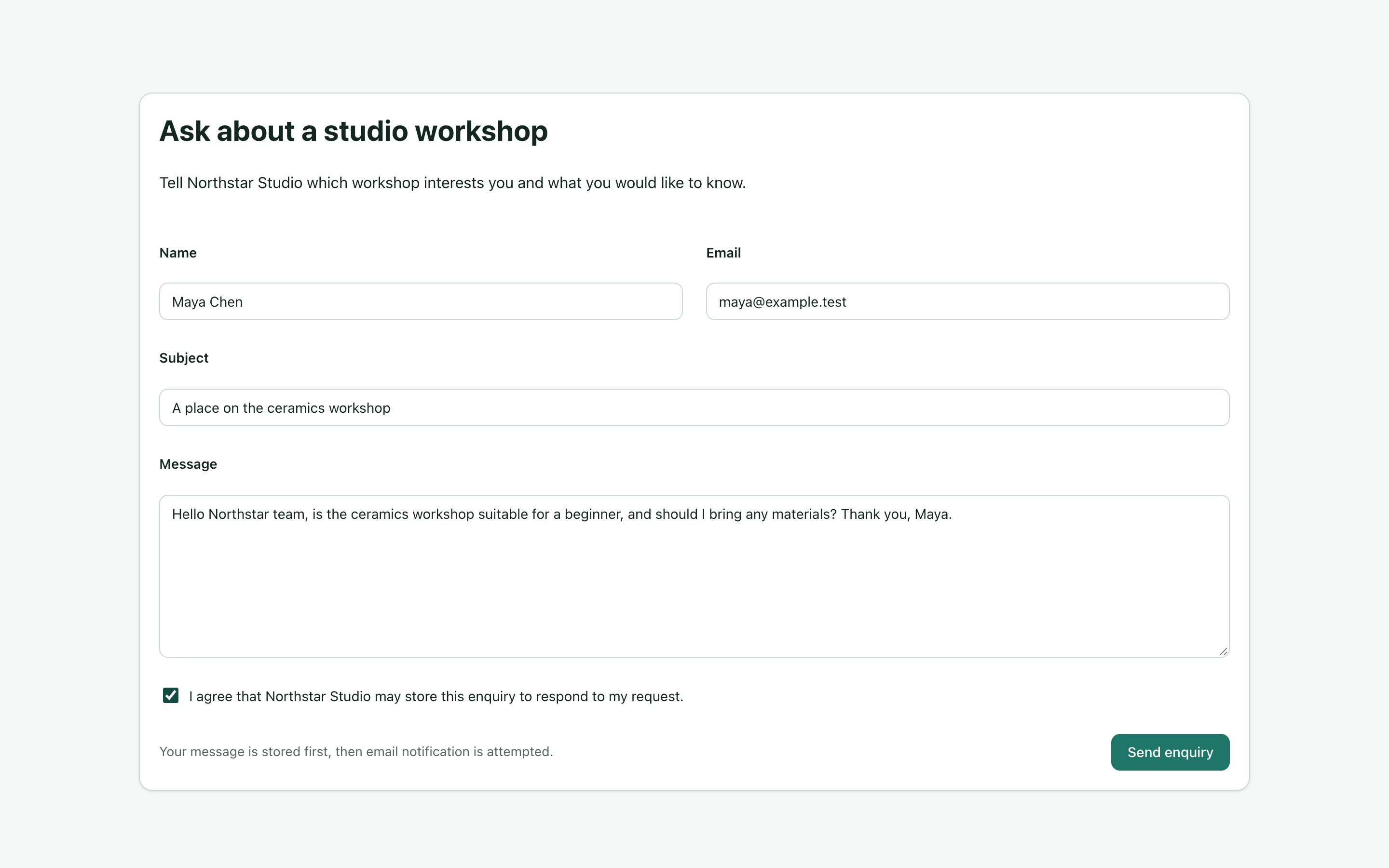
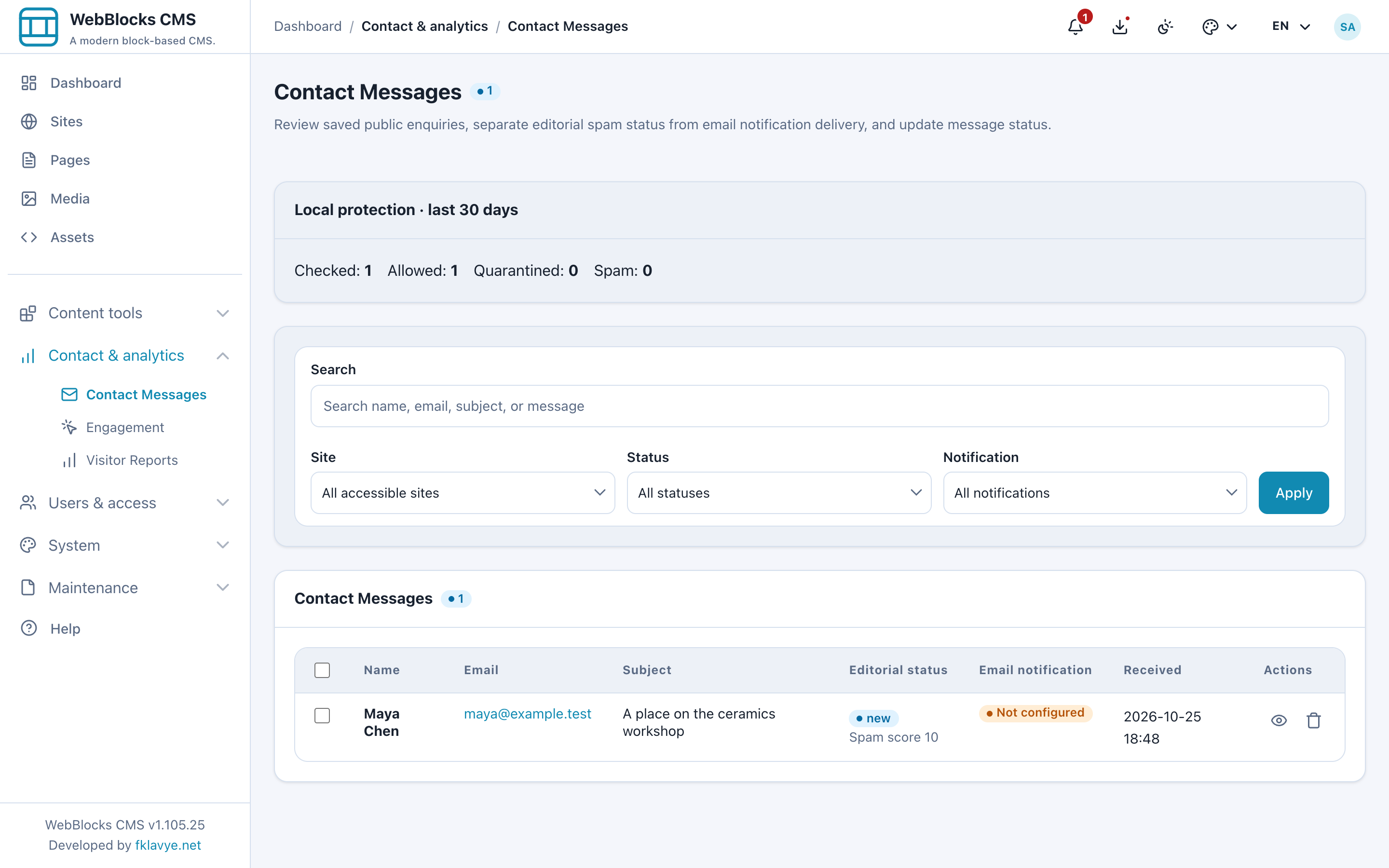
Open Contact Messages in the CMS and look for the same subject. The message in the screenshot is New, and its email notification is Not configured. If you rely on email alerts, check arrival in the intended mailbox as part of your test. Set up the built-in Contact Form
The live project enquiry demo uses the separate WebBlocks Forms plugin. Try its visitor flow and see the sample submission the business receives. Submissions from that plugin belong under Forms → Submissions. Try the live project enquiry form
3. Add a booking form when customers need a time
The narration is in English. Turn on captions in the player controls.
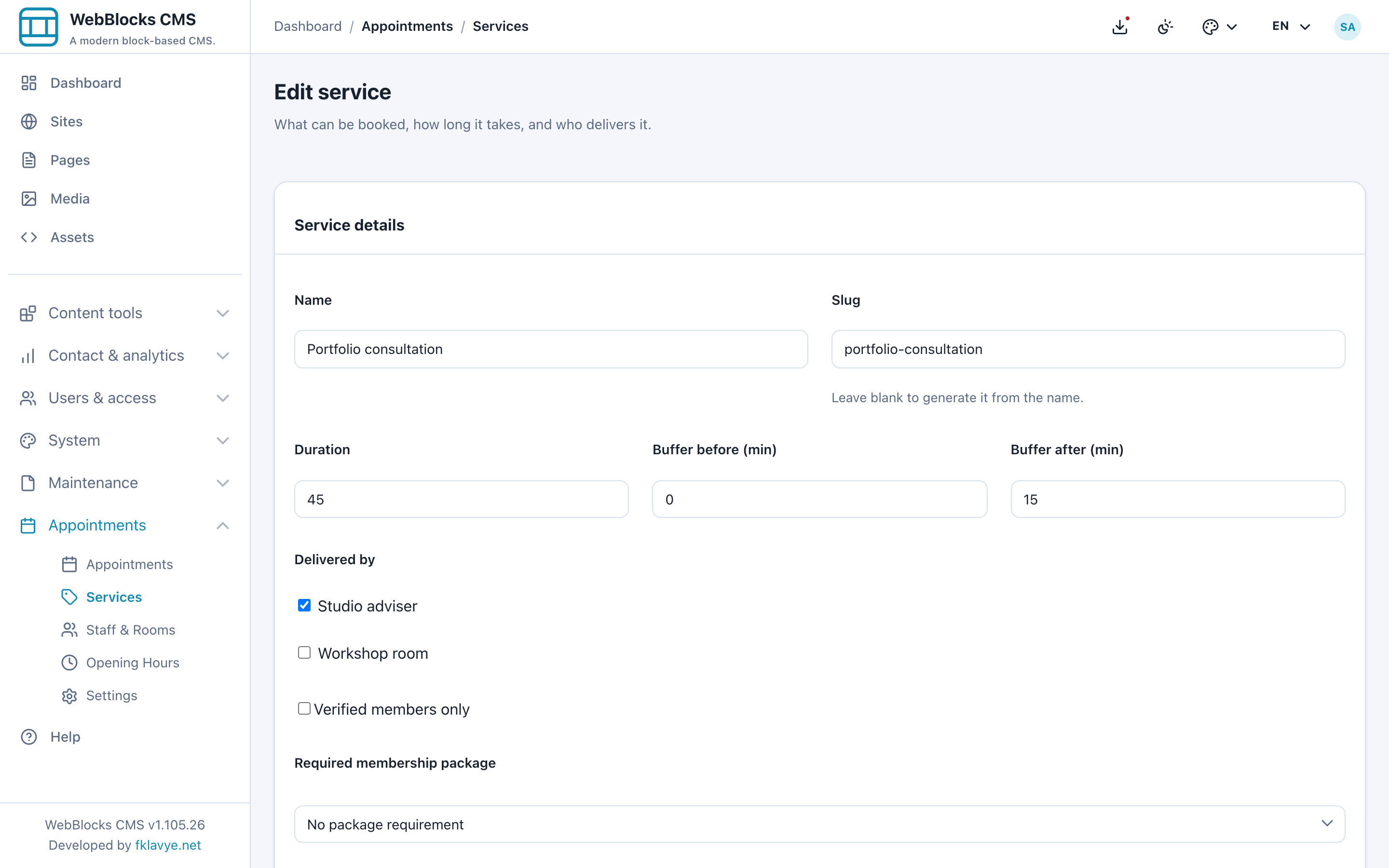
With WebBlocks Appointments enabled, add a staff member or room under Appointments → Staff & Rooms and set their availability under Opening Hours. Then open Appointments → Services and assign the service to that person or room. Northstar Studio sets its consultation to 45 minutes and leaves a 15-minute gap afterwards.
Add the Appointment Form block to the booking page and preview it. Choose a date as a visitor and check that the times match the business’s availability and time zone. On your test site, send a booking request and find it in the Appointments list. Set up and test WebBlocks Appointments
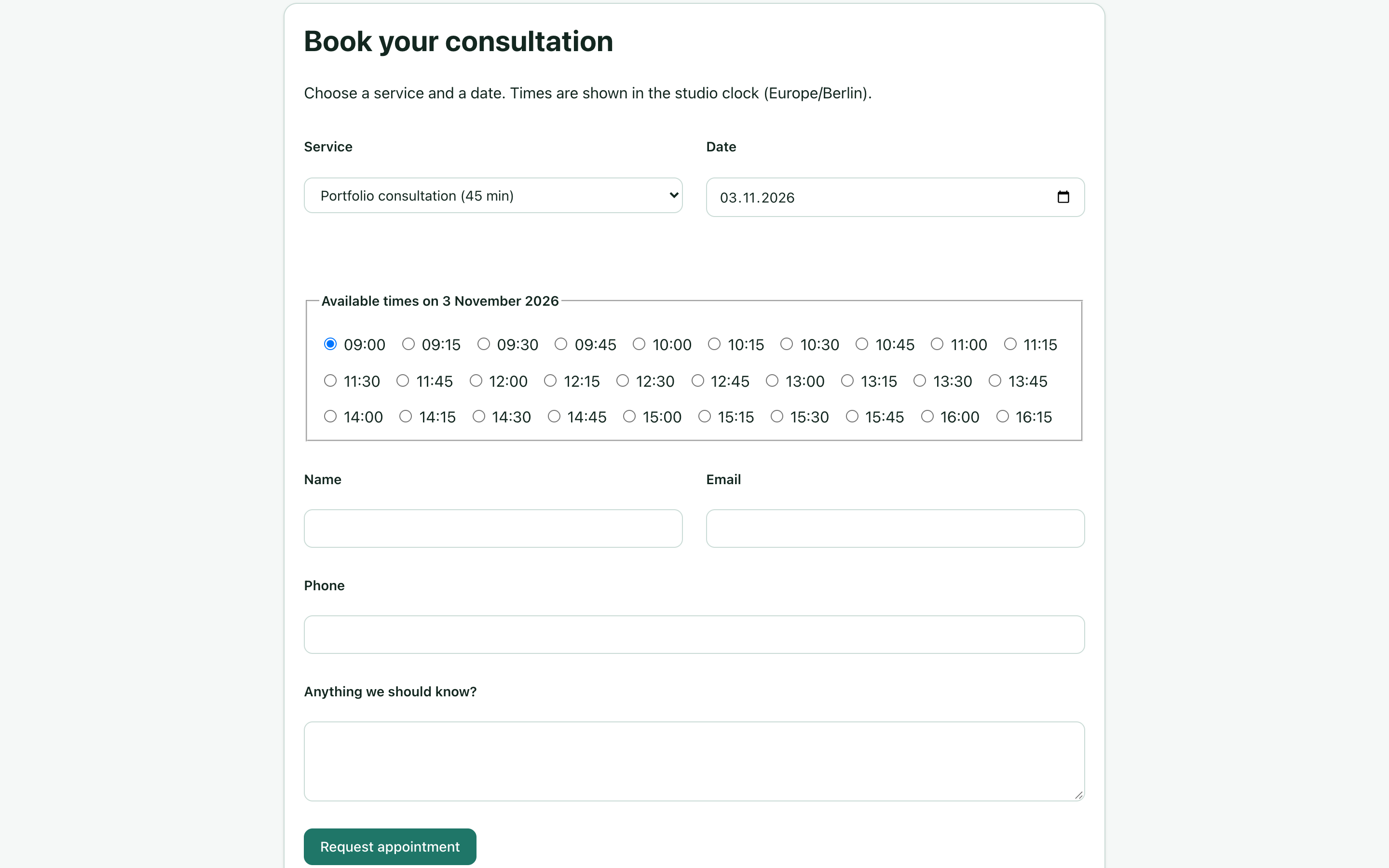
The live salon example lets you explore the same steps from the customer’s side. Choose a haircut and a time to see what a customer would enter. Open the live salon booking example
Was this article useful?
Rate it or share a suggestion below.
Comments and suggestions
Comments are reviewed before they appear.
Comments
0No approved comments yet.
Leave a comment