Publishing one CMS page in multiple languages
An editor opens a service page and sees English, Turkish and German listed under Translations. Every language has a page record. Is the page ready to publish?
There is still more to check. The German title may be correct while one paragraph falls back to English. The menu label may be translated while its destination leads somewhere unexpected. An image can look identical in every language while its alternative text still needs work.
Here is a small Northstar Studio consultation page that makes those checks visible. The example uses WebBlocks CMS 1.104.1 and fictional content in a reproducible showcase.
Start with the page translation
The page translation owns the name, slug, path and page-level metadata for one language. It does not contain every paragraph on the page. Those words belong to the blocks placed inside it.
In the example, all three page translation records exist. The Translations card reports that fact; it does not certify that every block, menu label or image description has been reviewed.
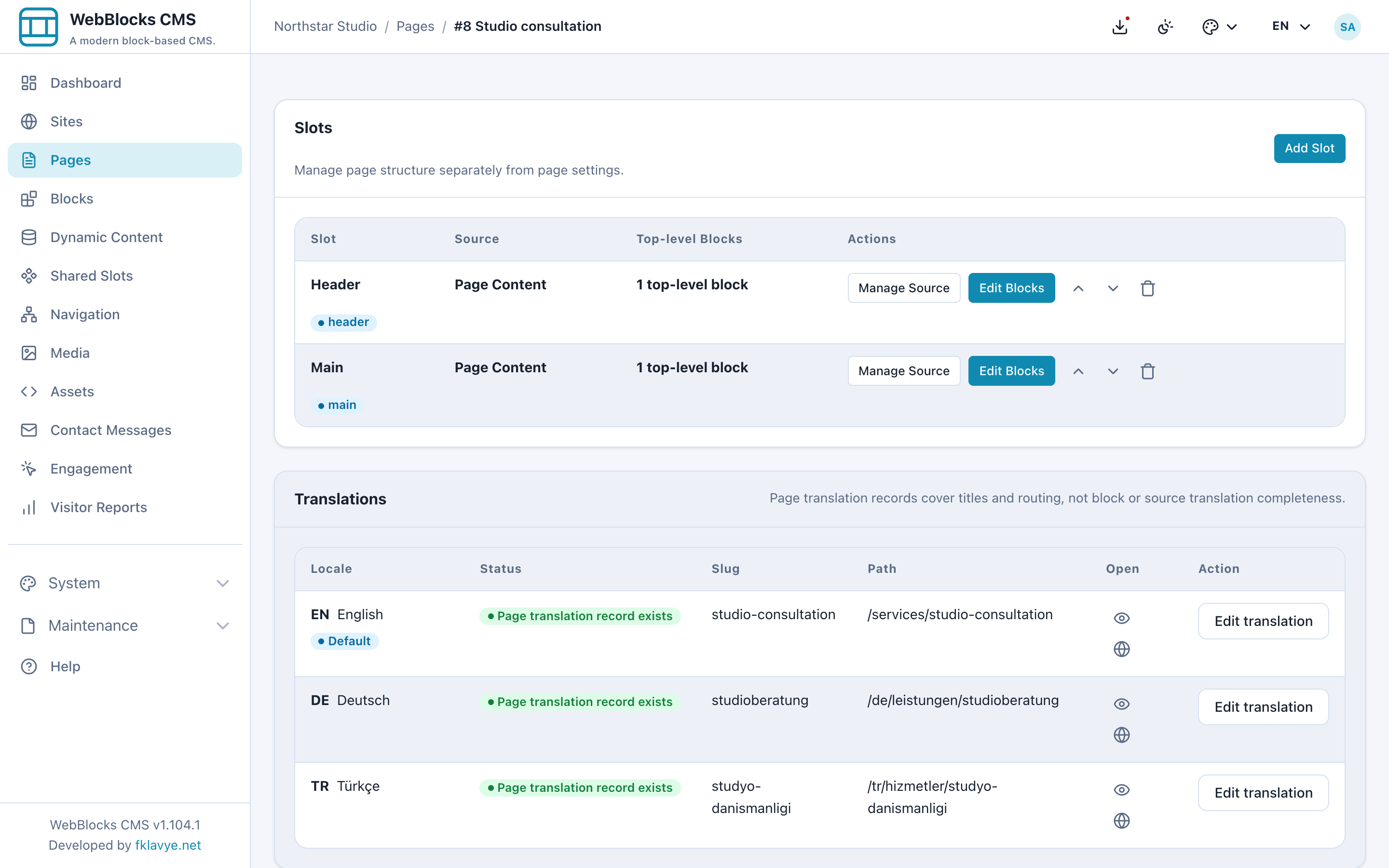
Start by enabling the required languages on the site, then add the page translations. Keep the page name meaningful in each language and review its public address before sharing it.
Give each language the right address
The English service page uses /services/studio-consultation. Its Turkish version uses /tr/hizmetler/studyo-danismanligi, and the German version uses /de/leistungen/studioberatung.
The default language has no locale prefix. WebBlocks adds the non-default language prefix to the translated page path. In the German translation form, the stored path is /leistungen/studioberatung; the resulting public path includes /de. Check the public path shown by the form rather than adding the locale prefix a second time.
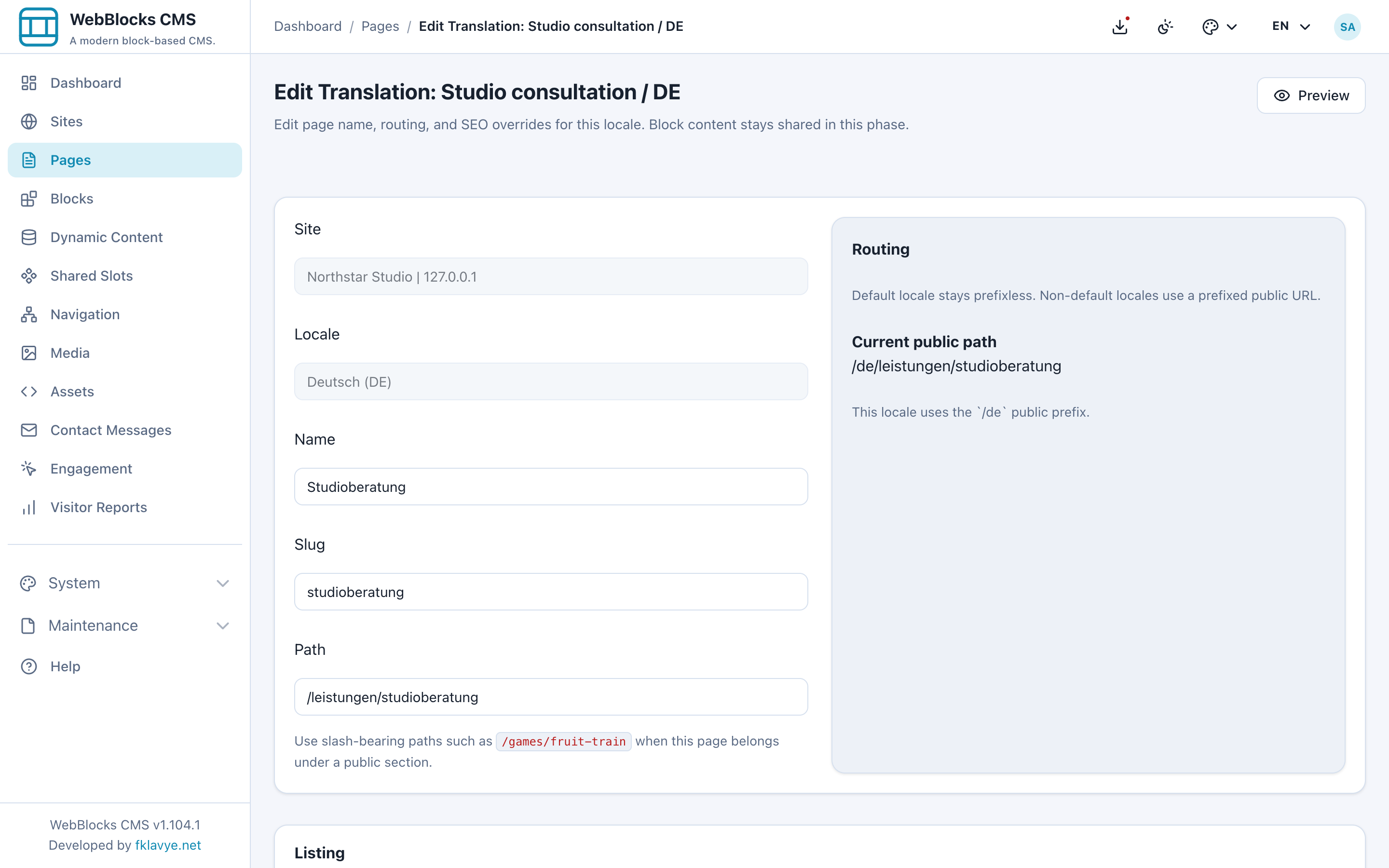
A missing page translation and a missing block translation are different situations. A language needs its page translation to have that page's localized route. Inside an existing route, block fallback can still produce content in another language.
Inspect the blocks in the selected language
Open the page's content slot and switch the editing language. The layout, block order and settings remain shared, while the text belongs to the selected language's translation rows.
For this example, the German heading is translated but the Rich Text paragraph initially has no German translation. The renderer resolves that paragraph to its stored English translation. A page can therefore render successfully and still contain an unfinished language mix.
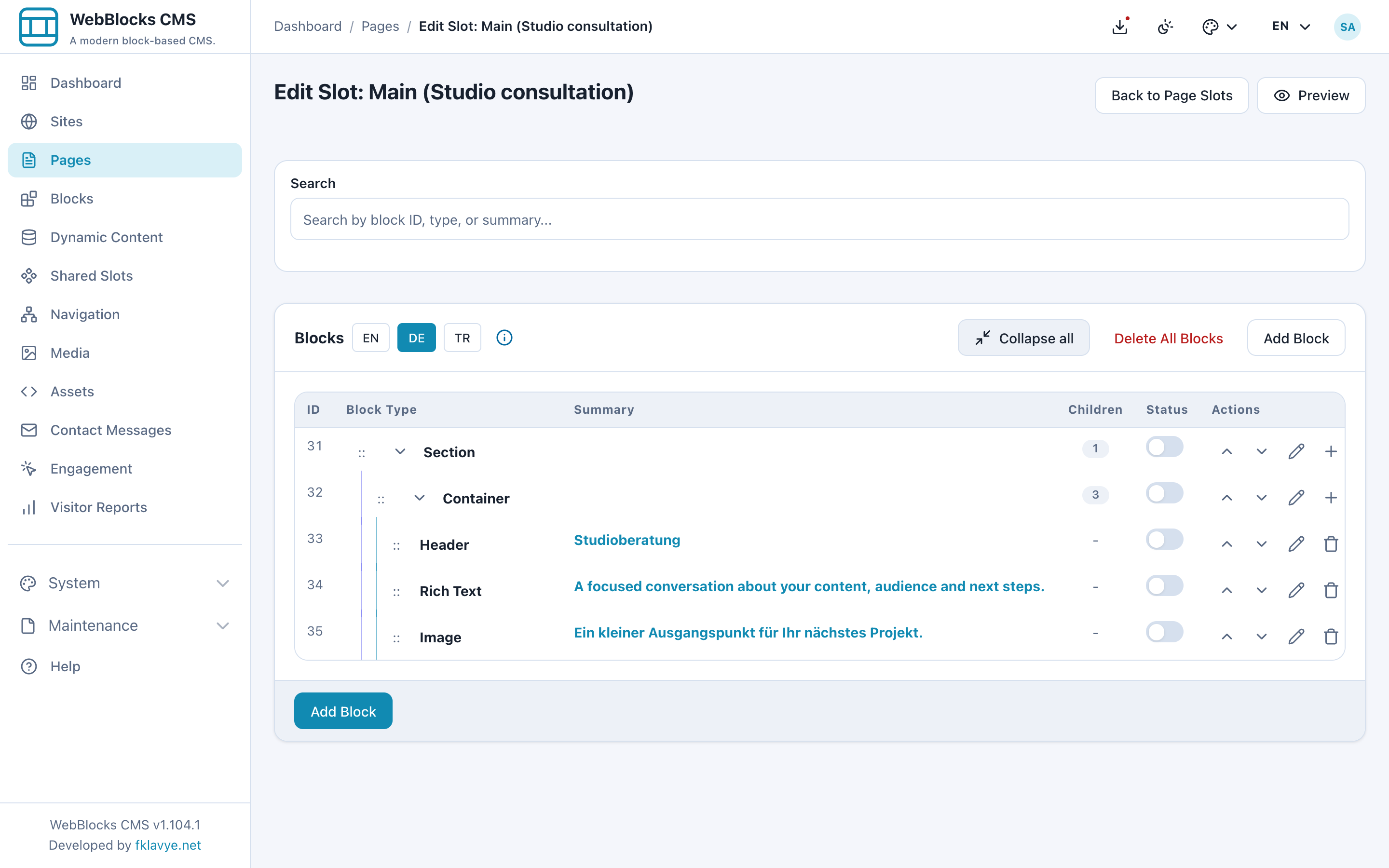
Translate that paragraph and open the German preview again. Read the whole page rather than checking only its heading. A translation row can also contain outdated or inappropriate wording, so the presence of a row is not a substitute for reading it.
Translate the image description too
The sample uses one image file in all three languages. Its block has a separate caption and alternative text for each language. The German description should describe the same visible samples as the English and Turkish versions.
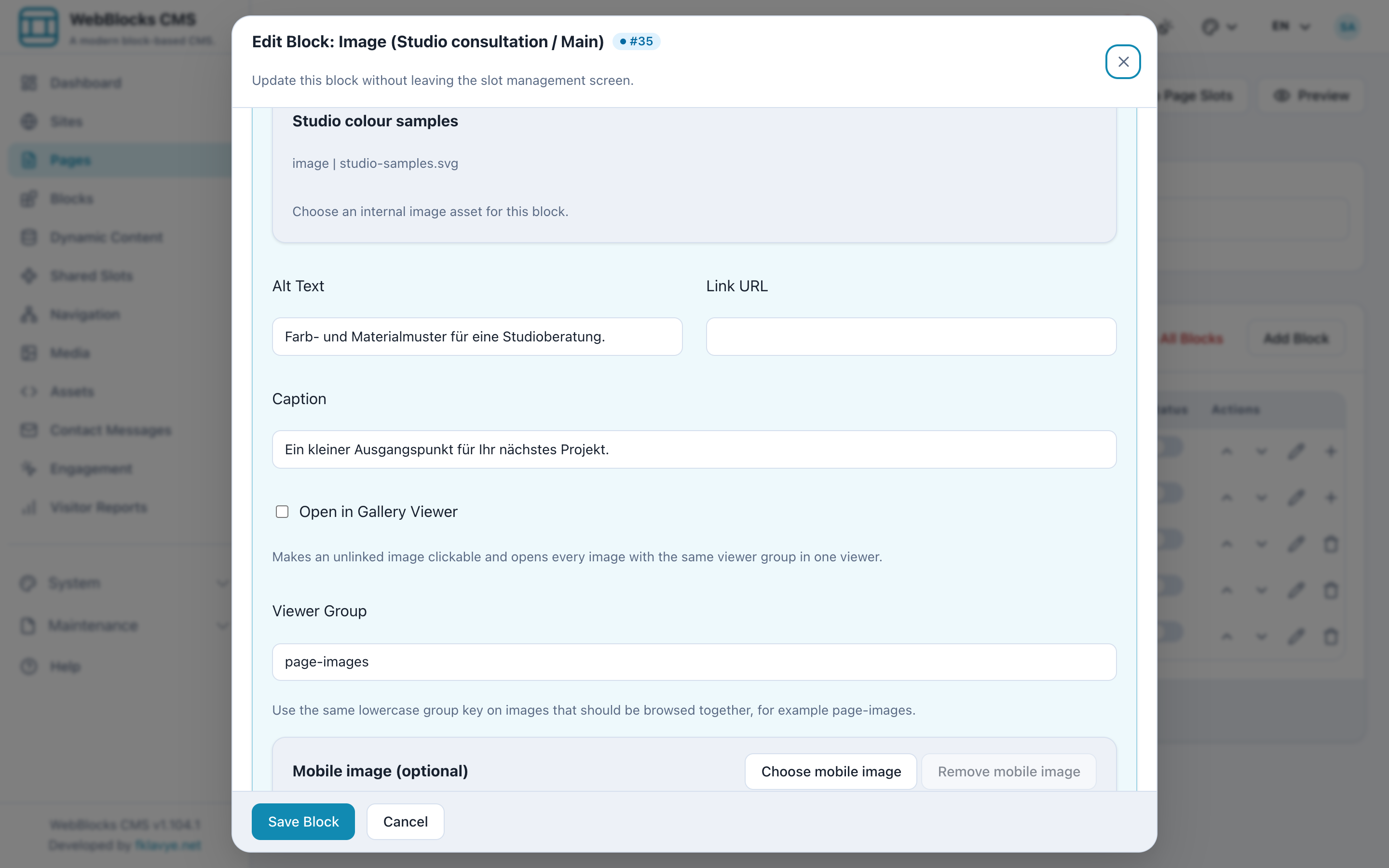
Check what the image contributes to the page. Keep useful descriptions accurate and natural in the selected language. Reusing the file does not finish the language work around it.
Review search and sharing copy
The page translation also holds SEO and Open Graph overrides. In this example, the German title and description describe the consultation in German. They should match the service described in the body.
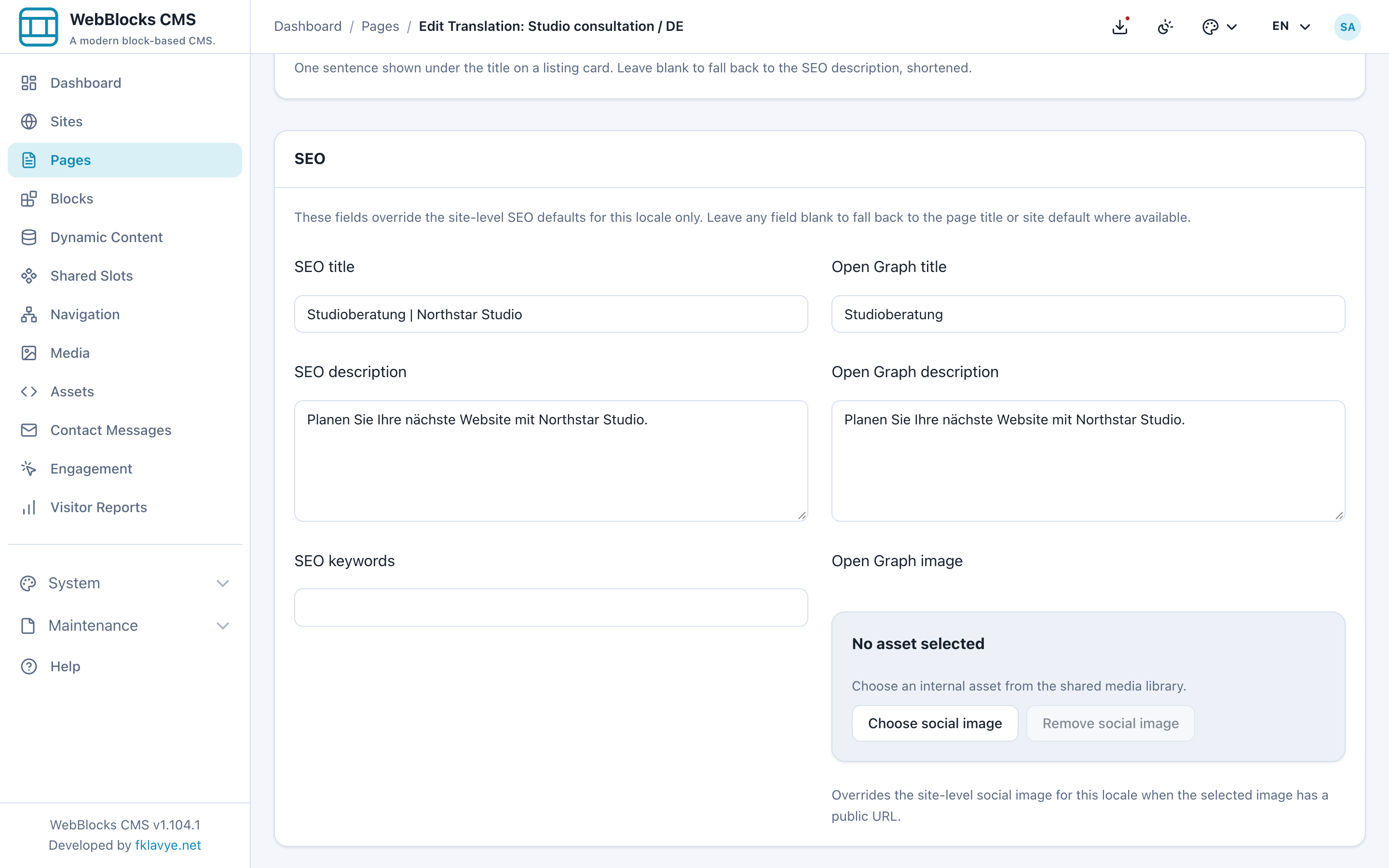
Treat these fields as another reader-facing part of the page. A good body translation can still be accompanied by an English description when someone finds or shares the page. Editing metadata does not guarantee how an external search or social platform will display it, but it gives that platform the intended localized values.
Follow the links before publishing
The example's navigation item points to the consultation page and has a label in each language: Consultation, Danışmanlık and Beratung. A page-backed item can resolve the destination's translated address. A custom URL needs its own deliberate check.
Review menu labels, button labels and destinations together. Click the internal links from each language and make sure the visitor reaches the intended language and page. Shared headers and menus also deserve their own review; a page draft does not isolate all site navigation changes. The shared headers and footers walkthrough explains that scope.
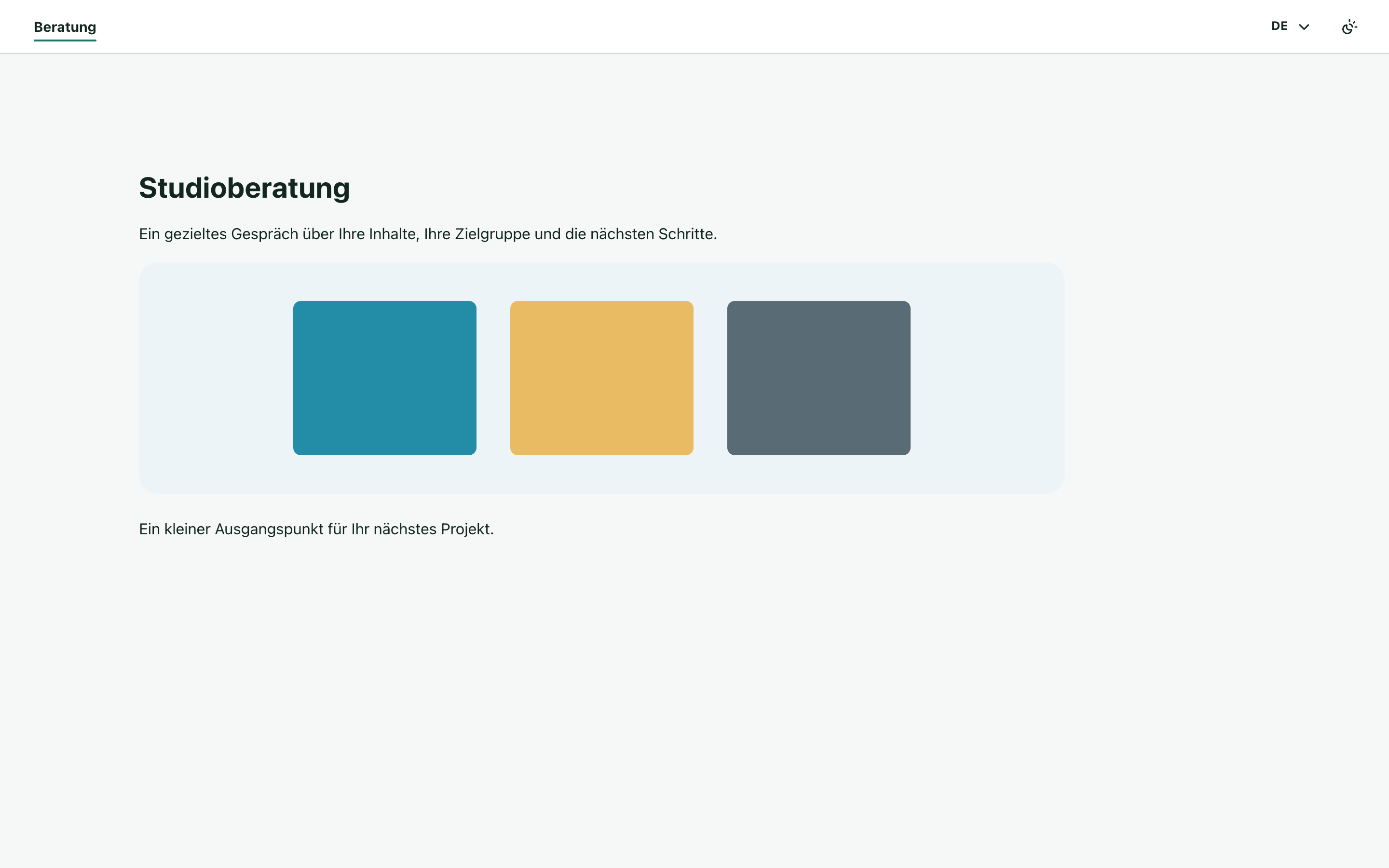
The completed local example has matching text, image descriptions, metadata and page-backed navigation in all three languages. Use a separate preview for each language while preparing your real page, including a narrow-screen check.
Make readiness an editorial decision
For each language, review the page identity and public path, every visible block, image descriptions, metadata and linked destinations. Check that the meaning is consistent even when the phrasing differs.
The normal page workflow belongs to the page; adding a language does not create a separate approval and publication state for that translation. Decide which languages must be complete before publishing the page, and verify them explicitly. A successful preview and a page translation record are useful checks, but neither is a language-quality approval.
For the editing steps, see Translate a page, Localization and Build a navigation menu.
Was this article useful?
Rate it or share a suggestion below.
Comments and suggestions
Comments are reviewed before they appear.
Comments
0No approved comments yet.
Leave a comment