What is WebBlocks CMS and what can you build with it
WebBlocks CMS is a self-hosted, open-source content management system that installs into a Laravel application as a Composer package. It gives editors an administration panel for building pages from blocks, managing multiple sites and languages, organizing media, and reviewing content before publication. Developers can connect those pages to application data and extend the system with plugins or registered browser applications.
You can use it for a company website, a portfolio, a multilingual publication, a documentation site, or the public content layer of a Laravel product. With suitable plugins and integrations, the same site can also offer bookings, custom forms, a product catalog, or visitor support. The CMS owns the editorial structure; the host application and its extensions own the business behavior behind it.
This overview brings the main capabilities together in one place. Screenshots come from the fictional Northstar Studio showcase running WebBlocks CMS 1.93.3. Its names, pages, and journal records are synthetic. The screens demonstrate the product rather than a customer deployment.
What you can build
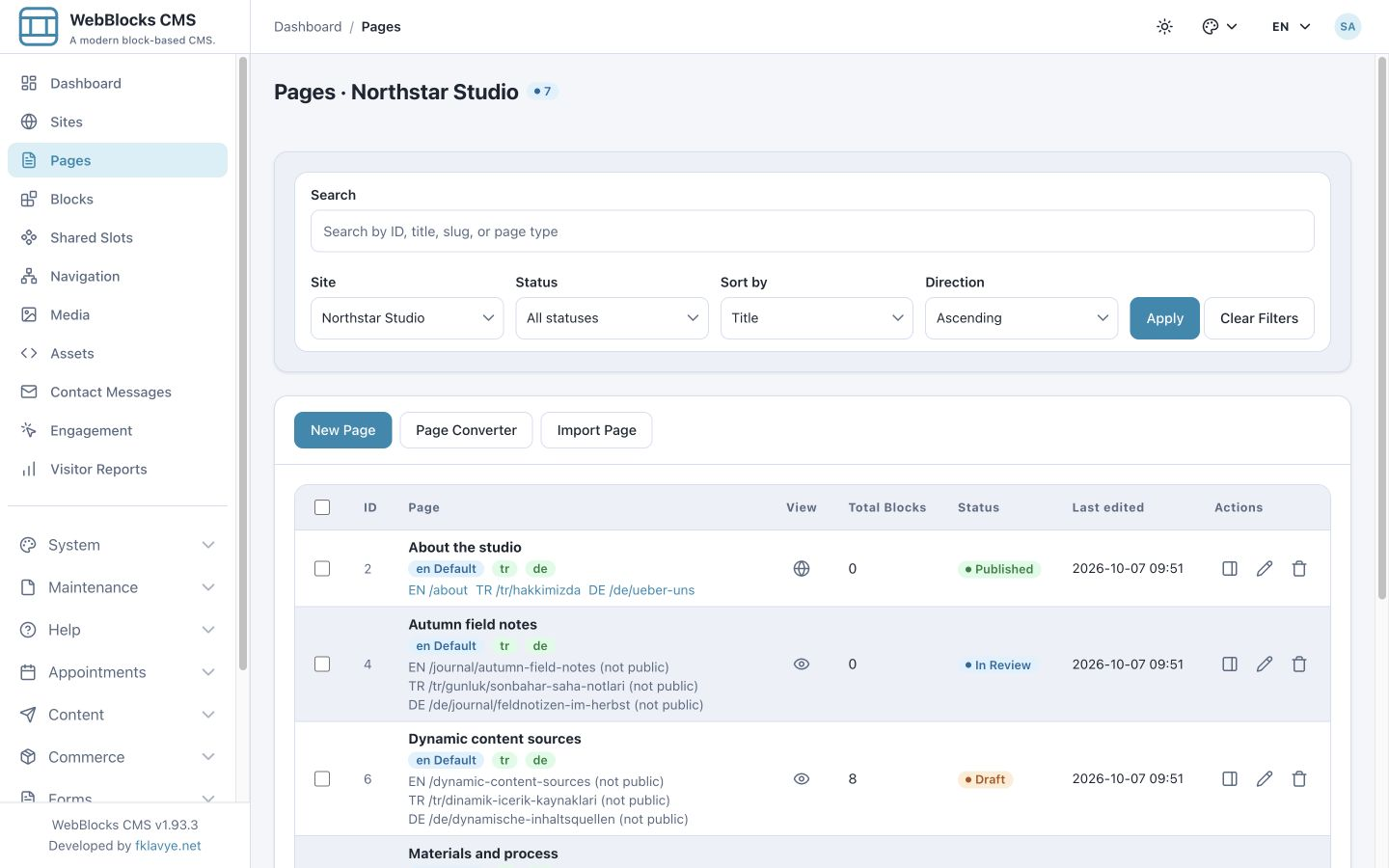
Start with the kind of site you need. A small business can combine an introduction, services, project gallery, and contact form. A publication can create article pages, listings, categories expressed through navigation, and translated editions. A software team can organize documentation with a sidebar, breadcrumbs, and an automatically generated table of contents. A Laravel product can place an editorial introduction above records supplied by the application.
The distinction between core and optional features matters. Page editing, multisite and localization, media, workflow, navigation, public search, contact messages, comments and ratings, visitor reports, and the Internal Content API belong to the CMS. Bookings, commerce, configurable forms, polls, campaigns, and support integrations are separate plugins with their own setup and dependencies.
Core capabilities and optional extensions
| Need | What supplies it |
|---|---|
| Pages, layouts, blocks, shared content | CMS core |
| Sites, domains, translated content and navigation | CMS core |
| Media, SEO, search, contact messages | CMS core |
| Drafts, review, versions and API preparation | CMS core |
| Comments, ratings and visitor reports | CMS core |
| Registered data sources and browser applications | CMS core plus host-defined integration |
| Bookings, commerce, custom forms and polls | Optional plugins |
| Campaigns, live chat, tickets and quiz integration | Optional plugins and their configured providers |
Build pages from reusable block types
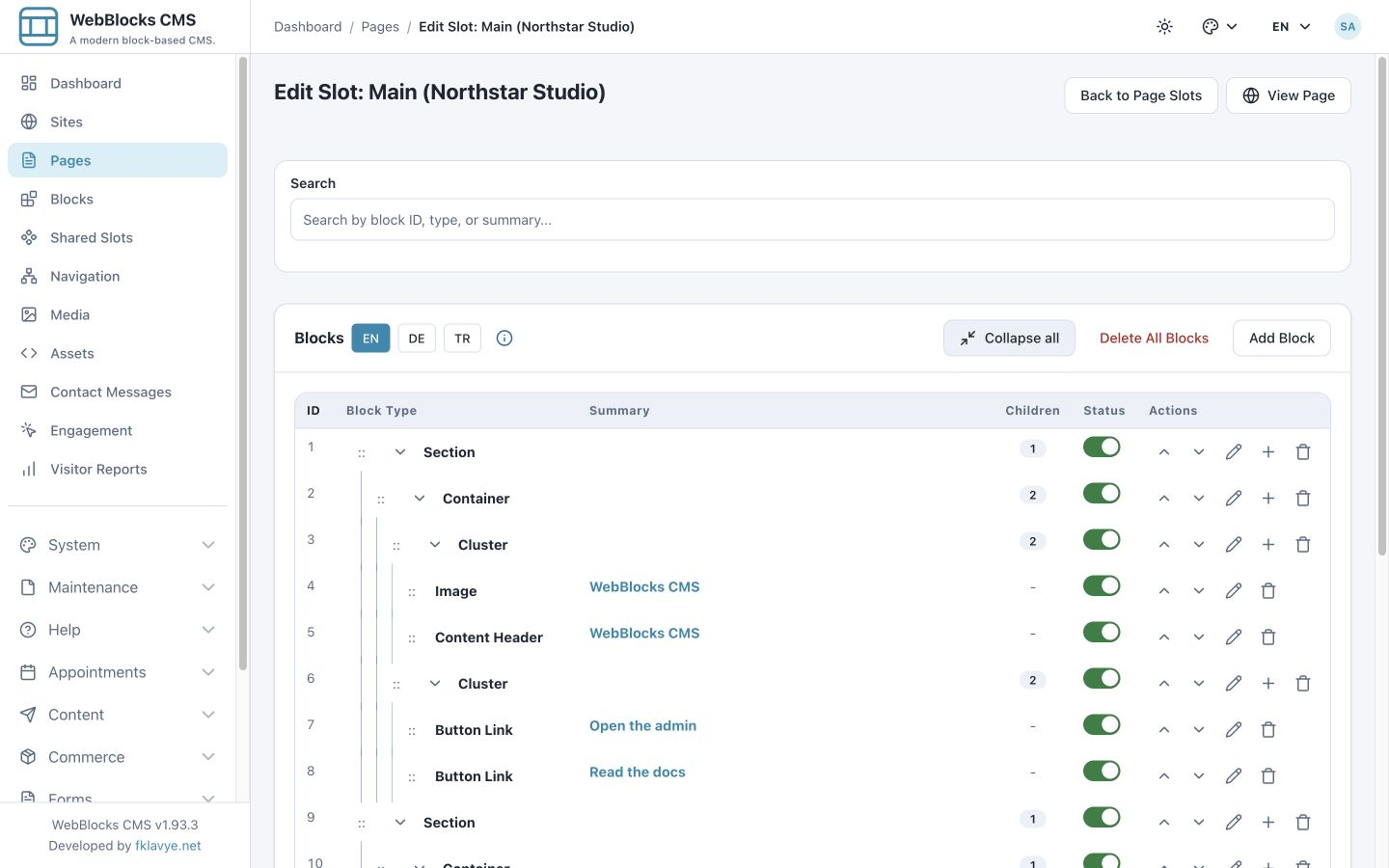
A page is composed of slots such as header, main, sidebar, and footer, inside a selected page layout. Each slot contains a block tree. Editors can add, edit, reorder, nest, or remove blocks without rewriting the page template for each content change.
Content blocks cover headings, rich text, images and galleries, video and audio, downloads, code, tables, quotes, alerts, and links. Layout blocks provide sections, containers, stacks, columns, grids, split compositions, heroes, and sliders. Calls to action, page lists, navigation, search, contact forms, comments, and ratings add common website functions. Available choices depend on the installed block inventory and its allowed child relationships.
For example, a service page can contain a heading and introduction, a two-column explanation, a gallery, and a contact section. A journal page can use a narrow reading column and wider images. You work with a structured composition and preview its rendered result; you are not positioning arbitrary elements on a freehand canvas.
Keep shared content and navigation consistent
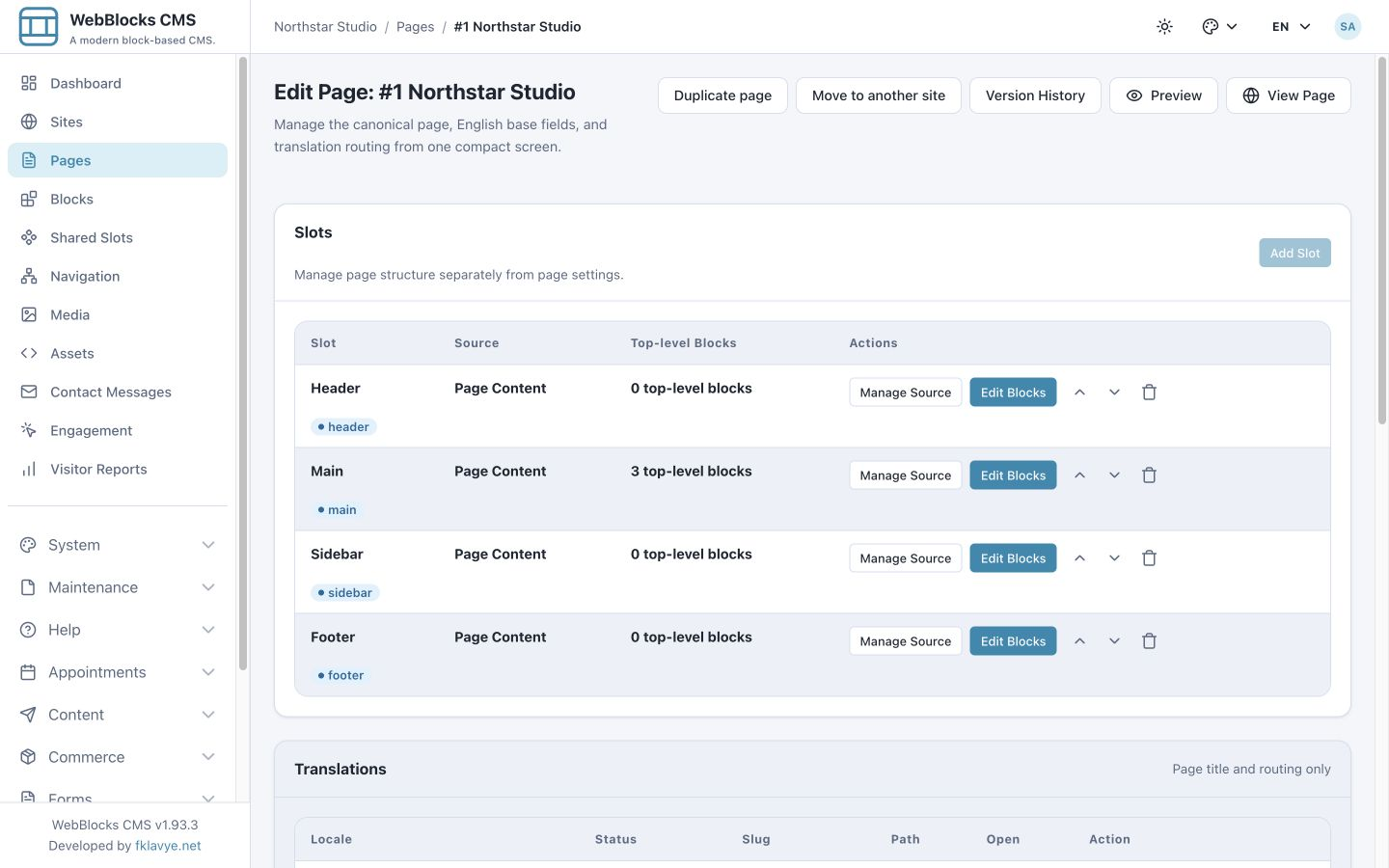
Shared Slots let several pages refer to one reusable block tree. A shared header, footer, announcement, or sidebar can be maintained in one place. Page-owned content remains separate, and shared content has its own publication and revision history. Review shared changes carefully because they can affect every page that uses that slot.
Navigation menus organize internal page links, external links, and grouped navigation. Labels can be translated, and internal page links follow the selected locale. Documentation layouts can combine sidebar navigation, breadcrumbs, and a table of contents. You can also duplicate a page or move it to another site through the supported administration workflow.
Manage several sites and languages
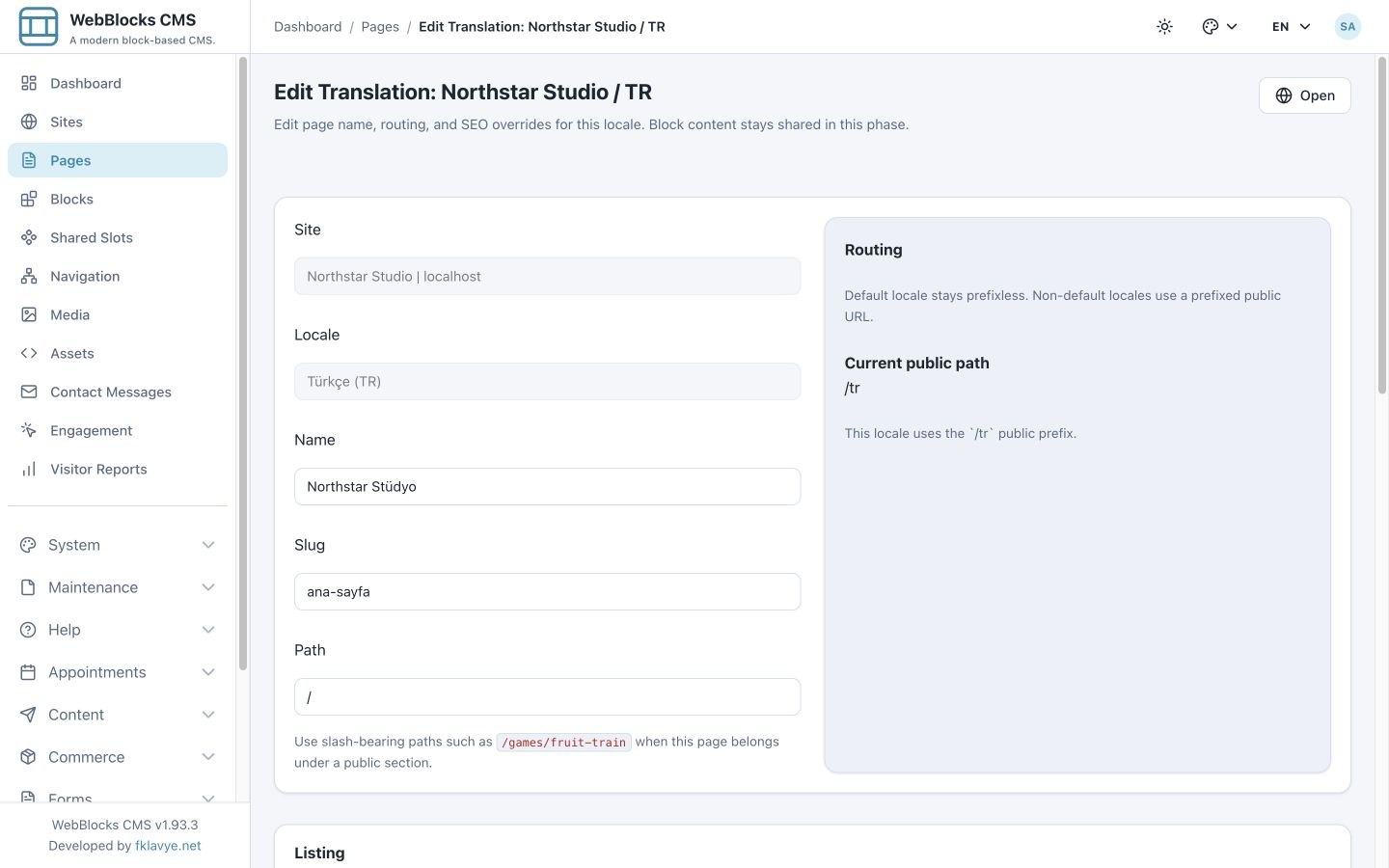
One installation can manage multiple sites. Each site has its own identity, domains, enabled locales, content, navigation, appearance, and defaults. Domain aliases and a primary domain determine how visitors reach the right site. Site assignments limit which content an administrator or editor can manage.
Localization covers page names, slugs and paths, SEO and social metadata, block text, and navigation labels. The default language uses its ordinary route; other languages use locale-prefixed URLs. English, Turkish, and German versions of a page can therefore have different titles and readable addresses while sharing the same underlying page structure.
Translations do not create an unrelated design for every language: ordering and shared block configuration remain canonical. Editors translate the relevant content fields and routing separately. A public locale switcher can take visitors to an available translation of the current page.
Organize media and control its presentation
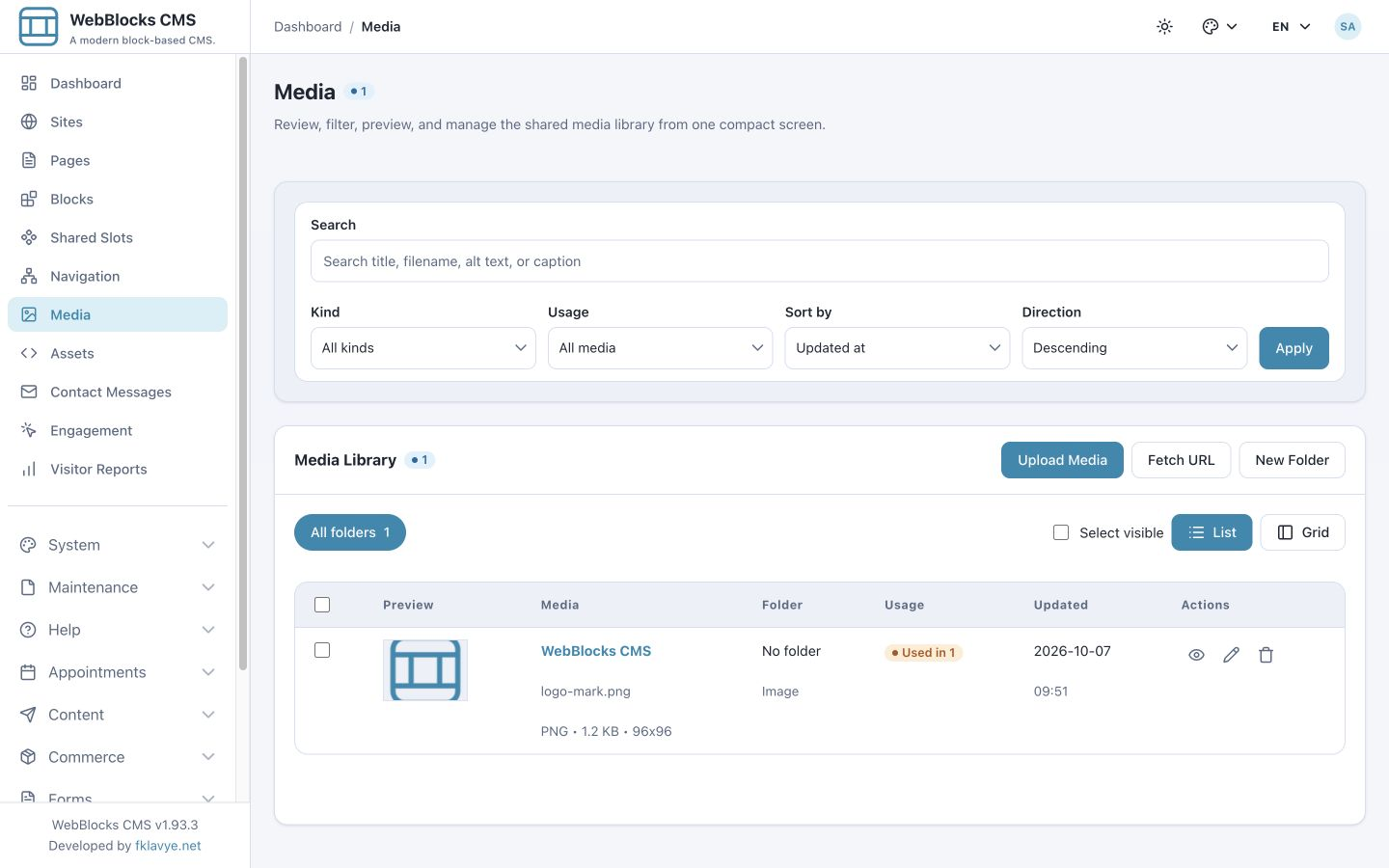
The Media Library stores images, videos, documents, and other supported files. Editors can upload media, organize it in folders, search and filter it, preview it, and inspect where it is used. Media records carry titles, alt text, captions, and descriptions so a file can be managed and presented with meaningful context.
Image blocks and galleries can use a viewer for larger inspection. Supported raster images can generate thumbnails, responsive sizes, and social crops while preserving the original. A focal point guides cropping. Generation depends on the available image codec and storage; unsupported cases fall back to the original file. Mobile image overrides allow a different visual where a wide desktop composition would be unsuitable.
Alt text describes the relevant information or function of an image. A caption supplies visible explanation or attribution. They are separate editorial fields and should be written for their separate purposes.
Review drafts and recover earlier versions
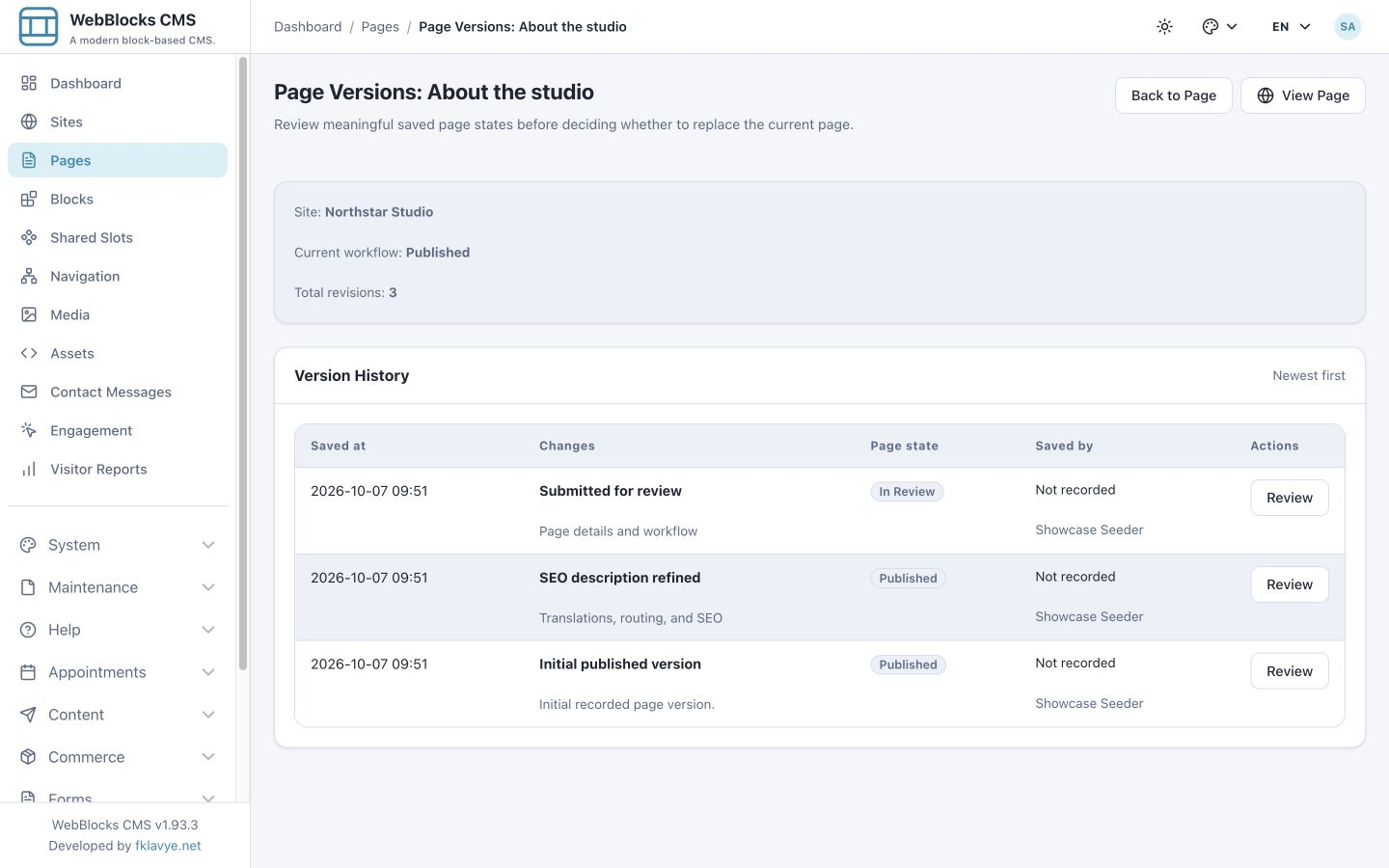
Pages move through Draft, In Review, Published, and Archived states. Editors work on drafts and submit them for review; authorized site administrators can publish. Preview lets a reviewer inspect a draft before it becomes public. The Internal Content API can also prepare a staged update to a published page so its current public version stays available during preparation.
Version History records meaningful page changes, including content and structure, translations, routing, and SEO. A reviewer can compare a saved version with the current page and prepare a private restore preview before applying it. Reference checks and a check for intervening changes help prevent a stale restore candidate from replacing newer work.
Page revisions preserve editorial state and media references. They do not replace a database-and-upload backup, freeze external application records, or restore the contents of a separate Shared Slot. Shared Slot history, environment backup, and site export serve different recovery needs.
Help visitors find content and contact you
Page and site settings provide SEO titles, descriptions, social titles, descriptions, and images, with locale-specific overrides. Page lists use an editorial listing description or its fallback. Public search is scoped to the current site and language and includes eligible published content; the built-in search uses the database rather than requiring an external search service.
A native contact form can collect messages in the CMS inbox, with localized consent and response text and abuse checks. Email notification is a separate delivery concern: a saved message does not depend on successful notification. Optional comments and ratings provide page-level interaction with moderation controls. Cookie consent settings distinguish necessary behavior from optional preferences and measurement.
Visitor Reports summarize page views, referrers, campaign parameters, and coarse device information. Session-based measures depend on the visitor's measurement consent. Use those reports within that scope rather than treating them as an unrestricted view of every visitor.
Combine editorial content with application data
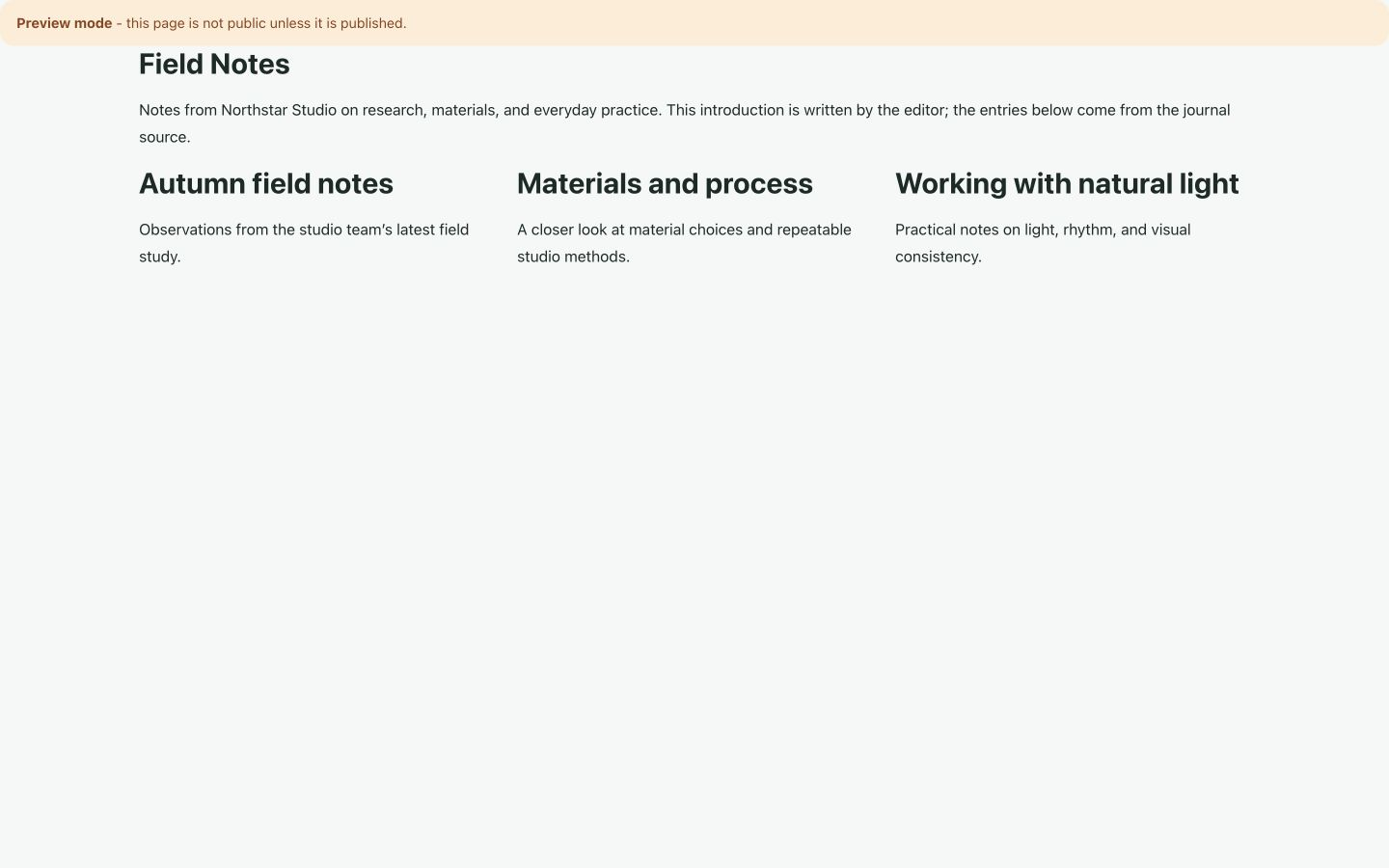
Content Sources connect supported block fields to records exposed by a registered provider. A heading can use an entity's title; a collection can repeat a block template for a journal, catalog, or other changing list. Editors still choose the composition and write the surrounding introduction.
The Northstar example below contains an editor-written introduction above three synthetic journal entries. Its provider supplies the entry titles and descriptions. A developer or plugin must define the source, its available fields, and its access rules; the CMS does not automatically expose arbitrary database tables.
Fallback text, empty results, and provider failures need deliberate choices. Restoring a page revision restores its bindings and editorial state, but the connected records remain current. Use a source-side snapshot or ordinary editorial blocks when a publication must preserve a fixed, approved selection.
Prepare content through the API or with an AI assistant
The Internal Content API exposes discovery and block contracts, content validation, draft creation and editing, translations, media, and supported site settings. A tool can discover what the installation supports, submit a structured content plan, validate it, apply it to a draft, and inspect the rendered result.
Personal AI tokens act within their owner's role, selected sites, capabilities, and page workflow. An Editor can delegate draft preparation without acquiring publishing authority. Publishing is a separate capability and operation. Tokens can expire or be revoked, and subsequent requests reflect changes to the owner's access.
This supports assisted writing, translation, page composition, and repeatable content preparation. It does not make an AI-written page automatically correct or approved. Someone still needs to review claims, links, image metadata, layout, and the final publication decision. Executable assets and installation administration require their own authority.
Adapt the design and add browser applications
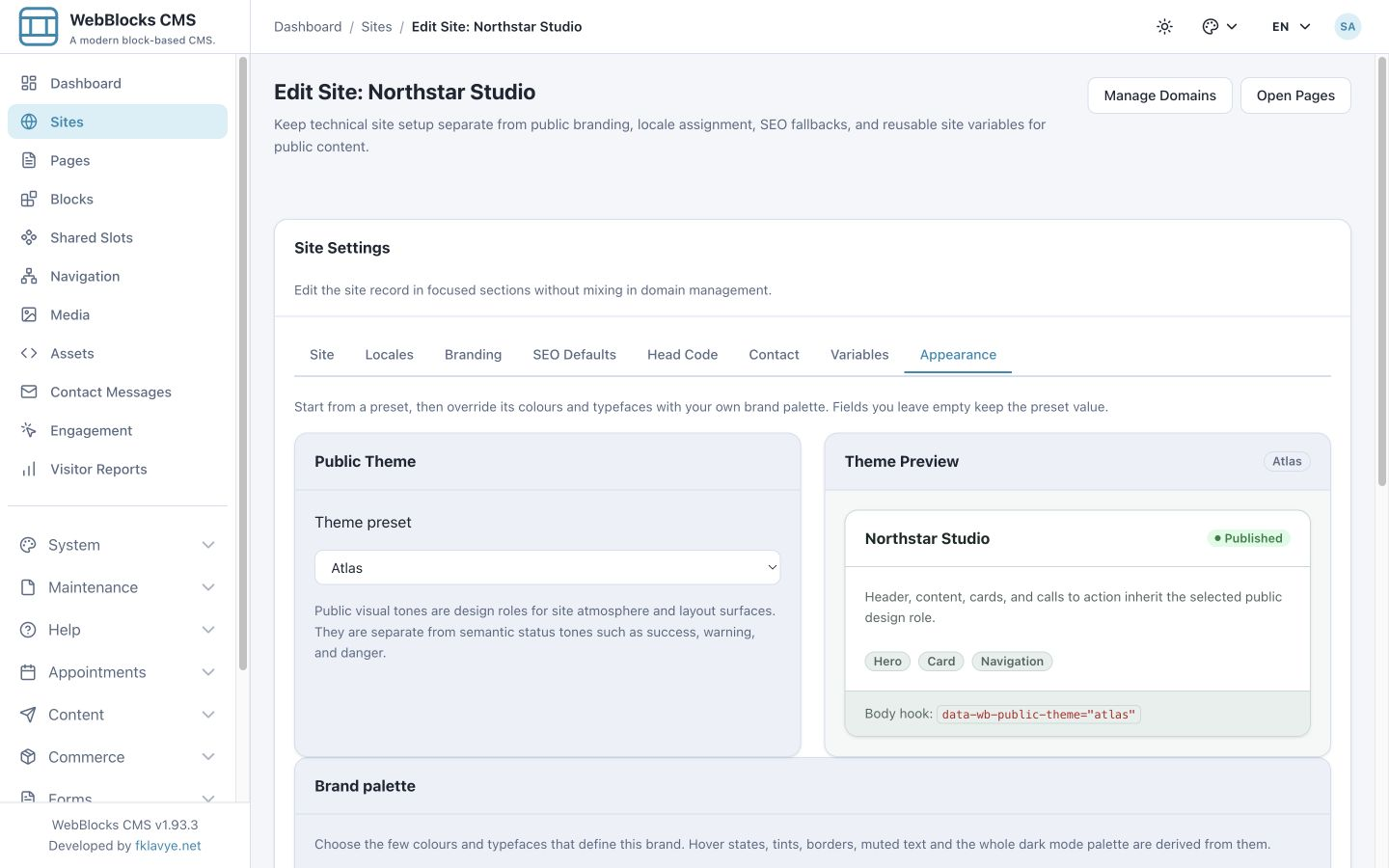
Public theme presets give a site a starting appearance. Brand colors, heading and body typefaces, block settings, and site or page assets let a team adapt it to its identity. The supplied public interface is rendered on the server with Blade and WebBlocks UI; the CMS's ordinary frontend does not require an npm build for every content update.
Developers can extend the host's layouts and integration points when the built-in composition is insufficient. Trusted administrators can register Embedded Applications, including browser tools or games, and editors can place an enabled application using an Application Block. Application definitions, assets, instance settings, loading states, and presentation remain distinct from ordinary article text. Managed packaged iframe applications run in a sandbox; host integrations still need their own review and deployment.
Extend the site with optional plugins
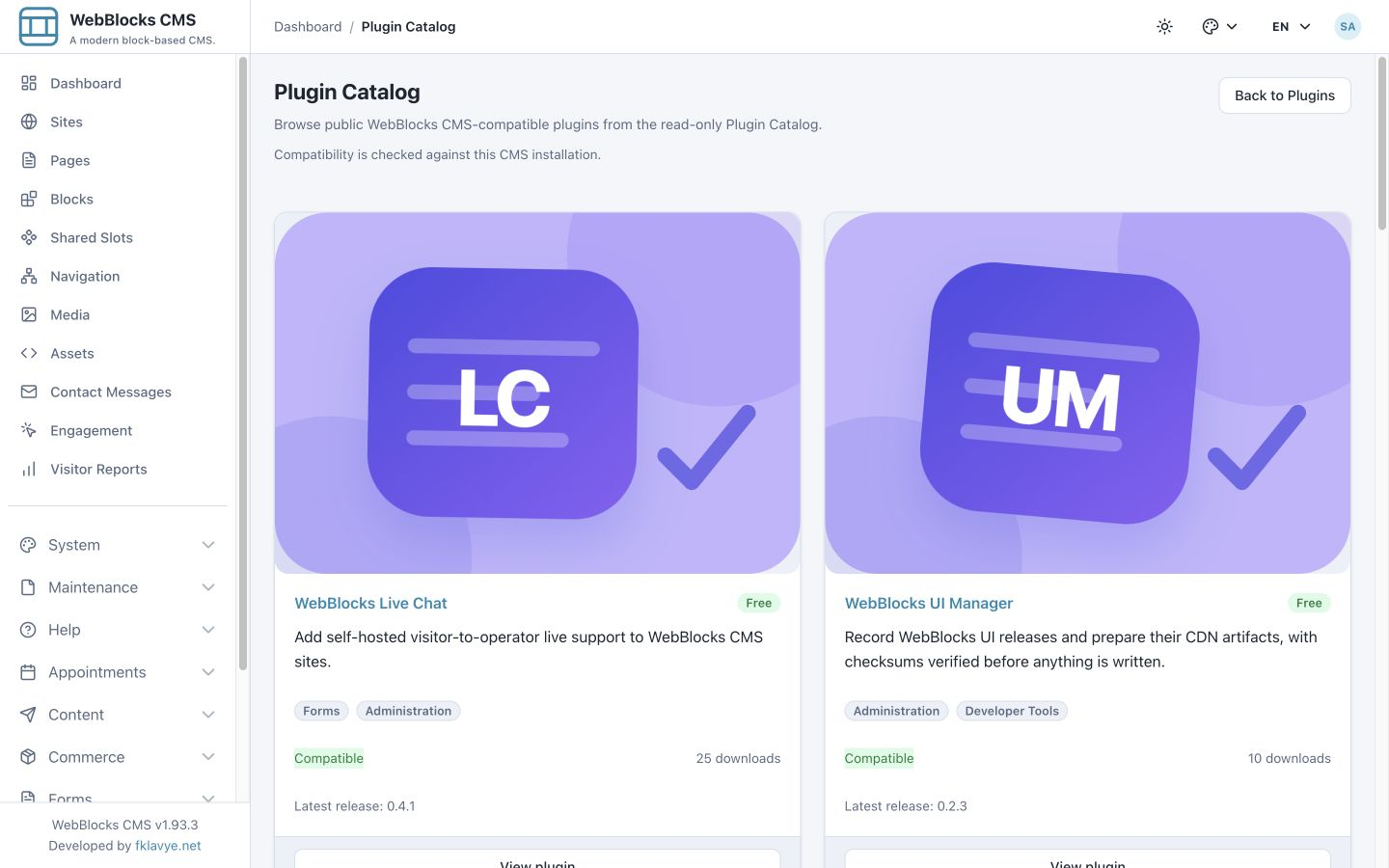
The Plugin Catalog lists CMS-compatible extensions and checks compatibility against the installation. Plugins can add blocks, administration screens, content providers, and specialized workflows. Installation, enablement, database setup, dependencies, and configuration are separate from placing a block on a page.
Available extensions include WebBlocks Appointments for bookings, Commerce for products and checkout, Forms for configurable forms and submissions, Live Chat for visitor-to-operator support, Polls for multilingual polls, Campaigns for templated customer email, Support for a compatible ticket provider, Redirect Manager for redirects, and QuizTem for pages based on live quiz data. WebBlocks UI Manager serves release and artifact administration. Review each plugin's documentation and current release for its exact scope.
These are optional extensions, not a promise that every installation already has a working shop, payment account, booking service, or support backend. For example, Commerce checkout requires its payment-provider configuration, and provider-based integrations require the corresponding service or package.
Own the installation and its operations
WebBlocks CMS is distributed under the MIT license as fklavyenet/webblocks-cms. Release 1.93.3 supports PHP 8.3 or later and Laravel 12.55 or 13. A host can install it through Composer and use the CMS administration area at /webadmin alongside its own application routes and business features.
System administration includes users and roles, domains and locales, API access, backups and restore, updates, cleanup, and site export/import. Environment backups protect the database and managed uploads and assets; site transfer moves a site's supported content and dependencies between installations. Operators still own hosting, database and storage configuration, mail delivery, deployment, and an appropriate backup policy.
The best fit is a team that wants structured visual content editing inside a Laravel installation and is comfortable owning that application. Developers provide the integration and deployment; editors manage pages through the panel or authorized tools. A team seeking a fully hosted service with no application operations should account for that difference before choosing it.
Try it and explore the details
Open the public demo directly in your browser. Its homepage is an example site named Atlas Studio. Select Edit this demo, then Open Demo, to enter the disposable editor. Try changing a heading, previewing the page, or inspecting its translations. The demo resets hourly, so keep anything you want to retain elsewhere.
For installation and deeper explanations, start with the documentation and step-by-step guides. The walkthrough on editorial content and application data shows one complete dynamic-page example. Browse the plugin catalog when your project needs an additional business workflow.
The starting question is practical: which parts of your site should editors compose, which records should come from your application, and which workflows need an extension? WebBlocks CMS gives those responsibilities a place in the same Laravel installation.