Adding a custom admin panel language in WebBlocks CMS
An editor at Northstar Studio wants to work in Portuguese while publishing pages in English. The site can keep its English pages and addresses while the editor uses Portuguese for menus and controls in Webadmin.
WebBlocks CMS 1.131 adds Panel languages. A Super admin can upload an interface translation catalog, review it, and make the language available to editors. The screenshots below show that workflow in version 1.131.1 with a small Portuguese sample.
Start with the template for your version
Open System → Panel languages → Import and select Download English template. The JSON file lists the panel messages that accept translations in your installed version. Enter a language code and a display name, such as pt and Português, then translate the messages your team needs. Keep each message key and any placeholders, such as :count, intact. Leave entries you have yet to translate out of the upload.
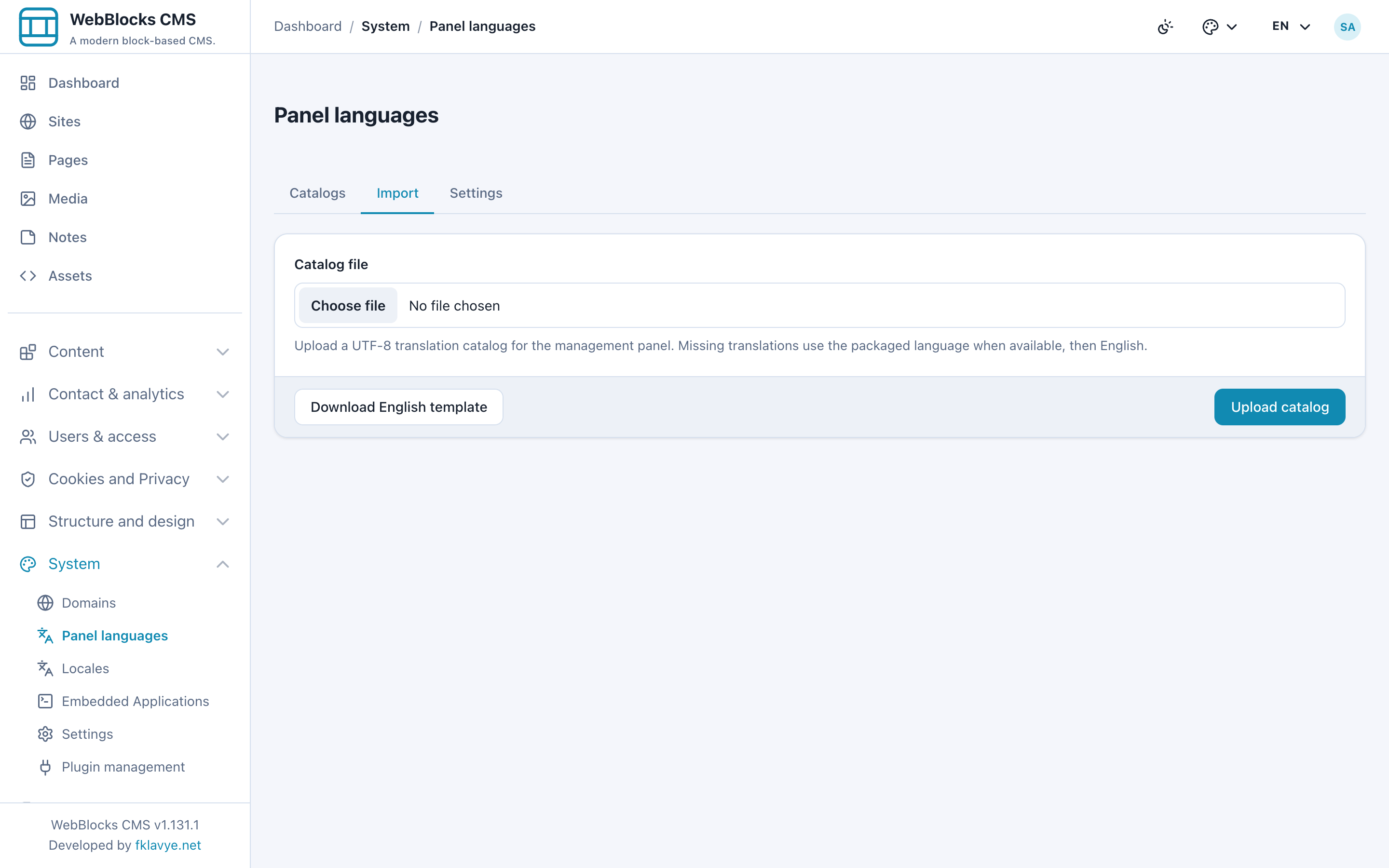
Review the catalog before activation
Select your UTF-8 JSON file and click Upload catalog. The catalog starts inactive. In Catalog preview, compare the English source with the translated samples and check the coverage count. The example translates only a few messages so you can see what a partial catalog looks like. Missing or outdated messages use a compatible packaged translation when available, then English.
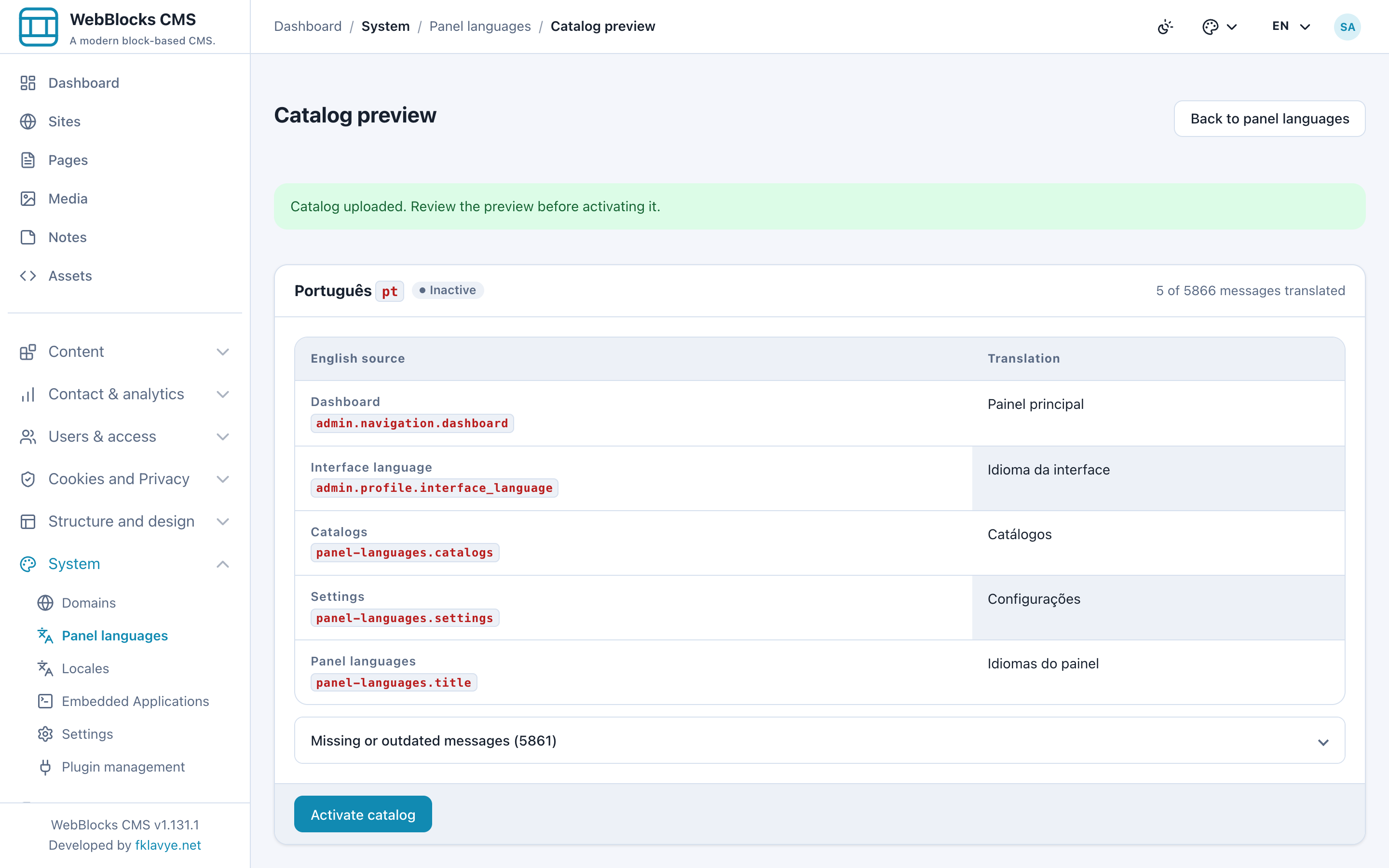
Give editors a choice
Click Activate catalog to make the language available in Profile → Interface language. Start by choosing it in your own profile and checking the screens your team uses most. You can also select it under Panel languages → Settings and click Save panel default to use it for accounts without an available personal choice.
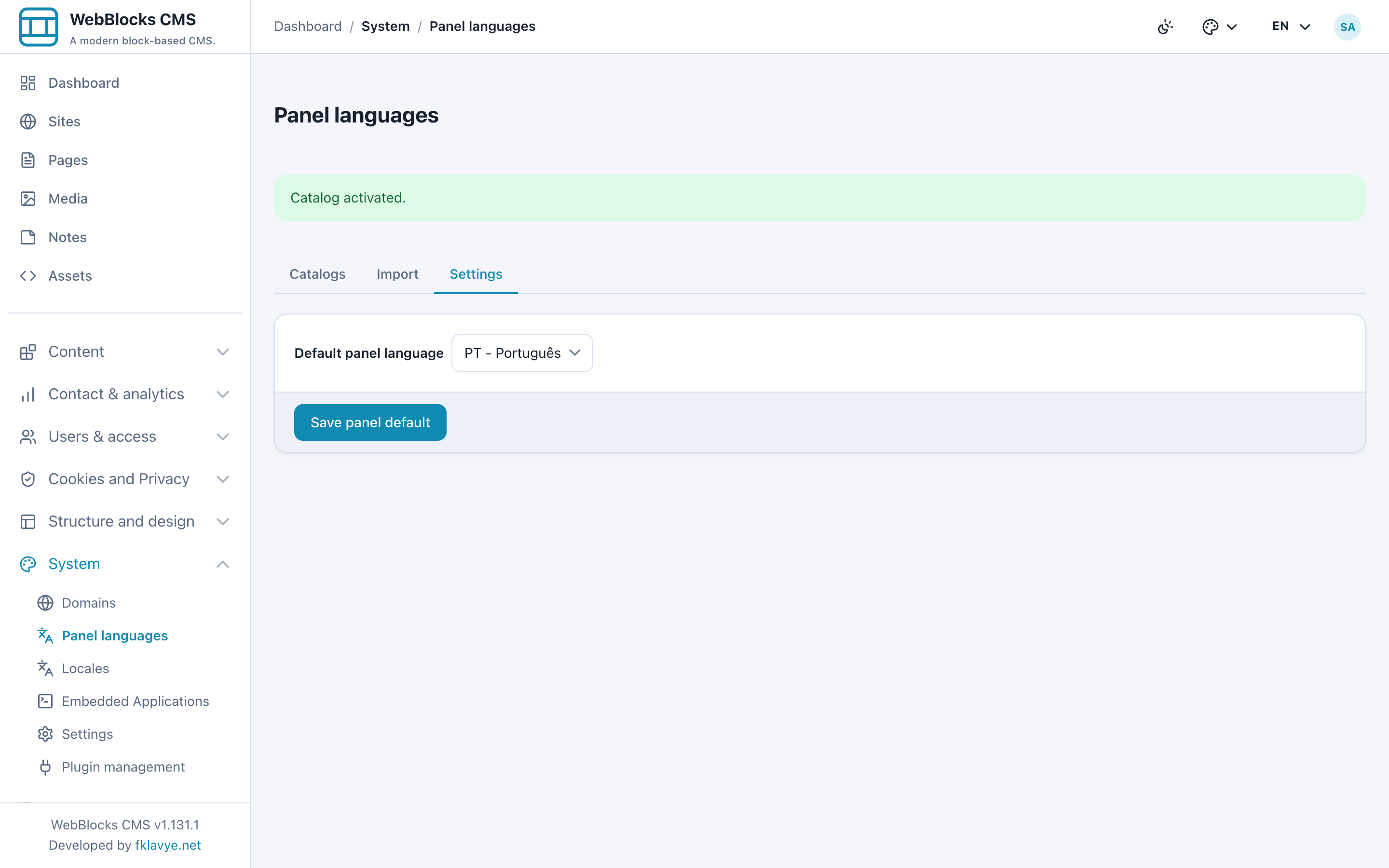
Editors can continue to use different panel languages while working on the same site. To offer visitors another language, enable it for the site and add page translations through the publishing workflow. Publishing one CMS page in multiple languages