System blocks that connect pages to the CMS
A block can do more than hold copy
Northstar Studio is publishing a workshop guide. The team writes the introduction, but it should not have to type the navigation trail, rebuild the guide index whenever a page is published, or store visitor comments inside the article. These jobs belong to blocks connected to CMS context and services.
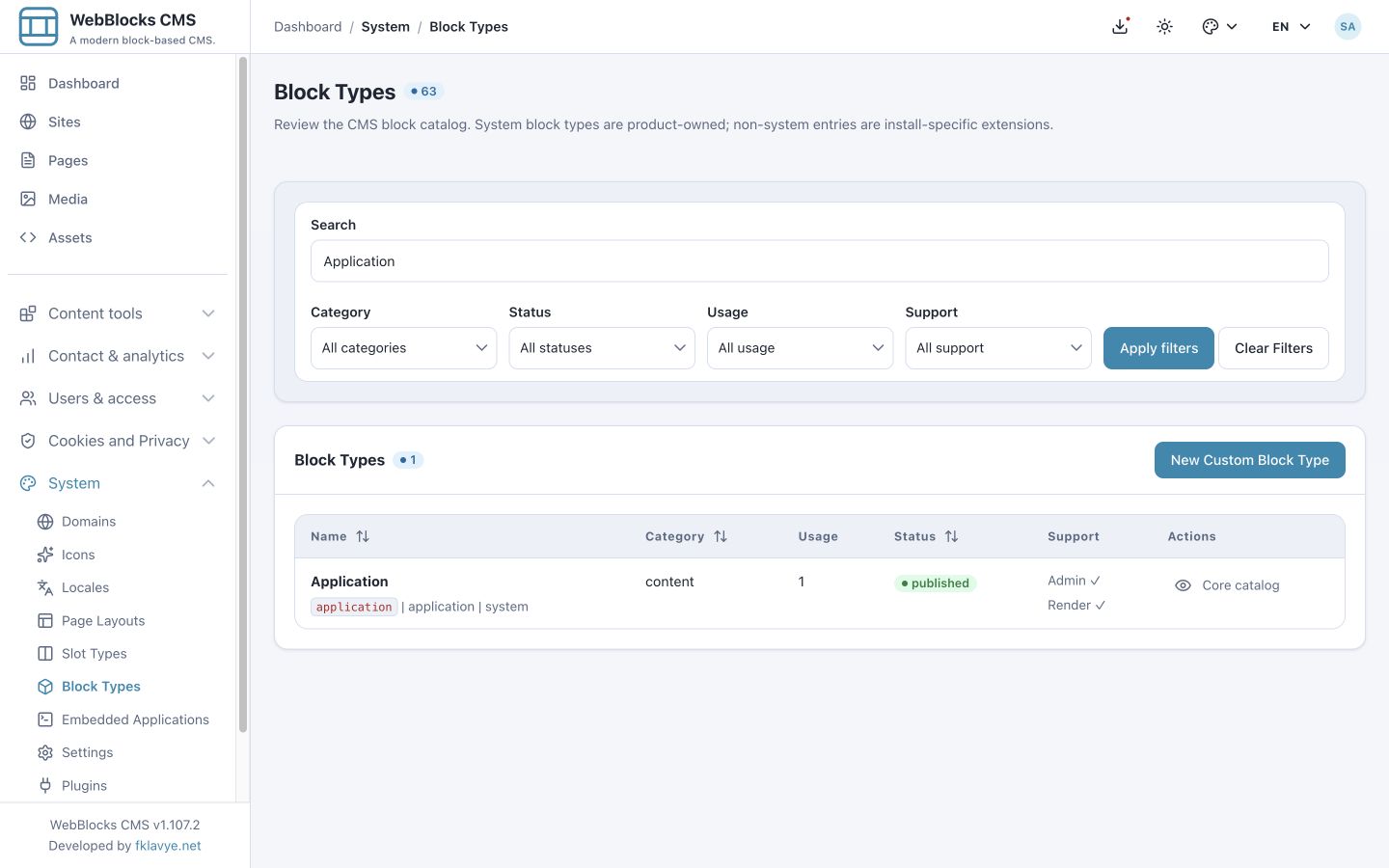
The current core catalog contains nine system block types: Navigation Auto, TOC, Rating, Comments, Page List, Application, Breadcrumb, Header Actions and Navbar. This article uses published WebBlocks CMS 1.107.2 and fictional showcase content. Application is the newest addition to this set; it first appeared in 1.62.0, rather than being a new block in 1.107.2.
What “system” means
The system flag protects the block type definition in Block Types. It does not prevent an editor from placing, configuring, moving or removing a block instance on a page. Normal permissions and placement rules still apply.
The catalog category is a separate field. Rating and Comments appear under System, while other system types appear under Navigation or Content. Looking only at the System category would miss seven of the nine. Navbar is also a container: system status does not mean every type has the same shape.
Build navigation from the right source
Navigation Auto renders an assigned CMS menu; it does not discover all pages automatically. Breadcrumb uses the current site, page and language context to produce the navigation trail. Header Actions supplies utilities such as search, language and color-mode controls according to its settings.
Navbar provides the navigation wrapper and accepts nested blocks. Its stored type is sticky-navbar; configure the actual sticky behavior instead of assuming that the type name alone makes every navbar sticky. These blocks work well in a shared header when the same navigation should serve several pages.
Let the contents list follow the headings
TOC builds links from eligible published Header blocks with valid anchors in the same slot. It follows document order. A TOC placed in a separate sidebar slot will not automatically scan the article in Main.
For the studio guide, place TOC with the article and give section headings stable anchors. Editing a heading then changes the generated contents list without maintaining a second list of labels. Ordinary rich-text headings are not a substitute for the eligible Header blocks.
Keep an index connected to publication
Page List queries published pages for the current site and language. Select a page type or path subtree, choose cards or links, and set ordering and a limit. It can use each page translation’s list description and social image for the listing.
This is useful for a guide index that should reflect publication changes. It is not the same as Navigation Auto’s curated menu, nor does it turn arbitrary plugin records into pages. Use dynamic content collections for provider records and a manual link list when the order is deliberately editorial.
Keep feedback outside the article text
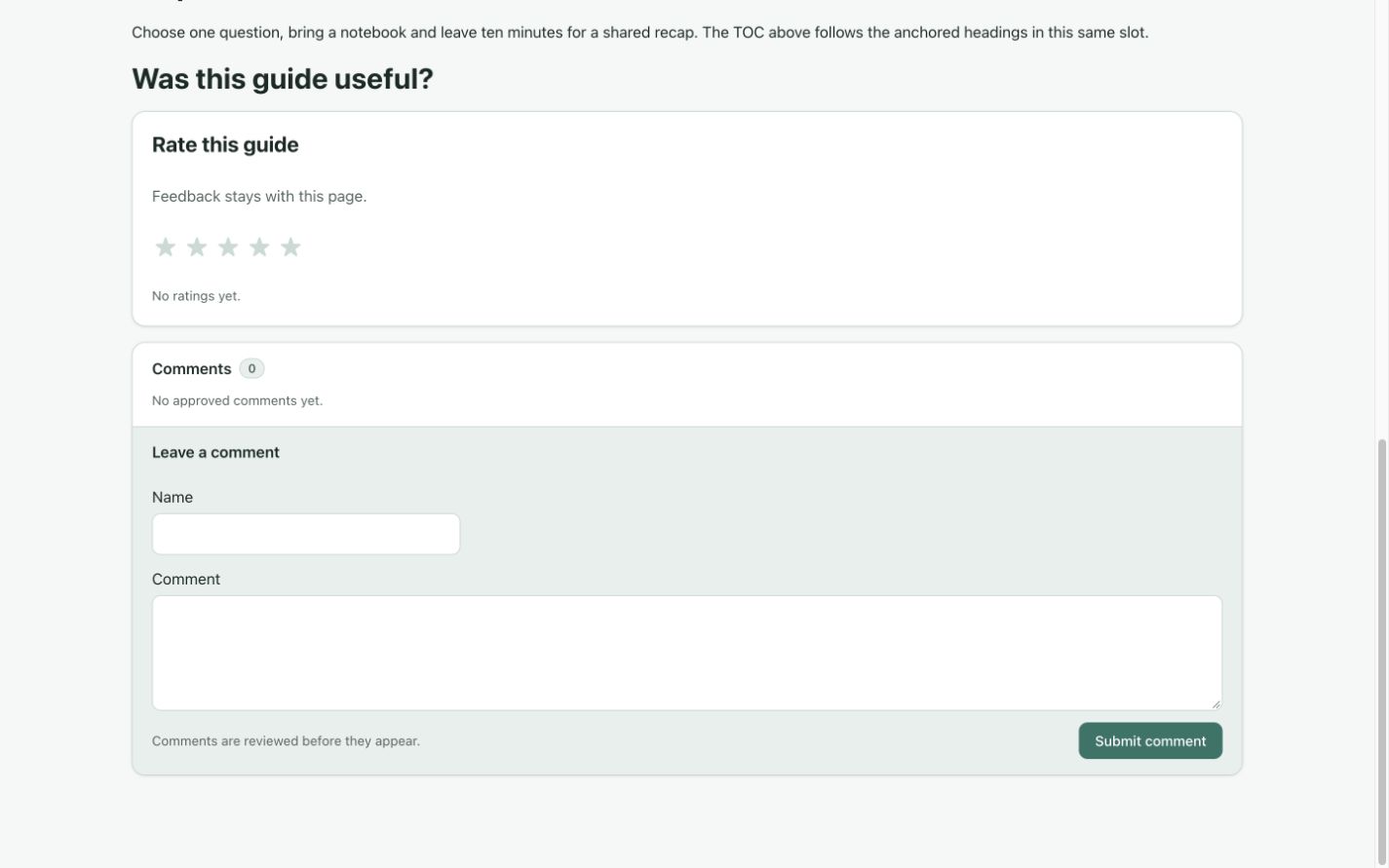
Rating collects star ratings; Comments provides moderated public discussion. Their visitor records are separate from the translated editorial copy. Configure whether feedback belongs to this block instance or to the page.
Page scope is useful when a redesign replaces a feedback block but the discussion should remain attached to the article. Block scope keeps separate feedback areas distinct. Choosing page scope does not automatically merge historical records. Review comment visibility and moderation, then test the form without treating an unpublished submission as a public comment.
Include the newest addition: Application
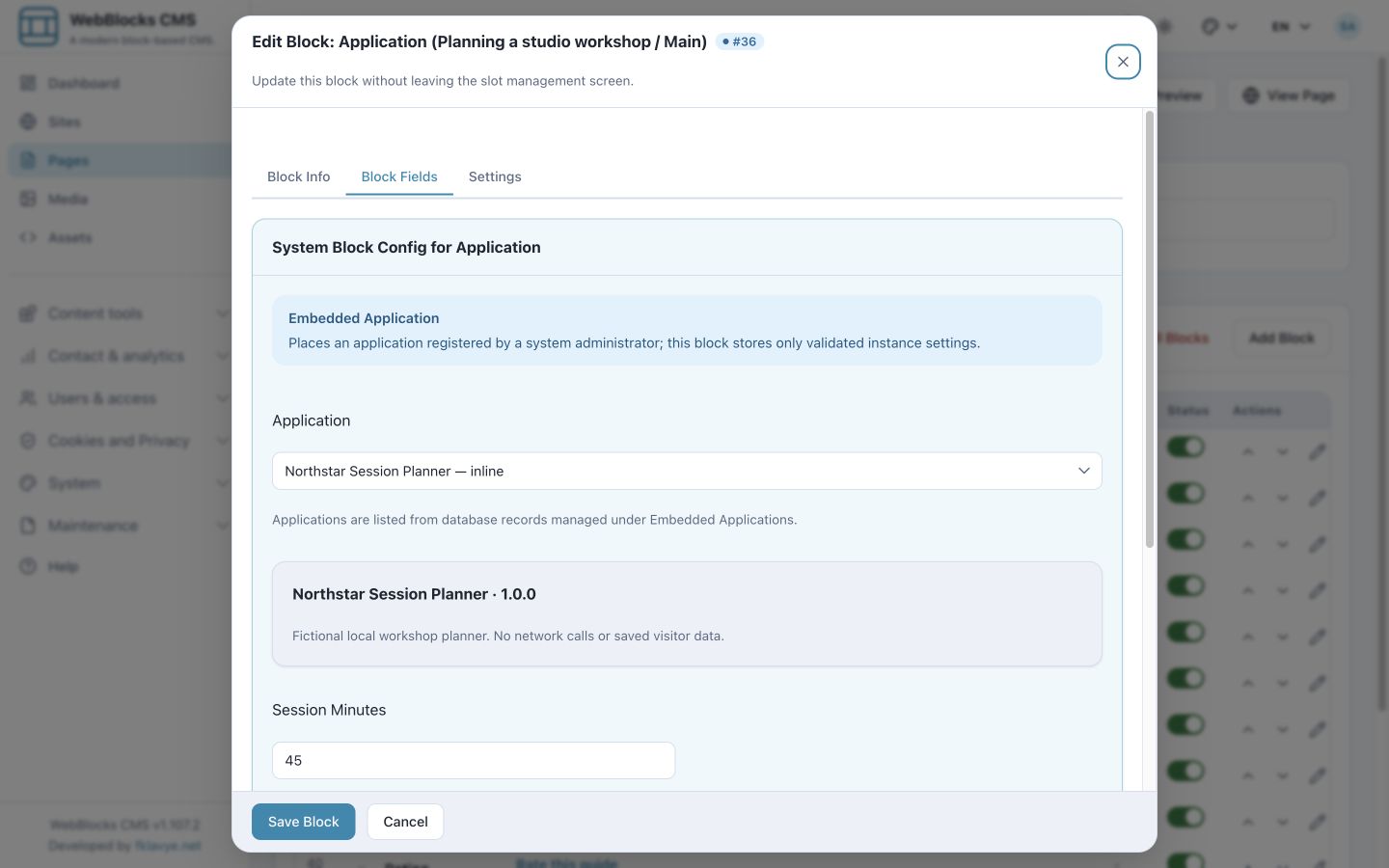
Application places an enabled, registered Embedded Application between ordinary content blocks. A system administrator registers the trusted application and its assets; the editor selects it and configures the instance. Current releases use the Embedded Applications management screen, not the old filesystem-manifest pilot.
In this example, Northstar Session Planner offers a small local workshop tool. The definition declares a bounded integer setting for session length. Its Application block uses 45 minutes and has presentation controls for width, loading and failure states. The setting is validated against the application definition rather than accepted as arbitrary code.
An application can use an inline mount or a controlled iframe. Asset loading is limited to pages using that application and deduplicated across repeated instances. The host owns the application’s behavior and translations; placing its block does not create a backend, translate its interface or grant an editor permission to register scripts.
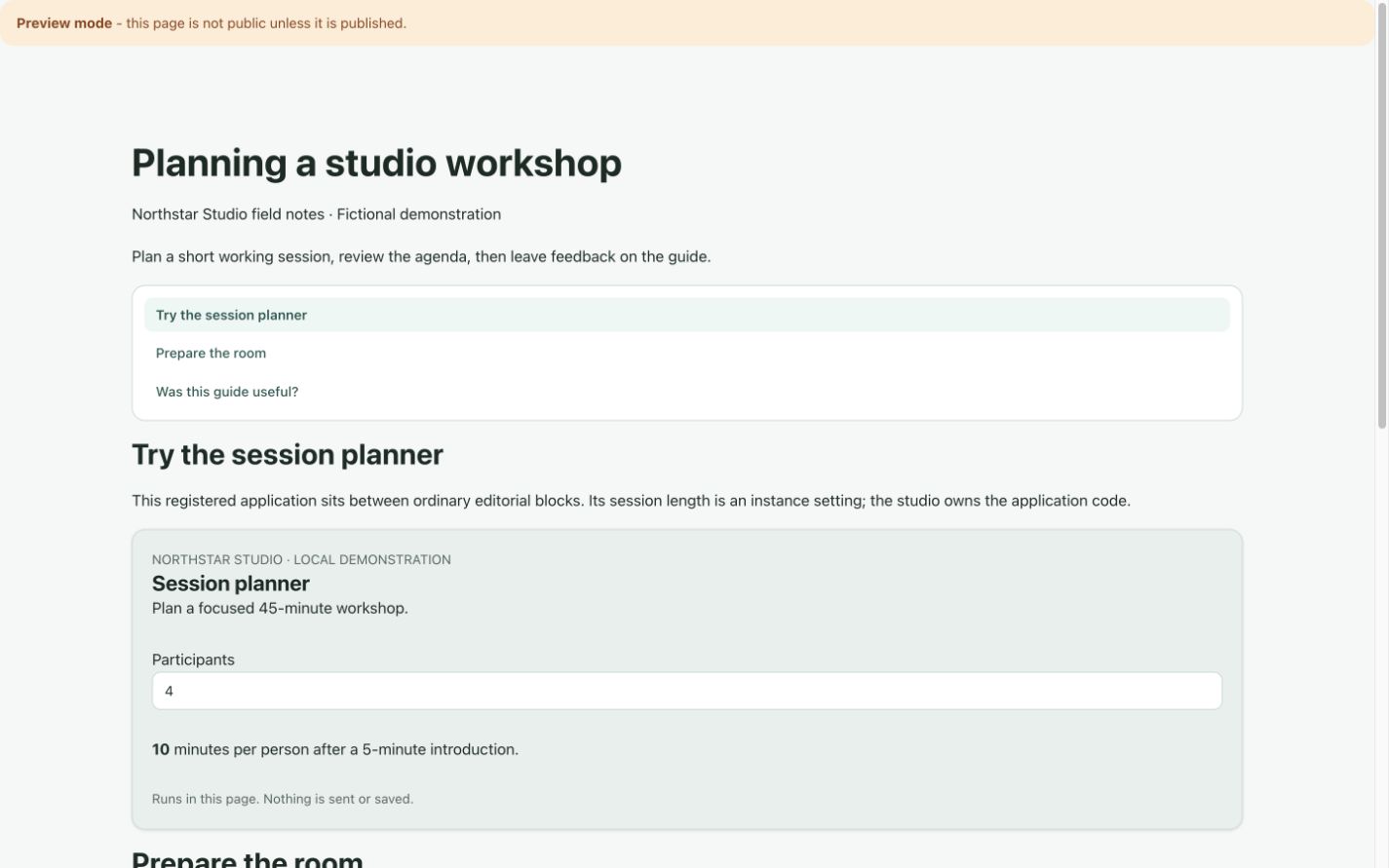
The planner is a fictional demonstration, not a bundled CMS application. It makes no network requests and saves no visitor data. A real calculator, game or other tool still needs its own implementation and review.
Compose one page, then check the result
For Northstar, the combination is straightforward: a shared navigation header, article and TOC in Main, an Application block beside the relevant explanation, and page-scoped feedback at the end. A separate Page List supplies the guide index. Each block has one clear source of truth.
Preview every enabled language and a narrow mobile viewport. Check menu destinations, heading anchors, which pages appear in the index, application availability and moderation settings. Do not submit a rating or comment merely to verify the layout.
For the type-by-type contracts, see Block Type Contracts. The Page, Layout, Slot and Block article explains how these blocks fit into the surrounding page structure.
Was this article useful?
Rate it or share a suggestion below.
Comments and suggestions
Comments are reviewed before they appear.
Comments
0No approved comments yet.
Leave a comment