Page, Layout, Slot and Block: what each boundary buys us
A practical way to decide whether a content-model layer absorbs change or merely adds ceremony.
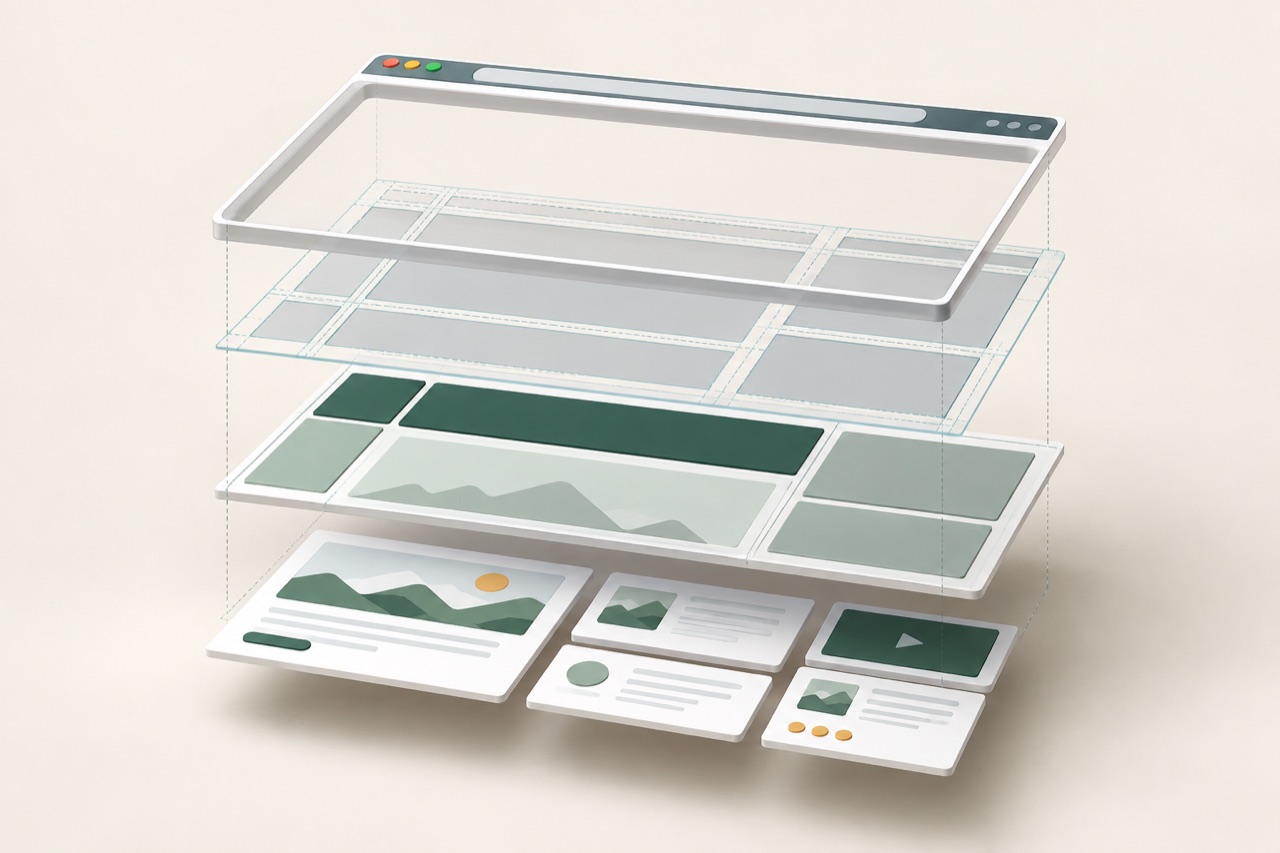
The core WebBlocks CMS content model fits in one line:
Page -> Layout -> Slots -> Blocks
This can look like a useful hierarchy or unnecessary ceremony. Why not store a page as one component tree and render it? That approach is valid for many products. Four explicit layers earn their place only when each owns a different kind of change.
Page: identity, routing and editorial state
A page answers questions about the document as a publishable object: which site owns it, what its public route is in each locale, whether it is draft, in review or published, which layout it uses, and which metadata, assets and revision history belong to it.
Those concerns survive when visible content changes. Replacing a hero, moving a paragraph or adding a gallery should not create a new routing identity.
The reverse is useful too. Moving or duplicating a page can be treated as a controlled page operation. The system knows which translations, slots, page-owned block trees, assets and revision relationships travel with it. A page is more than the root node of a component array.
Layout: the structural promise
A layout defines which regions a page can have and how those regions belong to the public shell. A default layout might provide a header, main region and footer; a documentation layout may add a sidebar.
The layout can define ordering, semantic wrapper elements, wrapper classes and a public body class. It owns the outer structure in which content renders, so blocks do not have to solve the question: What kind of page shell am I inside?
A documentation sidebar should not exist because one content block happened to emit a sidebar wrapper. The docs layout owns that region. Blocks placed inside it remain content rather than secretly becoming page architecture.
There is a cost: changing a layout is structural, not merely visual. WebBlocks therefore does not silently delete or rewrite existing page slots when a layout selection changes. Missing slots can be added explicitly, while extra slots are reported and preserved.
Slot: named placement and content ownership
A slot connects the layout's structural promise to a particular page. Names such as header, main, sidebar and footer carry meaning beyond position. The public renderer can choose a semantic wrapper for the region, and tools can address it without guessing where it sits in a JSON tree.
A WebBlocks page slot has an explicit source: page renders blocks owned by this page, shared_slot renders a compatible site-scoped reusable block tree, and disabled preserves the region while rendering no blocks inside it.
Reuse is therefore a reference rather than a copy. A shared header can be updated once and rendered by every page that refers to it. The wider impact stays visible: Shared Slots have their own revisions and publication workflow.
The consuming page still owns the slot wrapper. A Shared Slot contributes only the inner block tree, preventing reusable content from bringing a second page shell into the page that consumes it.
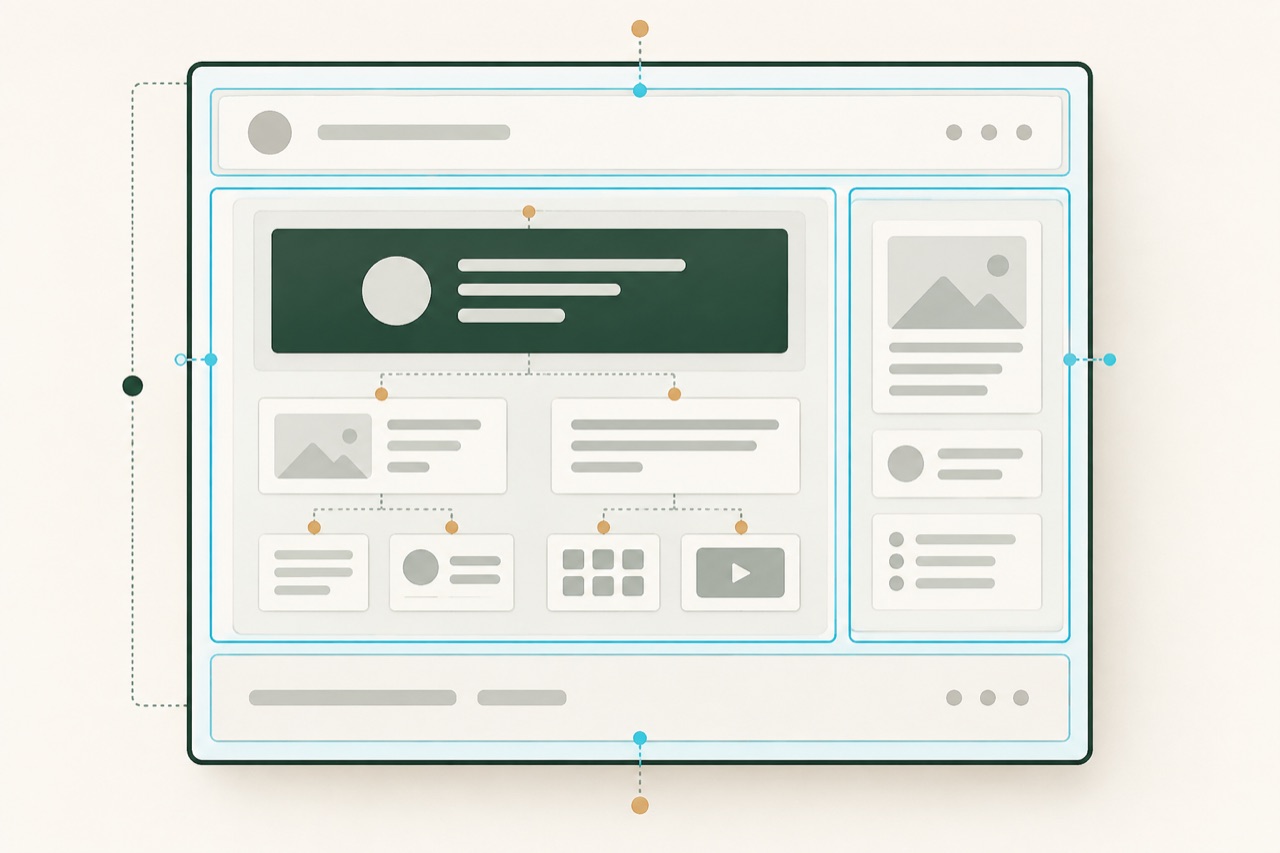
Block: the content unit
Blocks are the editorial units placed in a slot. A block may represent a heading, rich text, image, navigation, gallery or a layout primitive such as a stack or grid. Supported blocks can contain child blocks, so content inside a slot can still form a tree.
The important constraint is what blocks do not own. A block should not decide the page route, workflow state or outer shell. It owns its content, translations, settings, relationships and rendering inside the region it was given.
That improves validation. A heading has a different contract from a gallery. An automation tool can discover typed schemas rather than editing an unrestricted page document. Rendering and migration can inspect relationships instead of reverse-engineering a blob.
Relational storage is not automatically superior to JSON. It makes some integrity rules and migrations clearer while introducing more tables and joins. WebBlocks accepts that cost because explicit ownership matters to its multisite, localization, revision and automation workflows.
A concrete documentation page
Consider an installation page in a documentation site:
Page: Installation
  Layout: Docs
    Slot: header -> Shared Slot: Docs header
    Slot: sidebar -> Shared Slot: Docs navigation
    Slot: main -> Page-owned blocks
      Content header
      Rich text
      Code
      Callout
Each change now has a natural owner. Changing /docs/installation belongs to the page translation and routing workflow. Adding a structural rail belongs to the layout. Replacing documentation navigation belongs to the sidebar slot or its Shared Slot. Editing an installation command belongs to the Code block.
The hierarchy is useful because it tells both people and tools where a change belongs.
Where this model can go wrong
Clear architecture does not guarantee a clear editor. If someone must manually navigate Page -> Layout -> Slot -> Block every time they want to fix one sentence, the model is leaking into the workflow. Search, useful summaries, direct edit links and sensible defaults should let routine tasks skip layers without erasing them from the system.
The model can also become over-designed. A site with one fixed template and a handful of fields may not benefit from configurable layouts or reusable slot trees. A typed page model or simple Markdown document may be the better tool.
A boundary earns its place when it absorbs one kind of change without forcing every other layer to pretend it changed too.
Four questions help test whether a layer is earning its place:
- Does it own a distinct kind of change?
- Can that change be validated independently?
- Does the boundary prevent a real invalid state?
- Can routine editing avoid paying the full complexity cost?
If the answer to the first three is no, the layer may be ceremony. If the answer to the fourth is no, the architecture may be sound while the product experience still needs work.
Boundaries are useful when they absorb change
Page -> Layout -> Slot -> Block is not presented as a new invention. Regions, components and structured content have existed in CMS products for a long time.
The point is explicit ownership. Pages own identity and workflow. Layouts own the shell. Slots own named placement and content source. Blocks own content.
Those boundaries earn their place when a change can happen inside one of them without forcing the others to pretend they changed too.
Where do you draw the line between page structure and content in a block-based CMS—and which boundary causes the most friction for editors?