Finding and fixing wrong-language links in WebBlocks CMS
On a German workshop page at Northstar Studio, the Anmelden link opens the English registration page. The page loads successfully, so a check for broken URLs could pass. A visitor who started in German lands on an English page midway through the journey. In this fictional example, the German registration page already exists. The job is to find where the English address was saved and verify the corrected link.
Find the source of the link
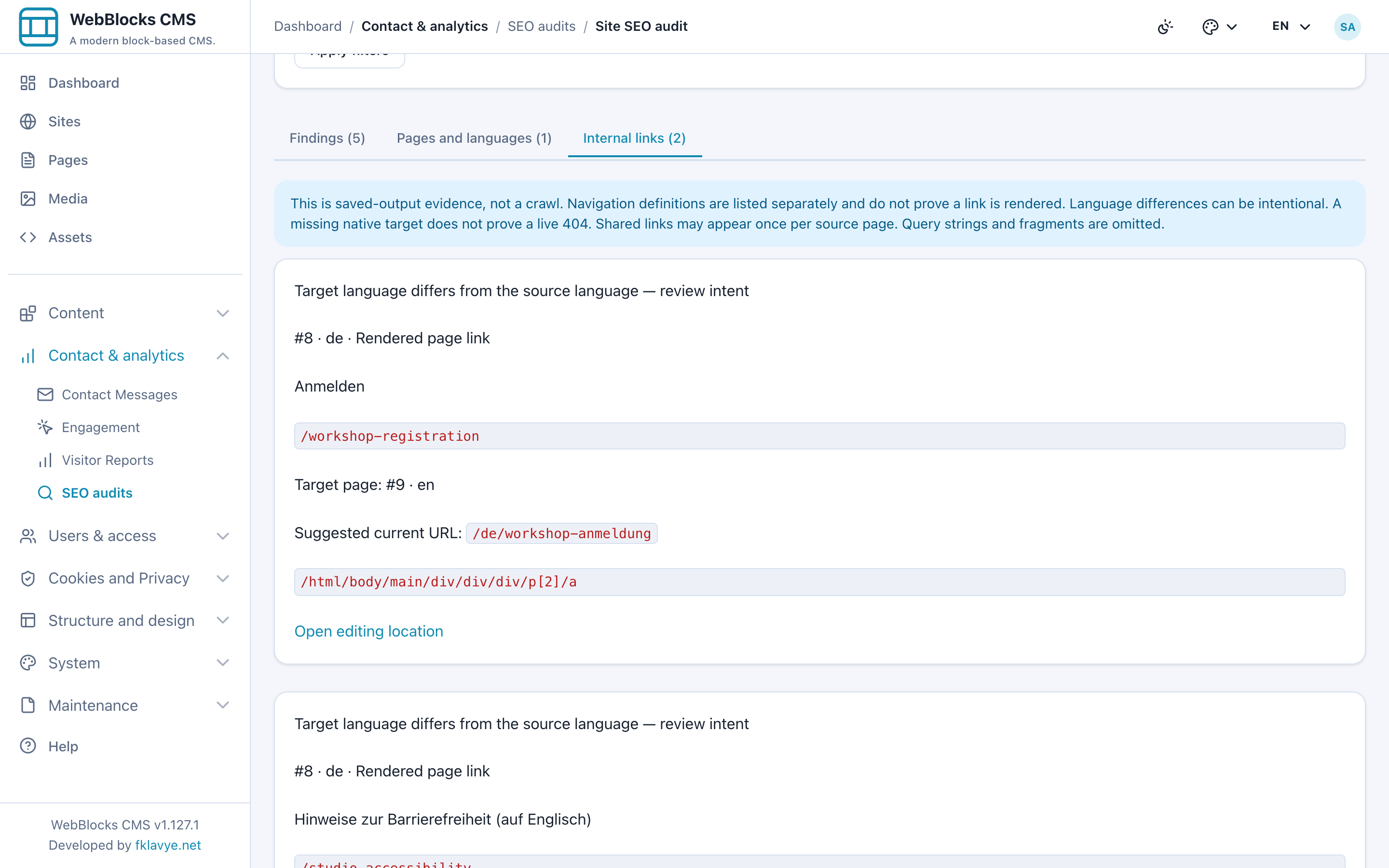
Open Sites → your site → SEO and select Start new audit. When the run finishes, open Internal links. Filter by the source language, German, and choose Target language differs from the source language — review intent under Link result. If several pages match, narrow the results by source page ID.
Find the row for Anmelden. In this example, the source is the German workshop page and the destination is /workshop-registration, the English registration page. The row shows the link text, saved destination and target language. When the same target page has a German version, the audit can also suggest its German address. Here that would be /de/workshop-anmeldung.
Edit the link in the German content
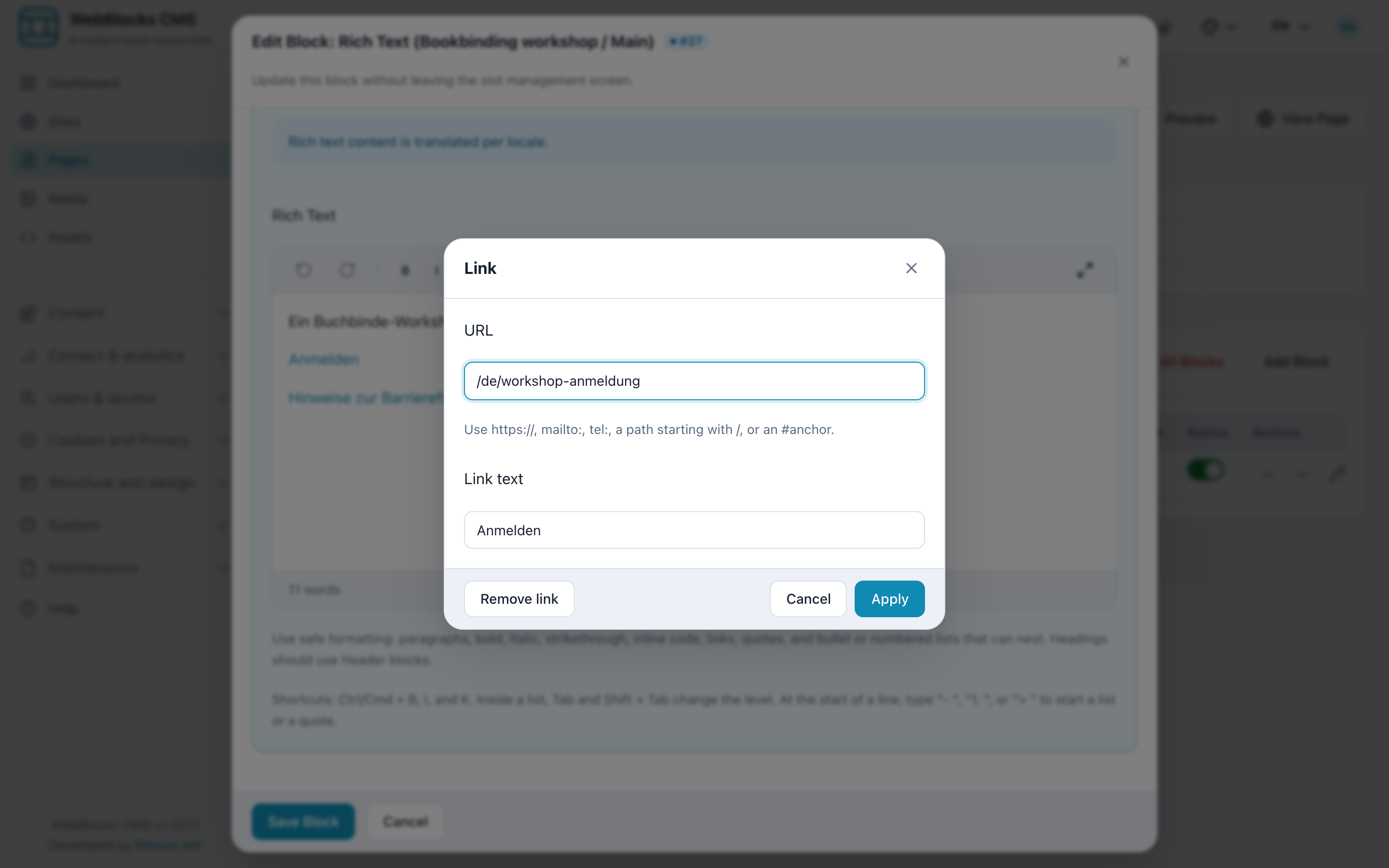
Choose Open editing location to go to the Rich Text block that contains the link. Check that the German content is selected and that the suggested page is for the same workshop. Place the cursor in Anmelden and choose Link in the toolbar. Change the URL to /de/workshop-anmeldung, choose Apply, then save the block through the usual editorial workflow. Keep the link label as it is.
In the German preview, follow Anmelden and check that the registration page opens in German. If the English page shares the block, check that its link still opens the English registration page.
Verify the new destination in a fresh audit
Start a new audit after saving the change. If you worked in a separate update draft and want to verify the published source page’s row, apply the reviewed update before starting that audit. Refresh results reloads stored results without starting a run.
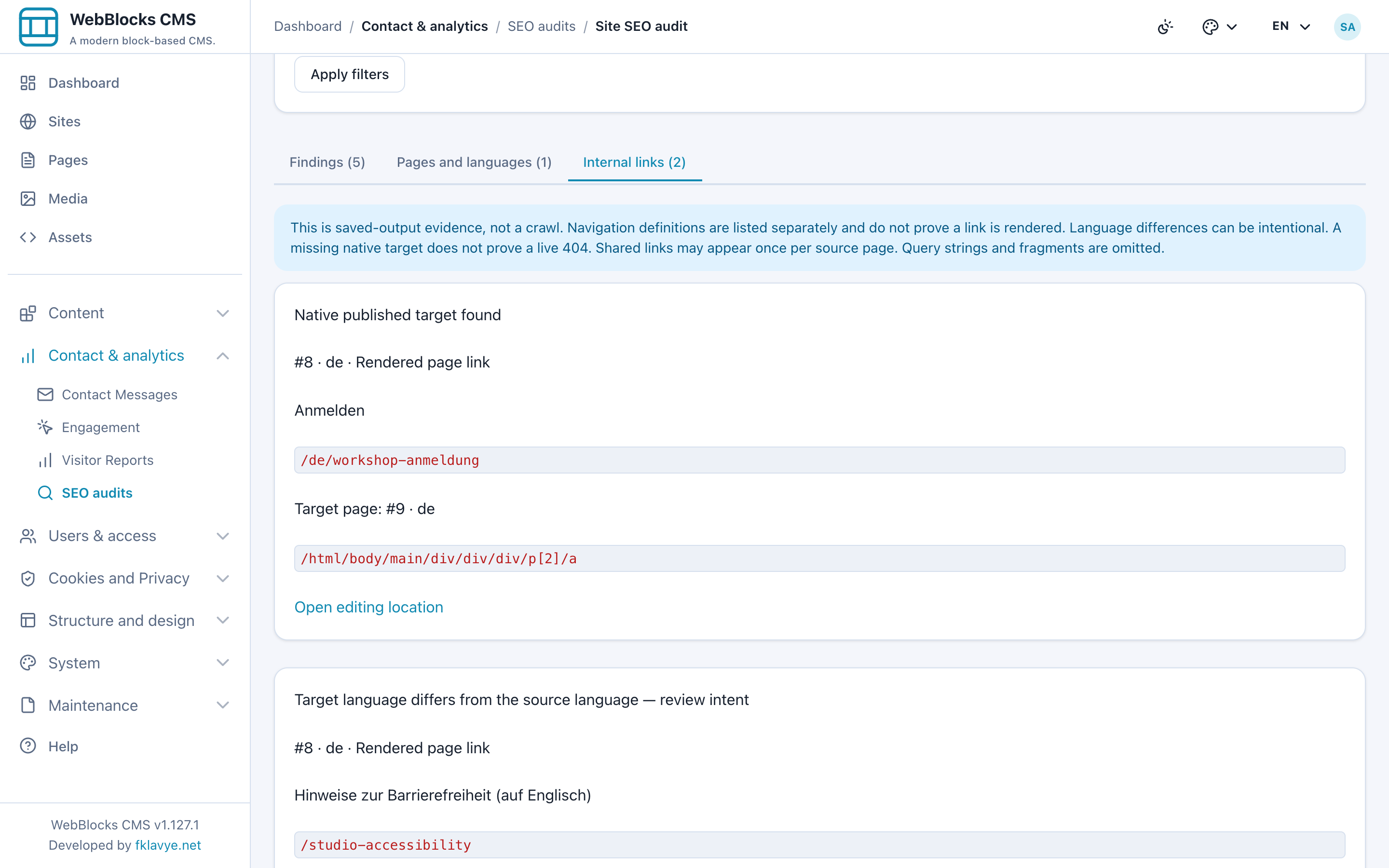
Filter by the source page and German again, then set Link result to All so the corrected row is visible. Look for Anmelden pointing to /de/workshop-anmeldung and a German target marked Native published target found. The audit inspects saved CMS content. To confirm the public journey after publication, open the public German workshop page and follow the link there too.
Keep links that intentionally change language
The same workshop page might link to the studio’s accessibility guide, which is available only in English on the same site. In that case, keep the useful link and tell readers what to expect with a label such as Hinweise zur Barrierefreiheit (auf Englisch). The audit flags language differences for review. The editor decides whether the destination should change.
For the audit’s scope and filters, see Saved-content SEO audits. For the wider translation workflow, see Publishing one CMS page in multiple languages.
Was this article useful?
Rate it or share a suggestion below.
Comments and suggestions
Comments are reviewed before they appear.
Comments
0No approved comments yet.
Leave a comment