How to review AI-assisted edits in a CMS

An editor asks an AI assistant to shorten the search description for a page. The assistant sends back a revised description, a new headline, and two rewritten paragraphs. The request took a minute. Reviewing the result now means checking three extra changes and deciding which ones to undo.
In a recent PHP discussion, developers described a similar pattern in code review. They could produce changes faster, and the queue of changes that needed a careful read grew. The same problem can occur in a CMS. The time that matters is how long it takes to reach a change someone is ready to approve. Discussion on r/PHP.
Decide what the editor will check
Before asking for an edit, name the page, the language, and the field. For a search description, give the assistant the facts the description must preserve. Then ask it to hand back the proposed wording and flag anything it could not verify. If the task needs a different headline or a new booking link, give those changes their own review.
Make the handoff easy to check. Put the old wording and the proposed wording together, with a link to the relevant draft. A summary such as “improved SEO” leaves the editor to work out what changed. The two versions give them something specific to compare with the page.
Try it with one WebBlocks CMS draft
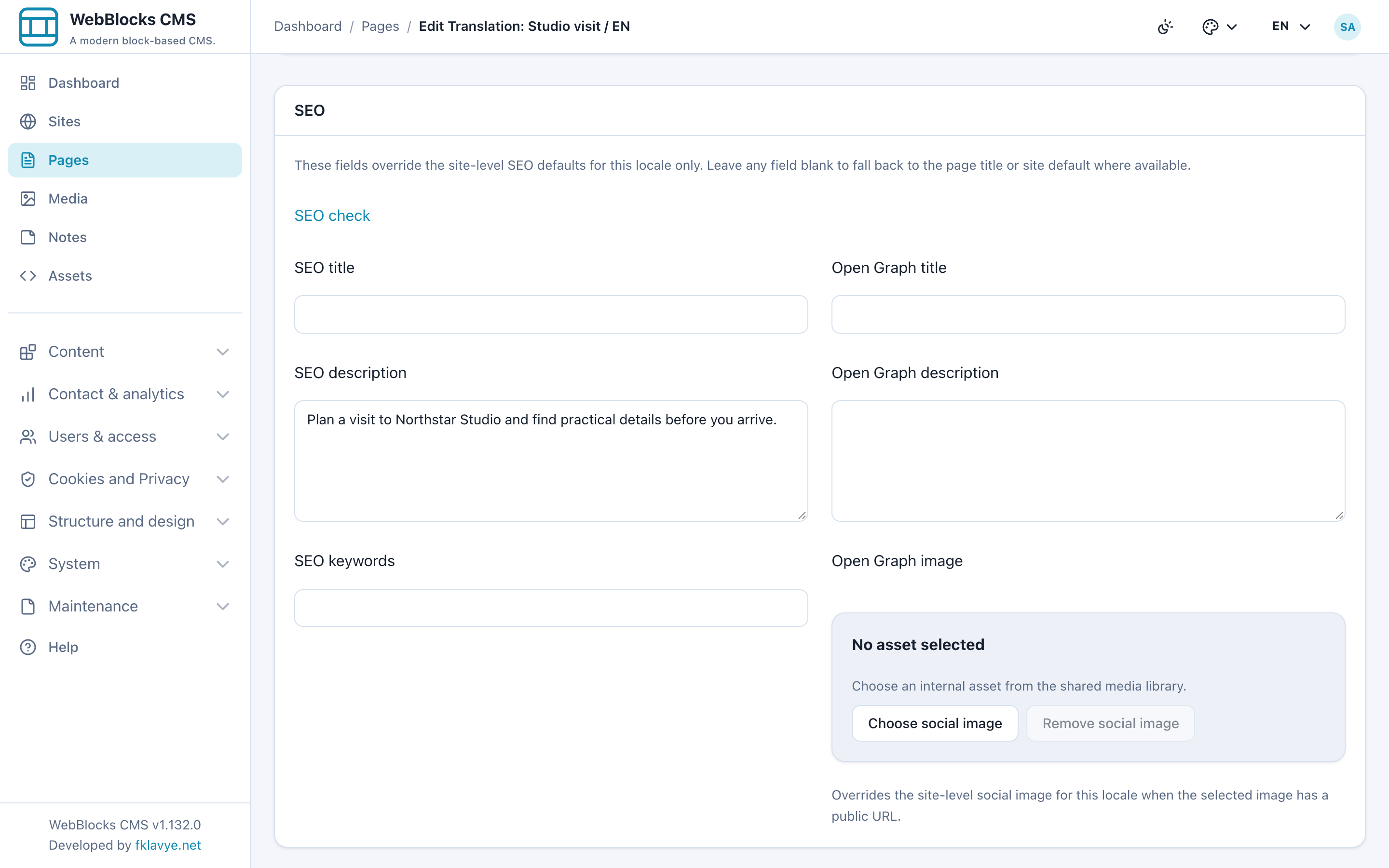
Suppose the English draft of a studio visit page needs a shorter search description. The page says visits are free and advance booking is required.
Before: “Find out what to expect when you visit the studio. There’s no charge for a visit, but you do need to book in advance.”
Proposed: “Book a free studio visit in advance and find out what to expect when you arrive.”
In WebBlocks CMS, the editor can authorize an MCP connection for one existing draft and grant write access to draft SEO and social sharing fields. A request to change the page name or address falls outside that grant. The grant covers a group of fields, so the editor still gives the assistant a narrower brief for this task and checks that the saved draft changes only the English search description. WebBlocks CMS walkthrough for one existing draft.
The editor can now answer a specific question. Does the new description accurately preserve the price and booking requirement? They check the saved wording in Webadmin against the page, correct it if needed, and pass it through the usual publishing workflow. A description can meet every field requirement and still promise something the page does not offer.
Measure the work through approval
Try the next few comparable edits both ways. Track active time spent briefing, reviewing, and correcting an assisted edit. Compare it with the time spent editing and checking a similar field by hand. Record corrections and whether someone had to reopen the draft. Keep waiting time separate so a draft sitting in a queue all afternoon does not distort the comparison.
Writing a short description by hand may take less time than setting up an assisted edit. For a recurring task, the trade-off may change once the brief and review are familiar. The useful figure is how much human time one approved edit takes in your own workflow.
Was this article useful?
Rate it or share a suggestion below.
Comments and suggestions
Comments are reviewed before they appear.
Comments
0No approved comments yet.
Leave a comment