Approve one existing CMS draft for an MCP SEO edit

Northstar Studio has two unpublished pages. The editor wants an MCP client to improve the search description for Studio visit, which already exists as a draft. A colleague is still working on Exhibition. The editor can approve Studio visit for this connection and keep Exhibition outside its draft access.
WebBlocks CMS 1.127.0 introduced authorization for specific drafts and a separate permission for draft SEO edits. The screenshots use the published 1.132.0 package and a fictional site. For the initial connection setup and the general editing workflow, see Preparing page drafts with MCP in WebBlocks CMS.
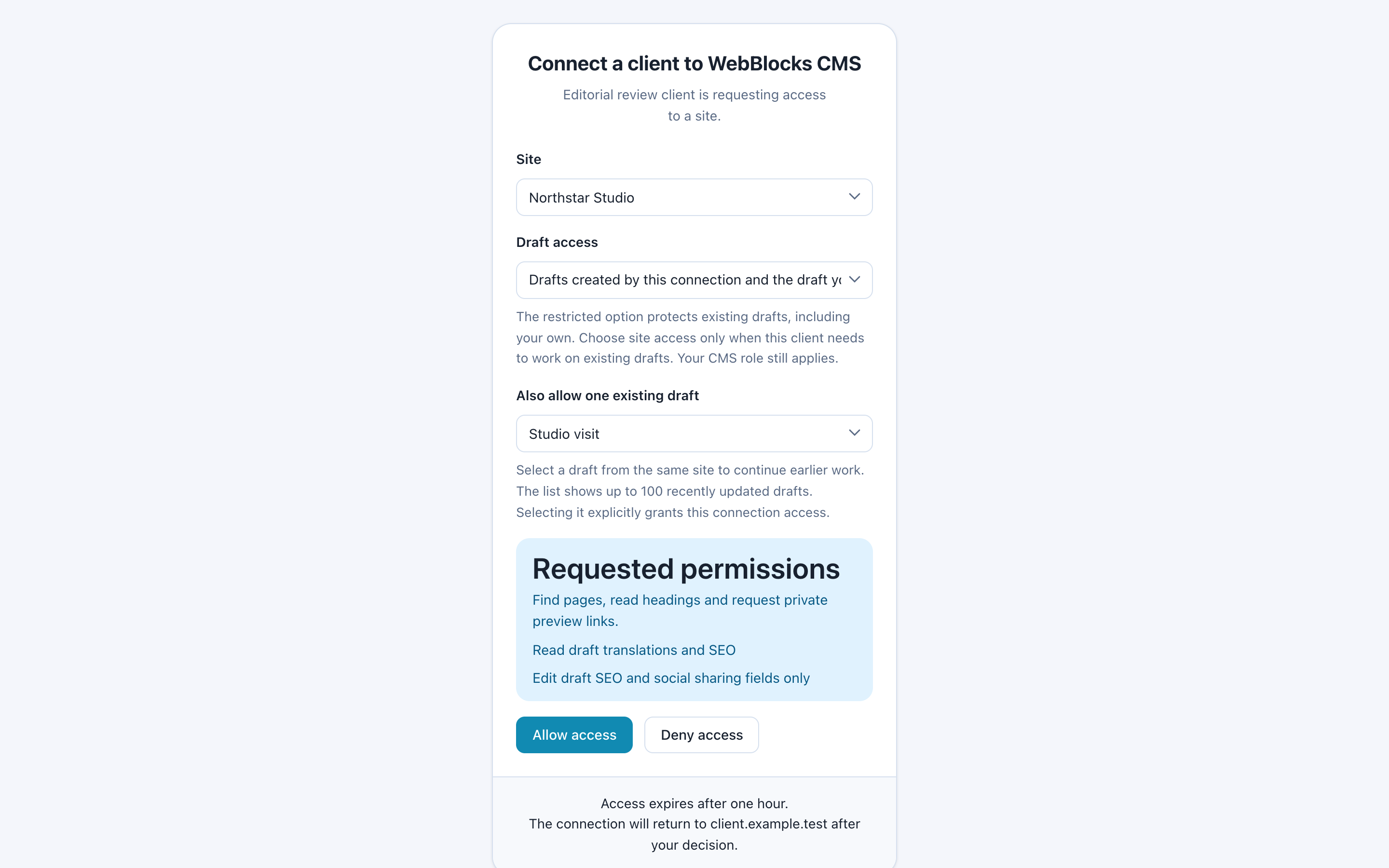
Select the draft at consent
When the client requests access, choose Northstar Studio and keep the restricted option under Draft access. A new authorization can access drafts it creates. To continue an existing draft, select Studio visit under Also allow one existing draft. The selection applies to this authorization. If you reconnect later, select the draft again to continue with restricted access.
Grant the fields the task needs
For a search description update, the client requests Read draft translations and SEO and Edit draft SEO and social sharing fields only, alongside basic page discovery. The write permission covers SEO fields, the list excerpt and social sharing fields. Page names, slugs and paths are outside that permission. The CMS still checks the signed-in user’s role and site access.
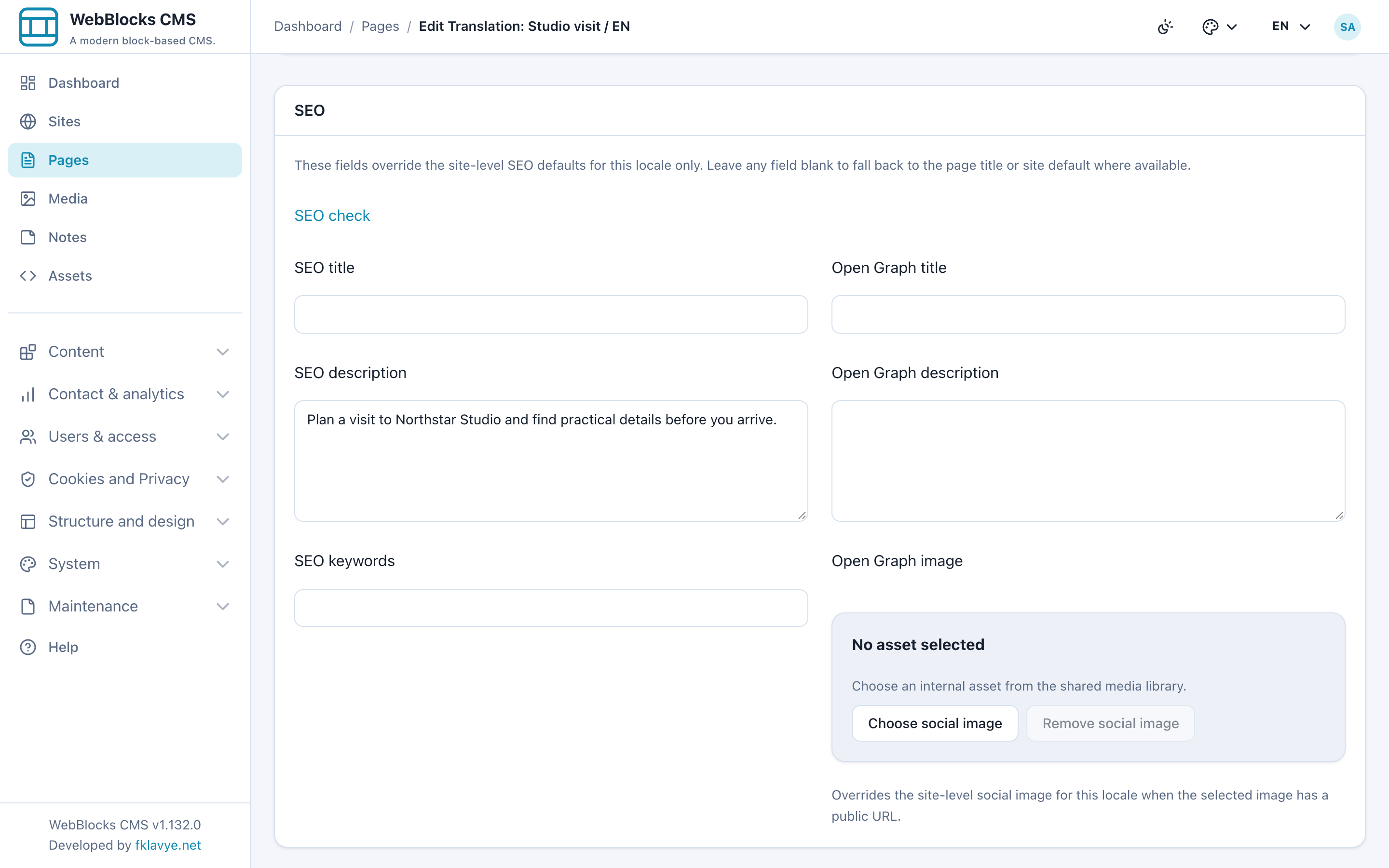
In this example, the client reads the current English draft version, then updates its SEO description. Reading the Exhibition draft through the same connection is denied. In Webadmin, open the English draft translation and check the new description before sending the page for review.
Check the saved connection
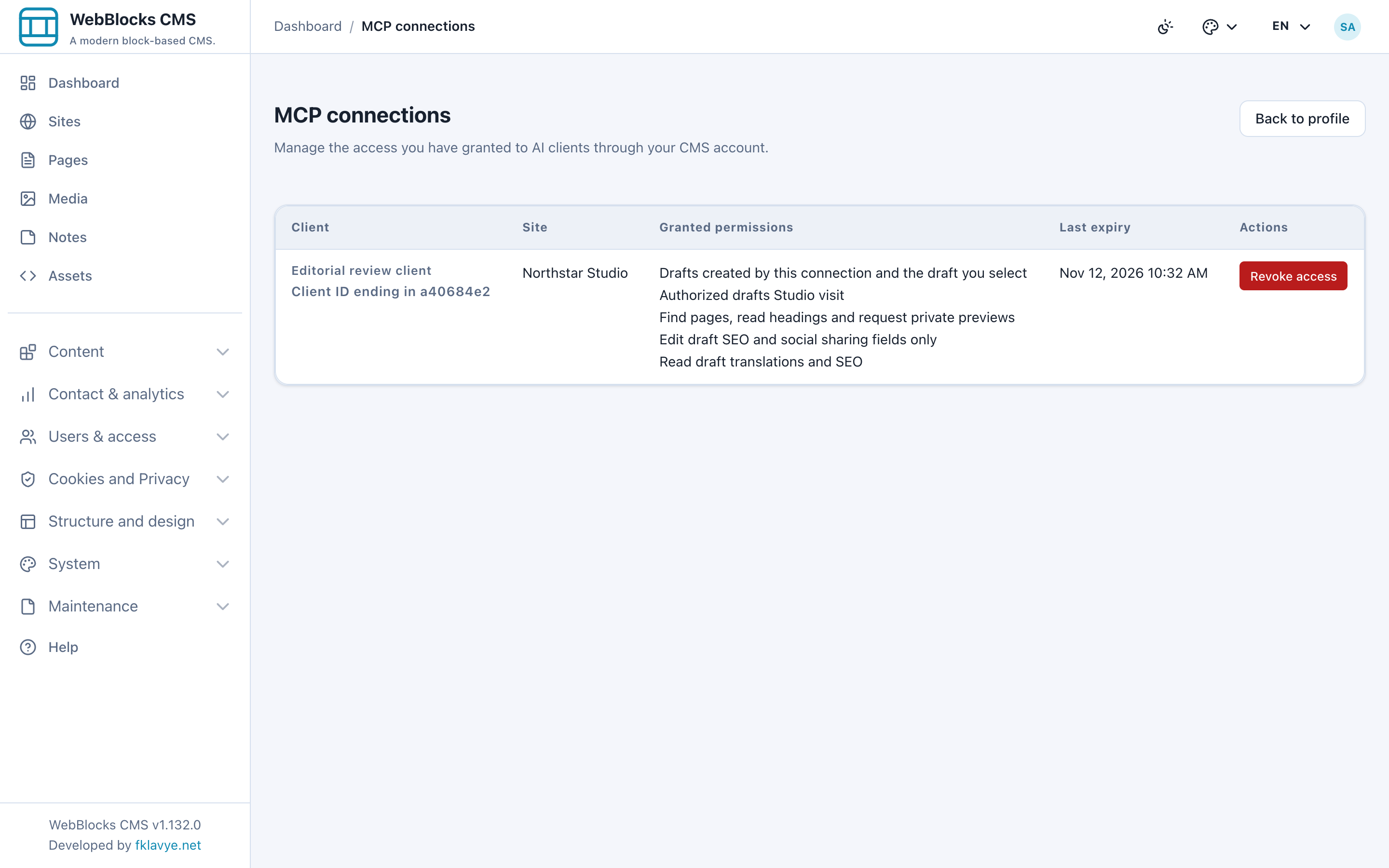
Open Profile → MCP connections to see the chosen site, authorized draft, permissions and expiry. The authorization expires after one hour. Use Revoke access to end it sooner.
The description is still a draft change. An editor reviews it and a user with publishing permission publishes through the CMS workflow.