Editorial content and application data on the same page
A journal page often contains two kinds of content. An editor writes the introduction and decides how the page should read. A changing list of entries supplies the titles and descriptions below it.
Copying those entries into page blocks creates another place to maintain them. Making the whole page a data feed gives up the editorial introduction and composition. WebBlocks CMS content sources let you choose which fields follow a source while keeping the rest of the page editable.
This walkthrough uses Northstar Studio, a fictional showcase site running WebBlocks CMS 1.90.2. Its journal source returns synthetic records. The screenshots demonstrate the feature; they are not a customer implementation or an automatic feed of approved CMS pages.
Start with the page you want readers to see
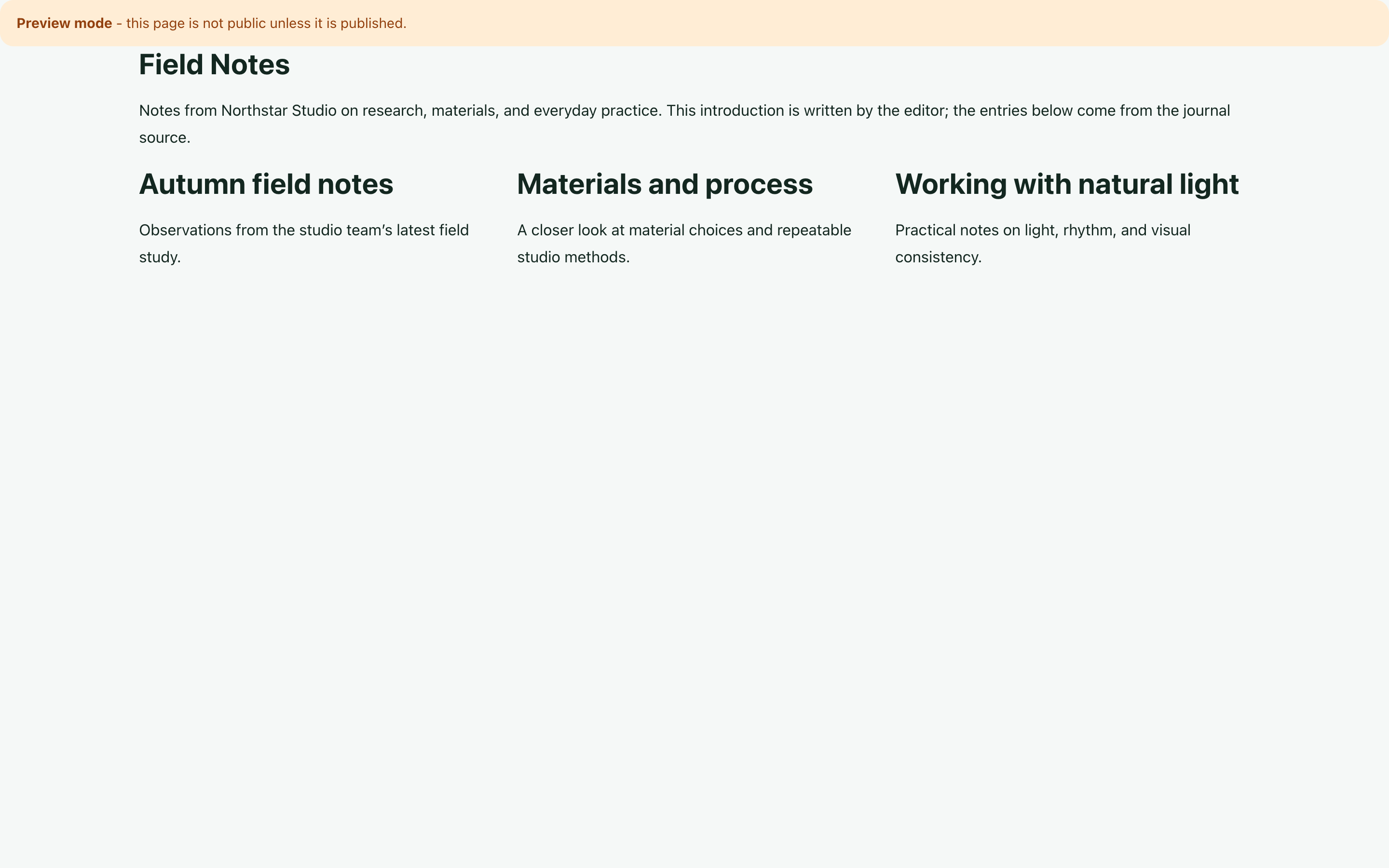
The example combines a heading, an editorial introduction, and a three-column Grid of journal entries. Each card contains a heading and description.
The introduction stays as ordinary Rich Text. The page heading takes its title from one selected entry. The Grid uses a collection source to populate its cards. Changing the introduction does not change the source records; changing a source title can change the rendered page without editing that text in the CMS.
Connect a single heading to a record
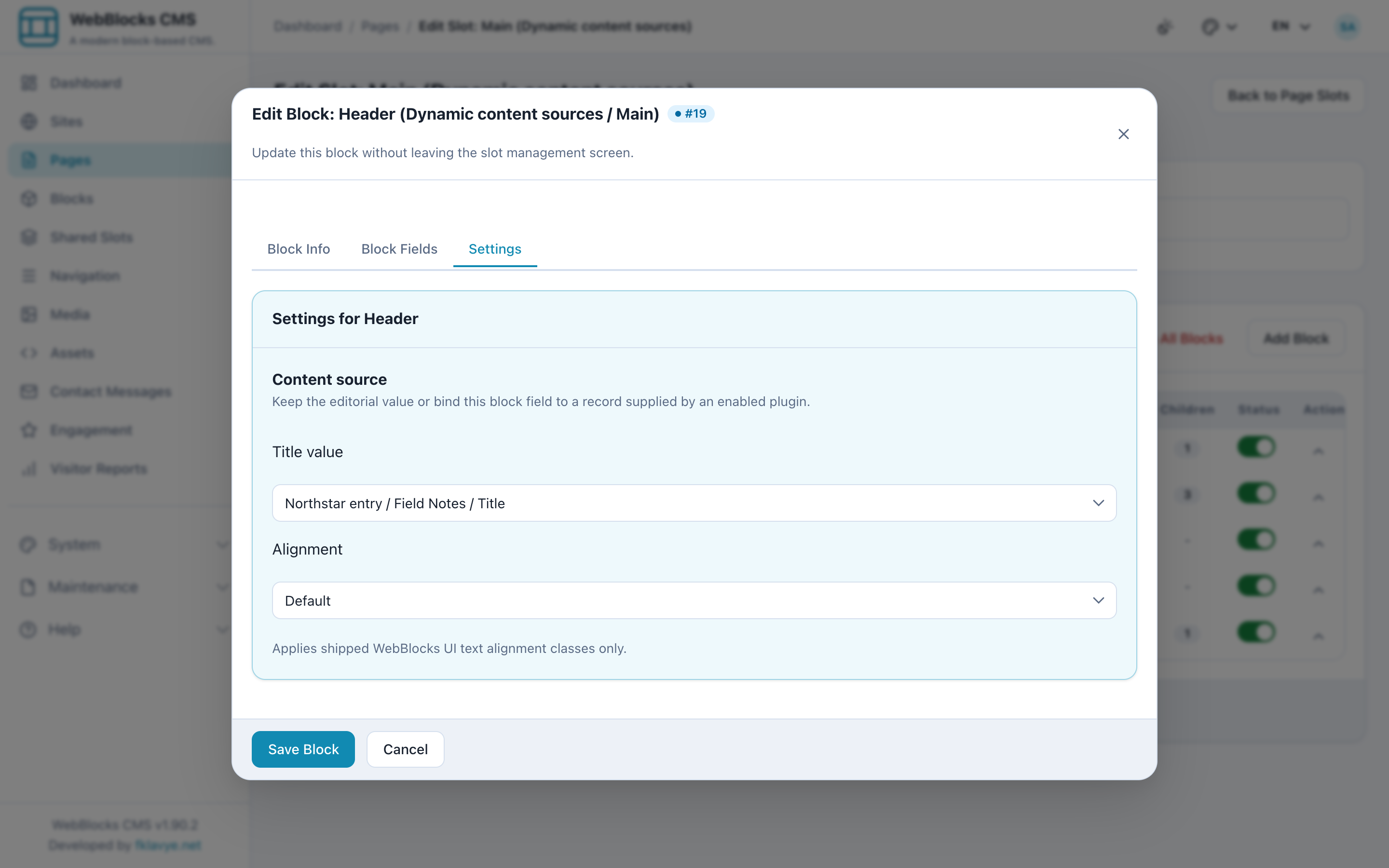
Open the Header block's Settings and find Content source. For its title field, select Northstar entry, the Field Notes record, and the Title field. The rendered heading now reads “Field Notes.”
The text stored in the block remains available as a fallback. In this demonstration it is “Editorial fallback: Journal entry,” which makes the behavior easy to recognize. On a real page, write a fallback that still makes sense to readers.
This is a deliberate field binding. A developer first provides the source and declares its available fields. The editor chooses a compatible field and record from that source. The CMS does not automatically expose every database table.
Build one card, then repeat it
For the journal list, create a Grid and add a Stack as a direct child. Inside that Stack, add the Header and Rich Text blocks that form one card. This child is the template for the collection.
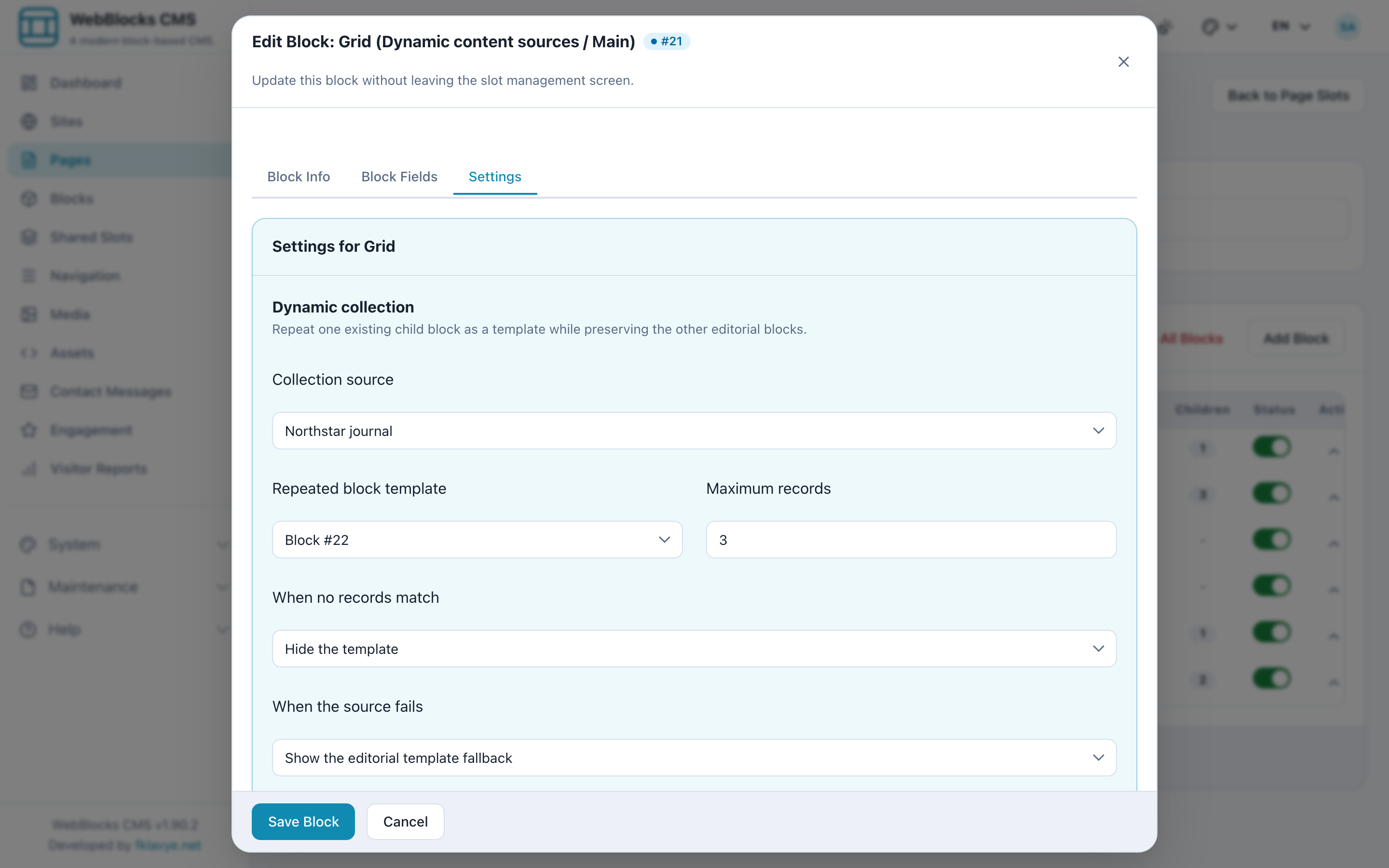
In the Grid's Settings, choose Northstar journal as the collection, select the Stack as the repeated child, and limit the result to three records. The example sorts by Title in ascending order, producing Autumn field notes, Materials and process, and Working with natural light.
The source preview lets you inspect sample records while configuring the collection. It helps catch an unexpected title or an unsuitable selection before you judge the page layout.
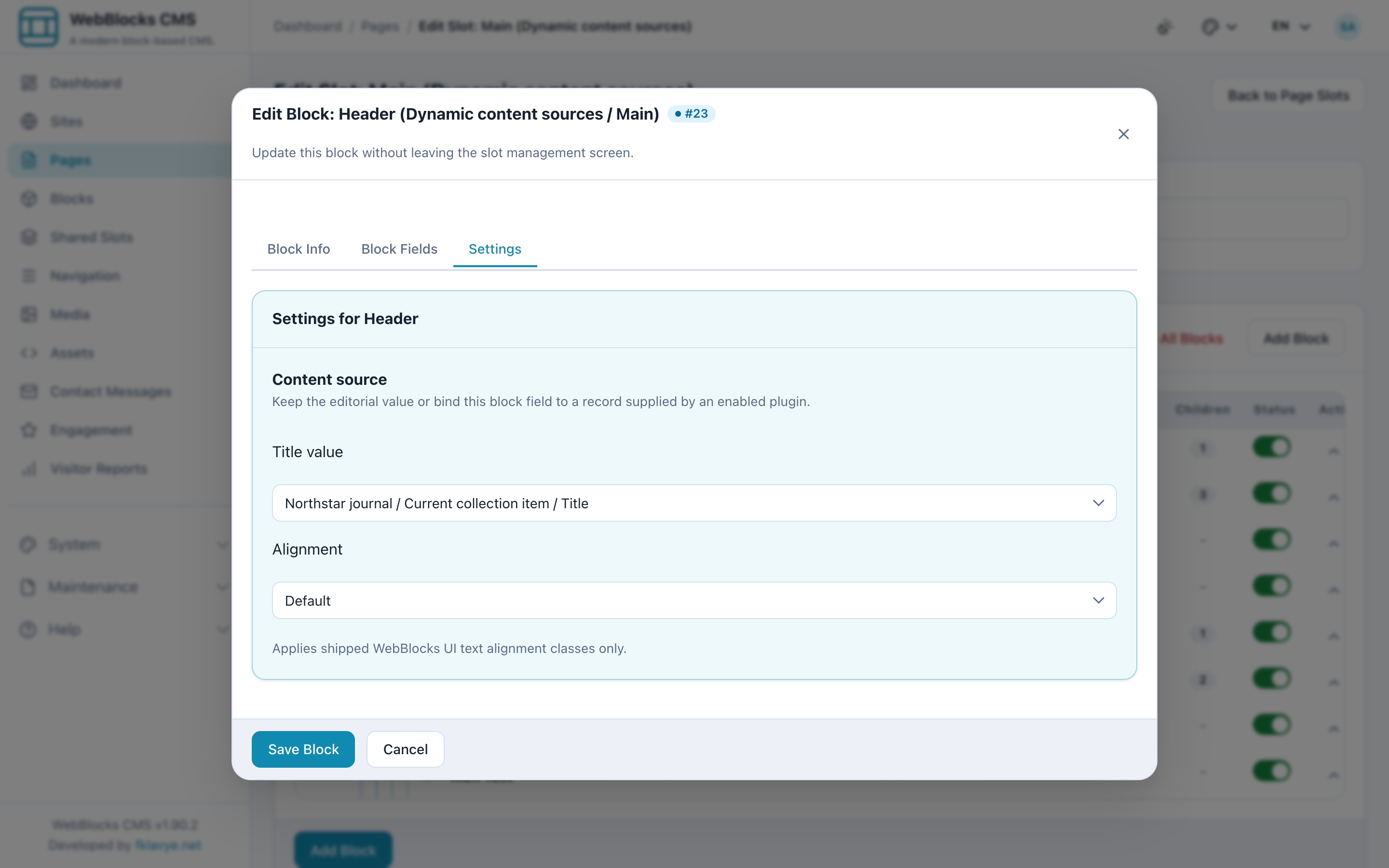
Open the Header inside the template and connect its title to Current collection item → Title. Connect the Rich Text block to the current item's Description field. Each repeated card now reads from its own record.
The renderer repeats the template at runtime. It does not create a separately stored CMS block tree for every record. You maintain one card design, while the source supplies the entries. Other manual children can remain in the container and retain their position.
Decide what an empty list should say
An empty result is an editorial decision. For this showcase, the Grid hides the template when the source returns no records. Showing an example journal entry would otherwise suggest that an entry exists.
A resolver error is a different condition. The example keeps the template's fallback on error, so the page can still show its stored text. That fallback should be reviewed as carefully as normal content. A reassuring but inaccurate message is still inaccurate.
Missing or disabled sources, access denial, and an invalid template also retain the original children. They do not follow the valid-empty-result setting. For an individual field binding, an unavailable record or empty value falls back to the configured or stored editorial value.
Choosing “hide when empty” therefore does not mean “hide whenever anything goes wrong.” Preview the expected result and understand the failure path before publishing.
Keep a deliberate editorial boundary
Dynamic collections suit pages that should follow current records: a journal index, an event list, or a changing catalog. A hand-selected campaign page may need a fixed selection and wording that has been reviewed together. In that situation, ordinary editorial blocks may be the better choice.
There is also a revision boundary. A page revision preserves its bindings, settings, and editorial fallback; it does not capture an external source's records. Restoring an older page revision does not restore older journal data. Review processes that require a fixed snapshot must account for that in the source or publishing workflow.
For this page, the boundary is straightforward: the editor owns the introduction and card composition, and the registered source owns the record values. Decide that boundary field by field instead of treating the whole page as either static or dynamic.
Which parts of a content page should follow application data, and which should remain under editorial control?
For the broader feature overview, see Connect CMS blocks to dynamic plugin data. Source registration and API details are covered in Content Sources and Block Field Bindings.