Connect CMS blocks to dynamic plugin data
A catalog, commerce, events, or news plugin often owns useful domain data. That does not mean it should also own the page layout and public markup used to present that data.
WebBlocks CMS content sources separate those responsibilities. A plugin exposes typed records; editors connect those records to familiar CMS block fields; the page keeps control of composition, translation, preview, and rendering.
The boundary: data from the plugin, presentation from the CMS
A content source answers which data is available. A block answers how that data is presented. The page and its slot tree answer where it appears.
This lets a plugin reuse core Header, Rich Text, Image, Button, Link List, Grid, Stack, and Slider behavior instead of shipping another parallel set of renderers.
Bind one block field to one record
Edit a supported block and open its Settings tab. Under Content source, each compatible field can keep the literal value entered in Block Fields or select a plugin source, a stable record, and one declared field.
For example, a Header title can be connected to a text field from a catalog entry. Editors choose the relationship from a list; no binding expression is typed by hand.
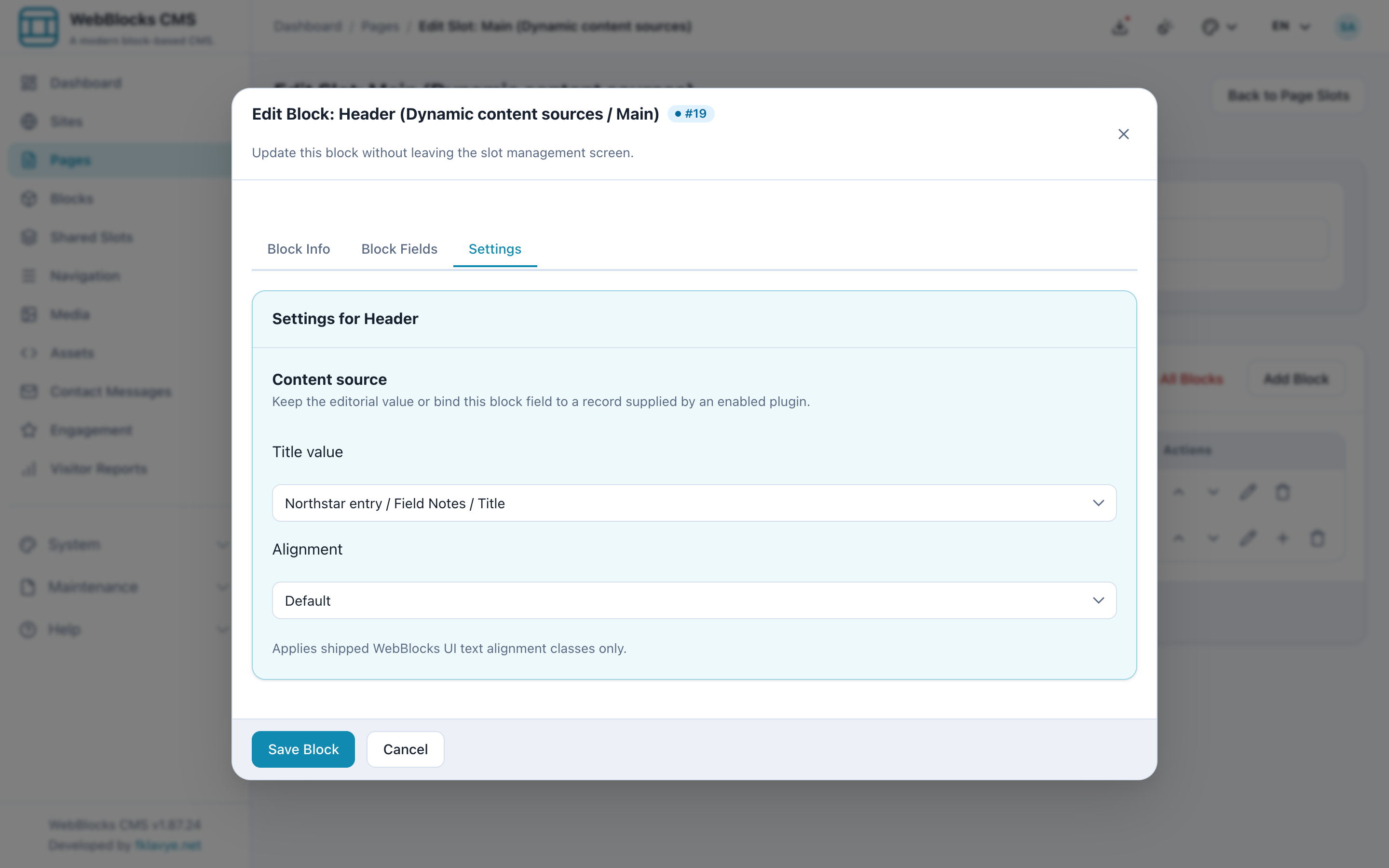
The original block value remains important: it is the editorial fallback. If the plugin is disabled, the source disappears, the record cannot be resolved, or the resolved value is empty, the public page keeps rendering the stored editorial value.
Repeat a child template with a collection
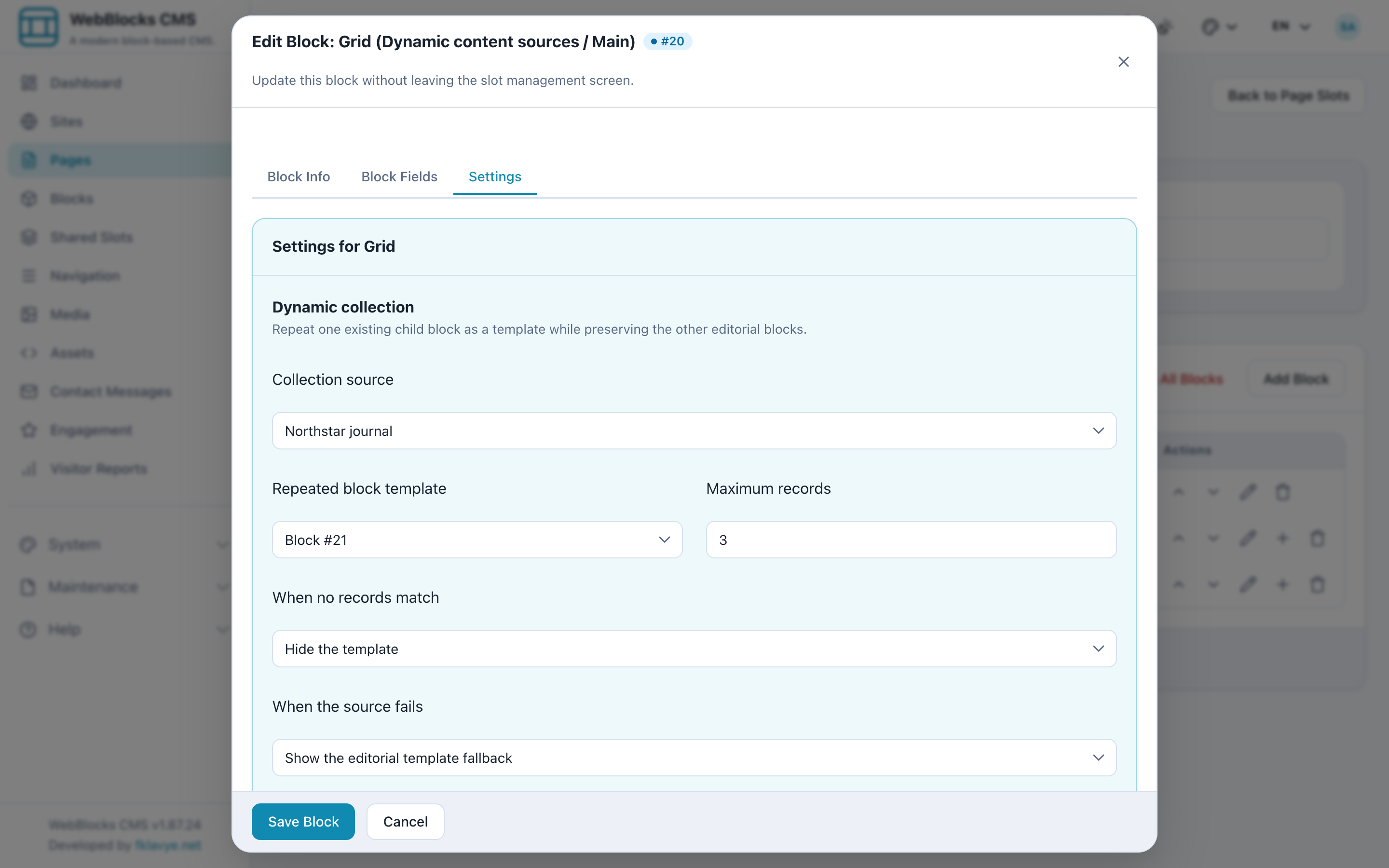
Collection sources handle lists of records. Add a collection-capable container such as Grid or Stack, create one direct child as the visual template, then select the collection and the child to repeat.
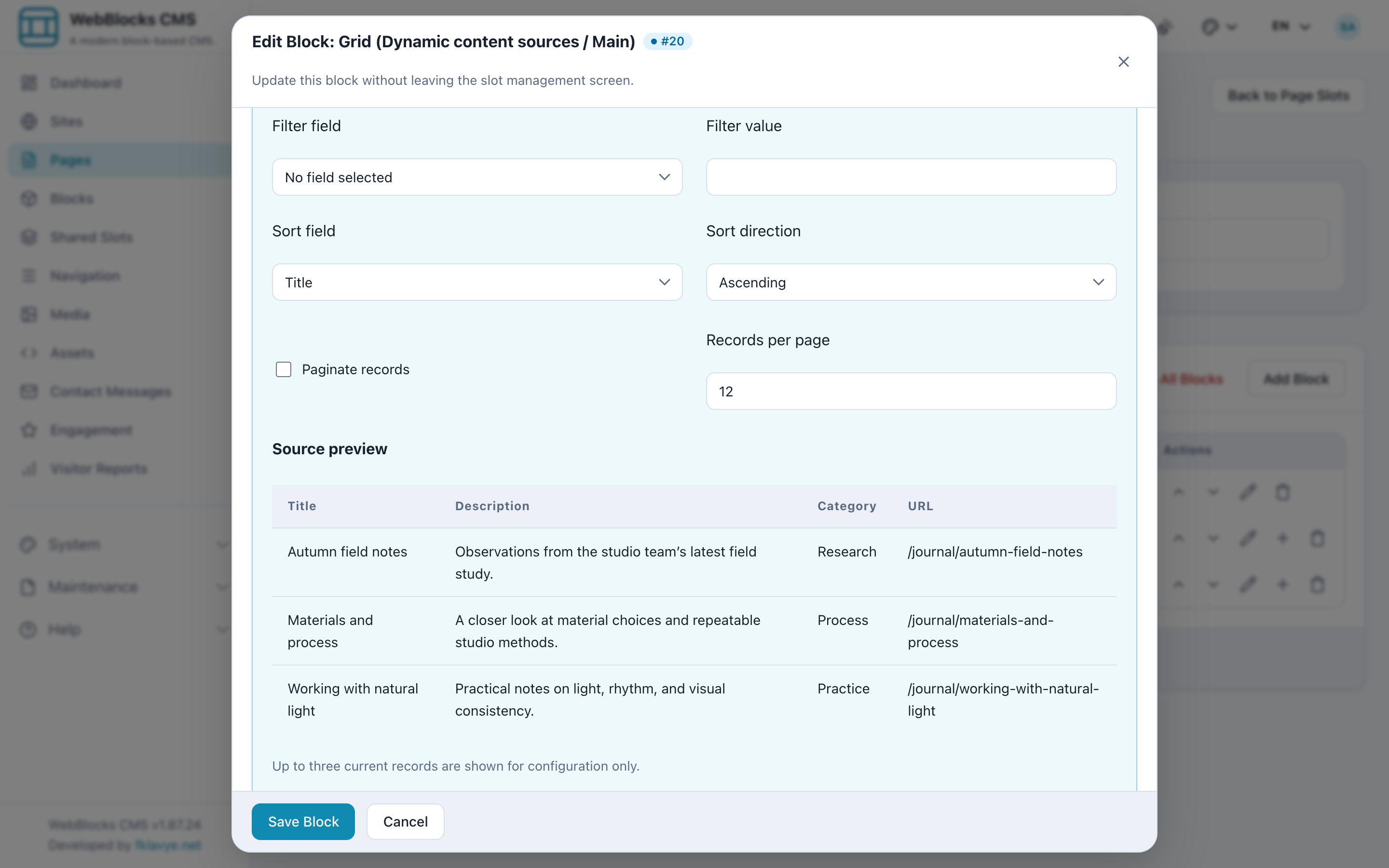
You can set a record limit, filter on one declared field, sort in either direction, and decide whether an empty result or resolver error hides the template or shows its editorial fallback.
Bind fields inside the repeated template
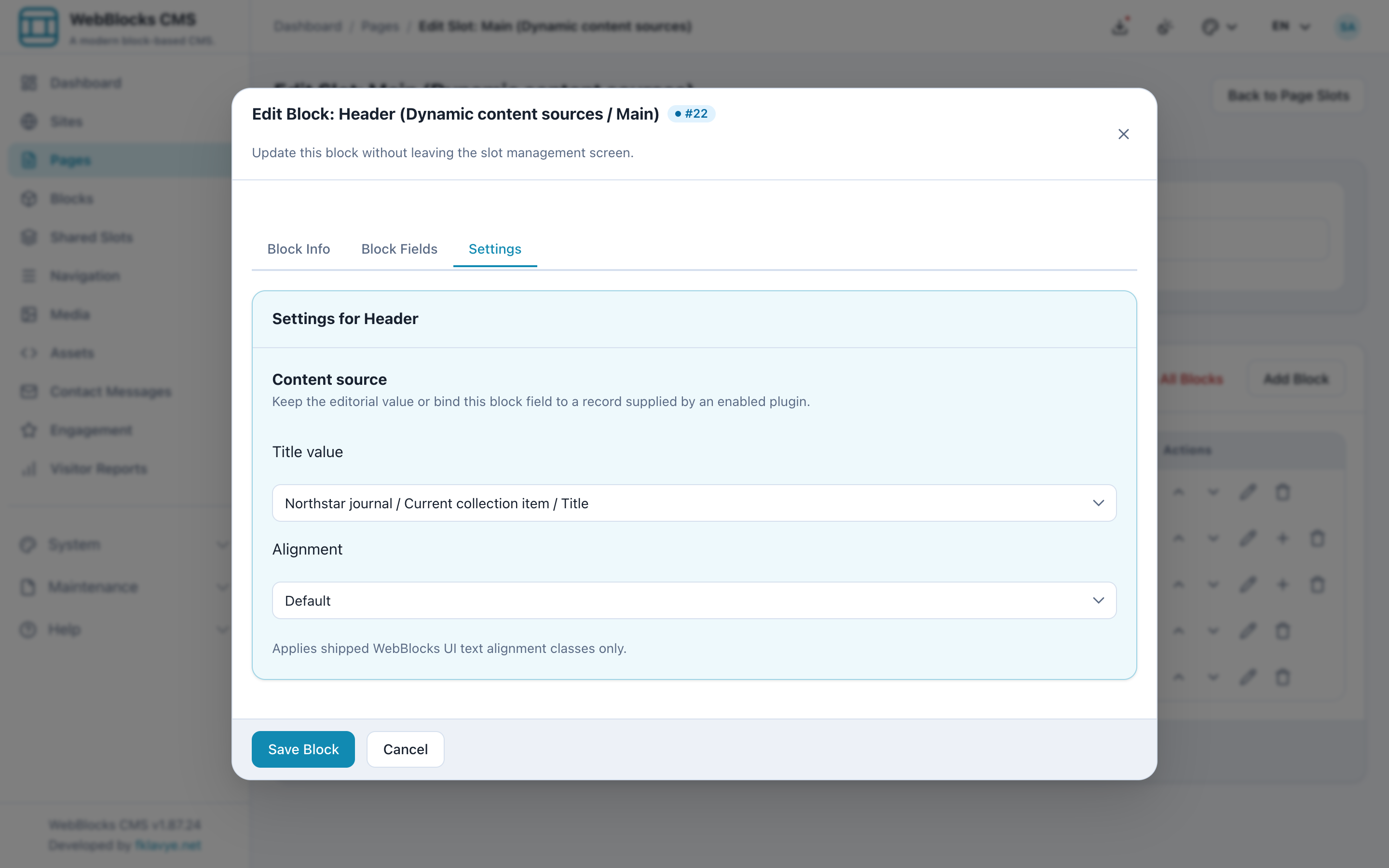
Open a supported descendant inside the chosen template. Its Content source options now include Current collection item. Connect the heading, description, image, or link to the compatible fields on that current record.
At render time the CMS clones the template subtree once for each resolved record and supplies that record as the current item. Other children in the container remain manual editorial content and keep their position.
Which blocks work with content sources?
Entity bindings currently cover Header titles; Plain Text and Rich Text content; Image source, caption, alternative text, and link; Button and Button Link labels and URLs; and the title, secondary text, description, and URL of Link List Item.
Collection support is contract-driven. Core Section, Container, Stack, Cluster, Grid, and Slide can repeat valid direct children. Slider repeats Slide; Columns repeats Column Item; Feature Grid repeats Feature Item or Column Item; and Link List repeats Link List Item. Structural containers that would produce invalid compositions do not advertise collection support.
What plugin developers provide
An enabled plugin registers either an entity source or collection source with a namespaced handle, a resolver, and typed field definitions. Entity resolvers return safe editor choices and one record for a stable key. Collection resolvers return iterable records; large sources can implement the queryable contract so filtering, sorting, limits, totals, and page windows stay in the database or upstream API.
Restricted data can attach an access policy. Sources can also opt into bounded caching and invalidate their cached variants after domain writes. Resolver output never becomes the CMS source of truth: revisions and transfers store the binding configuration and the normal editorial fallback, not executable output.
A safer failure mode
The useful part of this design is not only that data can be dynamic. It is that the failure behavior is explicit. Missing records, disabled plugins, access denial, empty collections, and resolver exceptions do not need to take down the page.
Editors retain a visible fallback, the Settings panel reports missing sources or fields, and the public renderer can keep serving coherent content while the integration is repaired.
For the complete developer contracts and Internal Content API shapes, read Content Sources and Block Field Bindings.