How WebBlocks CMS handles frontend assets
WebBlocks CMS ships ready-to-serve browser assets while keeping site-owned CSS and JavaScript in a separate, explicit namespace.
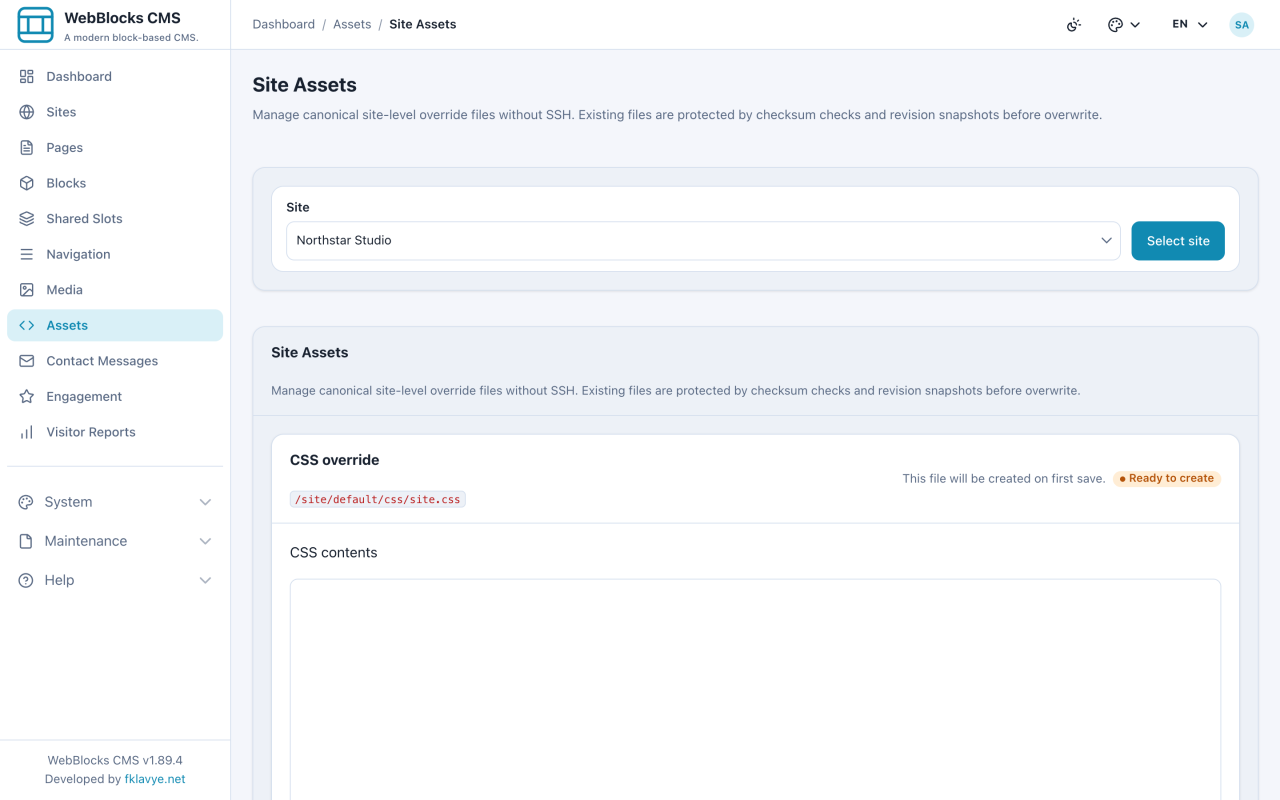
WebBlocks CMS ships the CSS and JavaScript required by its admin workspace and public renderers as ready-to-serve package assets.
The CMS release contains its browser files. The installer publishes them into the host Laravel application's public directory, where the web server serves them as static files.
WebBlocks CMS includes and maintains its JavaScript runtime as part of the package release.
The asset boundary at a glance
WebBlocks CMS separates its browser assets into three explicit ownership layers:
- CMS core assets live under
public/cmsand change with the CMS release. - Site-level overrides live under
public/site/{site_handle}/css/site.cssandpublic/site/{site_handle}/js/site.js. - Page-level assets can reference approved local
/site/...CSS or JavaScript for a narrower page-specific need.
The paths make ownership visible. A file under /cms belongs to the product release. A file under /site/{site_handle} belongs to that installation and site.
What the package ships
WebBlocks CMS keeps CMS-owned runtime assets under the public/cms namespace. The package installer and the webblocks-cms-assets publish tag copy the package's tracked assets into the host's public document root.
Admin styles, public rendering styles, product brand assets and focused JavaScript behaviors belong to the CMS release that uses them. They are released and tested with the PHP code.
The public URLs stay ordinary static URLs. Laravel does not need to stream every stylesheet or script through a controller. The web server can serve existing files directly, while Laravel handles application routes.
This also explains why /cms is an asset namespace rather than an admin route. The operator interface lives under /webadmin; keeping route ownership and filesystem ownership separate avoids try_files collisions in common Nginx deployments.
Core assets and site overrides are different products
WebBlocks CMS provides a separate extension boundary for installation-owned visual adjustments.
Native block settings and WebBlocks UI tokens handle ordinary presentation. Site overrides are reserved for installation-specific composition that belongs to that site.
Republishing CMS assets replaces package-owned files while preserving site-owned overrides. Fixes to CMS core are delivered through CMS releases.
How WebBlocks CMS delivers frontend behavior
WebBlocks CMS ships JavaScript for its admin workflows and public progressive enhancement.
Server-rendered HTML remains the baseline. Focused scripts enhance navigation, media viewing, search, modals and editing workflows. Named JavaScript files load with defer; public renderers do not hide application bootstrapping inside arbitrary inline scripts.
The WebBlocks CMS release process owns browser compatibility, accessibility, asset ordering, cache invalidation and interactions between those scripts.
WebBlocks CMS owns and versions the browser assets required by its runtime.
How static assets stay current
WebBlocks CMS versions browser-facing assets so cached files stay current.
CMS layouts append a version value to package-owned asset URLs, commonly based on the installed file's modification time. Site-level override assets use a content hash. When a file changes, its URL changes so the browser requests the new representation instead of reusing a stale cached copy.
The package also pins its WebBlocks UI runtime to a versioned local path. The browser does not need a live third-party CDN to render the CMS interface, and the CMS release identifies the UI version it was tested with.
What the CMS release must guarantee
A shipped-asset model gives the CMS release concrete responsibilities:
- source changes must be committed as reviewable runtime files;
- the release process must verify that every required asset is present;
- package updates must synchronize runtime copies safely;
- deep frontend customization needs explicit override or plugin contracts.
For WebBlocks CMS core, browser compatibility and asset completeness belong to the package release. Site-specific presentation remains installation-owned and separate from CMS core.
Which part of this asset boundary would you want to inspect first: publishing, cache invalidation or site overrides?