Signing in and recovering access with email verification
A new editor joins Northstar Studio and needs access to its website. The administrator can assign a role and site, but there is another decision to make: how should the editor verify a sign-in, and what happens if they lose access to their mailbox?
WebBlocks CMS uses email verification codes through its existing outgoing-mail settings. This flow arrived in 1.106.3, followed by administrator and server recovery in 1.106.4. Setup, changing an address and recovering access each have their own checks.
Set up verification before requiring it for a team
First configure working email delivery under System → Settings → Mail. Then open Profile → Manage two-factor authentication, confirm the current password and request a code. Enter the six-digit code sent to the profile email to complete setup. Codes expire after five minutes and work once. A replacement can be requested after a one-minute cooldown.
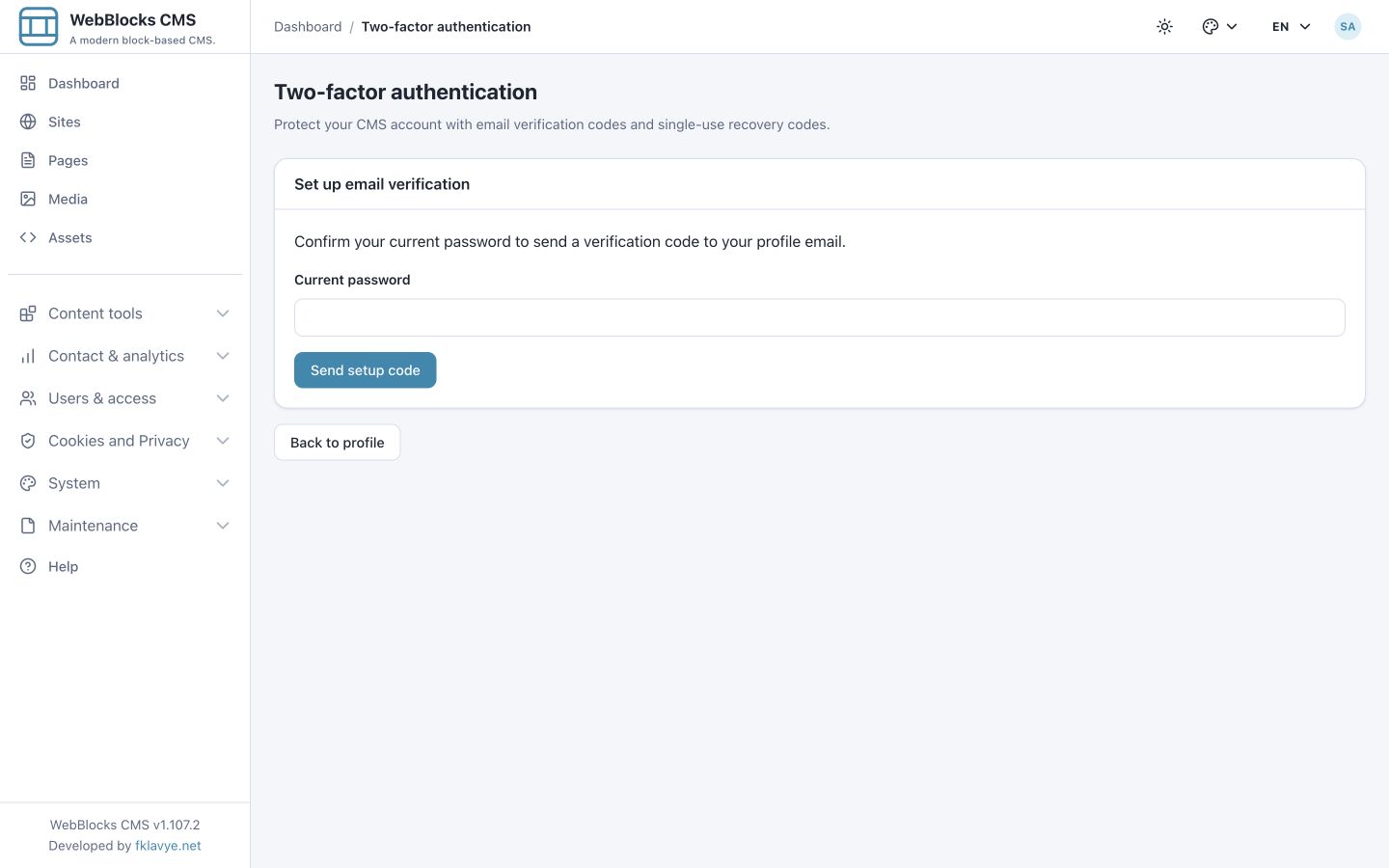
Save the ten recovery codes shown after enrollment somewhere separate from the mailbox. Each can be used once, and generating a replacement set invalidates the previous set. These codes provide a way to verify when email delivery is unavailable.
For Northstar, a useful rollout is for the administrator to complete setup first, check that delivery works and explain recovery to the editors before making enrollment mandatory.
Require verification for the roles that need it
An active Super admin can require verification for Super admins and selected built-in or custom site roles under System → Settings → Security. A matching role on any site is enough for the requirement to apply.
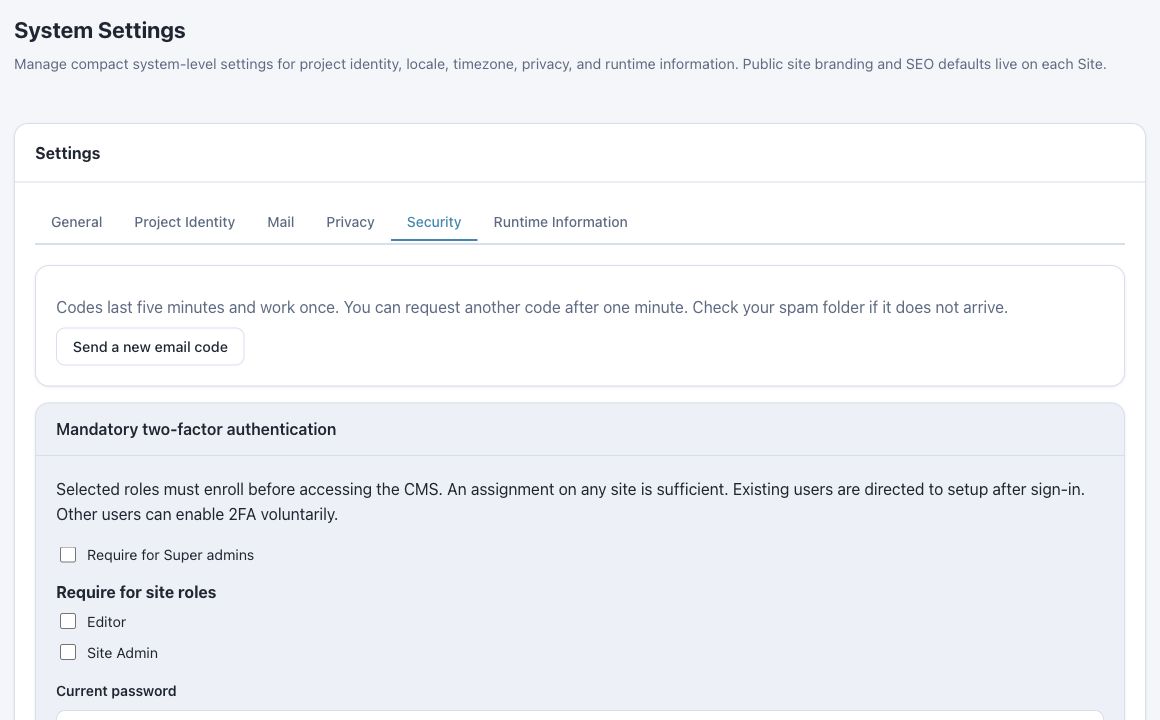
Required users must complete setup before entering the panel and cannot disable verification while the policy applies. An enrolled administrator confirms policy changes with their current password and a fresh email code or recovery code.
Role assignments still determine what an editor can do. Verification adds a check to account access; it does not grant additional editing or publication rights.
Change the verification address deliberately
Suppose the editor receives a new studio mailbox. Updating the profile email alone does not reroute verification codes: the address confirmed during enrollment remains active.
After updating the profile email, use Change verification email. Confirm the password and access to the existing verification method, using an email code or recovery code, then verify the new address. The old address stays active until confirmation completes. Completion replaces recovery codes and requires other sessions to verify again.
Recover an account when the usual methods are unavailable
If the editor has lost both mailbox access and recovery codes, an enrolled active Super admin with the required permissions can reset another account from Users. The administrator first verifies the owner's identity, records a recovery reason and authorizes the action with their own password and fresh verification or recovery code. The panel can also replace an inaccessible profile email.
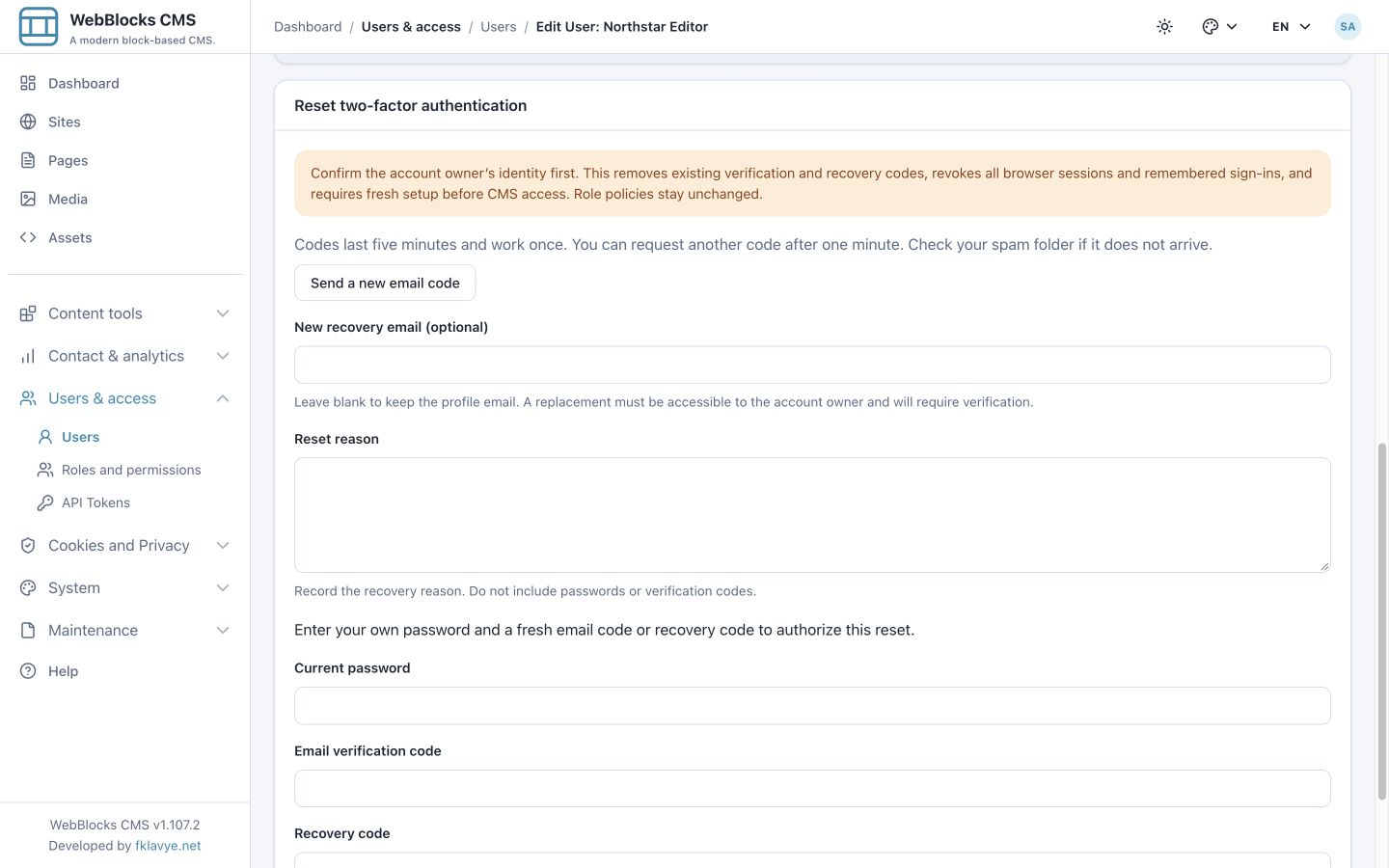
Recovery removes the target's old verification and recovery codes, revokes existing browser sessions and remembered sign-ins, and requires fresh setup before CMS access. Existing sessions are refused on their next web request. The account keeps its password, roles and activity state. Independent bearer-token authentication is unchanged.
For an installation whose only Super admin is locked out, the server operator has a separate recovery command. Panel and server recovery both leave an access-history record. The security documentation explains the authorization and recovery steps.
Plan for mailbox and delivery failures
Email verification depends on the security and availability of the mailbox and on working delivery. Keep recovery codes outside that mailbox and establish who can authorize recovery. A password reset does not remove verification.
For a team like Northstar, the useful result is a complete access procedure: enroll an editor, explain what is required at sign-in, make address changes explicit and keep a recovery route available when normal access fails.
Screenshots use fictional Northstar Studio fixtures in published CMS 1.107.2. They show controls and example states, not a production recovery or cleanup operation.
Was this article useful?
Rate it or share a suggestion below.
Comments and suggestions
Comments are reviewed before they appear.
Comments
0No approved comments yet.
Leave a comment