You Don’t Have to Reinvent the Web to Build a Modern CMS
New web technologies are exciting. New frameworks, rendering models, build systems and abstraction layers regularly solve real problems.
But not every new application needs a new application architecture.
WebBlocks CMS started from a fairly simple question:
How far can a modern CMS go if we keep using familiar web technologies where they already work well?
That means PHP and Laravel for the application. A relational database for structured content. HTML for markup. CSS for presentation. JavaScript where browser behaviour actually requires JavaScript.
None of those ideas are new.
That is intentional.
WebBlocks CMS is not an attempt to reinvent MVC, invent blocks, replace Laravel, or introduce another frontend architecture. It is an attempt to build a capable modern CMS while keeping the underlying application understandable and under the developer's control.
And increasingly, that also means making the same structured CMS safely accessible to AI and automation tools.
A CMS that joins your Laravel application
A common assumption with CMS products is that the CMS is the application.
You install it, build everything inside its world, follow its routing conventions, use its extension model and adapt the rest of your project around it.
WebBlocks takes a different approach.
It is distributed as a Composer package and can be installed into a Laravel application you already own.
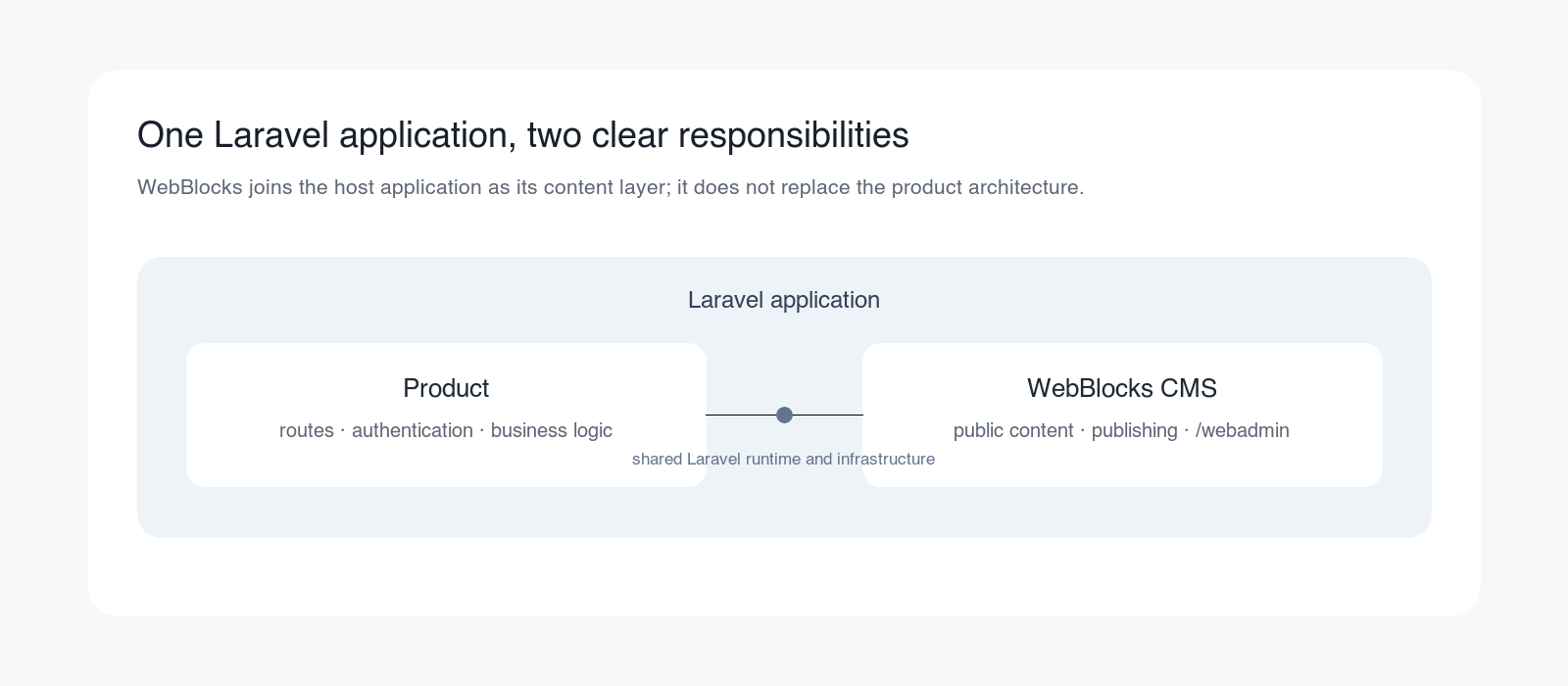
The Laravel application remains the application.
It continues to own things such as:
- authentication
- database configuration
- queues
- deployment
- application routes
- infrastructure
- domain-specific business logic
WebBlocks adds the content-management layer: pages, layouts, blocks, media, navigation, localization, revisions, publishing workflows and the /webadmin workspace.
The installation remains deliberately familiar:
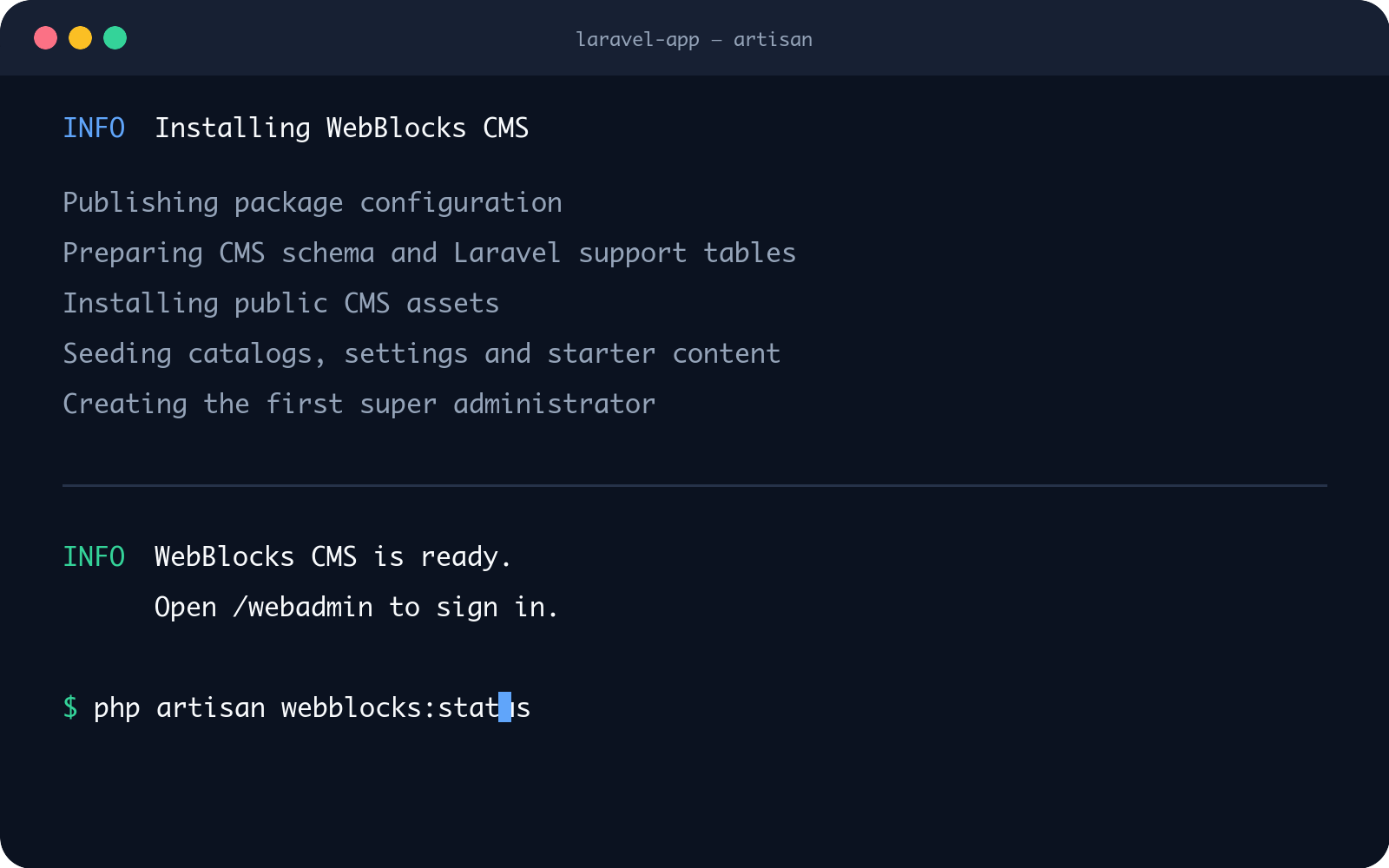
composer require fklavyenet/webblocks-cms
followed by php artisan webblocks:install.
There is no requirement to create a second frontend application just because the project now needs editable content.
Your Laravel product and your website can live together
This becomes particularly useful when the website is only one part of a larger application.
Imagine that you already have:
- a SaaS product
- a customer portal
- a booking application
- an internal business system
- a membership platform
- an e-commerce-related Laravel application
- or simply a Laravel project with substantial custom business logic
The product itself may already work perfectly well.
What you need is a way for editors to manage the public-facing part of it: the homepage, product pages, documentation, landing pages, help content, legal pages, campaign pages or other editorial content.
One solution is to add another application.
A separate CMS. A separate frontend. Perhaps another framework, another deployment process and another integration boundary between the product and the website.
WebBlocks can instead become the optional website and content layer of the existing Laravel application.
The product logic remains where it belongs.
In Laravel.
The CMS manages the content-oriented parts.
This is what the coexistence model is intended for.
WebBlocks can also operate as the primary CMS for a conventional website. The important point is that it does not force every Laravel project into the same architecture.
It can render the public website too
WebBlocks is not limited to acting as a headless content database.
It can manage and render the public website itself.
Pages have real public paths such as:
/features/contact/docs/internal-content-api
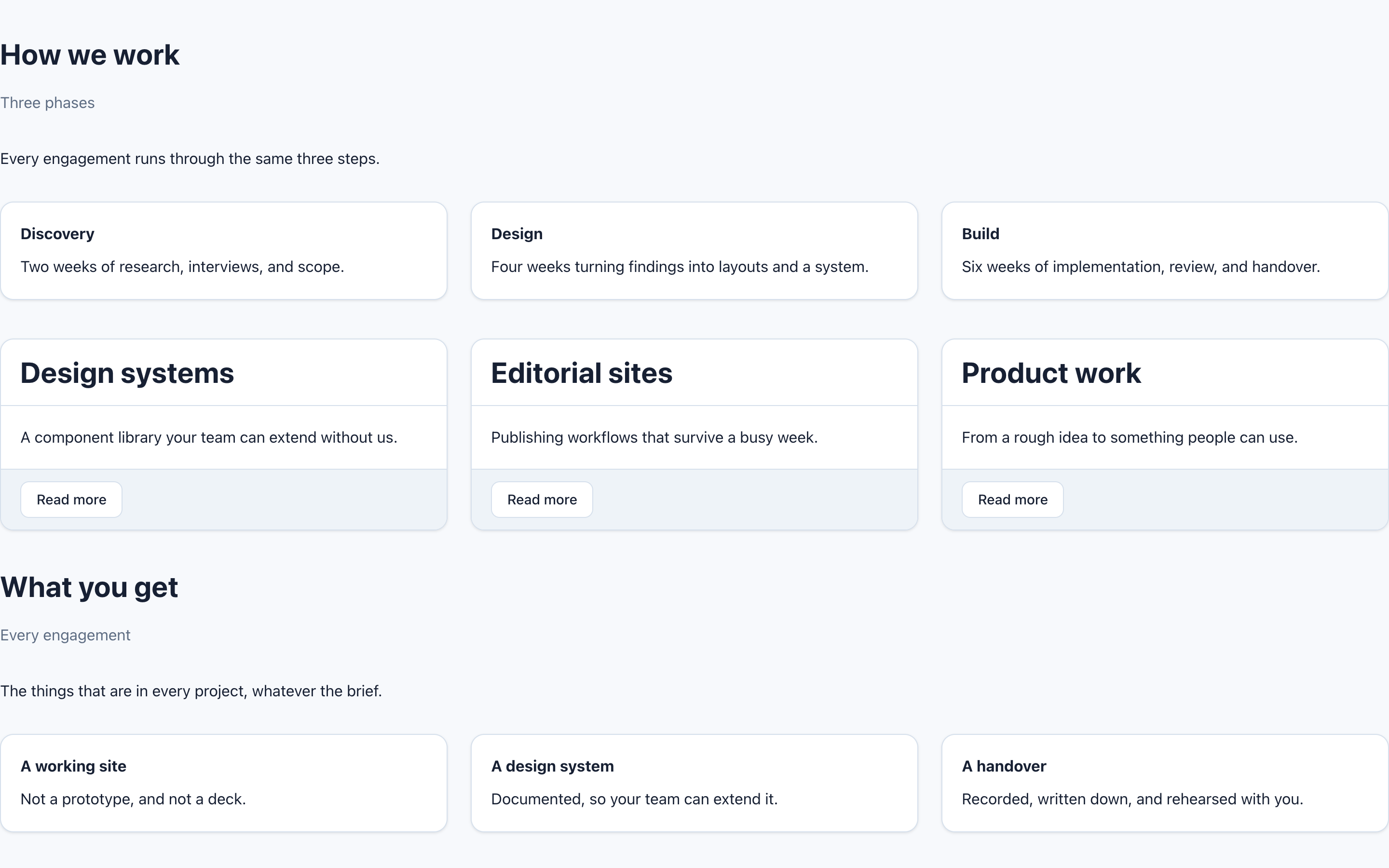
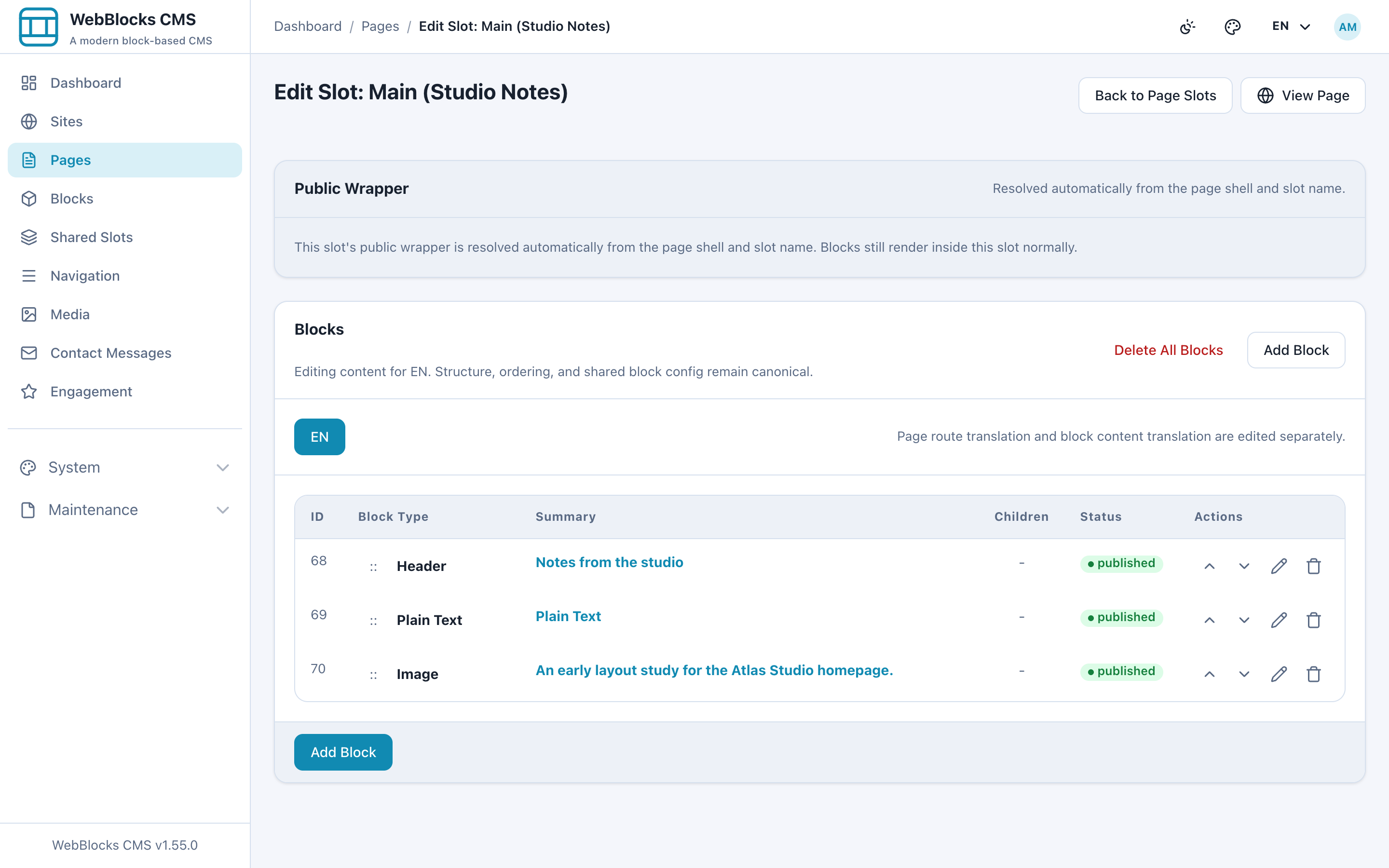
The public renderer works from the same structured Page → Layout → Slot → Block model that editors manage in the CMS.
That means a Laravel application can contain both application routes and CMS-managed public pages without introducing another frontend runtime solely for content delivery.
The CMS package itself does not require Node, npm, Vite or a separate frontend framework.
That does not mean JavaScript is forbidden.
It means JavaScript is used when something actually needs JavaScript rather than being made a prerequisite for rendering the website.
The same principle applies throughout the project:
use each technology where it contributes something useful.
Page → Layout → Slot → Block is not a new invention
Block-based content systems have existed for many years.
Drupal has regions and blocks. Other CMS products have their own versions of sections, components, modules, widgets and reusable content.
WebBlocks does not claim to have invented this concept.
Its content model is deliberately understandable:
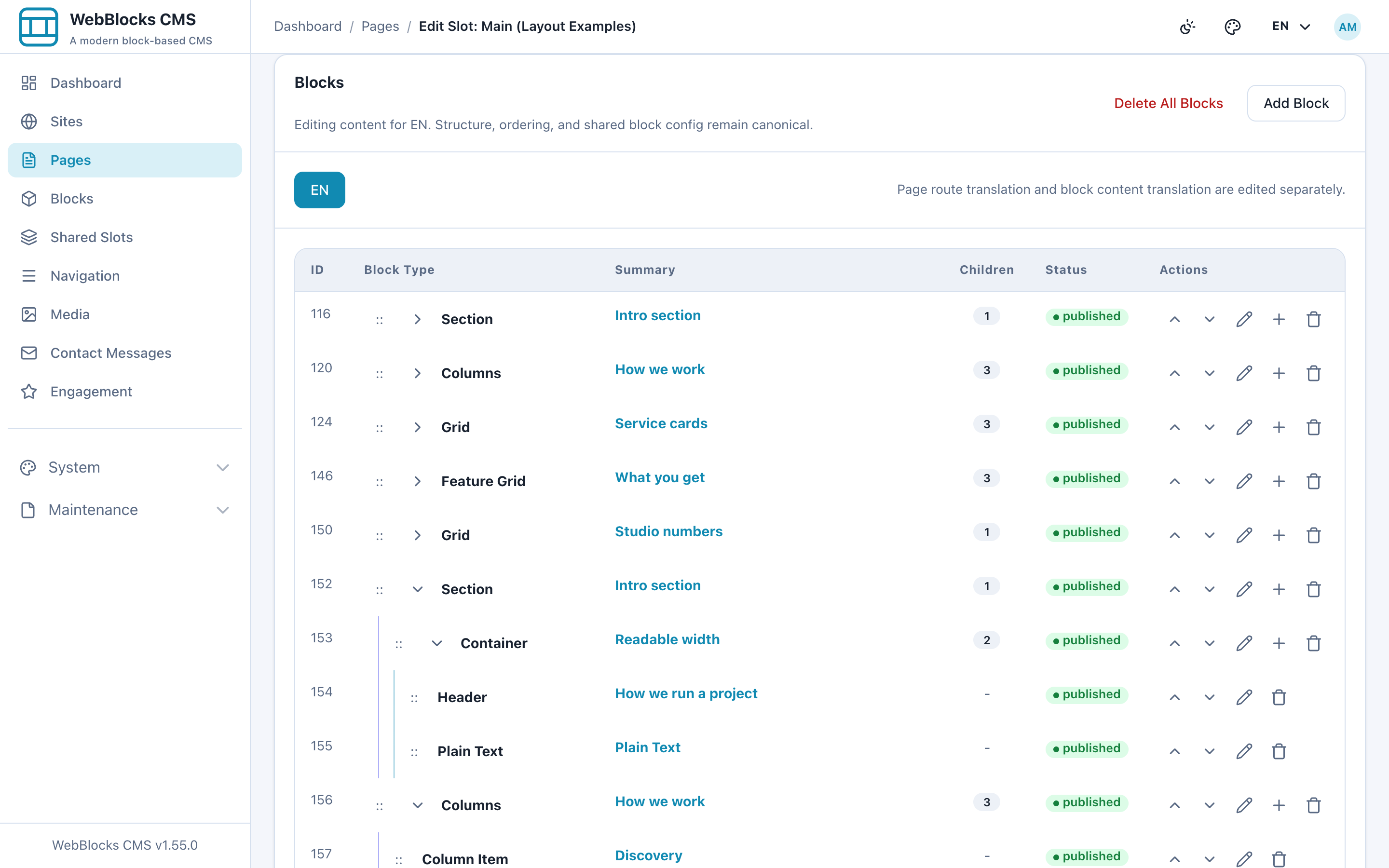
Page → Layout → Slot → Block
A page selects a layout.
The layout defines named areas.
Those slots contain blocks.
Blocks contain structured content and can themselves support nested structures where appropriate.
The value is not that the words are new.
The value is that an editor, a Laravel developer and an automation tool can all reason about the same explicit structure.
There does not need to be a hidden frontend application model sitting between the CMS and the rendered page.
Reusable content should be normal
Headers, footers, sidebars, calls to action and other repeated structures should not have to be rebuilt on every page.
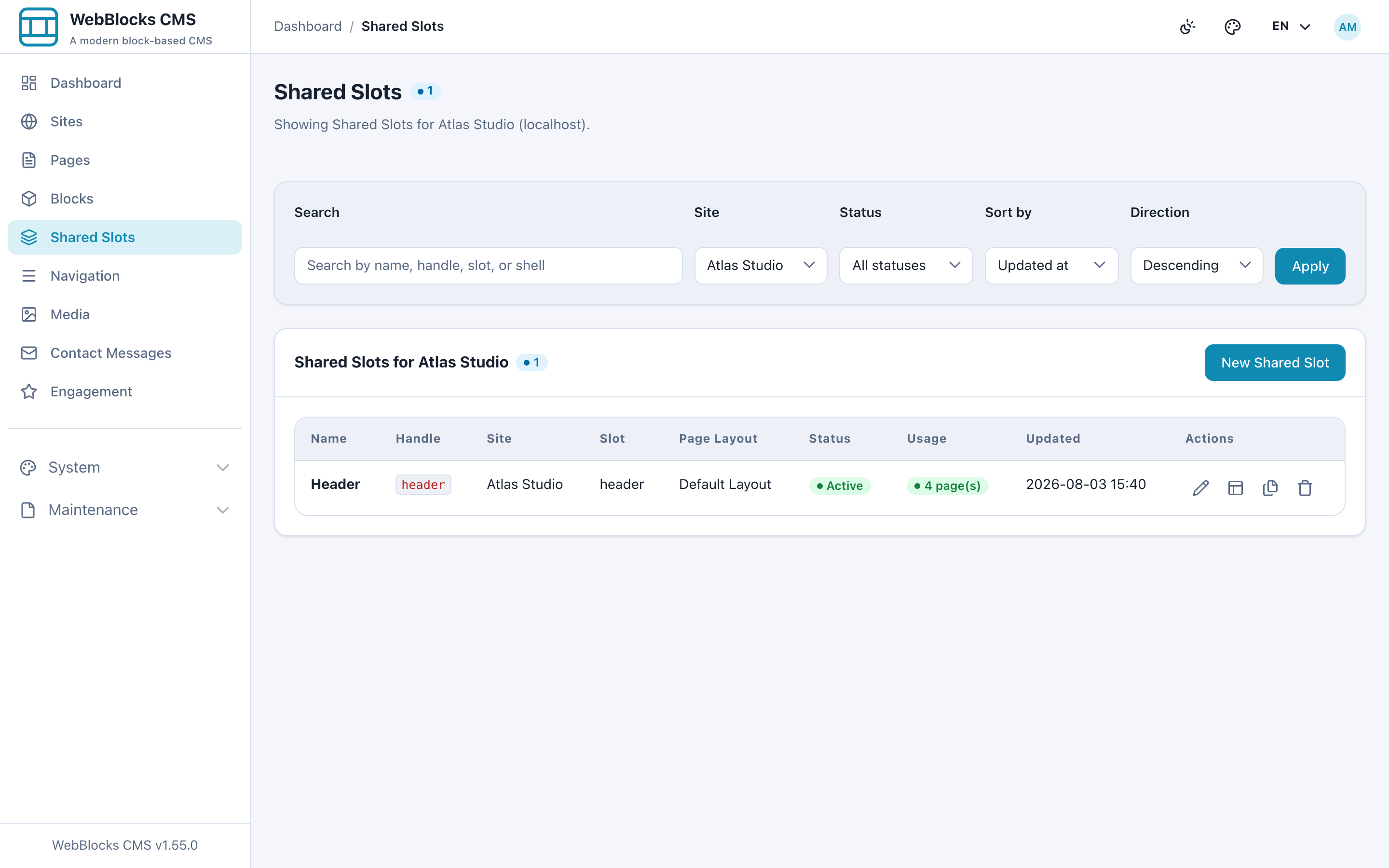
WebBlocks uses Shared Slots for that.
Again, reusable content is not presented as a revolutionary CMS invention. It is something a practical CMS should provide.
But reusable content also introduces an important editorial problem: changing shared content may affect many pages simultaneously.
That is why Shared Slots participate in their own controlled content and revision workflows instead of being treated as invisible global fragments.
Reuse is useful.
Governed reuse is safer.
Publishing is not just an on/off switch
A CMS becomes more interesting when more than one person — or more than one kind of actor — can modify content.
WebBlocks separates page state from block publishing rather than silently assuming that publishing a page should make every unpublished block public.
Pages can move through editorial states.
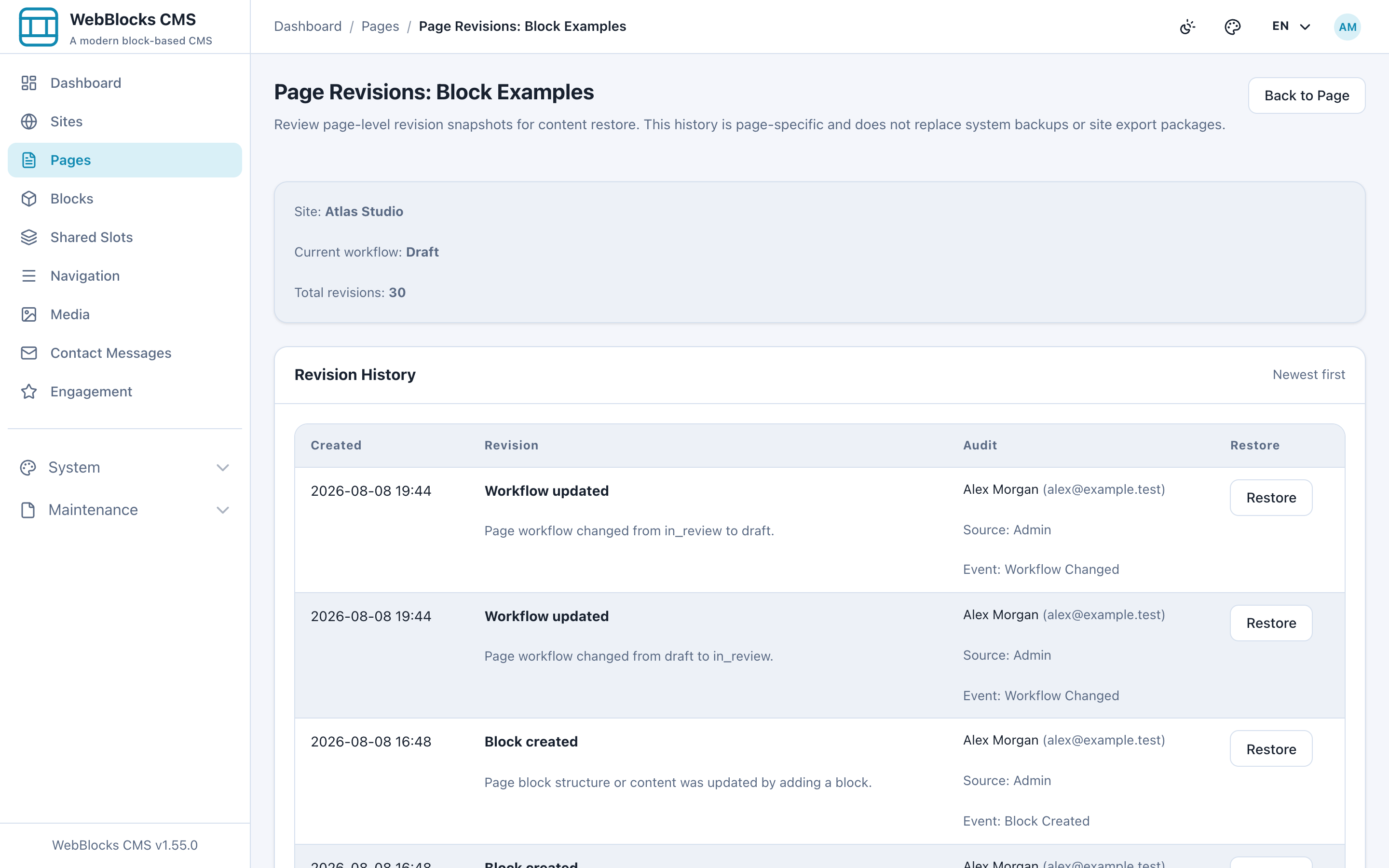
Revisions provide page-level safety snapshots.
Shared content has its own revision history.
Publishing can be explicit about whether page-owned blocks should also become public.
This matters for human editorial teams.
It becomes even more important once automation and AI enter the workflow.
Multisite and localization are part of the content model
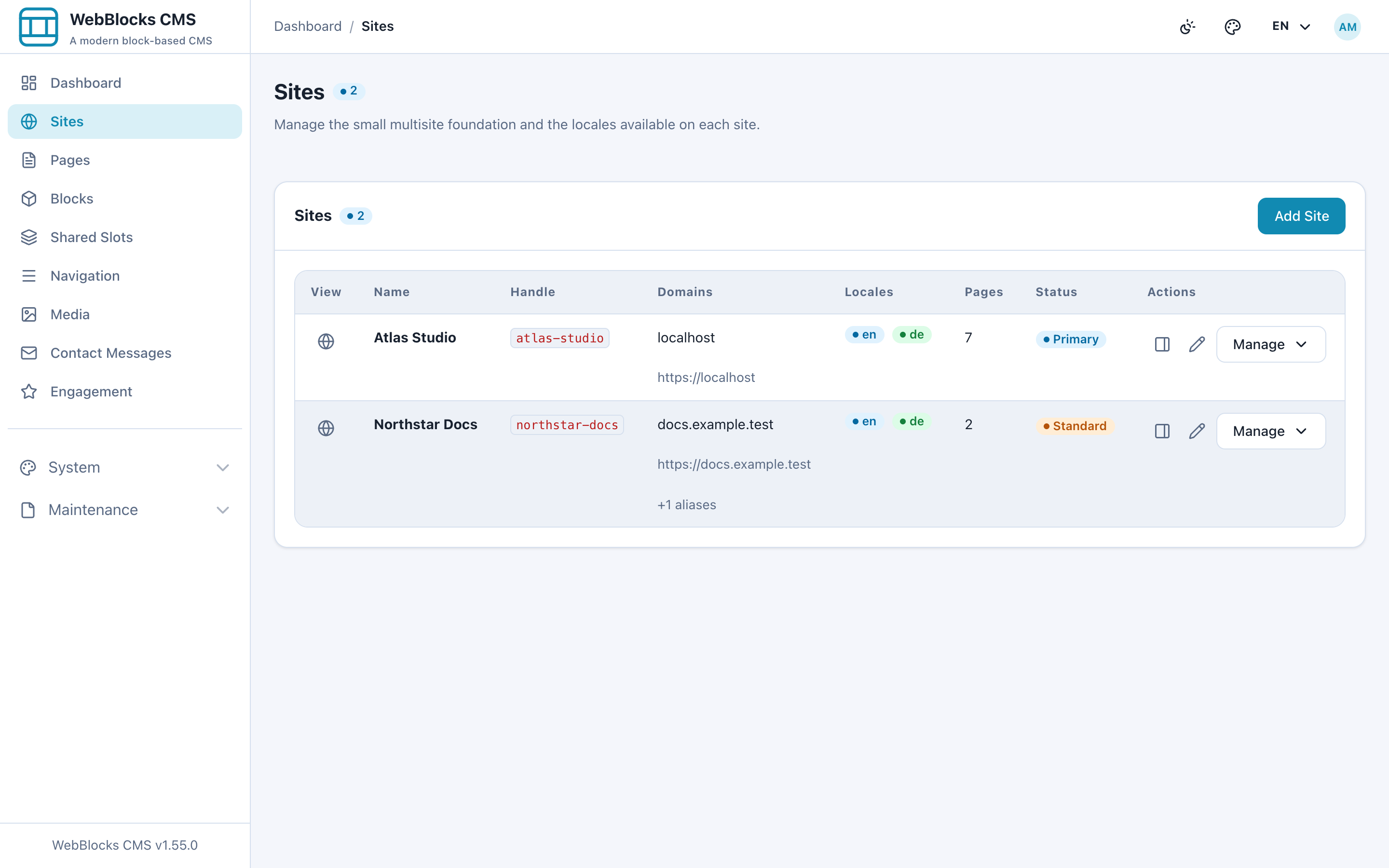
One WebBlocks installation can manage distinct sites, domains and languages while keeping site ownership explicit.
Localization is not simply “duplicate the page and translate it.”
Content, paths and SEO data can be localized while the reviewed page structure remains understandable.
This becomes useful for organizations that run several product sites, regional sites or multilingual properties but do not want a separate CMS installation for each one.
Again, this is not a claim that multisite or localization are new concepts.
They are established CMS responsibilities.
The goal is to provide them without requiring the Laravel application to surrender control of its architecture.
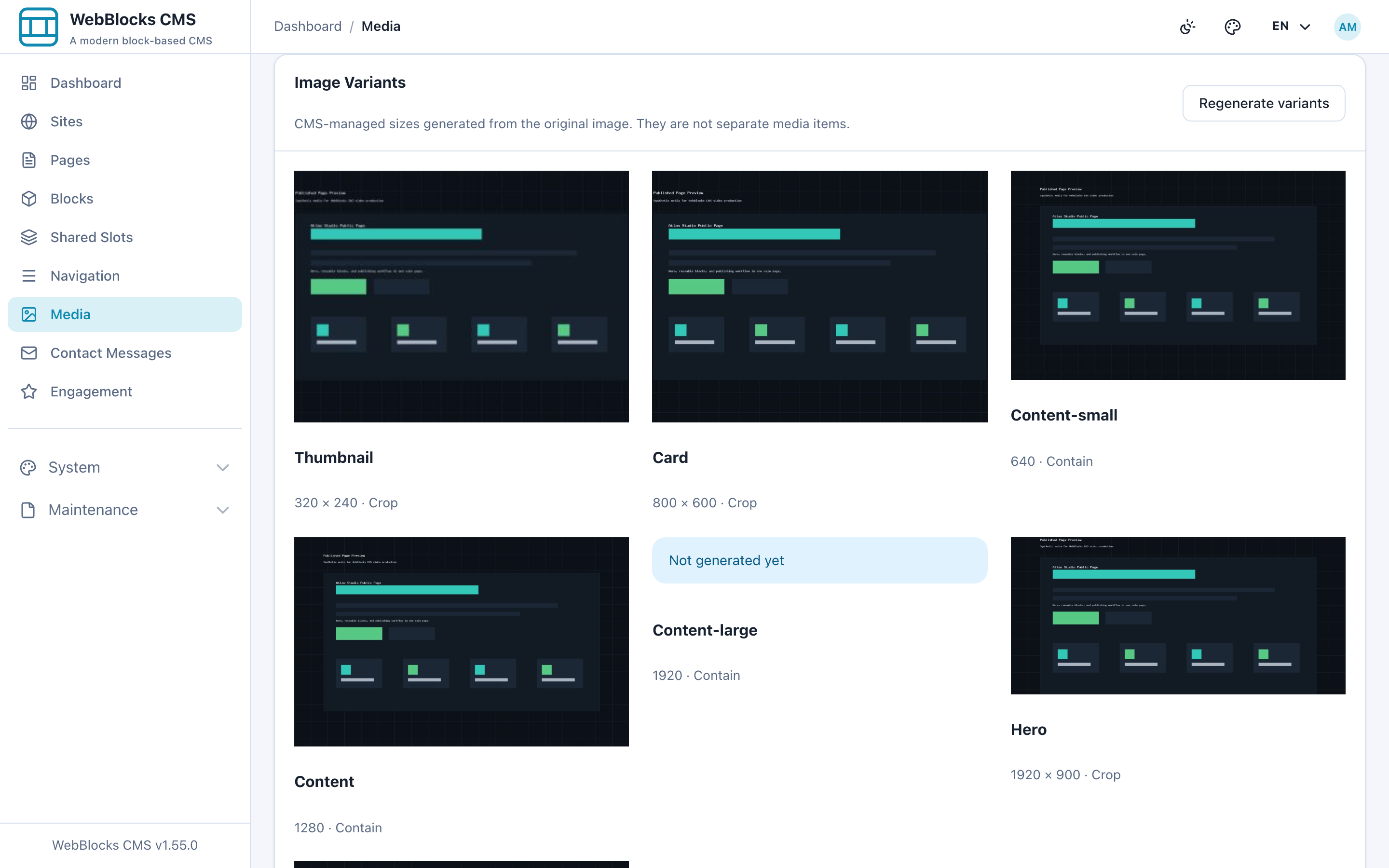
Media belongs in the CMS too
Editorial content is more than text.
WebBlocks includes media management and image variants so media can participate in the same structured publishing environment as pages and blocks.
Combined with navigation, search, revisions, backups, site transfer and controlled publishing, the intention is to cover the normal operational responsibilities expected from a CMS rather than demonstrate a small block-editor prototype.
That distinction matters.
A block editor is a feature.
A CMS has to manage the lifecycle around the content as well.
Then AI changes the problem
This is where the conventional architecture becomes especially interesting.
Many products currently add AI by placing a text box somewhere in the admin interface and connecting it to a model.
That can be useful, but it is not the direction WebBlocks is exploring.
The more interesting question is:
What happens if an AI tool can understand and operate the actual CMS safely?
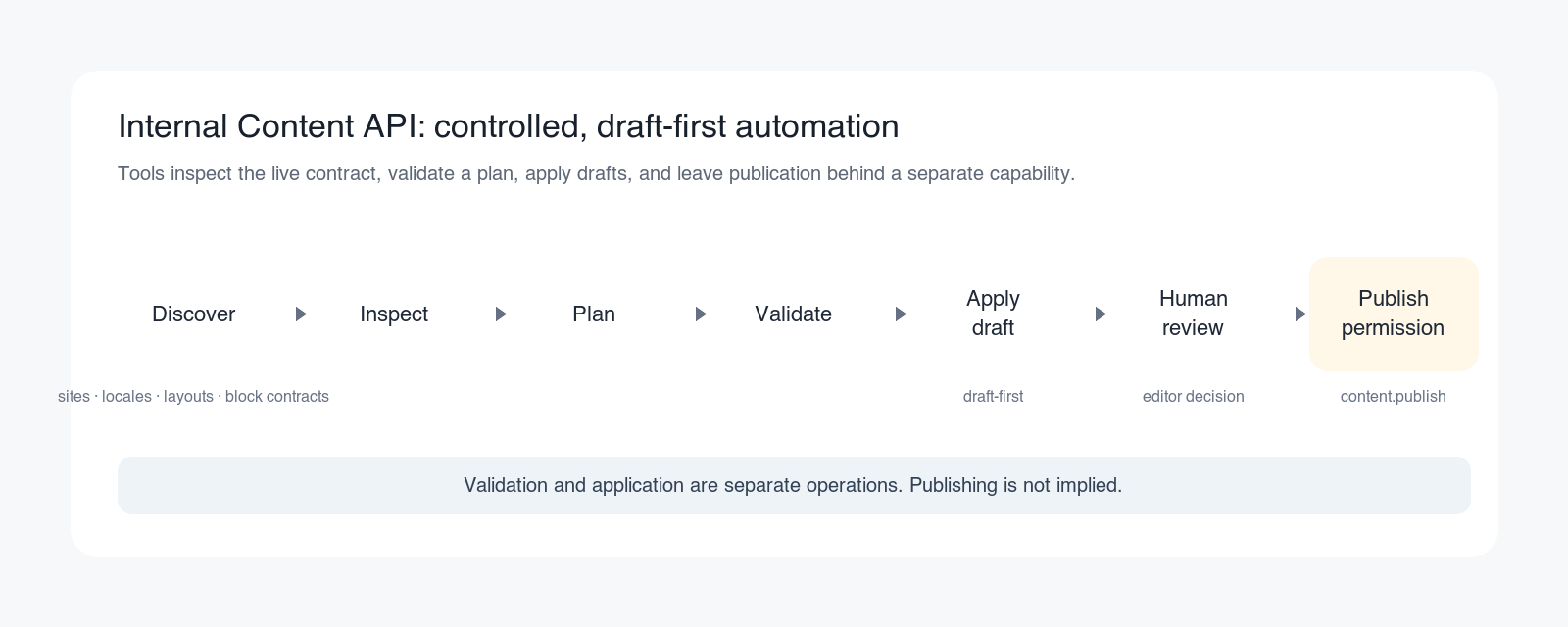
WebBlocks exposes structured CMS capabilities through its Internal Content API.
A trusted AI or operator tool can inspect the actual installation rather than guessing how the CMS works.
It can discover available sites, locales, layouts, block types and content contracts.
It can inspect existing structured content.
It can prepare an entire page plan.
It can validate that plan before changing content.
It can create or modify draft content.
And publishing remains a separate capability requiring explicit permission.
This distinction is important.
The AI does not need to scrape the admin interface.
It does not need to simulate mouse clicks.
It does not need to invent HTML and hope that the CMS accepts it.
It can work with the same structured content model that the CMS itself understands.
AI access does not have to mean unlimited access
Giving an AI tool access to a CMS introduces an obvious question:
What is it allowed to do?
The Internal Content API is deliberately permission-scoped.
Content validation and content application are separate operations.
Applying content is draft-first.
Publishing requires a separate content.publish capability.
The API rejects operations outside its defined contracts rather than treating automation as an administrator with unlimited freedom.
The intent is not:
“Let the AI control the website.”
It is closer to:
“Let trusted tools perform well-defined CMS operations under the same kind of boundaries we would expect from other application actors.”
This creates interesting possibilities.
An AI tool could prepare a new landing page while leaving the final publish decision to an editor.
It could update selected draft sections without replacing the entire page.
It could understand which block structures the actual installation supports before proposing content.
It could work across a multilingual site while respecting site and locale boundaries.
And because these are CMS capabilities rather than a provider-specific AI integration, the CMS core does not have to depend on one model vendor.
Conventional does not mean static
Using established technologies does not mean rejecting new capabilities.
It can mean putting those capabilities at a different layer.
HTML does not become obsolete because an AI helped create the content.
Laravel does not need to become a JavaScript application because an editor wants interactive blocks.
A relational database does not become unsuitable because an automation tool writes structured content through an API.
Server-side rendering does not prevent modern editorial workflows.
And a conventional Laravel application can still expose machine-readable contracts sophisticated enough for AI tools to operate against safely.
That combination is the experiment behind WebBlocks CMS.
What WebBlocks is not trying to prove
WebBlocks is not trying to prove that:
- MVC is new
- monolithic applications are new
- blocks are new
- reusable regions are new
- server-side rendering is new
- CMS workflows are new
They clearly are not.
Nor is the project arguing that frontend frameworks, headless architectures or JavaScript-heavy applications are inherently wrong.
They solve real problems and are the right choice for many applications.
The narrower question is whether they should be an automatic requirement for every CMS-backed Laravel project.
WebBlocks' answer is to make them optional rather than foundational.
A deliberately boring foundation
There is a tendency in software to describe “boring technology” as if it were an apology.
It can also be an advantage.
A Laravel developer opening a WebBlocks project should still recognize a Laravel application.
A frontend developer should still see HTML, CSS and JavaScript.
An editor should see pages and content rather than deployment architecture.
And an AI tool should see explicit schemas, permissions and structured operations rather than having to reverse-engineer an admin interface.
There is plenty of room for innovation above that foundation.
The foundation itself does not have to be unfamiliar.
Try the approach rather than the terminology
The individual concepts in WebBlocks CMS are intentionally recognizable.
The interesting part is how they work together:
- a Composer-installable Laravel CMS,
- an optional content layer for an existing product,
- public website rendering,
- structured pages and reusable content,
- multisite and localization,
- media and navigation,
- revisions and controlled publishing,
- and permission-scoped APIs that allow modern AI tools to participate in real CMS workflows.
Whether that combination is useful is a much more interesting question than whether MVC, blocks or monolithic applications existed before it.
They did.
The project is open source, the documentation is public and there is a live demonstration.
So the best way to evaluate the idea is not to ask whether the ingredients are new.
Try the CMS and see what can be built with them.