Managing unread messages in a shared CMS inbox
Avery marks two contact messages as read before handing the inbox over to Jordan. When Jordan refreshes the dashboard, there’s one unread message and three still awaiting a reply.
This example uses three fictional messages in the Northstar Studio showcase, with Avery and Jordan signed in separately. The bulk actions are available in WebBlocks CMS 1.126.0 and later. Both editors have permission to update contact message status for Northstar Studio.
Open the unread queue from the bell
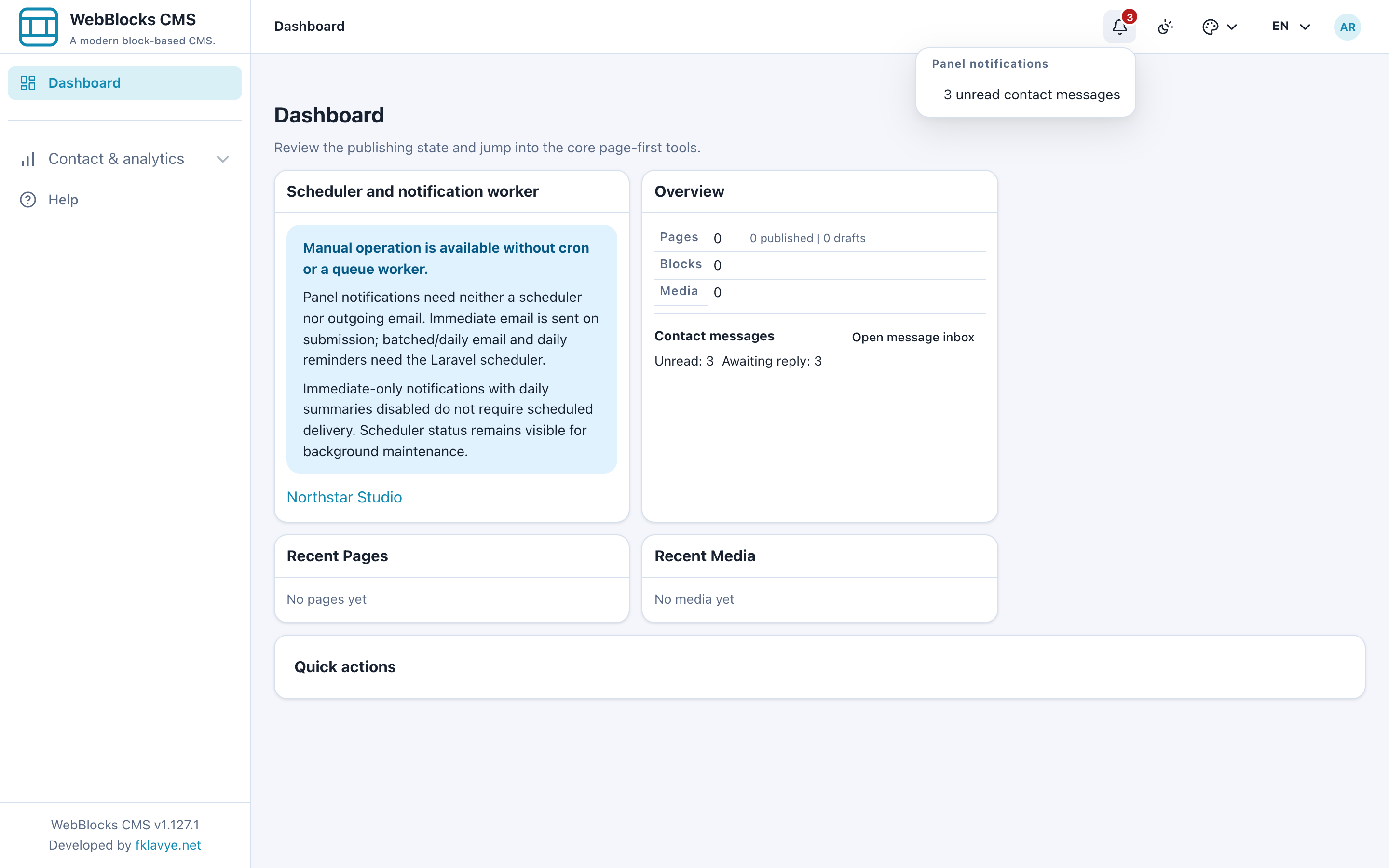
Avery starts with three unread messages, all awaiting a reply. In the header, Avery opens the bell and follows 3 unread contact messages to Contact Messages with the New filter already applied. Opening the list leaves all three messages in New.
Mark two messages as read
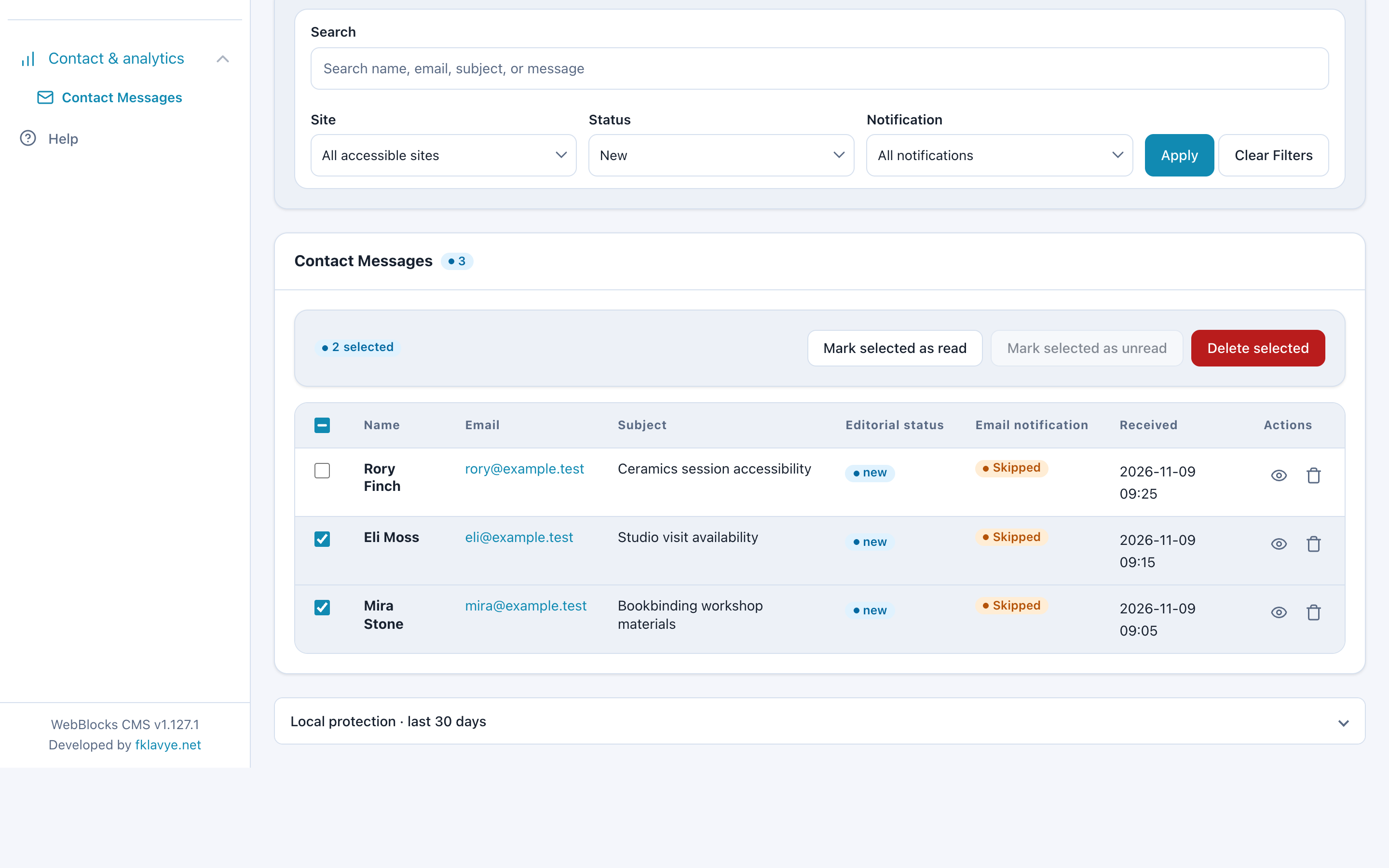
Avery checks Studio visit availability and Bookbinding workshop materials, then chooses Mark selected as read. The two selected messages move from New to Read. The list keeps the New filter, leaving the ceramics accessibility enquiry as the only row.
Check the two counters
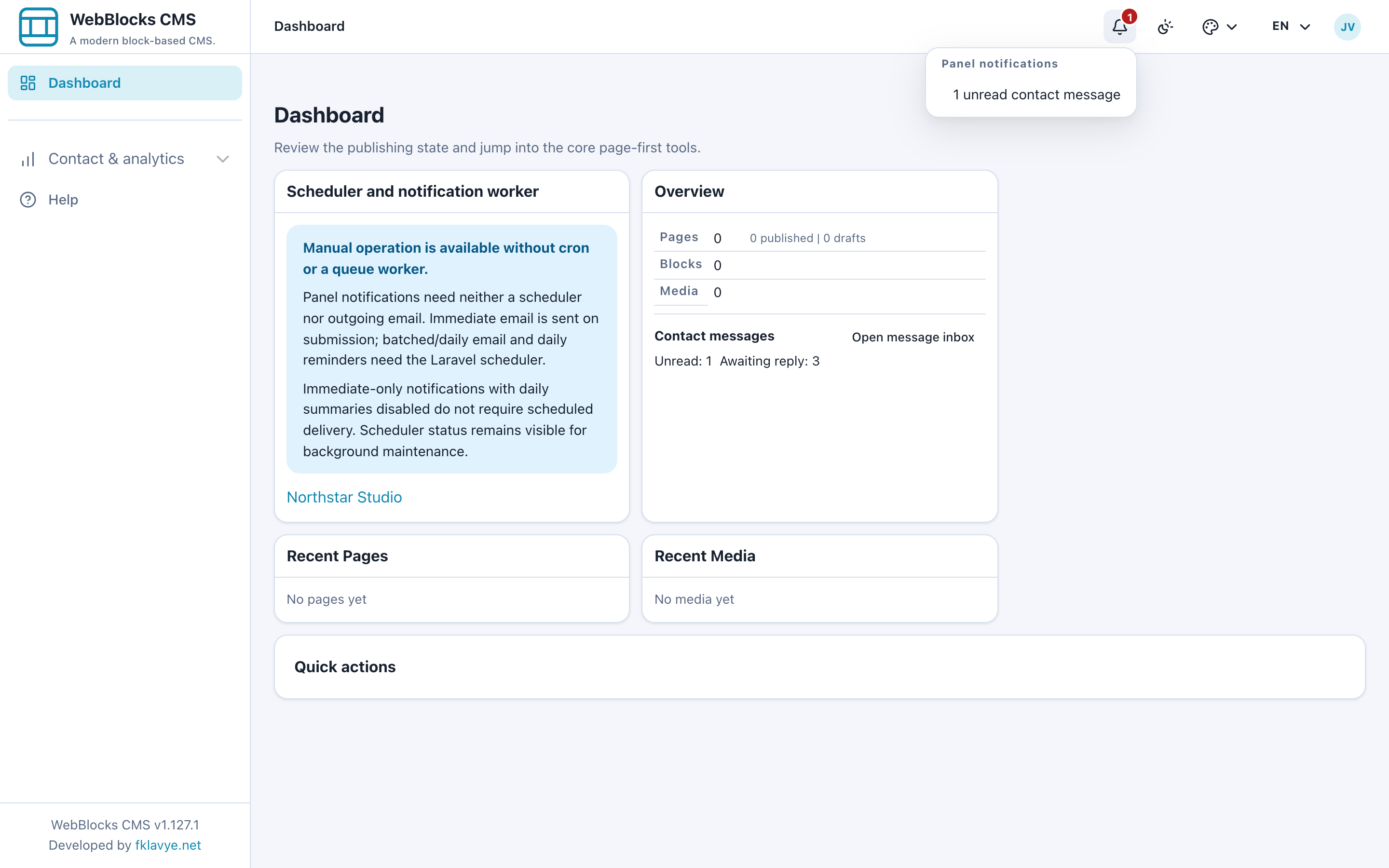
Jordan refreshes the dashboard in a separate browser session. The bell now lists 1 unread contact message. The dashboard shows Unread: 1 and Awaiting reply: 3. Read status is shared across the inbox. Both messages Avery marked as read still need a reply, so the reply count stays at three.
Put the two messages back in the unread queue
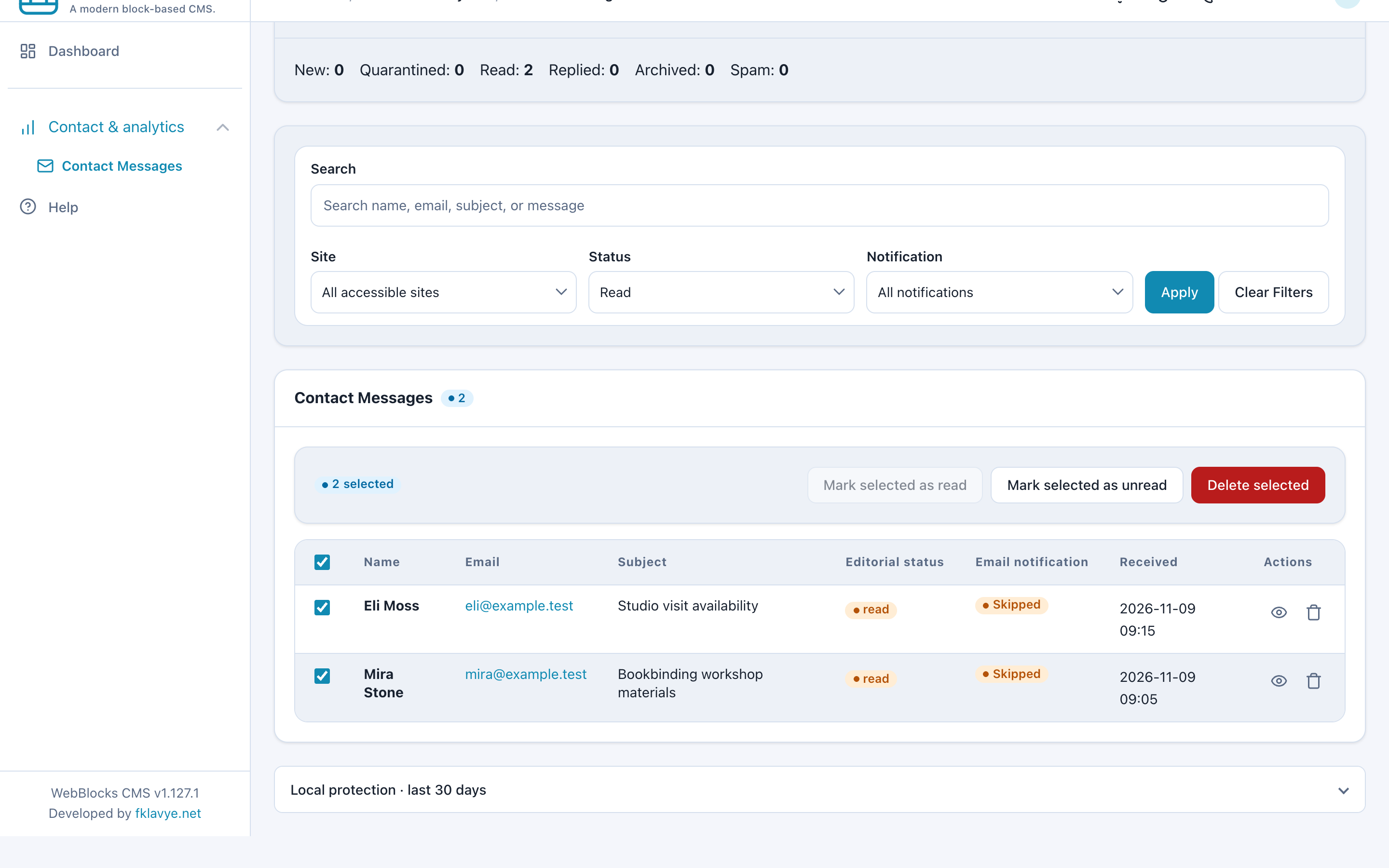
Jordan opens Contact Messages, sets Status to Read, and clicks Apply. Jordan selects the same two messages and chooses Mark selected as unread. The Read list is now empty and the two messages are back under New.
After reloading the dashboard, both editors see 3 unread and 3 awaiting reply again. Use New to find unread messages and Awaiting reply to see how many messages still need a response, including ones another editor has already read. Contact Forms and Messages
Was this article useful?
Rate it or share a suggestion below.
Comments and suggestions
Comments are reviewed before they appear.
Comments
0No approved comments yet.
Leave a comment